
Sharp CP-SS30(BK)
Manual Pengguna Pembesar Suara Rak Buku Aktif Sharp CP-SS30(BK)
Model: CP-SS30(BK)
1. Pengenalan
Terima kasih kerana membeliasing the Sharp CP-SS30(BK) Active Bookshelf Speakers. These speakers are designed to provide superior sound reproduction with versatile connectivity options. Please read this manual carefully before using the product to ensure proper operation and to maximize your listening experience.
The CP-SS30(BK) features a robust plywood cabinet, 60W RMS (2 x 30W) two-way active sound, and multiple input options including Bluetooth v5.0, USB, Optical, Auxiliary, and RCA. It also includes an equalizer with preset and custom bass/treble adjustments, and a full-function remote control for convenience.
2. Maklumat Keselamatan
Please observe the following safety precautions to prevent damage to the product and to ensure your safety:
- Jangan dedahkan pembesar suara kepada hujan atau kelembapan.
- Jangan sekat sebarang bukaan pengudaraan.
- Jangan pasang berhampiran mana-mana sumber haba seperti radiator, daftar haba, dapur, atau radas lain (termasuk amppenghidup) yang menghasilkan haba.
- Lindungi kord kuasa daripada berjalan atau tersepit, terutamanya pada palam, bekas kemudahan dan tempat keluar dari radas.
- Hanya gunakan lampiran/aksesori yang ditentukan oleh pengilang.
- Cabut plag radas ini semasa ribut petir atau apabila tidak digunakan untuk jangka masa yang lama.
- Rujuk semua servis kepada kakitangan perkhidmatan yang berkelayakan. Servis diperlukan apabila radas telah rosak dalam apa jua cara, seperti kord bekalan kuasa atau palam rosak, cecair telah tertumpah atau objek jatuh ke dalam radas, radas telah terdedah kepada hujan atau lembapan, tidak beroperasi seperti biasa. , atau telah digugurkan.
3. Kandungan Pakej
Sila pastikan semua item ada dan dalam keadaan baik:
- 2 x Sharp CP-SS30(BK) Bookshelf Speakers
- 1 x Alat Kawalan Jauh (termasuk bateri)
- 1 x RCA Audio Cable (3 meters)
- 1 x AUX Audio Cable (1.2 meters)
- 1 x Power Cable (1.2 meters)
- 1 x Speaker Connection Cable
- Dokumentasi Pengguna

Image: All components included in the Sharp CP-SS30(BK) package, including two speakers, remote control, and various cables.
4. Ciri-ciri Produk
The Sharp CP-SS30(BK) speakers offer a range of features for an enhanced audio experience:
- Output Audio yang Berkuasa: 60W RMS (2 x 30W) two-way active speakers for clear and dynamic sound.
- Pembinaan Premium: Plywood cabinet design ensures superior sound reproduction and durability.
- Kesambungan Tanpa Wayar: Seamless audio streaming with Bluetooth v5.0.
- Berbilang Input: Connect various devices via Bluetooth, USB, Optical, Auxiliary (AUX), and RCA inputs.
- Bunyi Boleh Disesuaikan: Built-in equalizer with five preset settings and independent bass and treble adjustment.
- Reka Bentuk Moden: Removable speaker grilles allow for a contemporary aesthetic.
- Kawalan Mudah: Full-function remote control for easy operation from a distance.

Imej: Depan view of the Sharp CP-SS30(BK) speakers with the remote control, showcasing their design and compact size.

Imej: Dari dekat view of the front panel of one Sharp CP-SS30(BK) speaker with the grille removed, highlighting the tweeter, woofer, indicator light, and volume/input knob.
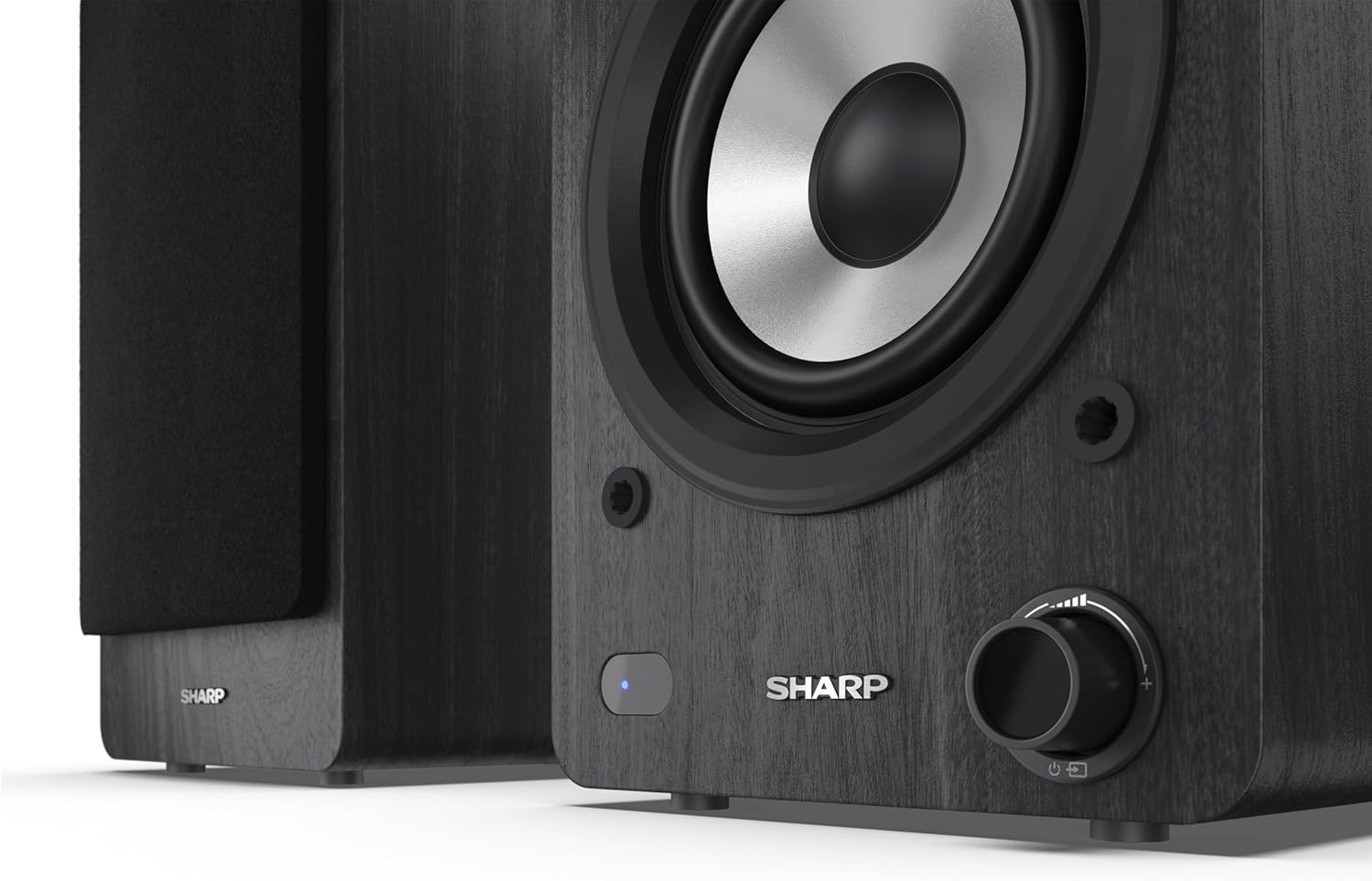
Image: A detailed shot of the control knob and the blue indicator light on the Sharp CP-SS30(BK) speaker, showing the subtle branding.
5. Persediaan
5.1 Penempatan Pembesar Suara
For optimal sound quality, place the speakers on a stable, flat surface. Position them at an equal distance from your listening position, forming an equilateral triangle for the best stereo imaging. Ensure there is adequate space behind the speakers for ventilation and cable connections.
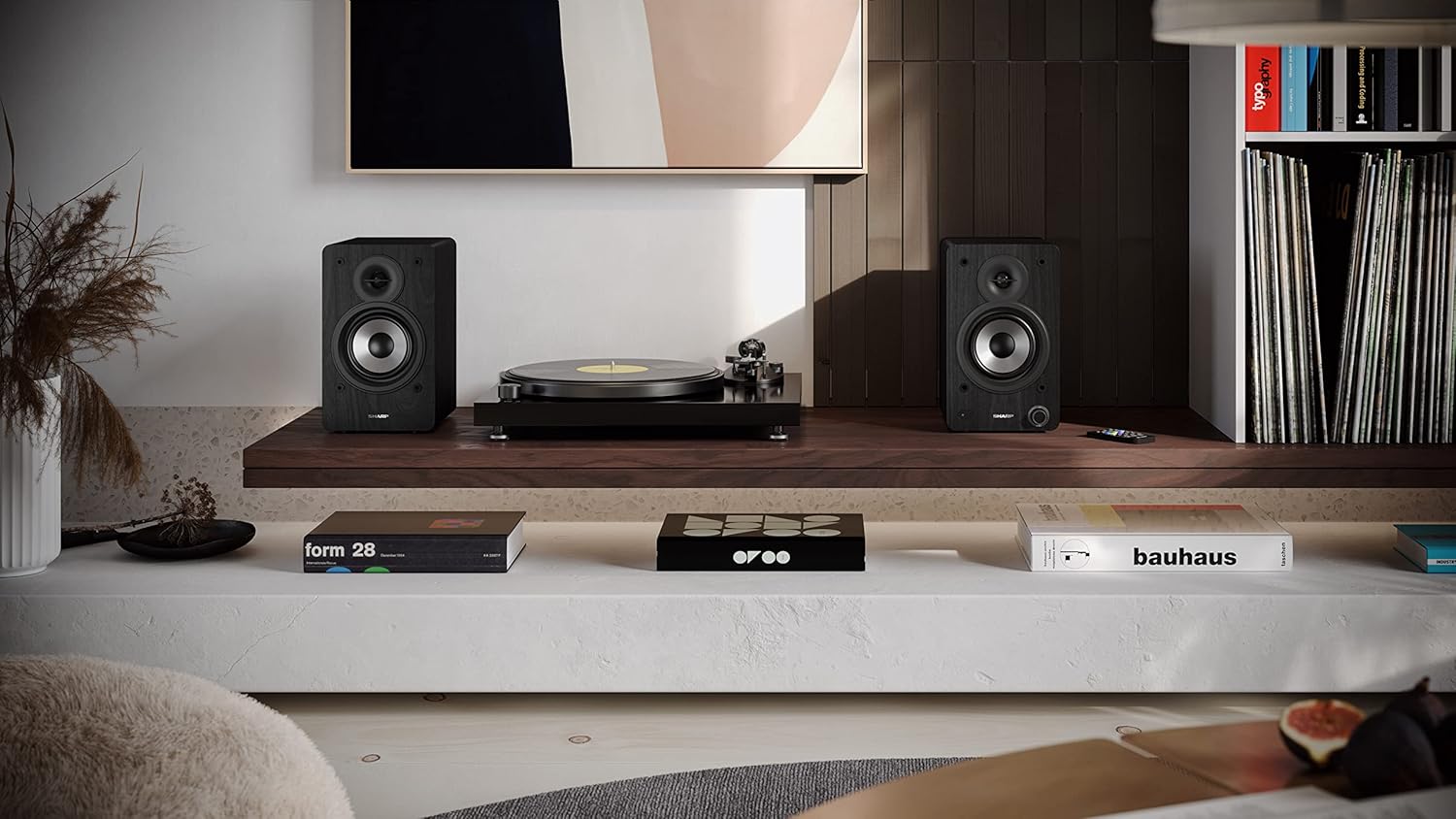
Image: The Sharp CP-SS30(BK) speakers positioned on a shelf in a living room setting, demonstrating a typical setup with a turntable.
5.2 Menyambung Pembesar Suara
The CP-SS30(BK) consists of one active (main) speaker and one passive (secondary) speaker. Connect them using the provided speaker connection cable.
- Identify the active speaker (with controls and input ports) and the passive speaker.
- Connect one end of the speaker connection cable to the speaker terminals on the active speaker, ensuring correct polarity (+ to + and - to -).
- Connect the other end of the speaker connection cable to the speaker terminals on the passive speaker, maintaining correct polarity.

Image: The rear panel of the Sharp CP-SS30(BK) speakers, illustrating the various input ports (USB, Optical, RCA, AUX) and the speaker connection terminals.
5.3 Sambungan Kuasa
- Ensure the power switch on the active speaker is in the OFF position.
- Connect the provided power cable to the AC input on the active speaker.
- Plug the other end of the power cable into a suitable wall outlet.
6. Arahan Operasi
6.1 Menghidupkan/Mematikan
To power on the speakers, flip the power switch on the active speaker to the ON position. The indicator light on the front will illuminate. To power off, flip the switch back to OFF.
6.2 Pemilihan Input
You can select the input source using the remote control or the knob on the front of the active speaker. Available inputs include Bluetooth, USB, Optical, Auxiliary (AUX), and RCA.
- Bluetooth: Select Bluetooth input. The indicator light will flash, indicating pairing mode. Cari untuk "SHARP CP-SS30(BK)" on your device and connect. The light will become solid once paired.
- USB: Masukkan pemacu USB dengan audio files into the USB port on the active speaker.
- Optik: Connect an optical cable from your audio source (e.g., TV, game console) to the Optical input.
- AUX: Connect an AUX cable from your audio source (e.g., smartphone, tablet) to the AUX input.
- RCA: Connect RCA cables from your audio source (e.g., turntable, CD player) to the RCA inputs.
6.3 Kawalan Kelantangan
Adjust the volume using the remote control's volume buttons or by rotating the knob on the front of the active speaker.
6.4 Tetapan Penyama
The speakers feature an equalizer to tailor the sound to your preference. Use the remote control to:
- Select from five preset equalizer modes (e.g., Flat, Rock, Pop, Classical, Jazz).
- Adjust bass and treble levels independently for a customized sound profile.
7. Penyelenggaraan
To ensure the longevity and optimal performance of your Sharp CP-SS30(BK) speakers, follow these maintenance guidelines:
- Pembersihan: Use a soft, dry cloth to clean the speaker cabinets. Do not use liquid cleaners or aerosol sprays, as they may damage the finish or internal components.
- gril: The speaker grilles are removable for cleaning. Gently pull them off to clean any dust accumulation on the drivers. Reattach them carefully.
- Pengudaraan: Ensure that the ventilation openings on the back of the active speaker are not obstructed to prevent overheating.
- Storan: If storing the speakers for an extended period, disconnect them from power and store them in a cool, dry place away from direct sunlight and extreme temperatures.
8. Penyelesaian masalah
If you encounter any issues with your speakers, please refer to the following common problems and solutions:
| Masalah | Kemungkinan Punca | Penyelesaian |
|---|---|---|
| Tiada kuasa | Power cable not connected; Power outlet not active; Power switch off. | Ensure power cable is securely connected. Check power outlet with another device. Flip power switch to ON. |
| Tiada bunyi | Incorrect input selected; Volume too low; Cables not connected properly; Source device issue. | Select the correct input source. Increase volume. Check all audio cables (RCA, AUX, Optical, USB) and speaker connection cable for secure fit and correct polarity. Test with a different audio source. |
| Penggandingan Bluetooth gagal | Speakers not in pairing mode; Device too far; Interference. | Ensure Bluetooth input is selected and indicator light is flashing. Move device closer to speakers. Avoid strong electromagnetic interference. Try unpairing and re-pairing. |
| Bunyi herot | Volume too high; Source audio quality is poor; Speaker placement. | Reduce volume. Check the audio source quality. Adjust speaker placement to avoid reflections or resonance. |
| Alat kawalan jauh tidak berfungsi | Batteries depleted; Obstruction between remote and speaker; Remote not pointed correctly. | Replace remote control batteries. Remove any obstructions. Point the remote directly at the active speaker's sensor. |
9. Spesifikasi
| Ciri | Perincian |
|---|---|
| Nombor Model | CP-SS30(BK) |
| Kuasa Keluaran | 60 Watts RMS (2 x 30W) |
| Jenis Pembesar Suara | Active Bookshelf, 2-Way |
| Bahan Kabinet | Wood (Plywood) |
| Teknologi Ketersambungan | Bluetooth v5.0, USB, Optical, Auxiliary (AUX), RCA |
| Versi Bluetooth | v5.0 |
| Mod Keluaran Audio | Stereo (Saluran 2.0) |
| Respons Kekerapan | 60 Hz |
| Jenis Pengawal | Butang, Kawalan Jauh |
| Dimensi Produk (setiap pembesar suara) | 19D x 15.8W x 24.8H cm (7.5D x 6.2W x 9.8H inches) |
| Berat Barang | 4.3 Kilogram (9.5 lbs) |
| warna | Hitam |
| Penggunaan yang Disyorkan | Gaming console, Music player, Smartphone/Tablet, Ambient sound system, Television |
| Peranti Serasi | Komputer riba, Telefon Pintar, Tablet |

Image: Diagram showing the dimensions of one Sharp CP-SS30(BK) speaker (Height: 248mm, Width: 158mm, Depth: 190mm).
10. Waranti dan Sokongan
Waranti: This product comes with a 1-year warranty for spare parts availability from the date of purchase. Please retain your proof of purchase for warranty claims.
For technical support, troubleshooting assistance beyond this manual, or warranty inquiries, please contact Sharp customer service. Refer to the contact information provided in the user documentation included in your package or visit the official Sharp webtapak.
Note: Software updates guaranteed until information is not available.
Ask a question about this manual
Ask about setup, troubleshooting, compatibility, parts, safety, or missing instructions. Manuals+ will review the question and use this page’s manual context to help answer it.