
TECWARE TWKB-P87PZT-WBR
Manual Pengguna Papan Kekunci Permainan Mekanikal TECWARE Phantom+ 87 Kekunci
Model: TWKB-P87PZT-WBR
pengenalan
This manual provides detailed instructions for the setup, operation, maintenance, and troubleshooting of your TECWARE Phantom+ 87 Key Mechanical Gaming Keyboard. Designed for a premium typing experience, this keyboard features customizable RGB lighting, durable PBT keycaps, and hot-swappable switches.

Apa yang Termasuk
Verify that all the following items are present in your package:
- TECWARE Phantom+ 87 Key Mechanical Gaming Keyboard
- Detachable 1.8m Braided USB-C Cable
- Alat Penarik Suis
- Alat Penarik Keycap
- 4 Spare Switches

Persediaan
Follow these steps to set up your TECWARE Phantom+ keyboard:
- Sambungkan Kabel USB-C: Insert the USB-C end of the braided cable into the port located on the back of the keyboard.
- Sambung ke Komputer: Palamkan hujung USB-A kabel ke dalam port USB yang tersedia pada komputer anda.
- Laraskan Kaki Papan Kekunci: Flip out the adjustable feet on the underside of the keyboard to achieve your preferred typing angle.
- Pemasangan Pemandu: The keyboard is plug-and-play. Your operating system (Windows 10 or later recommended) will automatically detect and install the necessary drivers.

Arahan Operasi
Operasi Asas
The TECWARE Phantom+ functions as a standard 87-key keyboard for typing and gaming. It features N-Key Rollover, ensuring all keystrokes are registered accurately, even during rapid input.
Kawalan Pencahayaan RGB
The keyboard features 16.8 million color RGB lighting with 18 pre-set lighting modes. These modes can be cycled through directly on the keyboard using function key combinations (refer to the keyboard's printed legends for specific shortcuts). You can also adjust brightness and speed.

Ciri-ciri Perisian
For advanced customization, the Phantom+ supports dedicated software. This software allows for:
- Macro Recording and Assignment
- Up to 3 User Profiles
- Customizable Per-Key RGB Lighting
- Adjustable USB Report Rate (up to 1000Hz)

Ciri Utama Berakhirview
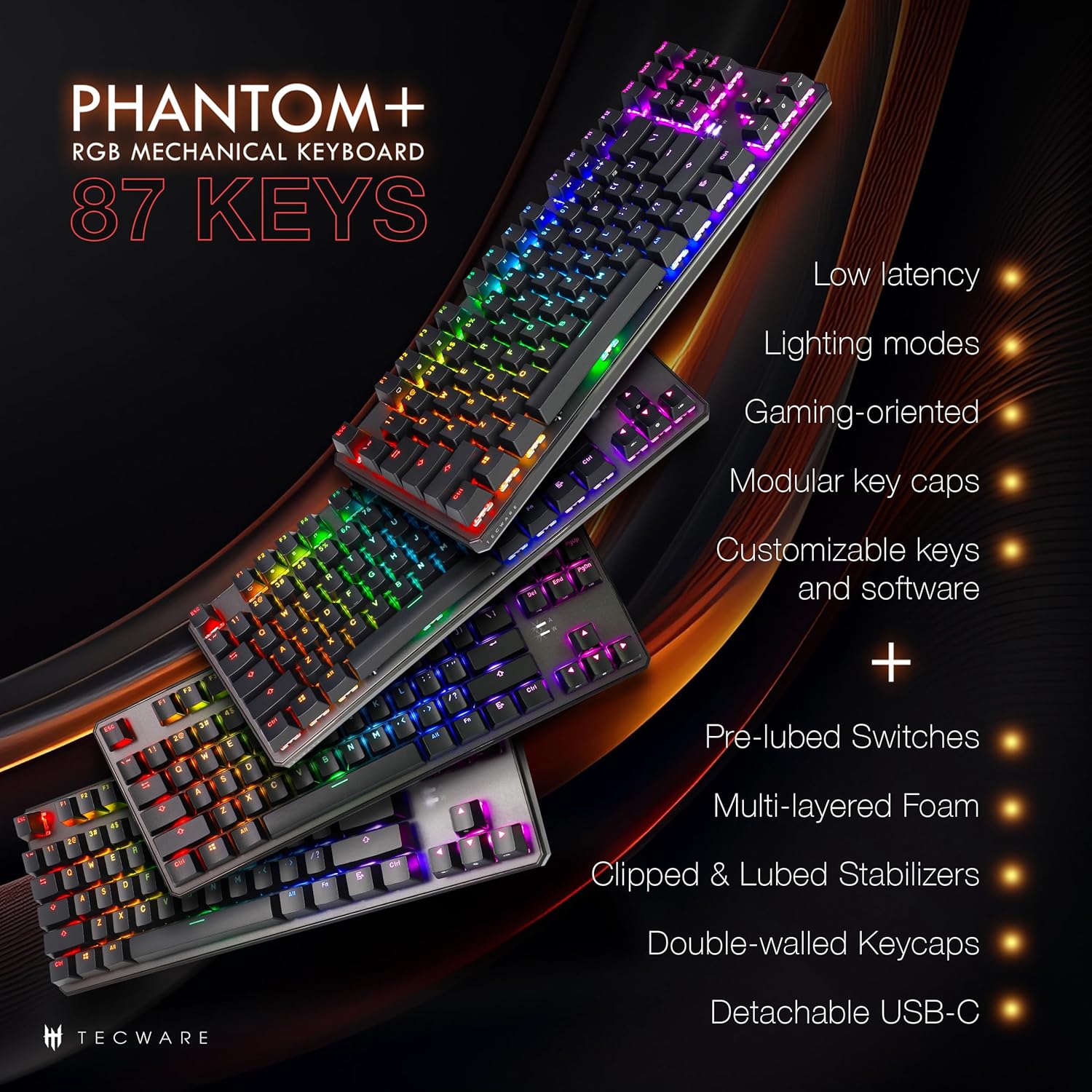
The Phantom+ keyboard incorporates several design and engineering features for enhanced performance and durability:
- Kekunci PBT Double-Shot: Resistant to wear and fading, providing long-lasting legends.
- V3 Stabilizers: Clipped and lubed for enhanced stability and smoother keystrokes on larger keys.
- Bunyi DampTeknologi Penjanaan: Reduces keyboard noise for a more pleasant typing experience.
- Kadar Undian 1000Hz: Ensures rapid response times for gaming.
- Windows Lock Feature: Prevents accidental presses of the Windows key during gaming.

Penyelenggaraan
Pembersihan
To clean your keyboard, disconnect it from your computer. Use a soft, dry cloth to wipe down the keycaps and chassis. For deeper cleaning, you may carefully remove keycaps using the provided keycap puller and use compressed air to clear debris from underneath.
Penggantian Suis (Boleh Tukar Panas)
The TECWARE Phantom+ features hot-swappable switches, allowing you to replace individual switches without soldering. This is useful for customizing your typing feel or replacing a faulty switch.
- Alih keluar Keycap: Gunakan penarik penutup kekunci untuk mengeluarkan penutup kekunci secara perlahan daripada suis yang ingin anda ganti.
- Alih Keluar Suis: Use the switch puller tool to grasp the top and bottom clips of the switch. Apply gentle pressure and pull the switch straight up to remove it from the PCB.
- Masukkan Suis Baharu: Selaraskan pin suis baharu dengan lubang pada PCB. Tolak suis ke bawah perlahan-lahan sehingga ia mengklik pada tempatnya. Pastikan pin tidak bengkok.
- Gantikan Kekunci: Press the keycap onto the new switch until it is firmly seated.

Menyelesaikan masalah
If you encounter issues with your TECWARE Phantom+ keyboard, refer to the table below for common problems and solutions:
| Masalah | Kemungkinan Punca | Penyelesaian |
|---|---|---|
| Papan kekunci tidak bertindak balas | Sambungan USB longgar, kabel rosak, masalah pemacu. | Ensure USB cable is securely connected. Try a different USB port or cable. Restart your computer. |
| Pencahayaan RGB tidak berfungsi atau tidak konsisten | Lighting mode disabled, software conflict, power issue. | Check keyboard lighting controls (Fn + keys). Ensure software is running correctly. Try reconnecting the keyboard. |
| Kekunci tertentu tidak berfungsi | Suis rosak, serpihan di bawah penutup kekunci. | Remove keycap and check for debris. If hot-swappable, try replacing the switch with a spare. |
| Perisian tidak mengesan papan kekunci | Software not installed correctly, USB connection issue. | Reinstall the TECWARE software. Ensure the keyboard is directly connected to a USB port (avoiding hubs if possible). Run software as administrator. |
Spesifikasi
| Ciri | Perincian |
|---|---|
| Model | TWKB-P87PZT-WBR |
| kunci | 87-Key (Tenkeyless) |
| Jenis Suis | Wraith Brown (Tactile) - Hot-swappable |
| Kekunci Kekunci | PBT Tembakan Berganda |
| Pencahayaan | RGB (16.8 Million Colors, 18 Pre-set Modes) |
| Ketersambungan | USB-C boleh tanggal |
| Kadar Mengundi | Sehingga 1000Hz |
| N-Key Rollover | Disokong |
| Penstabil | V3 (Clipped & Lubed) |
| Dimensi (LxWxH) | 14.21 x 5.2 x 1.65 inci |
| Berat badan | 2.71 paun |
| OS yang serasi | Windows 10 (PC, Laptop, Tablet) |
Wraith Switch Specifications
The Phantom+ keyboard comes pre-installed with TECWARE Wraith switches. The specifications for various Wraith switch types are detailed below:

Waranti dan Sokongan
For warranty information, technical support, or to access the latest software and drivers for your TECWARE Phantom+ keyboard, please visit the official TECWARE webtapak atau hubungi perkhidmatan pelanggan mereka.
Anda boleh mendapatkan lebih banyak maklumat dan sumber sokongan dengan melawati Official TECWARE Store on Amazon.
Ask a question about this manual
Ask about setup, troubleshooting, compatibility, parts, safety, or missing instructions. Manuals+ will review the question and use this page’s manual context to help answer it.