1. Pengenalan
This manual provides essential instructions for the safe and efficient use of your PATONA V1 Protect NP-W126s batteries and the accompanying PD Performance USB Charger 161957. The PATONA V1 Protect NP-W126s batteries feature an active NTC temperature sensor and a V1 housing designed for enhanced heat resistance, capable of withstanding temperatures up to 90 degrees Celsius without deformation. The charger supports Power Delivery (PD) and Quick Charge (QC) for efficient charging.
Sila baca manual ini dengan teliti sebelum menggunakan produk untuk memastikan operasi yang betul dan untuk mengelakkan kerosakan.
2. Kandungan Pakej
Sahkan bahawa semua item terdapat dalam pakej anda:
- 2 x PATONA Protect NP-W126s Battery
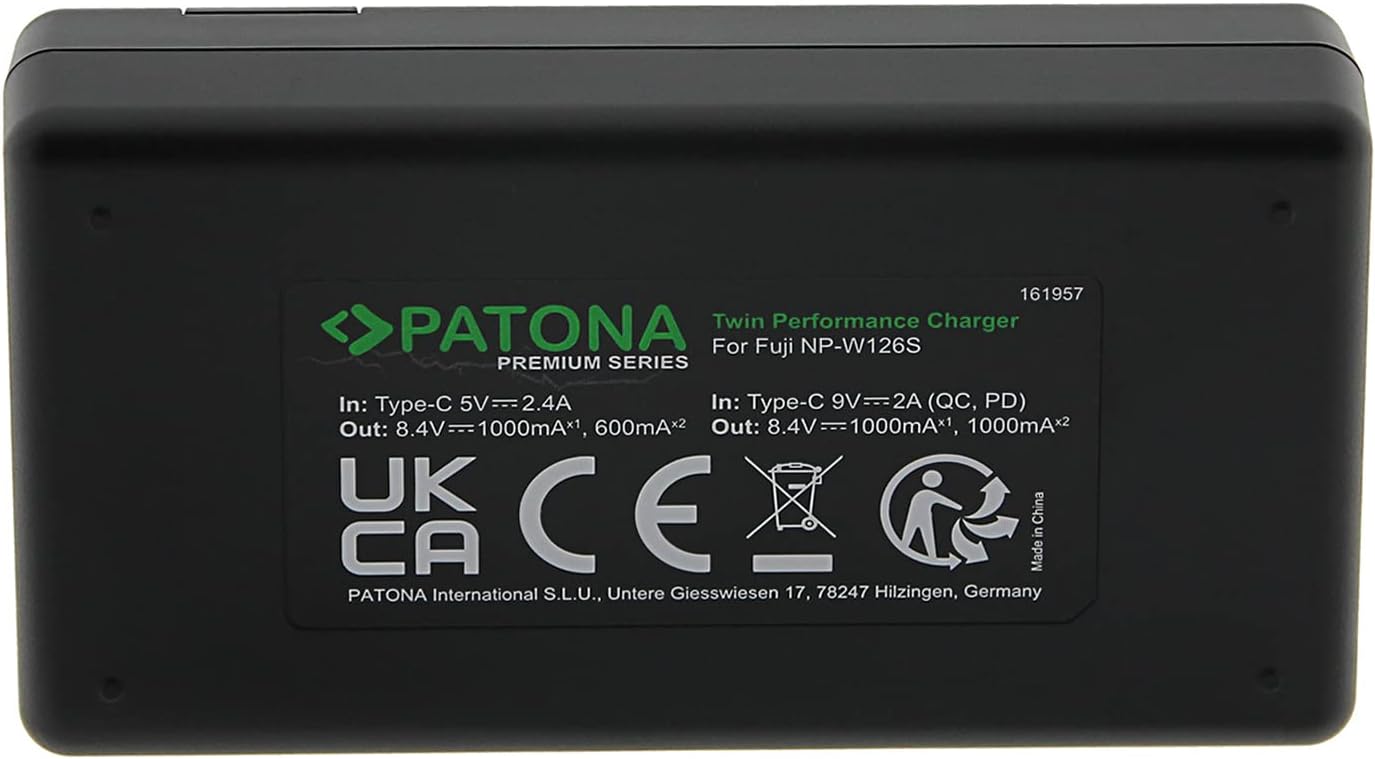
- 1 x PATONA PD Performance Charger 161957
- 1 x Kabel USB-C ke USB-C
- 1 x Beg Pengangkutan
- 1 x Manual Arahan (dokumen ini)

3. Maklumat Keselamatan
Patuhi langkah keselamatan berikut untuk mengelakkan kecederaan atau kerosakan pada produk:
- Jangan tanggalkan, buka atau carikkan pek bateri.
- Jangan dedahkan bateri kepada haba atau api. Elakkan penyimpanan di bawah cahaya matahari langsung.
- Jangan litar pintas bateri. Jangan simpan bateri secara sembarangan dalam kotak atau laci di mana ia boleh berlitar pintas antara satu sama lain atau terlitar pintas oleh objek logam lain.
- Jangan keluarkan bateri dari bungkusan asalnya sehingga diperlukan untuk digunakan.
- Jangan biarkan bateri terkena kejutan mekanikal.
- Sekiranya bateri bocor, jangan biarkan cecair bersentuhan dengan kulit atau mata. Jika telah terkena, basuh kawasan yang terjejas dengan air yang banyak dan dapatkan nasihat perubatan.
- Jangan gunakan sebarang pengecas selain daripada yang disediakan khusus untuk digunakan dengan peralatan.
- Perhatikan tanda tambah (+) dan tolak (-) pada bateri dan peralatan dan pastikan penggunaan yang betul.
- Jauhkan bateri daripada capaian kanak-kanak.
- Dapatkan nasihat perubatan dengan segera jika bateri telah ditelan.
- Pastikan bateri bersih dan kering.
- Jangan gunakan sebarang pek bateri yang tidak direka bentuk untuk digunakan dengan peralatan.
- Recharge only with the charger specified by PATONA.
- Jangan biarkan bateri dicas berpanjangan apabila tidak digunakan.
- Dispose of batteries properly at designated collection points.
4. Setup: Charging the Batteries
4.1 Menyambung Pengecas
- Connect the provided USB-C to USB-C cable to the USB-C input port on the PATONA PD Performance Charger 161957.
- Connect the other end of the USB-C cable to a compatible USB power adapter (not included) or a power source with USB-C output. For optimal charging speed, use a Power Delivery (PD) compatible power supply.
4.2 Inserting Batteries and Charging Process
- Carefully insert one or two PATONA NP-W126s batteries into the designated slots on the charger, ensuring correct polarity.
- The charger's LCD indicator will display the charging status for each battery. Typically, a flashing indicator signifies charging, while a solid indicator or a specific icon indicates a full charge.
- The charger supports simultaneous charging of two batteries. Charging current varies based on the input power source (USB 5V or USB PD 9V) and the number of batteries being charged.
- Once charging is complete, remove the batteries from the charger and disconnect the charger from the power source.
5. Operating: Using the Batteries
5.1 Inserting Batteries into Your Camera
- Refer to your camera's instruction manual for specific details on how to open the battery compartment.
- Insert the PATONA NP-W126s battery into the camera's battery compartment, ensuring it clicks securely into place. Observe the correct orientation as indicated by the camera.
- Close the battery compartment door firmly.

5.2 Temperature Resistance Feature
The PATONA V1 Protect NP-W126s batteries are equipped with an active NTC temperature sensor and a V1 housing, providing enhanced temperature resistance. This design allows the batteries to operate and maintain structural integrity in a wide range of environmental conditions, from -20°C to +90°C, without deformation or damage to the battery cells.

6. Penyelenggaraan
6.1 Penyimpanan
- Simpan bateri di tempat yang sejuk dan kering, jauh dari cahaya matahari langsung dan suhu yang melampau.
- For long-term storage, it is recommended to store batteries with approximately 50% charge to prolong their lifespan.
- Use the provided transport bag to protect batteries from dust and physical damage during storage and transport.
6.2 Pembersihan
- Wipe battery contacts and charger terminals with a clean, dry cloth periodically to ensure good electrical connection.
- Do not use liquid cleaners or solvents on the batteries or charger.
6.3 Pelupusan
Do not dispose of batteries in household waste. Always follow local regulations for the disposal of lithium-ion batteries. Take them to an authorized recycling center.
7. Penyelesaian masalah
7.1 Bateri Tidak Mengecas
- Semak Sambungan: Ensure the USB-C cable is securely connected to both the charger and the power source.
- Sahkan Sumber Kuasa: Confirm that the power adapter or USB port is functional and providing power. Try a different power source if necessary.
- Re-insert Battery: Remove the battery from the charger and re-insert it, ensuring proper contact.
- Penunjuk Pengecas: Observe the charger's LCD. If no indicator lights up, the charger or power source may be faulty.
7.2 Battery Not Holding Charge / Short Battery Life
- Umur Bateri: All rechargeable batteries have a limited lifespan. If the battery is old, its capacity may have diminished.
- Kitaran Pengecasan: Pastikan bateri dicas sepenuhnya sebelum digunakan.
- Faktor Persekitaran: Extreme cold can temporarily reduce battery performance.
7.3 Charger Indicates Full Charge Prematurely
- Re-insert Battery: If the charger indicates a full charge too quickly, remove the battery and re-insert it to restart the charging cycle. Repeat this process if necessary to achieve a complete charge.
- Try Different Cable/Power Source: A faulty USB-C cable or an unstable power source might affect charging detection.
8. Spesifikasi
| Ciri | Spesifikasi |
|---|---|
| Model Bateri | NP-W126s |
| Kapasiti Bateri | 1140 mAh / 8.44 Wh |
| Bateri Voltage | 7.4 V |
| Komposisi Sel Bateri | Litium Ion |
| Model Pengecas | 161957 (Twin Performance Charger) |
| Charger Input (USB PD) | 9V = 2A |
| Charger Input (USB Standard) | 5V = 2.4A |
| Charger Output (1x Battery, USB PD) | 8.4V 1000mA |
| Charger Output (2x Battery, USB PD) | 8.4V 1000mA (each) |
| Charger Output (1x Battery, USB Standard) | 8.4V 1000mA |
| Charger Output (2x Battery, USB Standard) | 8.4V 600mA (each) |
| Nombor Model Item | N892 |
| Penggunaan yang Disyorkan | Kamera |
| Rintangan Suhu | -20°C to +90°C (V1 Housing) |
9. Waranti dan Sokongan
PATONA products are manufactured with high-quality standards. For warranty information and customer support, please refer to the official PATONA webtapak atau hubungi peruncit anda. Simpan bukti pembelian anda untuk sebarang tuntutan waranti.