
1. Produk Lebihview
The iZEEKER PIHK03 Type-C USB Hardwire Kit is designed to provide continuous power to your dash camera, enabling 24-hour parking surveillance and protecting your vehicle's battery from drainage. This kit connects directly to your car's OBD-II port, offering a reliable power source for compatible USB Type-C dash cams.
2. Ciri-ciri Utama
- Keserasian Luas: Designed for USB Type-C port dash cams and car chargers, including iZEEKER GD300, GD850, GD800, and iD400 models.
- Broad Vehicle Voltage Julat: Compatible with vehicles providing 11.5V-40V input voltage, suitable for cars, trucks, buses, and SUVs.
- Pengawasan Tempat Letak Kereta 24 Jam: Supplies uninterrupted power to the dash camera via the OBD-II connector, allowing continuous monitoring even when the vehicle is off.
- Sensor G Terbina Dalam: Activates the dash cam to record upon detecting vibrations when the vehicle is parked. The dash cam powers off after 1 minute of no vibration to conserve battery.
- Vol. Rendahtage Perlindungan: Automatically cuts off power to the dash cam if the vehicle's battery voltage drops below 11.5V, preventing battery drainage.
- Pelbagai Perlindungan Keselamatan: Termasuk overvoltage protection, short circuit protection, and battery protection for safe operation.

Figure 2.1: Illustration of 24/7 Parking Monitoring capability.
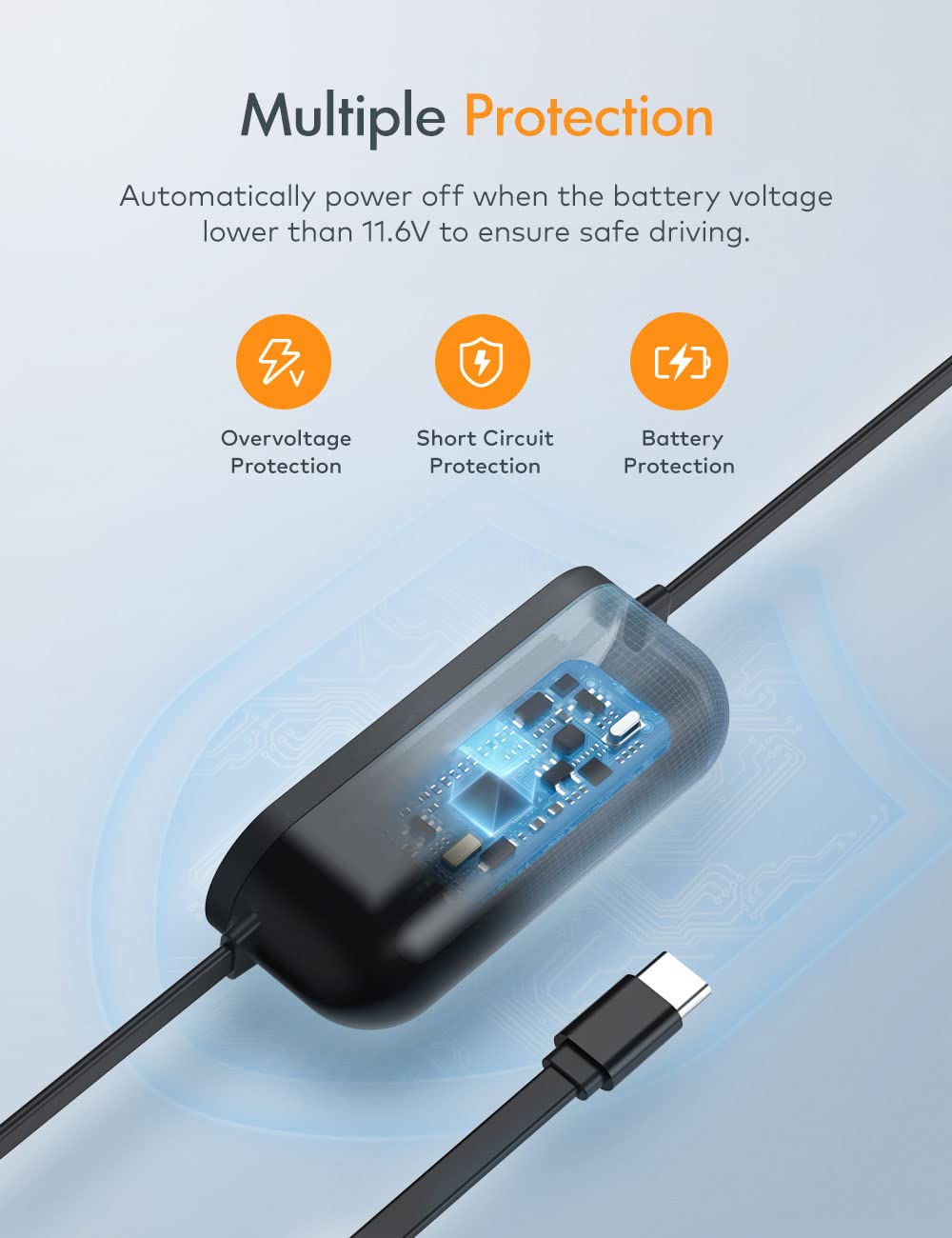
Figure 2.2: Multiple protection features of the hardwire kit.
3. Apa yang ada di dalam Kotak
- iZEEKER PIHK03 Type-C USB Hardwire Kit
4. Spesifikasi
| Nama Item | Hardwire Kit CH60 (PIHK03) |
| Jenis Penyambung | USB Jenis-C |
| Input Voltage Julat | 11.5V-40V DC |
| Keluaran | 5V / 1.5A |
| Max Input DC Current | 1.5A |
| Arus Masuk (Permulaan Dingin) | <1.2A at 40VDC |
| Voltage Perlindungan | 11.6V ± 0.2V (Low Voltage Potongan) |
| Panjang Kabel | 3.5 meter (lebih kurang 11.5 kaki) |
| Suhu Bekerja | -10°C hingga 60°C |
| Dimensi | 1.18 x 3.54 x 1.97 inci |
| Berat Barang | 20 Gram (0.705 auns) |

Figure 4.1: Components of the hardwire kit.

Figure 4.2: Wide input voltage range for vehicle compatibility.
5. Persediaan dan Pemasangan
Follow these steps to properly install your iZEEKER PIHK03 Hardwire Kit:
- Mount Your Dash Cam: Securely mount your dash camera in a location that provides a clear, unobstructed view jalan raya.
- Cari Port OBD-II: Identify your vehicle's OBD-II connector, typically located under the dashboard on the driver's side.
- Connect Hardwire Kit: Plug the OBD-II connector of the hardwire kit into your vehicle's OBD-II port.
- Pendawaian Laluan: Carefully run the Type-C cable from the OBD-II port towards your dash camera. Hide the wire under the headliner, along the A-pillar, and under the dashboard trim for a neat and secure installation.
- Secure G-Sensor: The G-sensor module has a 3M adhesive sticker. Remove the backing and firmly attach the G-sensor to the windshield near your dash cam.
- Sambung ke Dash Cam: Plug the Type-C end of the hardwire kit into the Type-C charging port of your dash camera.
- Kefungsian Ujian: Start your vehicle to ensure the dash cam powers on. Turn off your vehicle and test the parking surveillance mode (if applicable to your dash cam) by gently shaking the vehicle to trigger the G-sensor.
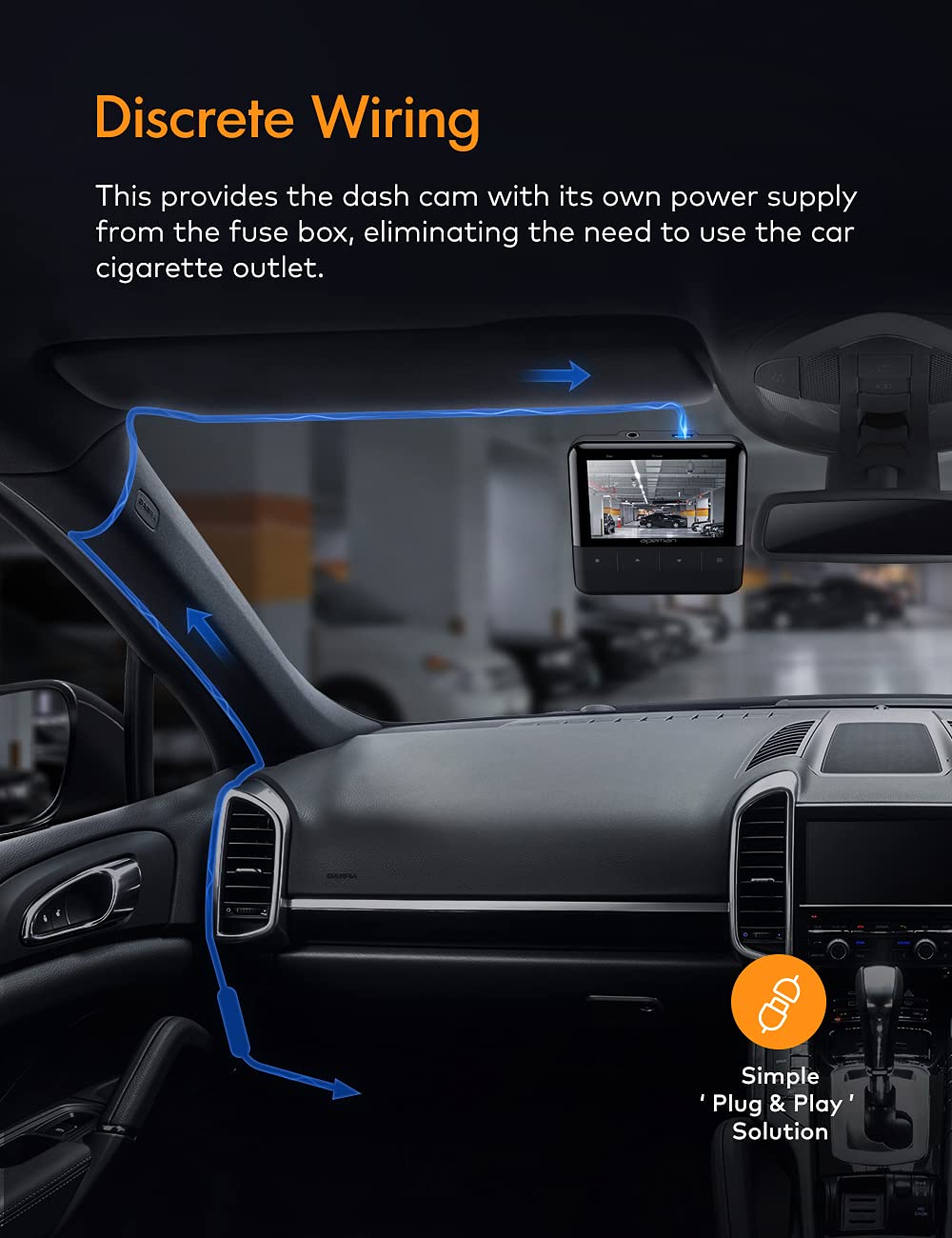
Gambar 5.1: Cthample of discrete wiring installation.
Video 5.1: A demonstration of the iZEEKER Hardwire Kit, including its components and a brief overview of the installation process. This video shows how to connect the kit to the OBD-II port and route the cable to the dash cam.
6. Arahan Operasi
The iZEEKER PIHK03 Hardwire Kit operates automatically to manage power delivery to your dash camera:
- Operasi Biasa: When your vehicle's ignition is on, the hardwire kit provides continuous power to your dash camera, allowing it to record normally.
- Parking Surveillance Mode: After the vehicle's ignition is turned off, the dash cam will typically shut down after 5 minutes. The built-in G-sensor in the hardwire kit then enters a monitoring state. If the vehicle experiences a vibration (e.g., impact, door slam), the G-sensor will trigger the hardwire kit to power on the dash cam, initiating recording. The dash cam will automatically shut down after 1 minute if no further vibration signals are detected, conserving battery power.
- Vol. Rendahtage Perlindungan: The kit continuously monitors your vehicle's battery voltage. Jika voltage drops below 11.5V, the hardwire kit will automatically cut off power to the dash cam to prevent excessive battery discharge, ensuring your vehicle can start.
7. Penyelenggaraan
To ensure optimal performance and longevity of your hardwire kit:
- Pemeriksaan Berkala: Periodically check all connections, especially the OBD-II plug and the Type-C connection to the dash cam, to ensure they are secure and free from corrosion or damage.
- Pengurusan Kabel: Ensure that the wiring remains neatly tucked away and is not pinched or exposed to excessive heat or sharp edges.
- Kebersihan: Keep the OBD-II port and the hardwire kit's connectors clean and free of dust or debris.
8. Penyelesaian masalah
If you encounter issues with your iZEEKER PIHK03 Hardwire Kit, refer to the following common problems and solutions:
- Dash Cam Does Not Power On:
- Ensure the hardwire kit is securely plugged into the vehicle's OBD-II port.
- Verify the Type-C connector is firmly inserted into the dash cam's power input.
- Check if your dash cam is compatible with a Type-C power input.
- Confirm your vehicle's battery voltage is above 11.5V. The low voltage protection feature will prevent the dash cam from powering on if the battery is too low.
- Parking Mode Not Working / Dash Cam Shuts Off Immediately When Car is Off:
- Ensure the G-sensor module is securely attached and not obstructed.
- Verify that your dash cam's parking mode settings are correctly configured to work with a hardwire kit (refer to your dash cam's manual).
- The hardwire kit will cut power if the battery voltage drops below 11.5V. If your vehicle's battery is weak, this protection may activate prematurely.
- Confirm that the dash cam itself supports parking mode functionality when powered by a hardwire kit.
- Kuasa Selang-seli:
- Inspect the entire cable for any signs of damage, kinks, or loose connections.
- Ensure the OBD-II port in your vehicle is clean and free of debris.
If these steps do not resolve the issue, please contact iZEEKER Customer Support for further assistance.
9. Waranti dan Sokongan
iZEEKER products are designed for reliability and performance. For warranty information, technical support, or any questions regarding your PIHK03 Hardwire Kit, please refer to the warranty card included with your product or visit the official iZEEKER website. You may also contact iZEEKER Customer Service directly for professional assistance.