
1. Pengenalan
Thank you for choosing the Ekrist 10800mAh Portable Charger. This manual provides essential information for the safe and efficient use of your power bank. Please read it thoroughly before operation and retain it for future reference.
This portable charger is designed to provide convenient power on the go for your USB-C compatible devices, featuring a built-in USB-C cable, additional USB-A and USB-C ports, and an LCD display for battery status.

Image 1.1: Ekrist Portable Charger in use with a smartphone.
2. Produk Lebihview
2.1 Kandungan Pakej
- Ekrist 10800mAh Portable Charger (Model HX90X1)
- Kabel Pengecas USB-A ke USB-C
- Manual Pengguna (dokumen ini)
2.2 Ciri-ciri
- Kapasiti Tinggi 10800mAh: Menyediakan pelbagai caj untuk kebanyakan telefon pintar.
- Kabel USB-C terbina dalam: Conveniently charge compatible devices without carrying an extra cable.
- Pengecasan Pantas PD 15W: Supports Power Delivery for rapid charging and recharging.
- Paparan Digital LCD: Menunjukkan peratusan bateri yang tinggal dengan jelastage.
- Pengecasan Berbilang Peranti: Charge up to three devices simultaneously using the built-in USB-C cable, USB-A output, and USB-C input/output port.
- Pengecasan Laluan: Recharge the power bank while it charges your devices.
- Reka bentuk padat dan mudah alih: Credit card-sized for easy carrying.
- Sistem Keselamatan Pelbagai Perlindungan: Includes over-charge, over-voltage, over-current, short-circuit, and over-discharge protection.

Imej 2.1: Terperinci view of the Ekrist Portable Charger's features and ports.
3. Persediaan
3.1 Caj Permulaan
Before first use, fully charge your Ekrist portable charger. This ensures optimal battery performance and accuracy of the LCD display.
- Connect the provided USB-A to USB-C cable to a compatible USB wall adapter (not included).
- Insert the USB-C end of the cable into the USB-C Input/Output port on the portable charger.
- The LCD display will show the charging progress, indicating 100% when fully charged. A full recharge typically takes less than 4 hours with a 5V-2A wall adapter.
4. Arahan Operasi
4.1 Charging the Portable Charger
Untuk mengecas semula bank kuasa:
- Use the provided USB-A to USB-C cable or any compatible USB-C cable.
- Connect the cable to the USB-C Input/Output port on the power bank and a power source (e.g., wall adapter, computer USB port).
- The LCD display will show the battery percentagpeningkatanasing as it charges.
4.2 Mengecas Peranti Anda
The Ekrist portable charger offers multiple ways to charge your devices:
Menggunakan Kabel USB-C Terbina dalam:
- Pull out the built-in USB-C cable from its storage slot.
- Connect the USB-C connector directly to your USB-C compatible device.
- The power bank will automatically begin charging your device. The LCD display will show the power bank's remaining charge.

Imej 4.1: Mengecas peranti menggunakan kabel USB-C terbina dalam.
Using the USB-A Output Port:
- Connect your device's USB charging cable (USB-A end) to the USB-A Output port on the power bank.
- Sambungkan hujung kabel anda yang satu lagi ke peranti anda.
- Pengecasan akan bermula secara automatik.
Using the USB-C Input/Output Port:
- Connect your device's USB-C charging cable to the USB-C Input/Output port on the power bank.
- Sambungkan hujung kabel anda yang satu lagi ke peranti anda.
- Pengecasan akan bermula secara automatik.
4.3 Mengecas Berbilang Peranti
The power bank can charge up to three devices simultaneously using the built-in USB-C cable, the USB-A output port, and the USB-C input/output port.

Image 4.2: Charging multiple devices simultaneously.
4.4 Pengecasan Laluan
The power bank supports pass-through charging, allowing you to recharge the power bank itself while it is simultaneously charging your devices.

Image 4.3: Pass-through charging in action.
4.5 Paparan LCD
The integrated LCD display shows the remaining battery percentage of the power bank. This allows you to monitor the charge level and know when to recharge the unit.
5. Penyelenggaraan
- Pembersihan: Gunakan kain lembut dan kering untuk membersihkan permukaan bank kuasa. Elakkan menggunakan bahan kimia yang keras atau bahan yang melelas.
- Storan: Simpan bank kuasa di tempat yang sejuk dan kering jauh dari cahaya matahari langsung, suhu yang melampau dan kelembapan.
- Penjagaan Bateri: Untuk memanjangkan hayat bateri, cas sepenuhnya power bank sekurang-kurangnya sekali setiap tiga bulan jika tidak digunakan secara tetap.
- Elakkan Titisan: Jangan jatuhkan atau tundukkan bank kuasa kepada kesan yang kuat.
6. Penyelesaian masalah
- Peranti tidak dicas:
- Ensure the power bank has sufficient charge (check LCD display).
- Verify that the cable connections are secure.
- Cuba kabel atau port pengecasan yang berbeza.
- Confirm your device is compatible with the power bank's output.
- Bank kuasa tidak mengecas:
- Ensure the charging cable is properly connected to a working power source.
- Cuba penyesuai dinding USB atau sumber kuasa yang lain.
- Use the provided USB-A to USB-C cable for recharging.
- Pengecasan perlahan:
- Ensure your device and cable support fast charging.
- Avoid charging multiple devices simultaneously if faster charging for one device is critical.
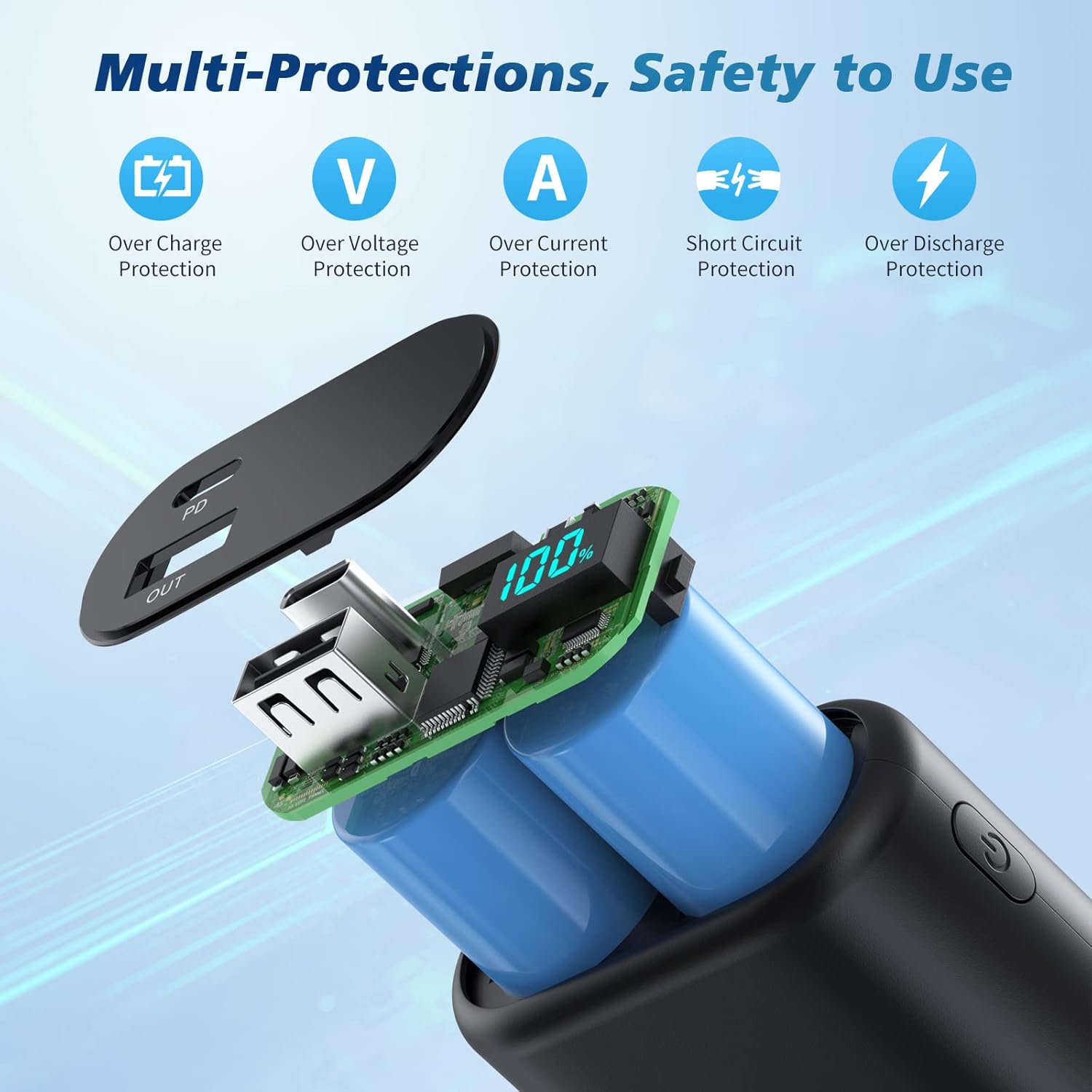
Image 6.1: Multi-protection features for safe operation.
7. Spesifikasi
| Ciri | Spesifikasi |
|---|---|
| Nombor Model | HX90X1 |
| Kapasiti Bateri | 10800mAh |
| Input/Output USB-C | 5V/3A (15W PD) |
| Output Kabel USB-C terbina dalam | 5V/3A |
| Keluaran USB-A | 5V/2.1A |
| Dimensi Produk | 3.66 x 2.16 x 0.86 inci |
| Berat Barang | 6.8 auns |
| Jenis Bateri | Polimer Litium |
8. Waranti dan Sokongan
Your Ekrist portable charger comes with a Polisi bayaran balik penuh 90 hari dan a Waranti penggantian 3 tahun tanpa rasa risau.
If you encounter any issues or have questions regarding your product, please do not hesitate to contact our customer support team. We are committed to providing prompt assistance.
For support, please refer to the contact information provided on the product packaging or the official Ekrist webtapak.