
1. Pengenalan
The SIIG Thunderbolt 4 Docking Station (Model: JU-DK0U11-S1) is designed to expand the connectivity of your laptop, providing a comprehensive workstation solution. This docking station offers 15 ports, enabling connections for multiple displays, peripherals, network, and power through a single Thunderbolt 4 cable. It supports high-speed data transfer and versatile display configurations for both Mac and Windows systems.

Image 1.1: SIIG Thunderbolt 4 Docking Station (JU-DK0U11-S1) overview.
2. Kandungan Pakej
Sahkan bahawa semua item terdapat dalam pakej anda:
- SIIG Thunderbolt 4 Docking Station (JU-DK0U11-S1)
- Penyesuai Daya 150W
- Kabel Thunderbolt 4
- Manual Pengguna

Image 2.1: Contents included in the SIIG Thunderbolt 4 Docking Station package.
3. Produk Lebihview
3.1 Pelabuhan Panel Hadapan
- 3.5mm Stereo Out: Untuk fon kepala atau pembesar suara luaran.
- SD 3.0 Card Slot: Supports SD 3.0 UHS-1 memory cards up to 2TB.
- USB-A 3.2 Gen 1 (5Gbps) Ports (x2): For connecting USB-A peripherals, supporting 5V/0.9A charging.
- Port Thunderbolt 4: For connecting Thunderbolt 4 devices or displays.
- Butang Kuasa: To turn the docking station on or off.

Imej 3.1: Terperinci view daripada port panel hadapan.
3.2 Pelabuhan Panel Belakang
- DC Power Jack (20V/7.5A): Menyambung kepada penyesuai kuasa 150W yang disertakan.
- Thunderbolt 4 Port (Host PD 60W): Connects to your laptop via the Thunderbolt 4 cable, providing up to 60W power delivery.
- 3.5mm Mic In: Untuk menyambungkan mikrofon luaran.
- Micro SD (TF) 3.0 Card Slot: Supports Micro SD (TF) 3.0 UHS-1 memory cards up to 2TB.
- USB-A 2.0 (480Mbps) Ports (x2): For connecting USB-A peripherals, supporting 5V/1.5A charging.
- Port Ethernet Gigabit: Untuk sambungan rangkaian berwayar.
- DisplayPort Keluar: Untuk menyambungkan paparan luaran.
- Keluar HDMI: Untuk menyambungkan paparan luaran.
- Thunderbolt 4 Ports (x2): For connecting additional Thunderbolt 4 devices or displays, providing 45W power delivery.

Imej 3.2: Terperinci view daripada port panel belakang.
4. Arahan Persediaan
- Sambungkan Kuasa: Plug the included 150W power adapter into the DC Power Jack on the rear of the docking station, then connect it to a power outlet.
- Sambungkan ke Komputer Riba Hos: Use the provided Thunderbolt 4 cable to connect the Thunderbolt 4 Host port (60W PD) on the rear of the docking station to your laptop's Thunderbolt 4 or USB-C port.
- Hidupkan kuasa: Press the power button on the front panel of the docking station. The power indicator LED should illuminate.
- Sambungkan Paparan: Connect your monitors to the available DisplayPort, HDMI, and Thunderbolt 4 output ports on the docking station. Refer to the 'Display Configuration' section for supported setups.
- Sambung Peranti: Connect your USB devices, Ethernet cable, and audio devices to the corresponding ports on the docking station.
5. Arahan Operasi
5.1 Tatarajah Paparan
The docking station supports various display setups, including single 8K or quad 4K displays, utilizing Thunderbolt 4 and DisplayLink technology. Ensure DisplayLink drivers are installed for optimal performance, especially for additional displays beyond native Thunderbolt outputs.
- Single Display Output: Supports up to 8K resolution.
- Output Paparan Dwi: Supports up to 2x 4K resolution via two Thunderbolt 4 ports.
- Quad Display Output: Achieved by combining two Thunderbolt 4 ports with the DisplayPort and HDMI ports, enabling four 4K displays.

Imej 5.1: Cthample of a quad display setup using the docking station.

Image 5.2: Display compatibility and resolution matrix for Windows and Mac M1/M2 systems.
5.2 Penyampaian Kuasa
The docking station provides power to your connected devices:
- Pengecasan Laptop: Up to 60W Power Delivery (PD) to the host laptop via the Thunderbolt 4 host port.
- Port Thunderbolt 4: Each of the three downstream Thunderbolt 4 ports provides up to 45W of power.
- USB-A Fast Charging: Two USB-A 5Gbps ports support 5V/0.9A charging, and two USB-A 2.0 ports support 5V/1.5A charging.

Image 5.3: Power delivery capabilities of the docking station.
5.3 Pemindahan Data
Experience high-speed data transfer for efficient workflow:
- Petir 4: Up to 40Gbps data transfer speed, 8 times faster than USB 3.0.
- USB-A 3.2 Gen 1: Up to 5Gbps data transfer speed.
- Memory Card Reader: Supports SD 3.0 UHS-1 and Micro SD (TF) 3.0 UHS-1 with data transfer rates up to 104MB/s.
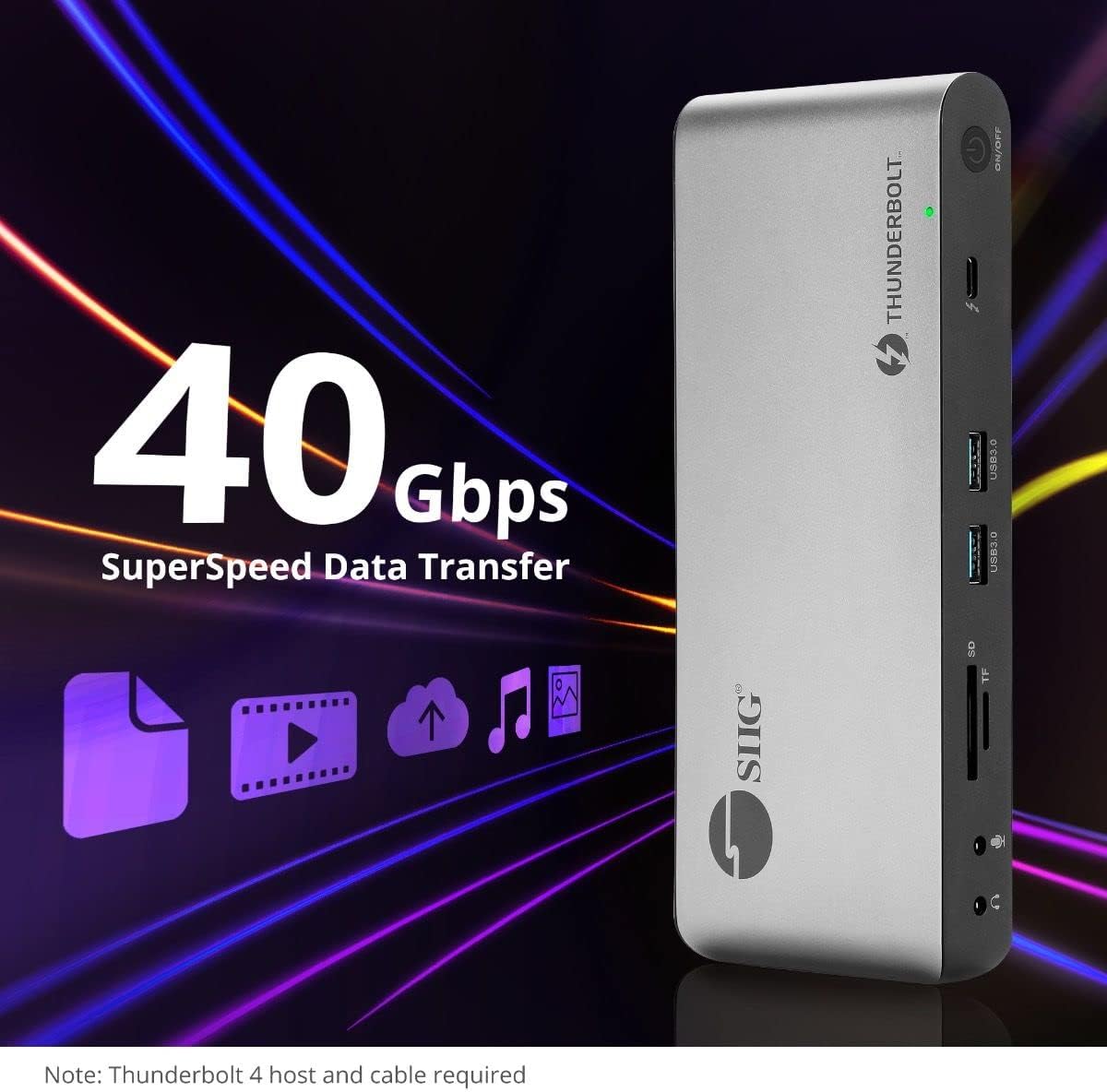
Imej 5.4: Keupayaan pemindahan data berkelajuan tinggi.
6. Keserasian
The SIIG Thunderbolt 4 Docking Station is broadly compatible with various systems:
- Sistem Operasi: Mac M1/M2/M3 Pro & Max, Intel chip Macs, Windows PCs (Intel/AMD/Snapdragon), and Chromebooks.
- Keserasian ke belakang: Fully compatible with Thunderbolt 3, USB4, and USB-C equipped computers.
7. Penyelenggaraan
Untuk memastikan jangka hayat dan prestasi optimum stesen dok anda, ikut garis panduan penyelenggaraan ini:
- Pembersihan: Gunakan kain lembut dan kering untuk membersihkan bahagian luar peranti. Elakkan pembersih cecair atau pelarut.
- Pengudaraan: Pastikan stesen dok diletakkan di kawasan yang mempunyai pengudaraan yang baik untuk mengelakkan terlalu panas. Jangan halang sebarang bukaan pengudaraan.
- Storan: Simpan peranti di tempat yang sejuk dan kering jauh dari cahaya matahari langsung dan suhu yang melampau.
- Pengendalian: Elakkan daripada menjatuhkan atau meletakkan peranti kepada kesan yang kuat.
8. Penyelesaian masalah
If you encounter issues with your SIIG Thunderbolt 4 Docking Station, refer to the following common problems and solutions:
- Tiada Kuasa:
- Ensure the power adapter is securely connected to both the docking station and a working power outlet.
- Verify the power button on the docking station is pressed and the power indicator LED is on.
- Isu Paparan (Tiada Isyarat/Penyelesaian Salah):
- Check all display cables (HDMI, DisplayPort, Thunderbolt) are securely connected to both the docking station and the monitors.
- Ensure your laptop's display settings are configured correctly to detect and extend/mirror displays.
- For multi-display setups, especially beyond two monitors, ensure DisplayLink drivers are installed and up to date on your operating system.
- Verify your monitors support the selected resolution and refresh rate.
- Peranti Tidak Dikesan:
- Ensure USB devices are properly connected to the docking station's USB ports.
- Try connecting the peripheral directly to your laptop to confirm it is functional.
- Restart the docking station and your laptop.
- Terlalu panas:
- Ensure the docking station is placed in an area with adequate airflow and not covered.
- Reduce the number of high-power devices connected if possible, or consider using a cooling pad if persistent.
- Pemindahan Data Lambat:
- Ensure you are using Thunderbolt 4 certified cables for Thunderbolt connections.
- Verify the connected device supports the expected transfer speeds.
9. Spesifikasi
| Ciri | Perincian |
|---|---|
| Nombor Model | JU-DK0U11-S1 |
| Dimensi Produk | 3.27 x 7.8 x 1.14 inci |
| Berat Barang | 15.4 auns (0.96 paun) |
| Jumlah Pelabuhan | 15 (including 7 USB ports) |
| Sambungan Hos | Thunderbolt 4 (USB-C) |
| Output Video | 1x HDMI, 1x DisplayPort, 3x Thunderbolt 4 (USB-C) |
| Resolusi Paparan Maks | Single 8K@30Hz, Quad 4K@60Hz |
| Power Delivery (Host) | Sehingga 60W |
| Power Delivery (Downstream TB4) | Sehingga 45W setiap port |
| Kelajuan Pemindahan Data | Thunderbolt 4: 40Gbps, USB-A 5Gbps: 5Gbps |
| Ethernet | Gigabit Ethernet |
| Pembaca Kad | SD 3.0 UHS-1, Micro SD (TF) 3.0 UHS-1 (up to 2TB) |
| Port Audio | 3.5mm Stereo Out, 3.5mm Mic In |
| OS yang serasi | Mac M1/M2/M3 Pro & Max, Intel Macs, Windows, Chromebooks |
| warna | Hitam |
| UPC | 662774045689 |
10. Waranti dan Sokongan
SIIG products are designed for reliability and performance. For warranty information and technical support, please refer to the documentation included with your product or visit the official SIIG webtapak. Simpan resit pembelian anda untuk tuntutan waranti.