
1. Pengenalan
This manual provides detailed instructions for the proper use, setup, and maintenance of your Jectse BH M97 Single Ear Headset. Please read this manual thoroughly before using the product to ensure optimal performance and longevity. Keep this manual for future reference.
2. Kandungan Pakej
Sahkan bahawa semua item yang disenaraikan di bawah terdapat dalam pakej produk anda:
- Jectse BH M97 Single Ear Headset
- Pangkalan Pengecasan
- Kabel Pengecasan
- Manual Arahan (dokumen ini)
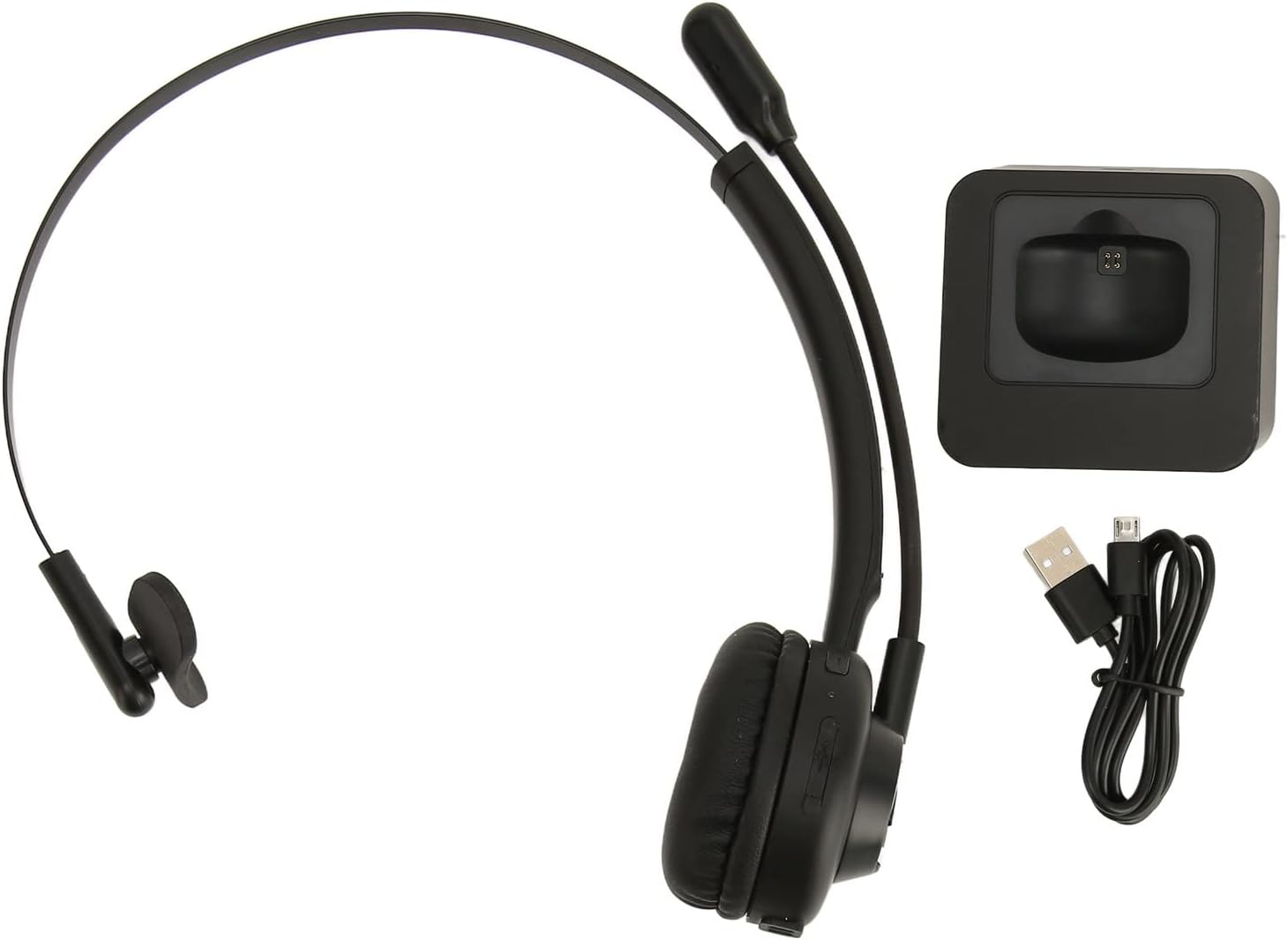
Image: The Jectse BH M97 headset, its dedicated charging base, and the USB charging cable.
3. Produk Lebihview
The Jectse BH M97 is a single-ear Bluetooth headset designed for clear communication in various environments. It features a rotatable microphone and a comfortable on-ear design.
3.1 Komponen Alat dengar
- Kusyen Telinga: Padded for comfort during extended use.
- Ikat Kepala Fleksibel: Boleh laras untuk padanan yang selamat.
- Mikrofon Boleh Putar: Can be adjusted to accurately capture your voice and positioned on either side.
- Butang Kawalan: (Specific button functions are typically detailed in the 'Operating Instructions' section.)
- Mengecas Kenalan: Located on the earcup for use with the charging base.

Image: The Jectse BH M97 headset securely placed on its charging base.

Imej: A terperinci view of the headset's padded ear cushion and the charging contacts.
4. Persediaan
4.1 Mengecas Alat Dengar
- Connect the charging cable to the charging base and a USB power source (e.g., computer USB port, wall adapter).
- Place the headset onto the charging base, ensuring the charging contacts align.
- The headset's indicator light will typically show charging status (e.g., red for charging, blue/off for fully charged).
- A full charge takes approximately 2 hours. The headset provides up to 17 hours of talk time and 200 hours of standby time on a full charge.
4.2 Menghidupkan/Mematikan
- Untuk Menghidupkan: Press and hold the Multi-function Button (MFB) for approximately 3-5 seconds until the indicator light flashes blue.
- Untuk Mematikan: Press and hold the MFB for approximately 3-5 seconds until the indicator light flashes red and then turns off.
4.3 Berpasangan Bluetooth
The headset uses Bluetooth 5.0 for stable and efficient connection.
- Pastikan alat dengar dimatikan.
- Press and hold the MFB for approximately 5-7 seconds until the indicator light flashes red and blue alternately. This indicates pairing mode.
- On your device (smartphone, PC, tablet), enable Bluetooth and search for available devices.
- Select "BH M97" from the list of found devices.
- Once paired, the headset's indicator light will typically flash blue slowly or turn off.
- Jika digesa untuk kata laluan, masukkan "0000".

Image: The headset illustrating its rotatable microphone, comfortable design, and Bluetooth 5.0 capabilities for stable transmission.
5. Arahan Operasi
5.1 Memakai Alat dengar
- Adjust the flexible headband to fit comfortably over your head.
- Letakkan kusyen telinga di atas satu telinga.
- Rotate the microphone boom to bring the microphone close to your mouth for optimal voice capture. The microphone can be worn on either the left or right side.

Image: A user wearing the Jectse BH M97 headset, demonstrating its practical application in a professional environment.
5.2 Pengurusan Panggilan
- Jawab Panggilan: Short press the MFB when a call comes in.
- Tamatkan Panggilan: Short press the MFB during a call.
- Tolak Panggilan: Press and hold the MFB for approximately 2 seconds when a call comes in.
- Dail Semula Nombor Terakhir: Double-press the MFB when not on a call.
5.3 Kawalan Kelantangan
Use the volume buttons (typically '+' and '-') on the headset to adjust the listening volume. Alternatively, adjust the volume directly on your connected device.
6. Penyelenggaraan
Penyelenggaraan yang betul memastikan ketahanan dan prestasi optimum alat dengar anda.
- Pembersihan: Use a soft, dry cloth to wipe the headset and charging base. Do not use abrasive cleaners or solvents.
- Storan: Apabila tidak digunakan, simpan set kepala di tempat yang sejuk dan kering, jauh dari cahaya matahari langsung dan suhu yang melampau.
- Penjagaan Bateri: Elakkan daripada mengecas bateri sepenuhnya dengan kerap. Cas alat dengar secara berkala, walaupun tidak digunakan secara berterusan, untuk mengekalkan kesihatan bateri.
- Elakkan Kelembapan: Jangan dedahkan alat dengar kepada air atau kelembapan berlebihan.
7. Penyelesaian masalah
If you encounter issues with your Jectse BH M97 headset, refer to the following common solutions:
- Alat dengar tidak akan dihidupkan: Ensure the headset is fully charged. Connect it to the charging base and allow it to charge for at least 30 minutes before attempting to power on again.
- Tidak boleh berpasangan dengan peranti:
- Ensure the headset is in pairing mode (flashing red and blue alternately).
- Pastikan Bluetooth didayakan pada peranti anda.
- Gerakkan set kepala lebih dekat dengan peranti anda (dalam jarak 10 meter).
- Matikan dan hidupkan Bluetooth peranti anda, kemudian cuba pasangkan semula.
- If previously paired, try deleting the headset from your device's Bluetooth list and re-pairing.
- Tiada bunyi atau kelantangan rendah:
- Semak tahap kelantangan pada kedua-dua set kepala dan peranti anda yang disambungkan.
- Pastikan set kepala disambungkan dengan betul ke peranti anda.
- Verify that the correct audio output device is selected on your computer or phone.
- Mikrofon tidak berfungsi:
- Ensure the microphone boom is positioned correctly near your mouth.
- Check microphone settings on your connected device to ensure the headset is selected as the input device.
- Ensure the microphone is not muted (if a mute function is available on the headset or device).
If the issue persists after trying these steps, please refer to the warranty and support information.
8. Spesifikasi
| Ciri | Spesifikasi |
|---|---|
| Model | BH M97 |
| Ketersambungan | Bluetooth 5.0 (Tanpa Wayar) |
| Julat Tanpa Wayar | Sehingga 10 meter (32.8 kaki) |
| Kapasiti Bateri | Bateri Litium 180mAh terbina dalam |
| Masa Berbual | Sehingga 17 jam |
| Masa Tunggu Sedia | Sehingga 200 jam |
| Masa Mengecas | Lebih kurang 2 jam |
| bahan | ABS, Plastik |
| Penempatan Telinga | On Ear (Single Ear) |
| Mikrofon | Rotatable, Noise Canceling |
| Peranti Serasi | Cellphones, Tablets, Laptops, PCs |
| Dimensi (Parsel) | 18 x 17 x 6 cm |
| Berat (Bungkusan) | 329 g |
9. Waranti dan Sokongan
For warranty information and customer support, please refer to the documentation included with your purchase or visit the official Jectse webtapak. Simpan bukti pembelian anda untuk tuntutan waranti.