
1. Pengenalan
Thank you for choosing the AZUNO Portable Tire Inflator Air Compressor, Model TIP75B. This manual provides essential information for the proper setup, operation, maintenance, and troubleshooting of your device. Please read this manual thoroughly before use and retain it for future reference.
2. Produk Lebihview
The AZUNO Portable Tire Inflator is a versatile and powerful device designed for inflating various items, including car, motorcycle, and bicycle tires, as well as sports balls. It features a high-capacity battery, dual power supply options, and an auto shut-off function for precise inflation.
Ciri-ciri Utama:
- Berkuasa dan Serbaguna: 120W/12V power with a 540 PMDC motor for fast inflation.
- Bateri Berkapasiti Tinggi: 7800mAh lithium battery, capable of inflating up to 4 flat tires or refilling 10 tires on a single charge.
- Convenient and Accurate: 5 preset settings and auto shut-off feature to prevent over-inflation. 150 PSI capacity with +/-1% accuracy.
- Bekalan Kuasa Dwi: Operates on internal lithium battery or 12V DC adapter.
- Fungsi Bank Kuasa: 5V/2A USB-A output port for charging other devices.
- Reka bentuk lasak: Full-metal construction with high-quality components.
- Aksesori yang disertakan: Presta and Schrader valves, various adapters, and an EVA hard case.
Komponen Produk:

Image: The AZUNO Portable Tire Inflator, showing the main unit, flexible hose, 12V DC power cable, USB-C charging cable, and various adapters for different valve types, all neatly arranged with its carrying case.
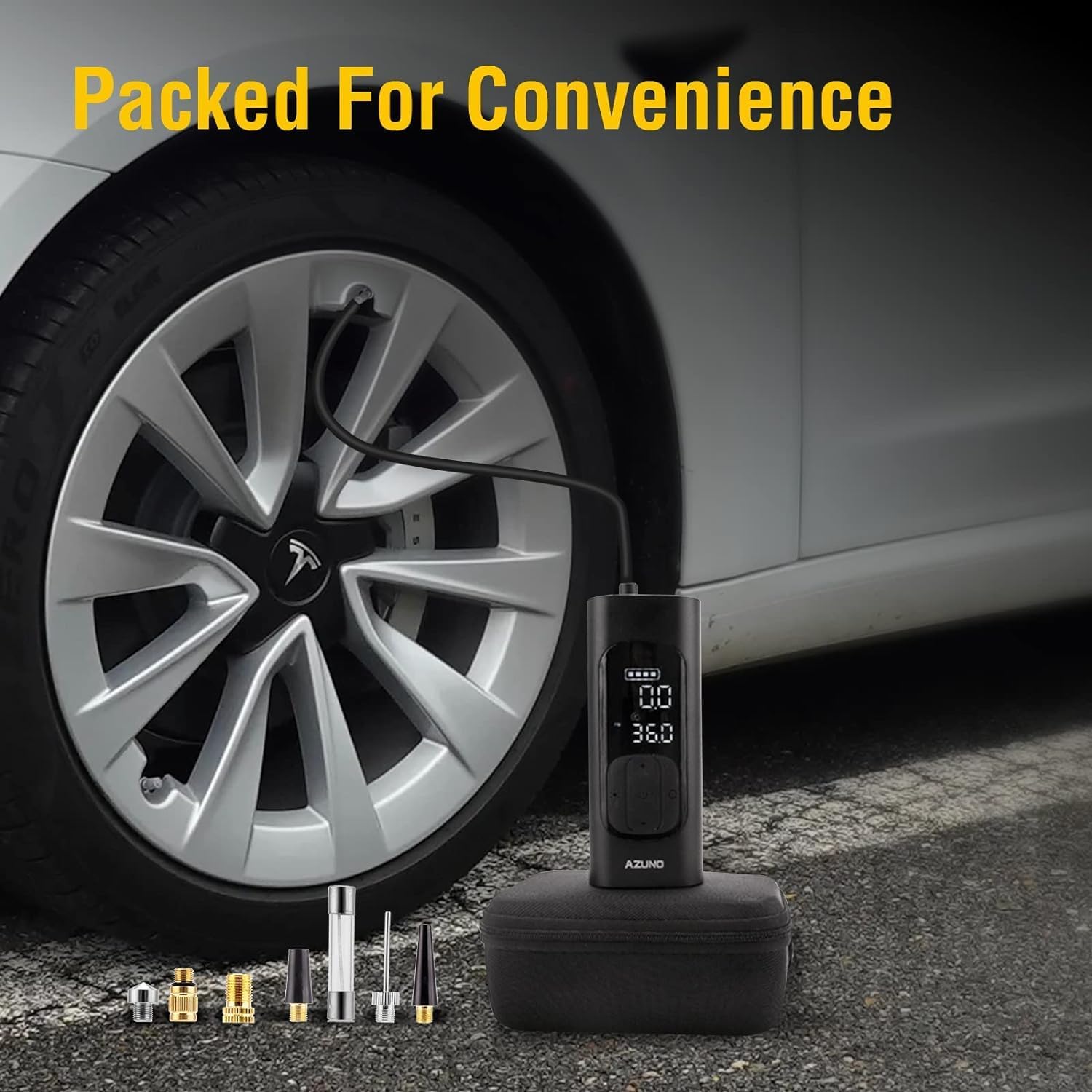
Image: The AZUNO Portable Tire Inflator and its complete set of accessories, including the hose, charging cables, and various nozzles, packed efficiently within its durable EVA hard case, ready for transport.
Product Demonstration:
Video: Tamatview of the AZUNO Tire Inflator, demonstrating its compact size, digital display, and various applications for inflating different types of tires and sports equipment.
3. Maklumat Keselamatan
- Always operate the inflator in a well-ventilated area.
- Jangan tinggalkan inflator tanpa pengawasan semasa digunakan.
- Jauhkan daripada kanak-kanak.
- Elakkan operasi berterusan yang berpanjangan untuk mengelakkan terlalu panas. Biarkan peranti sejuk jika ia menjadi panas.
- Ensure the correct pressure setting for the item being inflated to prevent over-inflation and potential damage or injury. Refer to the item's manufacturer recommendations.
- Jangan dedahkan peranti kepada keadaan hujan atau basah.
- Gunakan hanya kabel dan penyesuai pengecas yang disediakan.
4. Persediaan
4.1 Pengecasan Awal
Before first use, fully charge the internal lithium battery. Connect the provided USB-C charging cable to the inflator and a suitable USB power source. The battery indicator on the display will show charging progress. A full charge from empty takes approximately 4 hours.
4.2 Connecting the Hose and Adapters
- Screw the flexible air hose securely onto the inflator's air outlet.
- Select the appropriate adapter for the item you wish to inflate (e.g., Presta valve adapter for bicycles, needle adapter for balls).
- Attach the selected adapter to the end of the air hose.

Image: The AZUNO Portable Tire Inflator connected to a car tire valve, illustrating its dual power supply capability with both the internal 7800mAh battery and an optional 12V vehicle power outlet connection.
Setup Demonstration:
Video: A demonstration of setting up the AZUNO Portable Tire Inflator, including connecting the hose to a car tire valve and initiating the inflation process. It also highlights the compact nature of the device and its accessories.
5. Arahan Operasi
5.1 Menghidupkan/Mematikan
Press and hold the power button (usually the central button) for a few seconds to turn the inflator on or off. The digital display will illuminate.
5.2 Memilih Unit Tekanan
With the device powered on, short press the 'UNIT' button (often labeled 'M' or a unit symbol) to cycle through available pressure units: PSI, BAR, KPA, and Kg/cm².
5.3 Menetapkan Tekanan Sasaran
The inflator offers 5 preset modes for common items (car, motorcycle, bicycle, ball) and a custom mode. Use the mode selection button (often an icon representing the item) to choose the desired mode. Once a mode is selected, the recommended target pressure will be displayed. You can adjust this target pressure using the '+' and '-' buttons. In custom mode, you can set any pressure between 3-150 PSI.
5.4 Starting Inflation
- Connect the air hose with the appropriate adapter to the item's valve stem.
- Pastikan sambungannya kukuh untuk mengelakkan kebocoran udara.
- The display will show the current pressure of the item.
- Press the power button to start inflation. The inflator will automatically stop once the target pressure is reached.
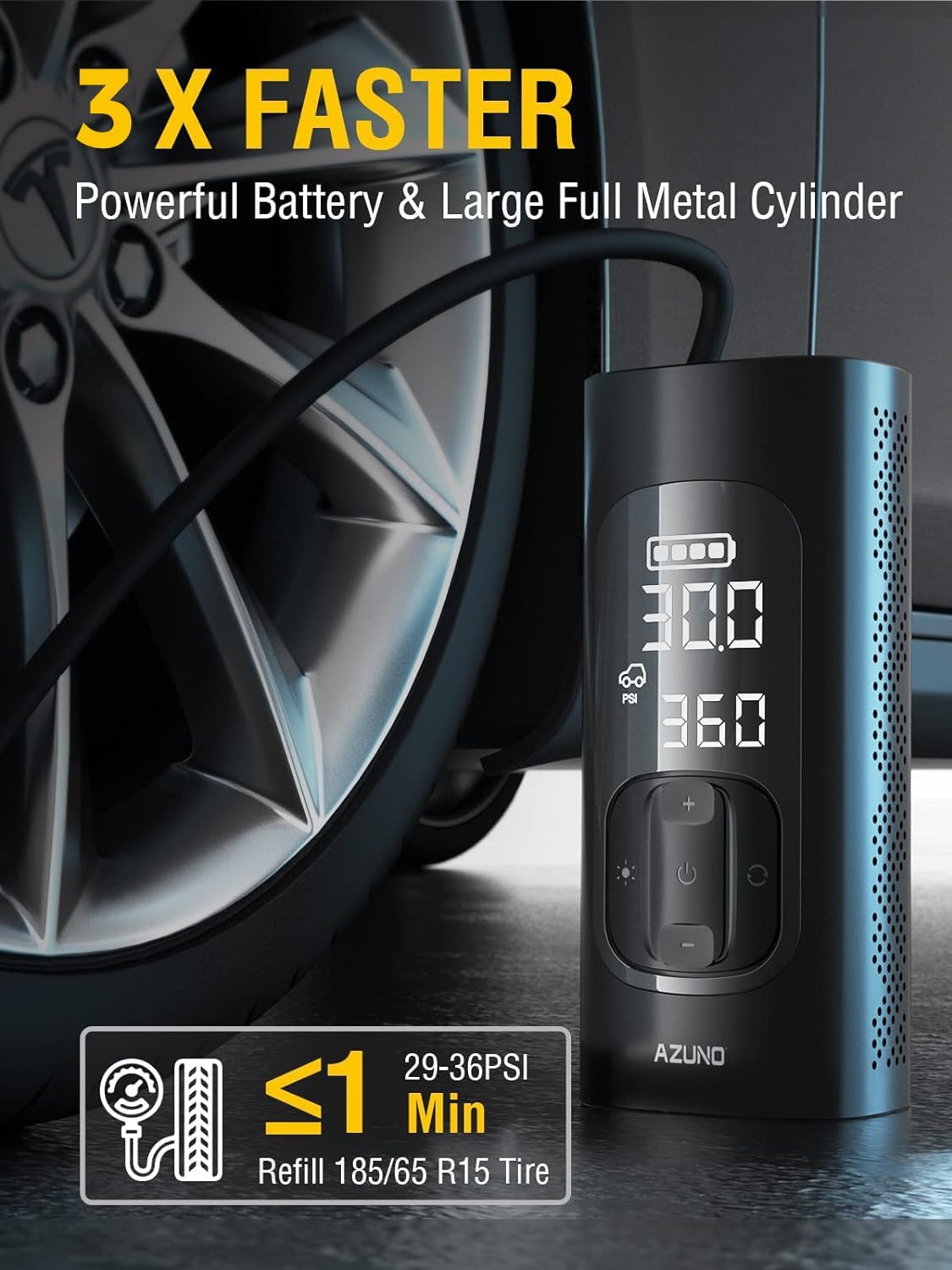
Image: The AZUNO Portable Tire Inflator actively inflating a car tire, showcasing its digital display with current and target PSI readings, emphasizing its 3X faster inflation capability.
5.5 Menggunakan sebagai Power Bank
The inflator features a 5V/2A USB-A output port. Connect your device (e.g., smartphone, tablet) to this port using a compatible USB cable to charge it. This function is independent of the inflation function.

Image: The AZUNO Portable Tire Inflator demonstrating its multi-functionality, serving as both a power bank to charge a tablet via its 5V/3A output and an LED flashlight, useful in low-light conditions.
5.6 Menggunakan Lampu LED
The inflator includes an integrated LED light for illumination in dark environments. Short press the light button (usually a light bulb icon) to turn it on or off. Some models may offer different light modes (e.g., steady, flashing).
Demonstrasi Operasi:
Video: A user demonstrating the AZUNO Portable Tire Inflator in action, showing how to set the desired pressure and the automatic shut-off feature once the target PSI is reached. The digital display is clearly visible, indicating real-time pressure changes.
6. Penyelenggaraan
- Pembersihan: Lap peranti dengan lembut, damp kain. Jangan gunakan bahan kimia yang keras atau pembersih yang kasar.
- Storan: Store the inflator and its accessories in the provided EVA hard case in a cool, dry place, away from direct sunlight and extreme temperatures.
- Penjagaan Bateri: For optimal battery life, charge the device at least once every three months if not in regular use.
- Hos dan Penyesuai: Inspect the air hose and adapters regularly for any signs of wear or damage. Replace if necessary to ensure proper sealing and performance.
7. Penyelesaian masalah
| Masalah | Kemungkinan Punca | Penyelesaian |
|---|---|---|
| Inflator tidak dihidupkan. | Bateri lemah atau tiada kuasa. | Charge the device fully. If using 12V DC, ensure the vehicle's power outlet is functional. |
| Inflation is slow or ineffective. | Air leakage from connection or low battery. | Ensure the hose and adapter are securely attached. Check for damage to the hose or valve. Charge the battery. |
| Peranti berhenti sebelum mencapai tekanan sasaran. | Terlalu panas atau bateri lemah. | Allow the device to cool down. Charge the battery. |
| Bacaan tekanan yang tidak tepat. | Sambungan longgar atau masalah sensor. | Ensure a tight connection to the valve. If issues persist, contact customer support. |
8. Spesifikasi
| Ciri | Spesifikasi |
|---|---|
| Nombor Model | TIP75B |
| kuasa | 120W/12V |
| Jenis Motor | 540 PMDC Motor |
| Kapasiti Bateri | Bateri Litium 7800mAh |
| Tekanan Maks | 150 PSI |
| Ketepatan | +/-1% |
| Output USB | 5V/2A USB-A |
| bahan | Plastik ABS, Logam |
| Berat Barang | 2.71 paun (1.23 kg) |
| Dimensi Pakej | 7.95 x 5.83 x 3.31 inci |
9. Waranti dan Sokongan
9.1 Maklumat Waranti
AZUNO provides a lifetime warranty for this tire inflator. If your AZUNO tire inflator does not perform to your expectations, please contact customer support for assistance, replacement, or refund.
9.2 Sokongan Pelanggan
For any questions, technical assistance, or warranty claims, please contact AZUNO customer support. Refer to the product packaging or the official AZUNO webtapak untuk maklumat hubungan terkini.