
1. Pengenalan
Thank you for choosing the revolt Powerbank ZX8312-944. This portable power bank is designed to provide reliable and fast charging for your mobile devices, including smartphones, tablets, and compatible laptops. With its 20000mAh capacity, USB-C Power Delivery, and Quick Charge 3.0 technology, it ensures your devices stay powered on the go. Please read this manual carefully before use to ensure proper operation and to maximize the lifespan of your device.
2. Arahan Keselamatan
- Do not expose the power bank to extreme temperatures (above 45°C or below 0°C), direct sunlight, or high humidity.
- Elakkan menjatuhkan, membuka atau cuba membaiki peranti sendiri. Ini akan membatalkan waranti dan boleh menyebabkan kerosakan atau kecederaan.
- Jauhkan bank kuasa daripada air dan cecair lain.
- Gunakan hanya kabel pengecasan dan penyesuai yang diperakui.
- Jauhkan daripada kanak-kanak.
- Buang power bank secara bertanggungjawab mengikut peraturan tempatan. Jangan buangnya bersama sisa rumah.
3. Kandungan Pakej
- revolt Powerbank ZX8312-944
- Kabel Pengecas USB
- Manual Pengguna
4. Ciri-ciri Produk
- Kapasiti Tinggi: Integrated 20000 mAh LiPo battery.
- USB-C Power Delivery (PD 2.0): Output up to 20W (5V/3A, 9V/2.22A, 12V/1.67A) for fast charging compatible devices like MacBook Pro, Samsung Galaxy S8, Huawei P20/P30, and iPhones 12 and later.
- Dual USB Type-A Quick Charge 3.0 Outputs: Each port delivers up to 18W (5V/3A, 9V/2A, 12V/1.5A) for devices compatible with Quick Charge technology. Backward compatible with Quick Charge 2.0.
- Pengecasan serentak: Charge up to three devices concurrently with a total output of up to 15W (5V/3A) when using all ports.
- Paparan LED Digital: Shows the battery capacity percentage for precise monitoring.
- Reka Bentuk Teguh: Logam tahan lasak casing for enhanced protection.
- Sedia Automatik: The power bank enters standby mode when not in use to conserve power.
- Flexible Charging Input: Recharge the power bank via Micro USB or USB-C port.
5. Persediaan
5.1 Pengecasan Awal Bank Kuasa
Before first use, fully charge the power bank. This ensures optimal battery performance.
- Connect the provided USB charging cable to either the Micro USB input port or the USB-C input/output port on the power bank.
- Sambungkan hujung kabel yang satu lagi ke penyesuai kuasa USB yang sesuai (tidak disertakan) atau port USB komputer.
- The LED display will show the charging progress in percentage. When the display shows '100%', the power bank is fully charged.

Imej: bersudut view of the revolt Powerbank ZX8312-944 showing the LED display and ports. This image displays an angled shot of the power bank, highlighting its sleek design, the digital LED display showing '100%', and the various charging ports on one end.

Imej: Atas ke bawah view of the revolt Powerbank ZX8312-944 with the LED display showing '100%'. This image provides a direct overhead view of the power bank, clearly showing the 'revolt' branding and the illuminated LED display indicating a full charge.
6. Arahan Operasi
6.1 Mengecas Peranti Luaran
The power bank can charge up to three devices simultaneously.
- Sambungkan kabel pengecas peranti anda ke salah satu port keluaran bank kuasa (USB-A atau USB-C).
- Sambungkan hujung kabel yang lain ke peranti anda.
- The power bank will automatically begin charging your device. The LED display will show the remaining battery percentage bank kuasa.
- Untuk berhenti mengecas, cuma cabut kabel daripada peranti anda atau bank kuasa.
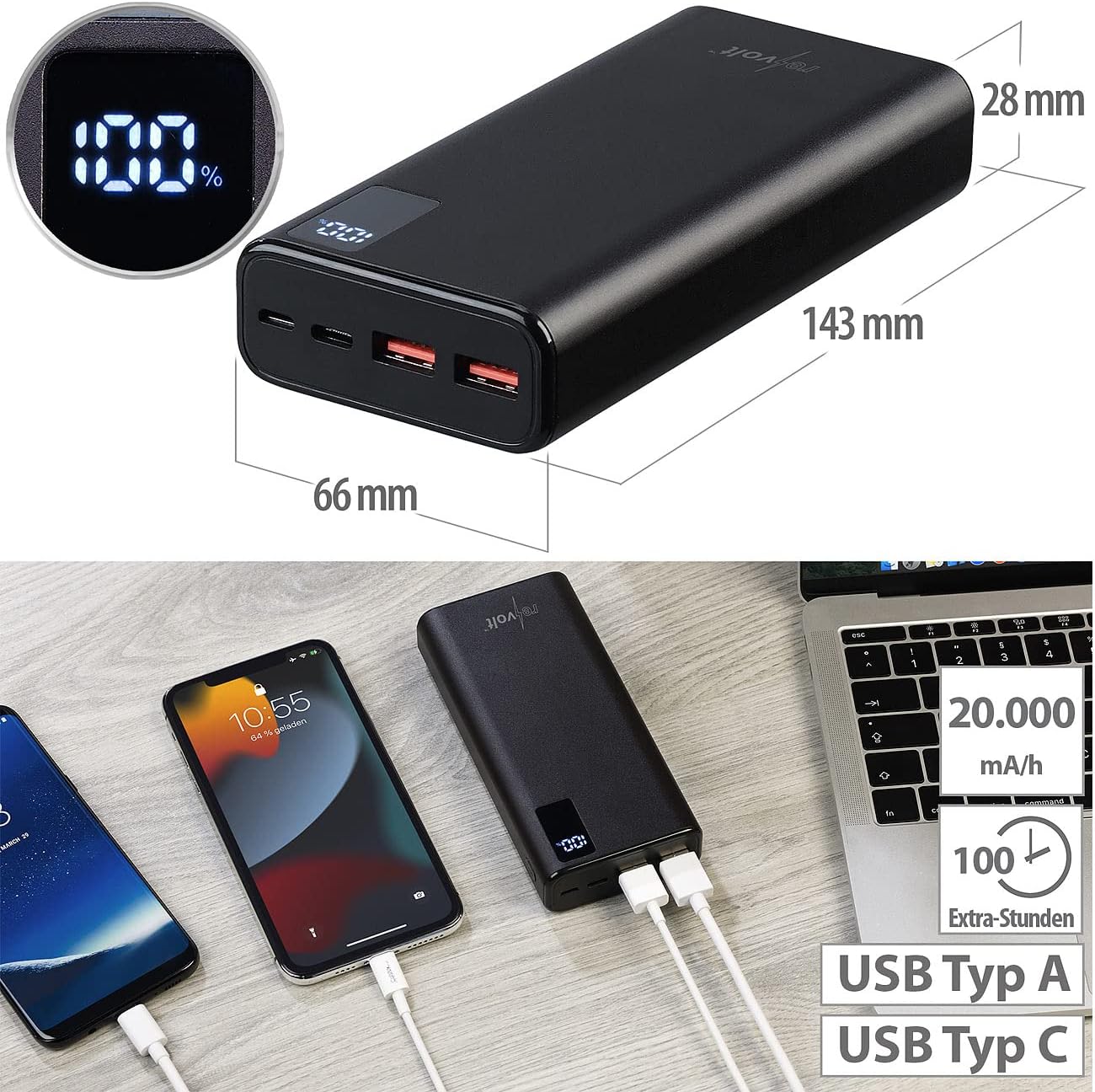
Imej: revolt Powerbank ZX8312-944 with dimensions and multiple devices connected for charging. This image illustrates the physical dimensions of the revolt Powerbank (143mm length, 66mm width, 28mm height) and demonstrates its capability to charge multiple devices simultaneously via its USB-A and USB-C ports. The LED display shows '100%', indicating a full charge.

Imej: revolt Powerbank ZX8312-944 charging a smartphone on a desk. The power bank is shown connected to a smartphone via a USB cable, actively charging the device. A computer monitor and a plant are visible in the background, suggesting a typical desk environment.
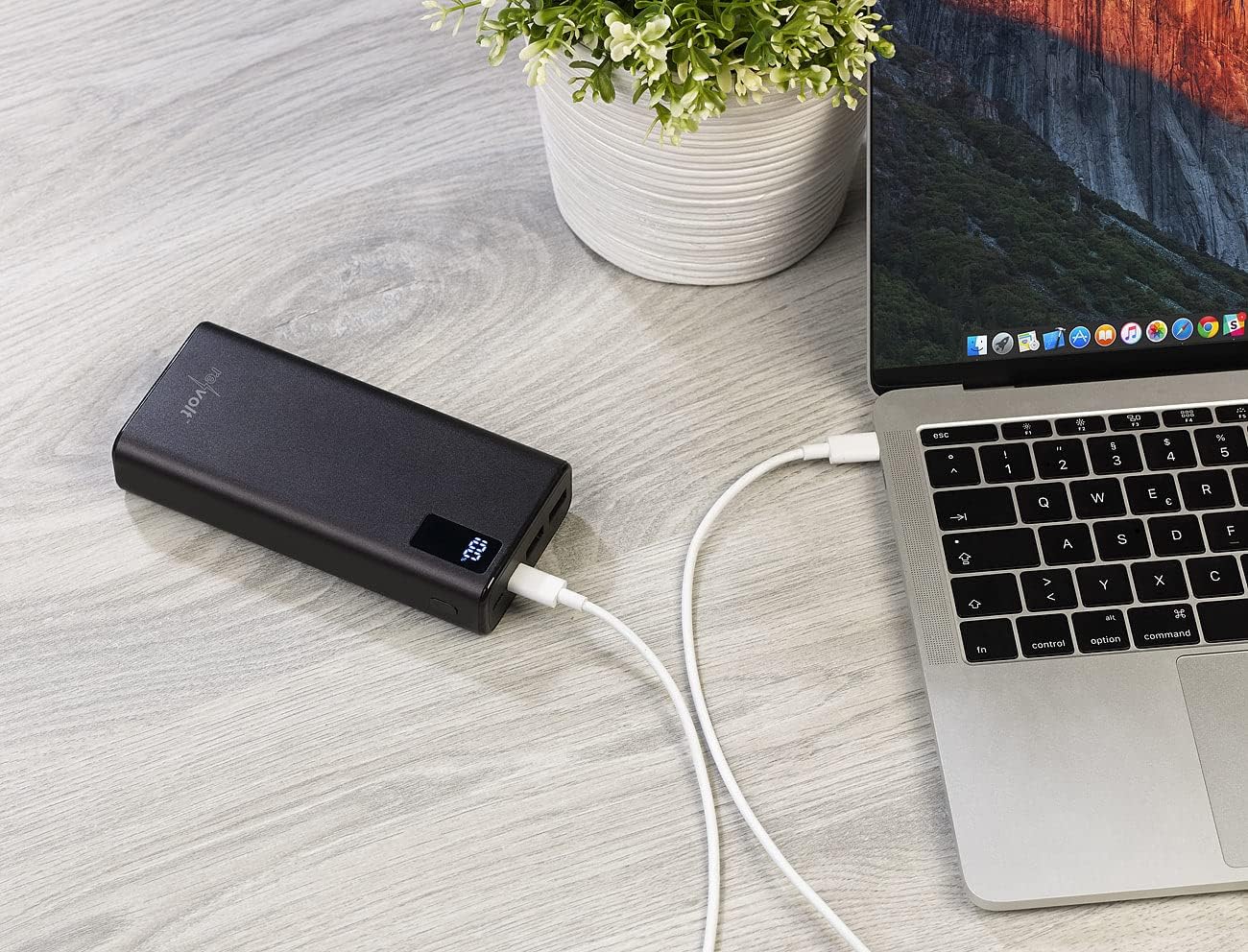
Imej: revolt Powerbank ZX8312-944 charging a laptop on a wooden surface. This image displays the power bank connected to a laptop via a USB-C cable, providing power to the laptop. The power bank's LED display is visible, showing the current charge level.
6.2 Menyemak Tahap Bateri
The digital LED display on the power bank shows the remaining battery capacity in percentage. This display activates automatically when a device is connected for charging or when the power bank itself is being charged.

Imej: jarak dekat view of the revolt Powerbank ZX8312-944 ports. A detailed view of the power bank's input and output ports. From left to right, a USB-C port, a Micro USB port, and two USB-A ports are visible. The USB-A ports have orange inserts, indicating Quick Charge capability.
7. Penyelenggaraan
- Pembersihan: Use a soft, dry cloth to clean the power bank. Do not use abrasive cleaners or solvents.
- Storan: Store the power bank in a cool, dry place away from direct sunlight and extreme temperatures. For long-term storage, it is recommended to charge the power bank to about 50-70% every three months to maintain battery health.
- Elakkan Kerosakan Fizikal: Protect the power bank from drops and impacts, as these can damage internal components.
8. Penyelesaian masalah
| Masalah | Kemungkinan Punca | Penyelesaian |
|---|---|---|
| Power bank tidak dicas | Charging cable is faulty or not properly connected. Power adapter is not working or insufficient. | Ensure the charging cable is securely connected. Try a different USB cable and/or power adapter. |
| Peranti tidak mengecas daripada bank kuasa | Device charging cable is faulty or not properly connected. Power bank battery is depleted. Device is incompatible. | Ensure the cable is securely connected to both the power bank and your device. Recharge the power bank. Verify device compatibility with the power bank's output specifications. |
| Pengecasan perlahan | Cable used does not support fast charging. Device does not support fast charging. Multiple devices are charging simultaneously. | Use a high-quality cable that supports Quick Charge or Power Delivery. Ensure your device supports fast charging. Disconnect other devices to allow maximum power to a single device. |
| Paparan LED tidak berfungsi | Power bank is completely discharged. Device malfunction. | Charge the power bank. If the issue persists, contact customer support. |
9. Spesifikasi
| Ciri | Spesifikasi |
|---|---|
| Nombor Model | ZX8312-944 |
| Kapasiti Bateri | 20000 mAh (Lithium-ion Polymer) |
| USB-C Input/Output (PD 2.0) | 5V/3A (15W), 9V/2.22A (20W), 12V/1.67A (20W) |
| USB Type-A Output 1 (QC 3.0) | 5V/3A (15W), 9V/2A (18W), 12V/1.5A (18W) |
| USB Type-A Output 2 (QC 3.0) | 5V/3A (15W), 9V/2A (18W), 12V/1.5A (18W) |
| Input USB Mikro | 5V/2A (10W) |
| Jumlah Kuasa Keluaran | Up to 20W (single port), Up to 15W (multiple ports) |
| Dimensi | 143 x 66 x 28 mm |
| Berat badan | 470 g |
| Paparan | LED Digital Percentage Petunjuk |
| Casing Bahan | logam |
10. Waranti dan Sokongan
This product comes with a standard manufacturer's warranty. For detailed warranty information, please refer to the documentation provided at the time of purchase or contact your retailer. For technical support or inquiries, please contact revolt customer service through their official webtapak atau maklumat hubungan yang diberikan bersama produk anda.