
1. Pengenalan
Thank you for choosing the Perlegear Tilting TV Wall Mount. This manual provides essential information for safe installation, operation, and maintenance of your new TV mount. Please read it thoroughly before installation and keep it for future reference.
This wall mount is designed to securely hold 13-42 inch LCD/LED/flat-screen TVs and monitors weighing up to 45kg (99 lbs). It features a slim profile and offers a tool-free tilt adjustment of ±15 degrees for optimal viewsudut-sudut.
2. Maklumat Keselamatan
AMARAN: Improper installation may result in serious injury or damage to your equipment. If you do not understand these instructions or have doubts about the safety of the installation, please contact a qualified installer.
- Kapasiti Berat: Do not exceed the maximum weight capacity of 45kg (99 lbs). This mount is intended for use only with the maximum weights indicated.
- Saiz TV: Compatible with TVs from 13 to 42 inches.
- Keserasian VESA: Ensure your TV's VESA pattern (mounting holes on the back of the TV) is between 75x75mm and 300x300mm.
- Jenis Dinding: This mount is suitable for concrete walls, brick walls, and solid wood stud walls. Do not install on drywall alone without proper stud support.
- Earthquake Resistance: When properly installed on a suitable wall, this mount provides enhanced stability, reducing the risk of TV tip-over from minor impacts or tremors.
- Always ensure all screws are securely tightened before use.
3. Kandungan Pakej
Please verify that all components are present and undamaged before installation. If any parts are missing or defective, contact Perlegear customer service.
- Plat Dinding
- Pendakap TV (2x)
- Kit Perkakasan Pemasangan (pelbagai skru, pencuci, spacer, sauh)
- Manual Arahan
4. Spesifikasi
| Ciri | Spesifikasi |
|---|---|
| Jenis Pemasangan | Lekap di dinding |
| Jenis Pergerakan | Mencondongkan |
| Jenama | Bersalah |
| bahan | Keluli Aloi |
| warna | Hitam |
| Peranti Serasi | Televisyen |
| Sudut Kecondongan Maksimum | ±15 Darjah |
| Saiz Serasi Maksimum | 42 Inci |
| Saiz Serasi Minimum | 13 Inci |
| Kapasiti Muatan | Up to 45kg (99 lbs) |
| Keserasian VESA | Min 75x75mm, Max 300x300mm |
| Jarak Dinding | 62mm |

Figure 1: Product Specifications Diagram
5. Panduan Pemasangan
Before starting, ensure you have the necessary tools (drill, level, screwdriver, stud finder) and have confirmed your TV's weight, size, and VESA pattern, as well as your wall type.

Figure 2: Pre-Installation Checklist
Pemasangan Langkah demi Langkah:
- Pasang Kurungan TV pada TV: Secure the two TV brackets to the back of your television using the appropriate screws, washers, and spacers from the hardware kit. Ensure the brackets are level and firmly attached.
- Lekapkan Plat Dinding ke Dinding: Locate the desired mounting position on your wall. Use a stud finder for wood stud walls. Mark the drill holes for the wall plate. Drill pilot holes and secure the wall plate using the provided lag bolts and anchors (if applicable for concrete/brick). Ensure the wall plate is level.
- Gantungkan TV pada Plat Dinding: Carefully lift the television and hook the TV brackets onto the wall plate. Ensure the TV is securely seated on the wall plate. Engage any safety locks or screws to prevent accidental dislodgement.

Rajah 3: Langkah Pemasangan Mudah
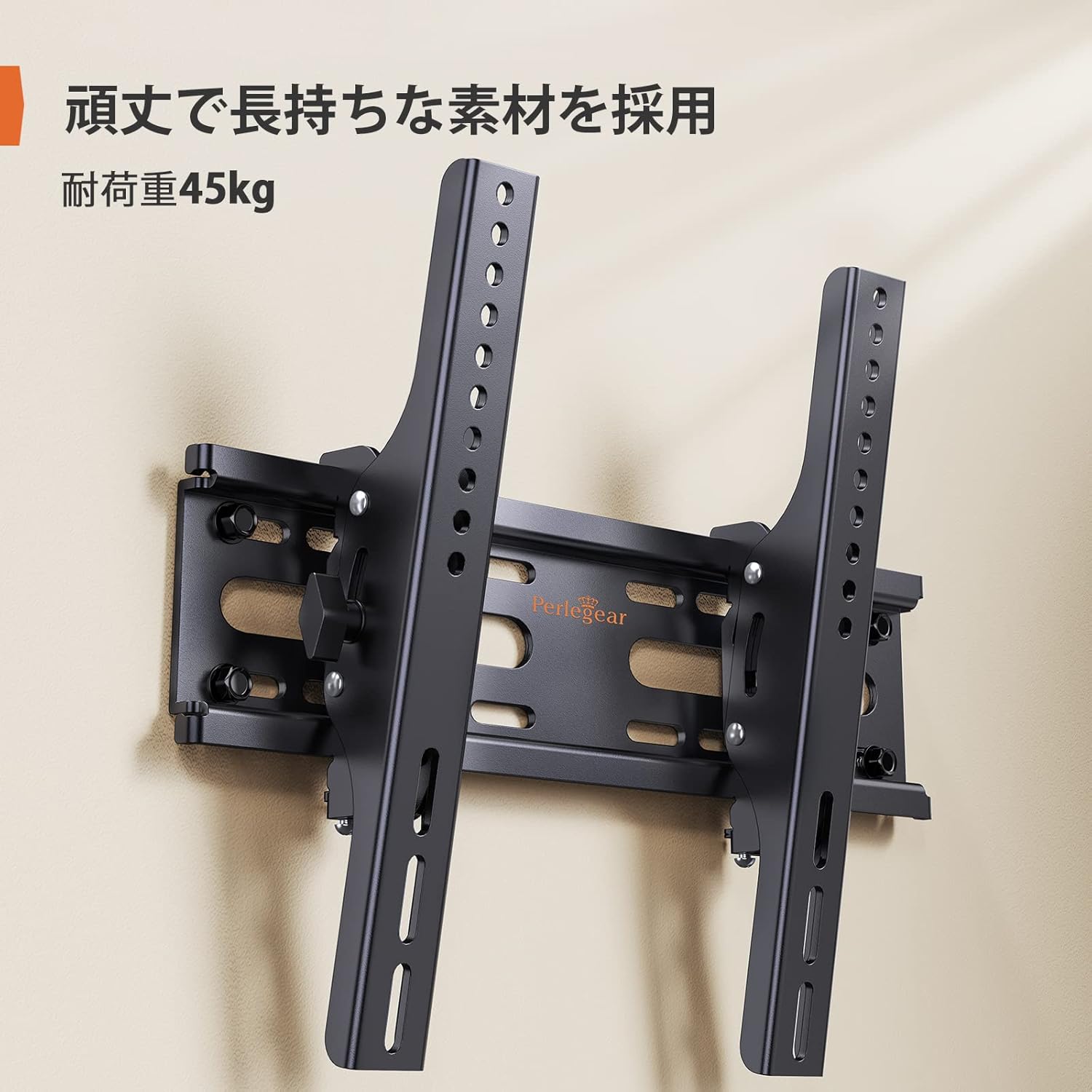
Figure 4: Installed Wall Mount

Rajah 5: Slim Profile (62mm from wall)

Figure 6: Monitor Installation Example
6. Arahan Operasi
This wall mount allows for easy vertical tilt adjustment to achieve the best viewsudut dan mengurangkan silau.
Pelarasan Kecondongan:
The mount features a knob-style adjustment mechanism. Simply loosen the knobs on the side of the TV brackets to adjust the tilt angle up or down by up to 15 degrees. Once the desired angle is achieved, tighten the knobs firmly to secure the TV in place. No additional tools are required for this adjustment.

Figure 7: Tilt Adjustment Range

Figure 8: Tilt Mechanism and Security Features
Video 1: Product Features and Tilt Adjustment Demonstration. This video illustrates the slim design, tilt functionality, and how the mount helps save space in various room settings.
7. Penyelenggaraan
Untuk memastikan jangka hayat dan operasi yang selamat bagi pelekap dinding TV anda, ikuti garis panduan penyelenggaraan ini:
- Pembersihan: Lap pelekap dengan kain lembut dan kering. Elakkan menggunakan pembersih atau pelarut yang kasar yang boleh merosakkan kemasan.
- Pemeriksaan Berkala: Periksa semua skru dan bolt secara berkala untuk memastikan ia kekal ketat dan kukuh. Lama-kelamaan, getaran atau pergerakan boleh menyebabkan pengikat longgar.
- Pemeriksaan Kerosakan: Inspect the mount for any signs of damage or wear. If any damage is found, discontinue use and contact customer support.
8. Penyelesaian masalah
If you encounter any issues during or after installation, refer to the following common problems and solutions:
- TV tidak tahap: Ensure the wall plate was installed level. If the wall plate is level, check if the TV brackets are properly aligned and tightened on the TV. Some mounts allow for minor post-installation leveling adjustments.
- TV terasa tidak stabil: Double-check all mounting screws on both the TV and the wall plate. Ensure the wall type is appropriate and that anchors (if used) are correctly installed. The mount is designed for high load capacity and stability when correctly installed.
- Kesukaran mencondongkan: Loosen the tilt adjustment knobs slightly before attempting to adjust the angle. If the mechanism feels stiff, ensure no cables are obstructing movement.
- Bahagian yang hilang: Refer to the package contents list. If any parts are missing, contact Perlegear customer support immediately.
9. Waranti dan Sokongan
The Perlegear Tilting TV Wall Mount (Model PGST1-J) comes with a Waranti pengilang selama 5 tahun. Waranti ini melindungi kecacatan pada bahan dan mutu kerja di bawah penggunaan biasa.
For warranty claims, technical support, or any questions regarding your product, please contact Perlegear customer service through the retailer where you purchased the product or visit the official Perlegear webtapak.