
pengenalan
This manual provides detailed instructions for the installation, operation, and maintenance of your EZoneTronics PCD001 Portable Wireless Car Stereo. Please read this manual thoroughly before using the device to ensure proper functionality and to prevent damage.
Produk Selesaiview
Ciri-ciri Utama
- Paparan Skrin Sentuh 7-inci: Provides a clear and responsive interface for navigation and media control.
- Apple CarPlay & Android Auto Tanpa Wayar: Seamlessly integrates with Apple and Android smartphones for navigation, music, and communication.
- Pemancar FM: Connects to your vehicle's original radio system via AUX Out or FM Out for audio output.
- Pemasangan Palam dan Main: Designed for easy setup without modifying existing car equipment.
- Pilihan Pemasangan Serbaguna: Can be mounted on the dashboard or windshield using a suction cup holder.
- Fungsi Tambahan: Supports Bluetooth connectivity, hands-free calling, voice control (Siri/Google Assistant), video playback, and music streaming.
- Keserasian Media: Supports SD card and USB devices for media playback.
Apa yang ada dalam Kotak
Sahkan bahawa semua komponen hadir semasa membongkar:
- 1 x EZoneTronics PCD001 Portable Wireless Car Stereo Unit
- 1 x Mounting Bracket (for dash or windshield)
- 1 x Car Charger (power adapter)
- 1 x Driving Recorder (if included in your package)
- 1 x SD Card (if included in your package)
- 1 x Webcam (if included in your package)
Note: The inclusion of the Driving Recorder, SD Card, and Webcam may vary by package.
Persediaan dan Pemasangan
Memasang Peranti
The device can be mounted on your car's dashboard or windshield. Choose a location that does not obstruct your view atau mengganggu kawalan kenderaan.
- Bersihkan Permukaan: Ensure the chosen mounting surface (dashboard or windshield) is clean and dry.
- Pasang Cawan Penyedut: Press the suction cup firmly onto the surface and engage the locking mechanism to secure it.
- Laraskan Sudut: Use the adjustable arm and swivel joint to position the screen for optimal viewing. The mount allows for 360-degree rotation and 180-degree angle adjustment.
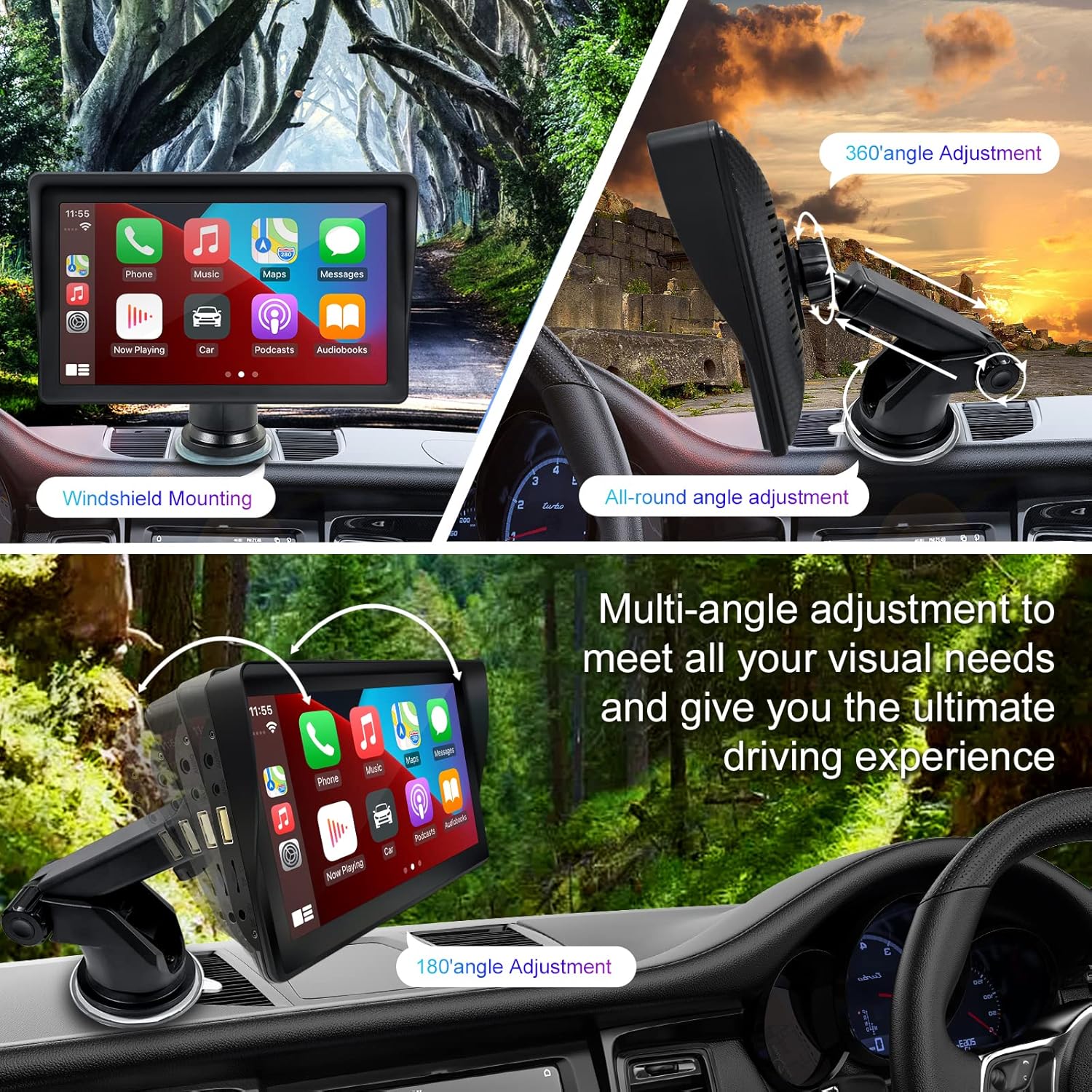
Figure 1: Mounting options and angle adjustments for the portable car stereo.
Sambungan Kuasa
Connect the provided car charger to the device's power input port and then into your vehicle's 12V power outlet (cigarette lighter socket). The device supports 12-24V power input.
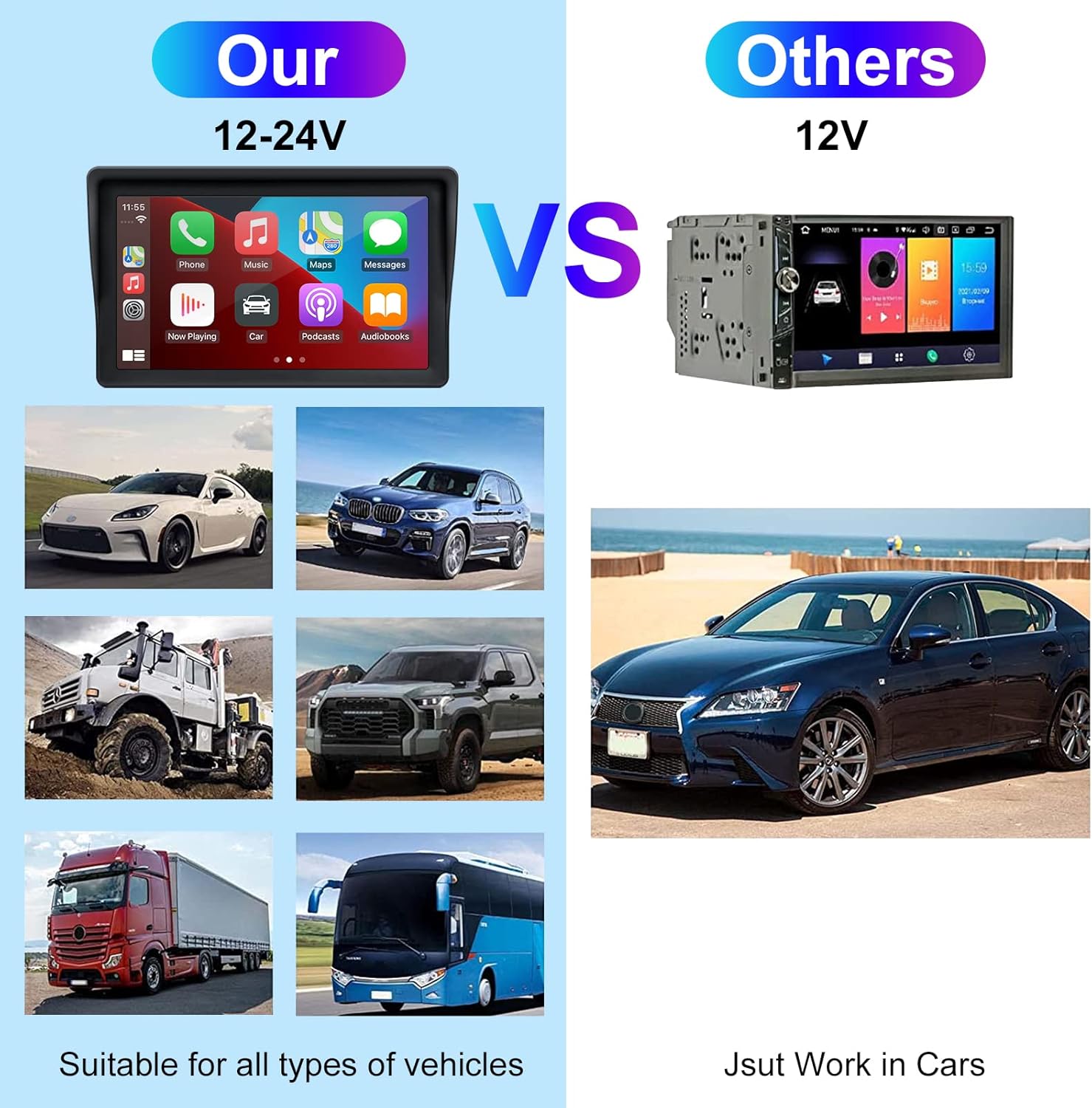
Figure 2: The EZoneTronics unit is compatible with 12-24V vehicle power systems.
Arahan Operasi
Kuasa Awal dan Antara Muka
Once powered, the device will boot up and display the main interface. This interface provides access to Apple CarPlay, Android Auto, and other functions.

Figure 3: Main interface displaying Apple CarPlay.
Connecting to Apple CarPlay or Android Auto
The device supports wireless connection for both Apple CarPlay and Android Auto.
- Dayakan Bluetooth dan Wi-Fi: On your smartphone, ensure both Bluetooth and Wi-Fi are enabled.
- Pasangkan Peranti: On the car stereo, navigate to the Bluetooth settings and pair with your smartphone.
- Sambungan Automatik: Once paired, the device should automatically prompt you to connect to Apple CarPlay or Android Auto. Follow the on-screen instructions on both the car stereo and your phone to complete the setup.
- Pautan Cermin: For devices not supporting CarPlay or Android Auto, or if you prefer, you can use the Mirror Link function to display your phone's screen on the unit.

Figure 4: Wireless connection for Apple CarPlay and Android Auto.
Audio Output (FM Transmitter / AUX Out)
To output audio from the car stereo to your vehicle's sound system, you have two primary options:
- Pemancar FM:
- On the EZoneTronics unit, select the FM Transmitter function.
- Choose an unused FM frequency.
- Tune your vehicle's FM radio to the same frequency. Audio from the portable stereo will now play through your car's speakers.
- AUX Keluar:
- Connect an AUX cable from the AUX Out port on the EZoneTronics unit to your vehicle's AUX In port.
- Select AUX input on your vehicle's audio system.


Figure 5: FM Transmitter and other core functions.
Voice Control (Siri / Google Assistant)
Once connected to Apple CarPlay or Android Auto, you can activate your smartphone's voice assistant (Siri or Google Assistant) for hands-free control. This allows you to make calls, send messages, get directions, and play music using voice commands.
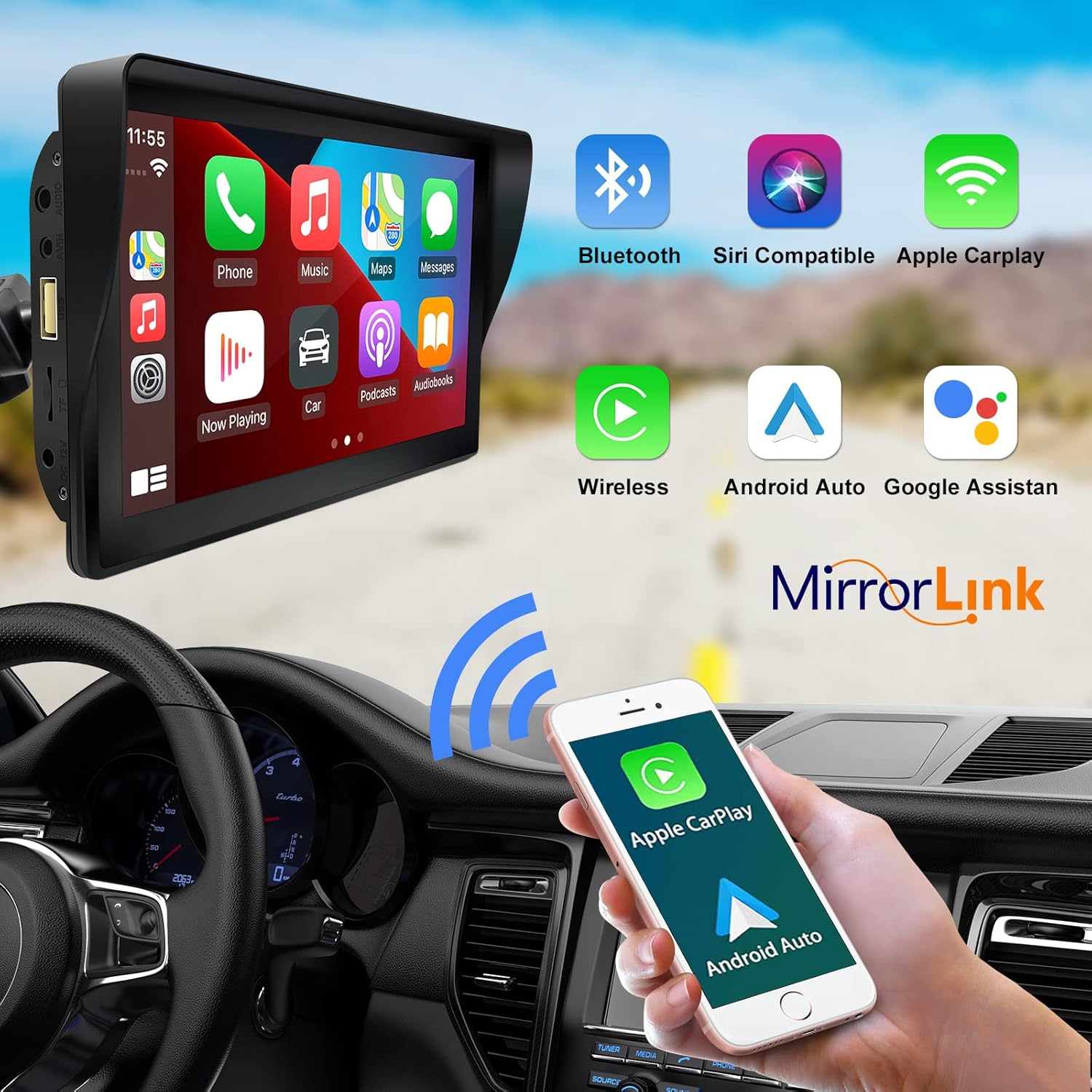
Figure 6: Voice control and connectivity features.
Media Playback (SD Card / USB)
The unit supports media playback from SD cards and USB devices.
- Insert an SD card into the designated slot or a USB drive into the USB port.
- Navigate to the media player application on the car stereo.
- Select the desired audio or video files untuk main balik.


Figure 7: USB and SD card media playback options.
Menyelesaikan masalah
If you encounter issues with your EZoneTronics PCD001, refer to the following common problems and solutions:
| Masalah | Kemungkinan Punca / Penyelesaian |
|---|---|
| Peranti tidak dihidupkan. |
|
| Cannot connect to Apple CarPlay / Android Auto wirelessly. |
|
| No audio output from car speakers. |
|
| Skrin sentuh tidak bertindak balas. |
|
| GPS navigation is inaccurate or not working. |
|
Spesifikasi
| Ciri | Perincian |
|---|---|
| Nama Model | PCD001 |
| Jenama | EZoneTronics |
| Saiz Skrin | 7 Inci |
| Jenis Paparan | IPS |
| Jenis Skrin Sentuh | Kapasitif |
| Sistem Operasi | Android (Internal OS for unit functions, supports CarPlay/Android Auto) |
| Teknologi Ketersambungan | Wireless CarPlay, Wireless Android Auto, Bluetooth, FM Transmitter, AUX Out |
| Mod Keluaran Audio | AUX, Stereo |
| Sistem Navigasi Satelit yang Disokong | GPS (via connected smartphone) |
| Jenis Pemasangan | Pemasangan Papan Pemuka, Pemasangan Cermin Depan |
| Peranti Serasi | Smartphones (Apple iOS and Android) |
| Jenis Perkhidmatan Kenderaan | Car (Universal 12-24V compatibility) |
Penyelenggaraan
Proper maintenance ensures the longevity and optimal performance of your EZoneTronics PCD001.
- Membersihkan Skrin: Gunakan kain lembut dan tidak berbulu untuk mengelap skrin dengan lembut. Untuk calitan degil, sedikit dampen kain dengan air atau pembersih selamat skrin. Elakkan bahan kimia yang keras atau bahan yang melelas.
- Pengurusan Kabel: Ensure all cables are neatly routed and secured to prevent entanglement or damage.
- Suhu: Avoid exposing the device to extreme temperatures, both hot and cold, for extended periods.
- Kemas Kini Perisian: Periksa pengeluar secara berkala website or device settings for any available software updates to improve performance and add features.
Waranti dan Sokongan
Maklumat Waranti
The EZoneTronics PCD001 Portable Wireless Car Stereo comes with a waranti setahun dari tarikh pembelian. Waranti ini meliputi kecacatan pembuatan dan kerosakan dalam penggunaan biasa. Ia tidak melindungi kerosakan yang disebabkan oleh penyalahgunaan, kemalangan, pengubahsuaian yang tidak dibenarkan, atau pemasangan yang tidak betul.
Sila simpan bukti pembelian anda untuk tuntutan waranti.
Sokongan Pelanggan
For technical assistance, warranty claims, or further inquiries, please contact EZoneTronics customer support:
- Webtapak: www.ezonetronics.com
- e-mel: support@ezonetronics.com
When contacting support, please provide your product model (PCD001) and a detailed description of the issue.