
pengenalan
Thank you for choosing the Varmilo Minilo VXB67 65% Bluetooth Mechanical Keyboard. This manual provides detailed instructions for setting up, operating, and maintaining your new keyboard. The VXB67 offers a compact 65% layout, dual-mode connectivity (wired USB-C and Bluetooth), and a comfortable typing experience with Varmilo EC Daisy V2 switches and durable ABS double-shot keycaps. It also features a Type-Cool sound dampening structure for a clear typing sound.

Image: The Varmilo Minilo VXB67 keyboard, showcasing its compact design and color scheme.
Kandungan Pakej
Sila semak kandungan pakej untuk memastikan semua item ada:
- Varmilo Minilo VXB67 Mechanical Keyboard
- Kabel USB-C
- Penarik Kekunci
- Penarik Suis
- Penutup Habuk
- Manual Pengguna (dokumen ini)

Image: The Varmilo Minilo VXB67 keyboard alongside its USB-C cable, keycap puller, switch puller, and a clear dust cover.
Persediaan
1. Sambungan Berwayar
- Cari port USB-C pada papan kekunci.
- Sambungkan satu hujung kabel USB-C yang disediakan pada papan kekunci.
- Sambungkan hujung kabel USB-C yang satu lagi ke port USB yang tersedia pada komputer anda.
- Papan kekunci akan dikenali secara automatik oleh sistem pengendalian anda.
2. Sambungan Bluetooth
The VXB67 keyboard can connect to up to 3 devices via Bluetooth.
- Pastikan papan kekunci dicas atau disambungkan melalui USB-C.
- Turn on Bluetooth on your device (computer, tablet, or smartphone).
- Pada papan kekunci, tekan dan tahan Fn kekunci dan salah satu kekunci Bluetooth (Q, W, atau E) for 3-5 seconds to enter pairing mode. The indicator light will flash.
- On your device, search for Bluetooth devices and select "Varmilo VXB67" (or similar) from the list.
- Setelah dipasangkan, lampu penunjuk pada papan kekunci akan berhenti berkelip dan kekal padu.
- Repeat for up to two additional devices using the other Bluetooth keys.
3. Melaraskan Sudut Papan Kekunci
The keyboard features 3-level adjustable kickstands on the bottom to customize your typing angle for comfort.

Image: The underside of the keyboard, highlighting the foldable kickstands for ergonomic adjustment.
Video: Demonstrates the features of the Varmilo Minilo Eucalyptus keyboard, including the adjustable kickstands and multi-device connectivity.
Arahan Operasi
1. Penggantian Kekunci dan Suis
The VXB67 features hot-swappable switches, allowing you to change switches without soldering. Use the provided keycap and switch pullers for this process.
- Mengalih keluar Kap Kunci: Use the keycap puller to gently grip the keycap and pull upwards.
- Mengeluarkan Suis: Use the switch puller to carefully grip the top and bottom clips of the switch and pull upwards.
- Memasang Suis: Align the pins of the new switch with the holes on the PCB. Press down firmly until the switch clicks into place. Ensure pins are not bent.
- Memasang Keycaps: Place the keycap over the switch stem and press down gently until it is secure.
Video: Demonstrates the process of changing switches and keycaps on the Varmilo Minilo 67 keyboard.
2. Kawalan Lampu Latar
The keyboard features white LED backlighting. Use the following key combinations to control the backlight:
- Fn + \ |: Kitaran melalui kesan lampu latar.
- Fn + ↑: Tingkatkan kecerahan lampu latar.
- Fn + ↓: Kurangkan kecerahan lampu latar.
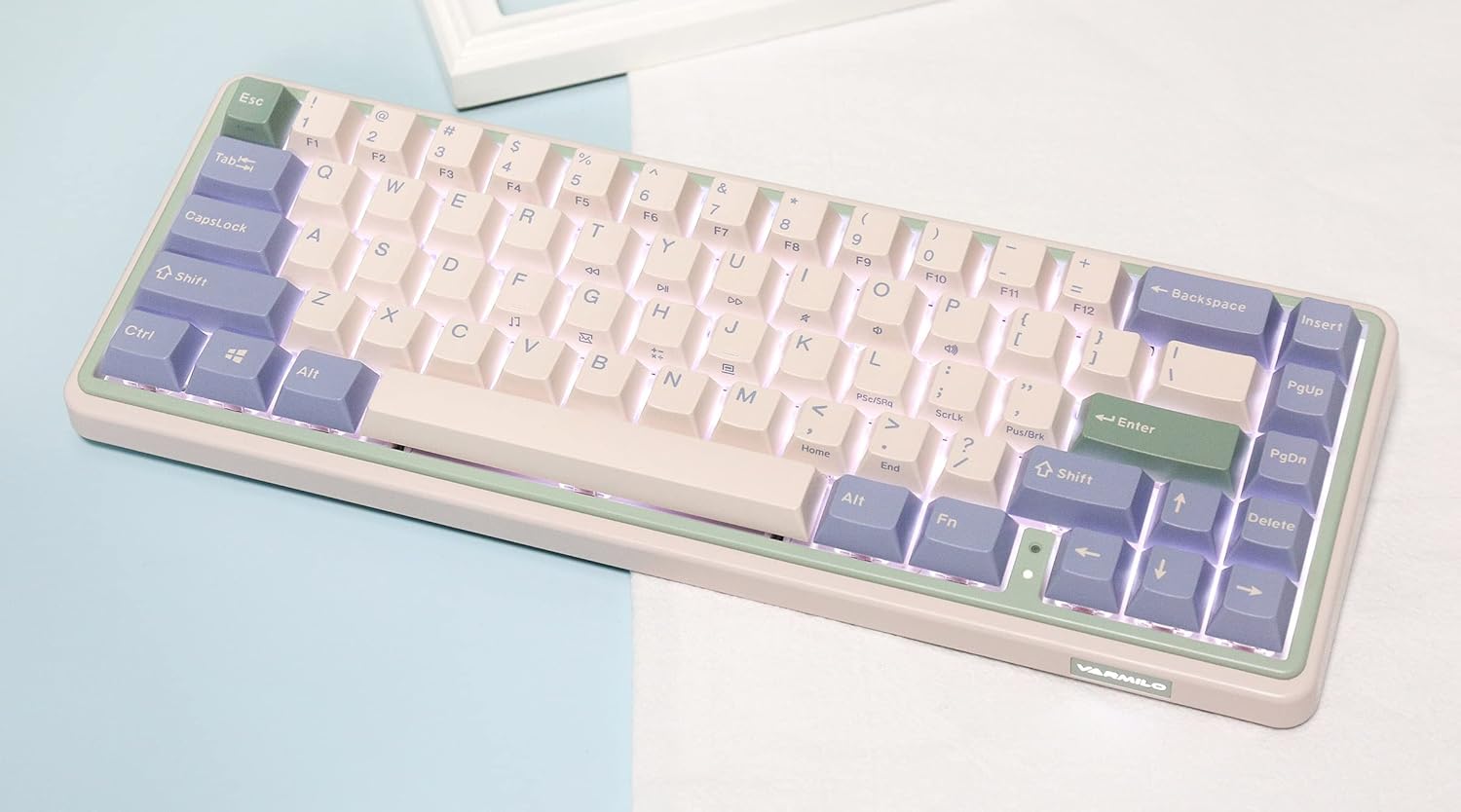
Image: The Varmilo Minilo VXB67 keyboard illuminated by its white LED backlighting.
3. Penukaran Berbilang Peranti
To switch between paired Bluetooth devices:
- Tekan Fn + Q untuk bertukar kepada Peranti Bluetooth 1.
- Tekan Fn + W untuk bertukar kepada Peranti Bluetooth 2.
- Tekan Fn + E untuk bertukar kepada Peranti Bluetooth 3.
The keyboard will quickly connect to the selected device.
Penyelenggaraan
- Pembersihan: Use a soft, dry cloth to wipe the keyboard surface. For deeper cleaning, remove keycaps using the provided keycap puller and use compressed air to clear debris.
- Pengecasan Bateri: Connect the keyboard via the USB-C cable to a power source (computer USB port or USB wall adapter). The Escape key will light up while charging and flash when the battery is low.
- Storan: When not in use, store the keyboard in a cool, dry place. Use the provided dust cover to protect it from dust and spills.
Menyelesaikan masalah
- Papan kekunci tidak bertindak balas (Berwayar):
- Pastikan kabel USB-C disambungkan dengan selamat pada papan kekunci dan komputer.
- Cuba port USB lain pada komputer anda.
- Cuba kabel USB-C yang lain.
- Papan kekunci tidak bertindak balas (Bluetooth):
- Pastikan Bluetooth didayakan pada peranti anda.
- Pastikan papan kekunci dicas.
- Masuk semula mod pasangan (Fn + Q/W/E) dan cuba pasang semula dengan peranti anda.
- Forget the device on your computer/tablet/phone and try pairing again.
- Kunci tidak mendaftar:
- Ensure the keycap and switch are properly seated. Remove and re-install if necessary.
- If using hot-swappable switches, ensure the switch pins are not bent.
- Lampu latar tidak berfungsi:
- Check backlight brightness settings (Fn + ↑/↓).
- Ensure the keyboard is not in a low power state.
Spesifikasi
| Model | VXB67 |
| Susun atur | 65% (67 kunci) |
| Ketersambungan | Bluetooth 5.0, Berwayar USB-C |
| Suis | Varmilo EC Daisy V2 (Hot-swappable) |
| Kekunci Kekunci | 1.5mm thick ABS Double Shot |
| Lampu latar | LED putih |
| Kapasiti Bateri | 3400mAh |
| Peranti Serasi | PC (and other Bluetooth-enabled devices) |
| bahan | Akrilonitril Butadiena Stirena (ABS) |
| Dimensi | Approx. 15 x 7 x 2.5 inches (based on package dimensions) |
| Berat badan | 3.21 paun |
Waranti dan Sokongan
For warranty information and technical support, please refer to the official Varmilo webtapak atau hubungi peruncit anda. Simpan bukti pembelian anda untuk tuntutan waranti.
Varmilo Rasmi Webtapak: www.varmilo.com