
1. Pengenalan
Thank you for choosing the ZACO A11s Pro Robot Vacuum and Mop Cleaner. This device is designed to provide efficient and automated cleaning for your home, combining powerful vacuuming with effective mopping capabilities. Featuring advanced laser navigation (LDS) and obstacle detection (TOF), the A11s Pro intelligently maps your home, ensuring thorough coverage and avoiding collisions. With 4000 Pa suction power and a long battery life of up to 150 minutes, it is suitable for various floor types, including hard floors and carpets, and is particularly effective at handling pet hair. This manual provides essential information for setup, operation, maintenance, and troubleshooting to ensure optimal performance of your robot cleaner.

Image 1.1: The ZACO A11s Pro Robot Vacuum and Mop Cleaner.
2. Arahan Keselamatan
Before using the ZACO A11s Pro, please read all safety instructions carefully to prevent injury or damage. Keep this manual for future reference.
- Perkakas ini boleh digunakan oleh kanak-kanak berumur 8 tahun ke atas dan orang yang kurang keupayaan fizikal, deria atau mental atau kurang pengalaman dan pengetahuan jika mereka telah diberi penyeliaan atau arahan mengenai penggunaan perkakas dengan cara yang selamat dan memahami bahaya yang terlibat .
- Kanak-kanak tidak boleh bermain dengan perkakas. Pembersihan dan penyelenggaraan pengguna tidak boleh dibuat oleh kanak-kanak tanpa pengawasan.
- Hanya gunakan penyesuai kuasa asal yang disediakan oleh pengilang.
- Do not use the robot in environments with open flames, flammable materials, or corrosive liquids.
- Ensure the charging dock is placed against a wall on a level surface, with adequate clear space around it.
- Remove any loose cables, small objects, or fragile items from the cleaning path before operation to prevent entanglement or damage.
- Do not immerse the robot or its electronic components in water.
- Regularly clean the brushes and filters to maintain optimal performance and prevent blockages.
- Jika kord kuasa rosak, ia mesti diganti oleh pengilang, ejen servisnya, atau orang yang berkelayakan yang serupa untuk mengelakkan bahaya.
3. Kandungan Pakej
Buka kotak dengan berhati-hati dan pastikan semua item ada dan dalam keadaan baik. Jika ada item yang hilang atau rosak, sila hubungi sokongan pelanggan.
- ZACO A11s Pro Robot Vacuum and Mop Cleaner
- Dok Pengecasan
- Penyesuai Kuasa
- Tong sampah
- Tangki Air (untuk mengemop)
- Berus Sisi (2 pasang)
- Penapis Kecekapan Tinggi (prapasang)
- Alat Pembersihan
- Manual Pengguna

Image 3.1: The ZACO A11s Pro with its various accessories, including brushes, charging dock, and cleaning tools.
4. Persediaan
4.1 Penempatan Dok Pengecasan
Place the charging dock against a wall in an open area, ensuring there is at least 0.5 meters (1.6 feet) of clear space on both sides and 1.5 meters (4.9 feet) in front. Connect the power adapter to the charging dock and plug it into a power outlet. Ensure the power cord is neatly arranged to prevent entanglement.
4.2 Pengecasan Awal
Place the robot onto the charging dock. The robot will automatically align and begin charging. For first-time use, fully charge the robot for at least 6 hours. The indicator light on the robot will show charging status.
4.3 Muat Turun Apl dan Sambungan
Download the ZACO app from your smartphone's app store (available for iOS and Android). Follow the in-app instructions to connect your ZACO A11s Pro to your home Wi-Fi network. This will enable advanced features like remote control, scheduling, and map management.
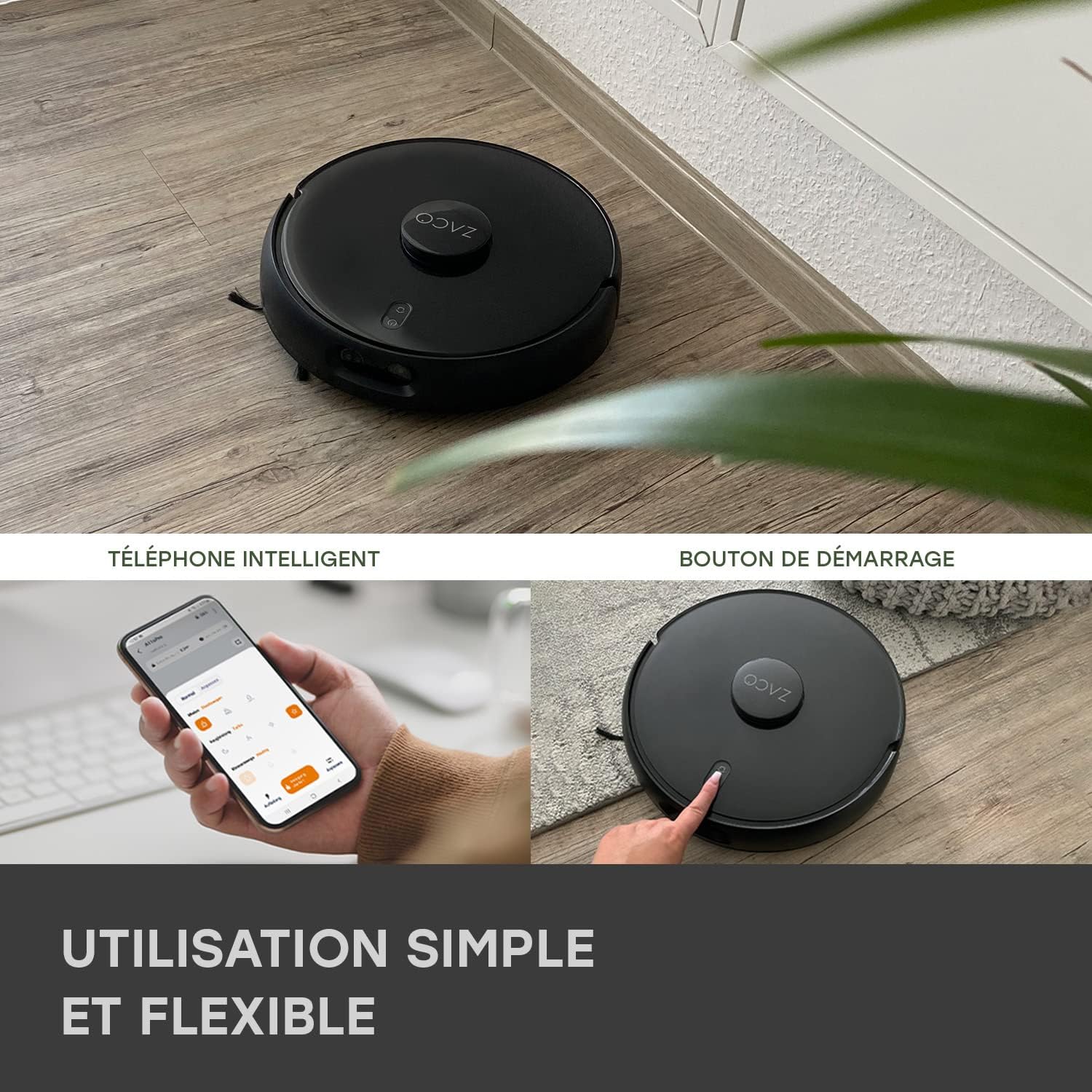
Image 4.1: The ZACO A11s Pro can be controlled via a smartphone app or by pressing the start button on the device.
4.4 Penciptaan Peta
For optimal navigation, allow the robot to complete a full cleaning cycle to create an initial map of your home. Ensure all doors are open to areas you wish to be mapped. The laser navigation system (LDS) will accurately scan and store the layout.

Image 4.2: The robot uses Laser Navigation (LDS) and Obstacle Detection (TOF) to map its environment and avoid obstacles.
5. Arahan Operasi
5.1 Starting/Stopping Cleaning
- Permulaan Manual: Press the power button on the robot once to start a cleaning cycle. Press again to pause.
- Kawalan Apl: Open the ZACO app, select your robot, and tap 'Start' to begin cleaning. You can also pause or send the robot back to its charging dock via the app.
5.2 Mod Pembersihan
The A11s Pro offers versatile cleaning modes:
- Vakum Sahaja: Use the dustbin for dry vacuuming. Ideal for carpets and general debris.
- Mop Sahaja: Install the water tank and mopping pad for wet mopping. The active mopping function with ultrasonic vibration ensures effective cleaning of hard floors.
- Vakum & Mop: Use the combined dustbin/water tank for simultaneous vacuuming and mopping.

Image 5.1: The ZACO A11s Pro features an active mopping function with ultrasonic vibration, suitable for parquet, tile, and vinyl floors.
5.3 Scheduling and Zone Cleaning
Using the ZACO app, you can:
- Tetapkan jadual pembersihan untuk waktu dan hari tertentu.
- Define virtual walls or no-go zones to restrict the robot from certain areas.
- Pilih bilik atau kawasan tertentu untuk pembersihan yang disasarkan.
5.4 Integrasi Pembantu Suara
The ZACO A11s Pro is compatible with Amazon Echo and Google Home. Follow the instructions in the ZACO app to link your robot with your preferred voice assistant for convenient voice control.
6. Penyelenggaraan
Regular maintenance is crucial for the longevity and optimal performance of your robot cleaner. Always turn off the robot and disconnect it from the charging dock before performing any maintenance.
6.1 Pembersihan Tong Sampah dan Penapis
- Kosongkan tong sampah selepas setiap kitaran pembersihan.
- Tap the filter to remove dust. Rinse the filter under running water if necessary, but ensure it is completely dry before re-installing. Replace the filter every 3-6 months depending on usage.
6.2 Berus Utama dan Berus Sisi
- Remove the main brush and use the cleaning tool to cut and remove tangled hair or debris.
- Check side brushes for wear and tear. Replace them if they are bent or damaged.
6.3 Water Tank and Mopping Pad
- Empty any remaining water from the tank after each mopping session.
- Clean the mopping pad thoroughly. It can be hand-washed or machine-washed.
6.4 Sensor dan Sentuhan Pengecasan
- Wipe the cliff sensors, obstacle detection sensors, and charging contacts on both the robot and the charging dock with a clean, dry cloth.
7. Penyelesaian masalah
If you encounter issues with your ZACO A11s Pro, refer to the following common problems and solutions:
| Masalah | Kemungkinan Punca | Penyelesaian |
|---|---|---|
| Robot tidak bermula atau bertindak balas. | Bateri lemah; matikan kuasa; robot tersekat. | Ensure robot is charged; check power switch; clear any obstructions. |
| Prestasi sedutan yang lemah. | Tong sampah penuh; penapis tersumbat; berus kusut masai. | Kosongkan tong sampah; bersihkan/ganti penapis; bersihkan berus utama dan sisi. |
| Robot tidak dapat mencari dok pengecasan. | Charging dock obstructed; robot too far from dock. | Ensure clear space around dock; manually place robot closer to dock. |
| Navigation errors or rooms not recognized. | Sensors dirty; new obstacles; map corruption. | Clean all sensors; remove new obstacles; reset map in app if necessary. |
| Fungsi mengemop tidak berfungsi. | Empty water tank; clogged water outlet; incorrect tank installed. | Fill water tank; clean water outlet; ensure mopping tank is correctly installed. |
| Isu sambungan apl. | Incorrect Wi-Fi password; router issues; robot offline. | Verify Wi-Fi password; restart router; re-pair robot with app. |
8. Spesifikasi
| Ciri | Perincian |
|---|---|
| Jenama | ZACO |
| Nombor Model | A11s Pro |
| warna | Hitam |
| Dimensi (L x W x H) | 35 x 35 x 9.5 cm (13.8 x 13.8 x 3.7 inci) |
| Berat badan | 3.4 Kilogram (7.5 lbs) |
| Kuasa Sedutan | 4000 Pa |
| Hayat Bateri | Sehingga 150 minit |
| Jenis Bateri | Litium-ion (1 termasuk) |
| Kapasiti Tangki Air | 550 mililiter |
| kuasa | 50 Watt |
| Voltage | 14.4 Volt |
| Tahap Kebisingan | 65 Desibel |
| Jenis Navigasi | Laser Navigation (LDS) & Obstacle Detection (TOF) |
| Jenis Pengawal | Kawalan Apl |
| Keserasian Produk | Amazon Echo, Google Home, Telefon Pintar |
| Syor Permukaan | Carpets, Hard Floors, Parquet |
| Ciri Khas | Hard floor brush, Pet hair cleaning |
9. Waranti dan Sokongan
ZACO is committed to providing high-quality products and customer satisfaction. The ZACO A11s Pro comes with a commitment to spare parts availability for 2 years. For any questions, technical support, or warranty claims, please contact ZACO customer service. Our German support team is available to assist you.
For further assistance, please visit the official ZACO website or contact our support team directly via the contact information provided on our webtapak.