
1. Pengenalan
Thank you for choosing the PetTec Cam Free Wireless Pet Camera. This device allows you to monitor your pets and home with high-quality Full HD 1080p video, day and night. Featuring a powerful 9,000 mAh battery for extended operation, two-way audio, motion detection, and easy Wi-Fi connectivity, the PetTec Cam Free provides peace of mind whether you are at home or away.
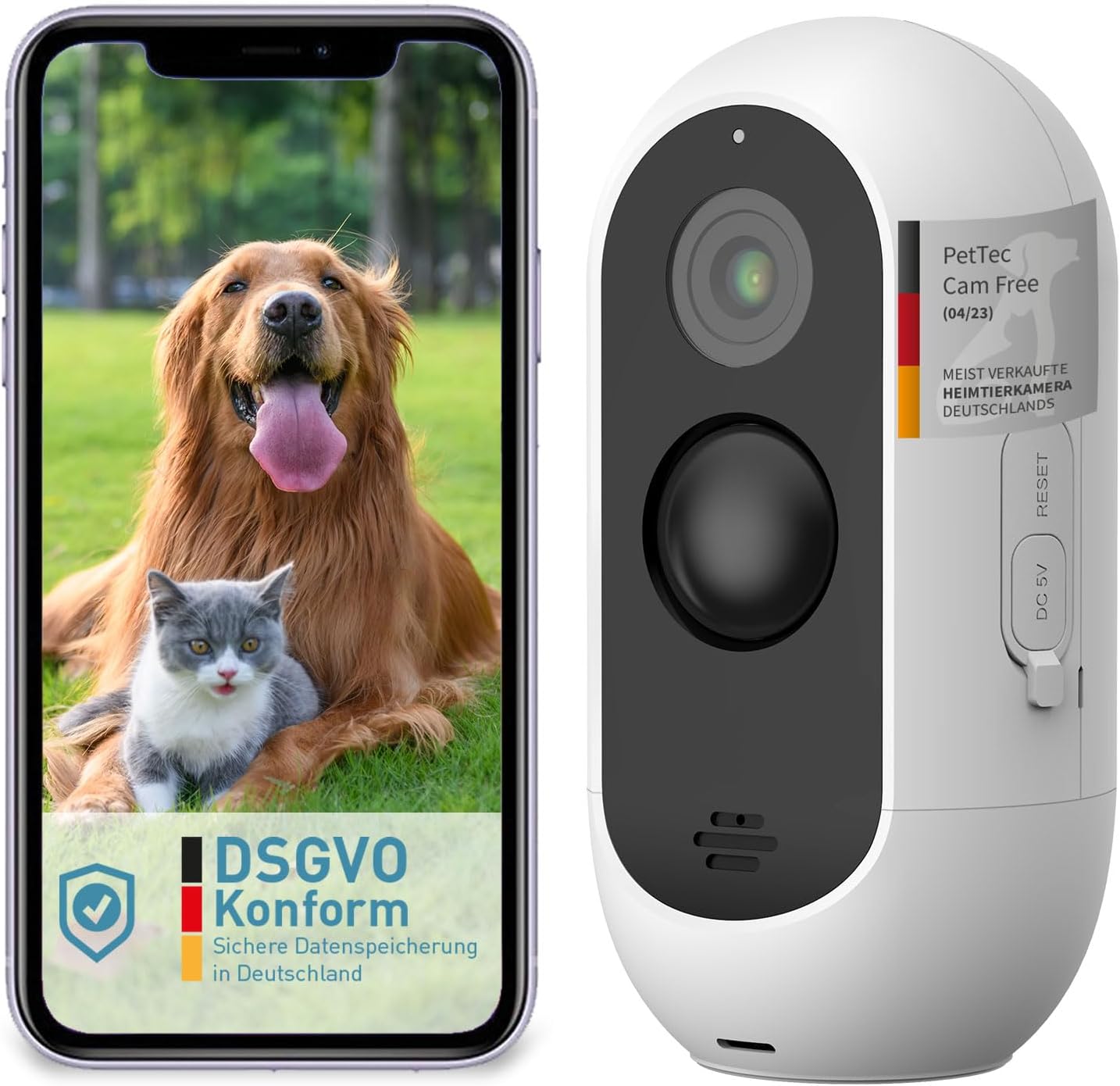
Image: The PetTec Cam Free camera shown alongside a smartphone displaying its app interface with a dog and cat.
2. Maklumat Keselamatan
- Jangan dedahkan kamera kepada suhu yang melampau atau cahaya matahari langsung untuk tempoh yang lama.
- Pastikan kamera dipasang dengan selamat untuk mengelakkan terjatuh secara tidak sengaja.
- Keep the device away from water and moisture, despite its weather-resistant design, to ensure longevity.
- Gunakan hanya kabel pengecasan dan penyesuai kuasa yang ditentukan.
- Jangan cuba membuka atau membaiki kamera sendiri. Hubungi khidmat pelanggan untuk mendapatkan bantuan.
3. Kandungan Pakej
Sila tandai kotak untuk item berikut:
- PetTec Cam Free Wireless Pet Camera
- Pendakap dan Skru Pemasangan
- Kabel Pengecas USB
- Manual Pengguna (dokumen ini)
4. Persediaan
4.1 Mengecas Kamera
Before first use, fully charge the camera using the provided USB cable and a 5V power adapter. The camera features a 9,000 mAh battery, offering up to 9 months of battery life depending on usage.
4.2 Pemasangan Aplikasi
Download the official PetTec app from your smartphone's app store (App Store for iOS or Google Play Store for Android). Cari untuk "PetTec" and install the application.
4.3 Device Pairing and Wi-Fi Connection
- Open the PetTec app and create an account or log in.
- Ikut arahan dalam apl untuk menambah peranti baharu.
- Power on your PetTec Cam Free. The camera will enter pairing mode.
- Select your 2.4GHz Wi-Fi network and enter the password when prompted by the app.
- The app will guide you through scanning a QR code with the camera to complete the connection.
4.4 Memasang Kamera
The PetTec Cam Free can be mounted on a wall or placed on a flat surface. For outdoor use, ensure it is positioned to capture the desired area while being protected from direct harsh weather if possible, though it is weather-resistant (IP65).

Image: The PetTec Cam Free camera mounted on an exterior wall, demonstrating its compact and discreet design.

Image: Illustrations showing the PetTec Cam Free monitoring an outdoor area, a garden, and a house entrance, highlighting versatile placement options.
5. Mengendalikan Kamera
5.1 Langsung View
Once connected, open the PetTec app and select your camera to view the live feed. You can monitor your pet and surroundings in real-time.

Image: A user interacting with the PetTec app on a smartphone, demonstrating remote monitoring capabilities.
5.2 Pengesanan Gerakan dan Makluman
The camera features automatic motion detection with adjustable sensitivity. You can configure the app to send notifications to your smartphone when motion is detected, ensuring you are always aware of activity.

Image: The PetTec Cam Free camera with icons representing internal alarm, motion sensor, and adjustable sensitivity settings.
5.3 Audio Dua Hala
Use the two-way audio feature to communicate with your pet or deter unwanted visitors. The app allows you to speak through the camera's speaker and hear sounds from the camera's microphone.
5.4 Penglihatan Malam
The PetTec Cam Free automatically switches to night vision mode in low-light conditions, providing clear black-and-white footagsehingga 10 meter (33 kaki).

Image: A collage showing examples of camera footage, including a night vision view of pets indoors and a daytime view of pets outdoors.
5.5 Zum Digital
Cubit untuk zum pada siaran langsung view atau foo dirakamtage within the app to get a closer look at specific areas.
5.6 Internal Alarm
Activate the internal alarm through the app to emit a loud sound (up to 95 dB) as a deterrent or to get attention.
5.7 Multi-Camera Management
If you have multiple PetTec cameras, you can manage and view all of them within a single PetTec app interface.
6. Penyelenggaraan
- Pembersihan: Gunakan kain lembut dan kering untuk membersihkan kanta dan badan kamera. Jangan gunakan bahan kimia yang keras atau pembersih yang kasar.
- Penjagaan Bateri: To maximize battery life, avoid fully discharging the battery frequently. Charge the camera regularly, especially if it will be stored for an extended period.
7. Penyelesaian masalah
- Kamera tidak bersambung ke Wi-Fi: Ensure your Wi-Fi network is 2.4GHz. Check Wi-Fi password. Move camera closer to router. Reset camera if necessary.
- Kualiti imej yang lemah: Clean the camera lens. Ensure sufficient lighting. Check Wi-Fi signal strength.
- Bateri cepat habis: Reduce motion detection sensitivity or frequency of alerts. Ensure camera is not in an area with constant motion.
- Tiada audio: Check volume settings on your phone and within the app. Ensure microphone and speaker are not obstructed.
8. Spesifikasi

Image: A diagram highlighting the camera's features such as 3MP resolution, 10m night vision, 120° wide-angle lens, motion sensor, internal alarm, up to 9 months battery life, and IP65 weather resistance.
| Ciri | Spesifikasi |
|---|---|
| Resolusi Rakaman Video | 1080p HD Penuh |
| Resolusi Video Berkesan | 1080 Piksel |
| Teknologi Komunikasi Tanpa Wayar | Wi-Fi |
| Julat Penglihatan Malam | 10 Meter |
| Kapasiti Bateri | 9,000 mAh (up to 9 months battery life) |
| Tahap Ketahanan Air | IP65 (kalis air) |
| Ciri Khas | Motion Detector, Two-Way Audio, Internal Alarm |
| Dimensi (L x W x H) | 5.9 x 5.9 x 11.6 cm |
| Berat badan | 460 gram |
| kuasa | 1.5 Watt |
| bahan | plastik |
| Nombor Model | 16167 |
9. Waranti dan Sokongan
For warranty information and technical support, please refer to the PetTec official webtapak atau hubungi perkhidmatan pelanggan mereka secara langsung. Simpan resit pembelian anda sebagai bukti pembelian.