
pengenalan
This manual provides instructions for the installation, operation, and maintenance of your ANNKE 32-Channel Home Security Camera System. This system includes a 12MP 32-channel Network Video Recorder (NVR) with a pre-installed 6TB Hard Disk Drive (HDD) and 20 wired 5MP Power over Ethernet (PoE) IP cameras. The system is designed for comprehensive surveillance with features such as color night vision, AI motion detection, and facial detection capabilities.
For optimal performance and safety, please read this manual thoroughly before using the product and retain it for future reference.
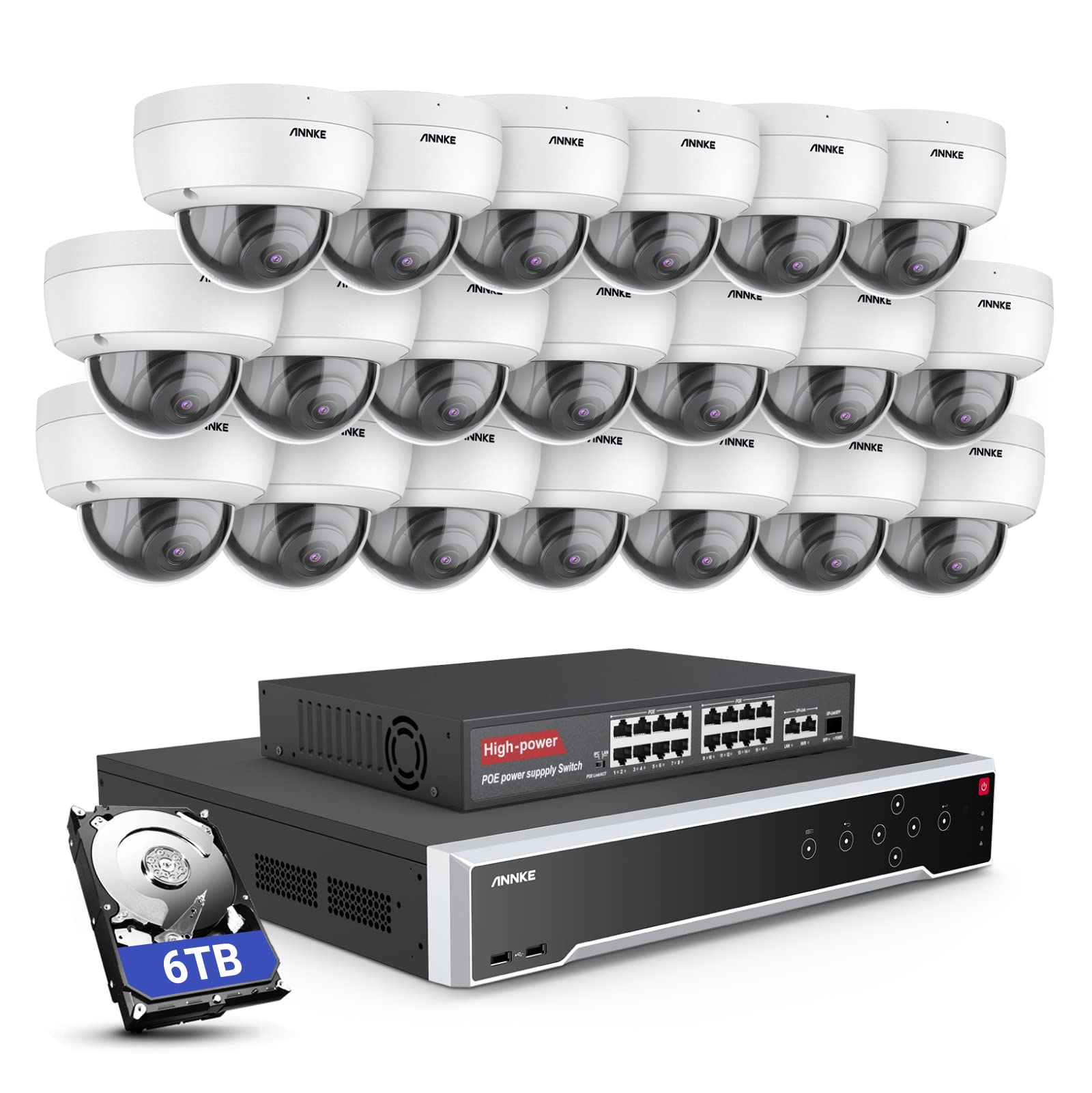
Imej: Selesaiview of the ANNKE 32-Channel Home Security Camera System components, including the NVR and multiple cameras.
Apa yang ada dalam Kotak
Sahkan bahawa semua item yang disenaraikan di bawah disertakan dalam pakej anda:
- 1x 32CH 12MP PoE NVR with 6TB Hard Drive
- 1x 16-Port PoE Switch
- 20x 5MP IP PoE Cameras
- 10x 30m/100ft Network Cables
- 10x 18m/60ft Network Cables
- 1x Power Adapter & USB Mouse & Quick Instruction Guide
- 1x 5.9ft/1.8m HDMI Cable
- 1x 3.2ft/1m Ethernet Cable
Persediaan
Follow these steps to set up your ANNKE security camera system.
1. NVR and Camera Connection
- Sambungkan NVR ke sumber kuasa menggunakan penyesuai kuasa yang disediakan.
- Connect the NVR to a monitor using the HDMI cable.
- Sambungkan tetikus USB ke NVR untuk navigasi.
- Connect up to 16 PoE IP cameras directly to the PoE ports on the NVR using the provided Ethernet cables.
- To expand the system beyond 16 cameras (up to 32 channels), connect the additional cameras to the 16-port PoE switch. Then, connect the PoE switch to the NVR's network port using an Ethernet cable.

Image: Diagram illustrating how to connect PoE cameras to the NVR and how to use a PoE switch to expand the system to 32 channels.
2. Sambungan Rangkaian
Connect the NVR to your router using an Ethernet cable to enable remote access and network features.
3. Remote Access Setup (ANNKE VISION App)
Download the ANNKE VISION app on your smartphone or tablet for remote viewing dan kawalan.
- Download the ANNKE VISION app from the Google Play Store or Apple App Store.
- Daftar akaun dan log masuk.
- Tambahkan peranti NVR anda dengan mengimbas kod QR pada NVR atau memasukkan butirannya secara manual.
- Setelah ditambah, anda boleh view suapan langsung, rakaman main balik dan uruskan tetapan dari jauh.

Image: Screenshot of the ANNKE VISION mobile application showing live camera feeds, demonstrating remote access capabilities.
Arahan Operasi
Understand the key operational features of your security system.
1. Kualiti Video dan Penglihatan Malam
The 5MP IP cameras provide clear video resolution. The system supports color night vision in low-light conditions and detailed black and white night vision in complete darkness, with a range of up to 100 feet.

Image: A split image demonstrating the clarity of 5MP video during the day and the effectiveness of night vision at night.
2. AI Motion and Face Detection
The PoE IP cameras are equipped with AI features for advanced detection:
- Line Intrusion Detection: Triggers an alert when an object crosses a predefined virtual line.
- Region Detection: Triggers an alert when an object enters or exits a specified area.
- Human/Vehicle Detection: Differentiates between human and vehicle movement to reduce false alarms.
- Facial Detection: The NVR supports 1-channel facial recognition for video streams or 4-channel facial recognition for face pictures.

Image: An illustration showing the system detecting a person and a vehicle, with a highlight indicating 1-channel facial detection.
3. Rakaman Audio
Each PoE camera includes a built-in microphone capable of recording audio up to 20 feet away, providing additional surveillance detail.
4. Recording Modes and Playback
The NVR supports continuous 24/7 recording and motion detection recording. Recordings can be easily searched and played back through the NVR interface or the ANNKE VISION app.
5. Akses Berbilang Pengguna
The system supports up to 20 users simultaneously, allowing multiple individuals to view live video feeds and access recordings from various devices such as PCs, laptops, tablets, and smartphones.
6. Integrasi Alexa
The system is compatible with Amazon Alexa. You can use voice commands to view live streams from your security cameras on compatible Alexa-enabled devices.
Penyelenggaraan
Penyelenggaraan yang betul memastikan jangka hayat dan prestasi optimum sistem keselamatan anda.
1. Perlindungan Alam Sekitar
The IP cameras are rated IP67 weatherproof, ensuring reliable operation in various outdoor conditions, including heavy snow, rain, and wind. Regularly clean camera lenses to prevent obstruction from dirt or debris.
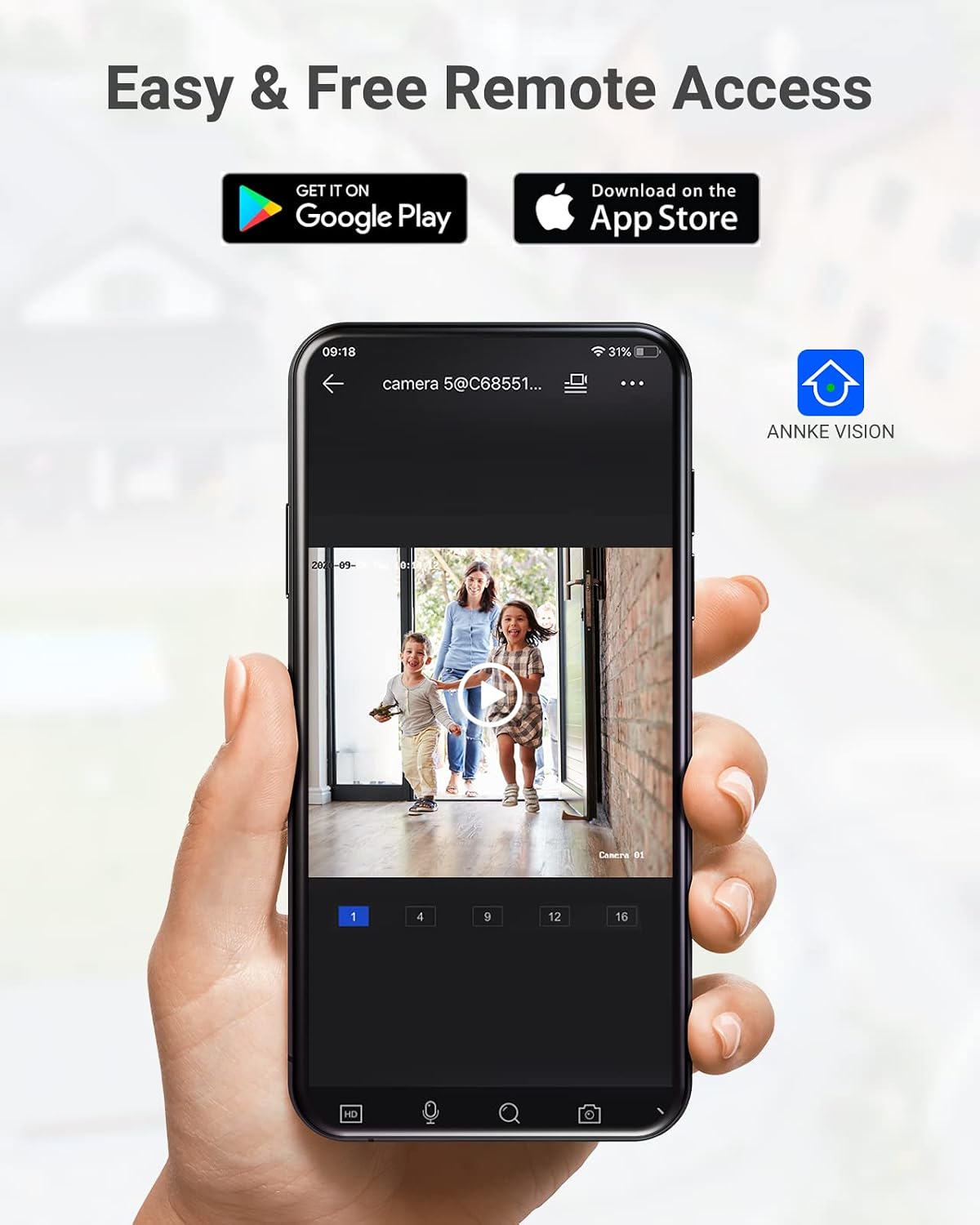
Image: A camera partially submerged in water, illustrating its IP67 weatherproof rating.
2. Pengurusan Storan
The NVR utilizes H.265+ video compression for efficient storage and longer recording times. The system comes with a 6TB HDD and supports up to 4 SATA HDD interfaces, allowing for a total storage capacity of up to 40TB (10TB per HDD). The NVR features automatic overwrite functionality, ensuring continuous recording by overwriting the oldest footage apabila cakera penuh.

Image: An NVR unit with its top cover removed, showing four internal bays for hard disk drives, indicating expandable storage up to 40TB.
3. Kemas Kini Perisian Tegar
Periksa pegawai ANNKE secara berkala website or the ANNKE VISION app for firmware updates to ensure your system has the latest features and security enhancements.
Menyelesaikan masalah
If you encounter issues with your system, refer to the following general troubleshooting tips:
- Tiada Paparan Video: Check all cable connections (power, HDMI, Ethernet). Ensure the monitor is on and set to the correct input.
- Kamera Luar Talian: Verify the Ethernet cable connection to the camera and NVR/PoE switch. Ensure the camera is receiving power.
- Isu Capaian Jauh: Confirm the NVR is connected to the internet. Check your network settings and ensure the ANNKE VISION app is updated.
- Masalah Rakaman: Check the HDD status in the NVR settings. Ensure there is sufficient storage space or that automatic overwrite is enabled.
- Makluman Gerakan Palsu: Adjust the sensitivity settings for motion detection in the NVR or app. Utilize AI human/vehicle detection to filter out irrelevant movements.
For more detailed troubleshooting or persistent issues, please contact ANNKE customer support.
Spesifikasi
| Ciri | Spesifikasi |
|---|---|
| Jenama | ANNKE |
| Nombor Model | AU-N931BB6-V2-5KDN-V5+JHJ014-U |
| Teknologi Ketersambungan | Berwayar (PoE) |
| Resolusi Tangkapan Video | 5MP (1920p) |
| Bilangan Saluran | 32 |
| NVR Hard Drive | 6 TB (prapasang) |
| Kapasiti HDD Maks | 40 TB (4 x 10 TB SATA HDDs) |
| Pemampatan Video | H.265 + |
| Julat Penglihatan Malam | 100 Kaki |
| Camera Weatherproof Rating | IP67 |
| Jenis Kanta | Sudut Lebar 2.8MM |
| Ciri Khas | App Control, Audio Recording, Automatic Overwrite, Motion Sensor, Privacy Masking, AI Motion Detection, Face Detection |
| Peranti Serasi | Cameras, Laptops, Personal Computers, Tablets |
| Sistem Pengendalian (Apl) | Android, iOS |
Waranti dan Sokongan
ANNKE products typically come with a limited warranty. Please refer to the warranty card included in your package or visit the official ANNKE webtapak untuk terma dan syarat waranti tertentu.
For technical support, product inquiries, or warranty claims, please contact ANNKE customer service through their official webtapak atau maklumat hubungan yang diberikan dalam dokumentasi produk anda.
Rasmi ANNKE Webtapak: www.annke.com