
WELOV H500D
WELOV Cool Mist Humidifier User Manual
Model: H500D White
Produk Selesaiview
The WELOV Cool Mist Humidifier, model H500D, is designed to enhance air quality in your living spaces. Featuring BoostMist technology for rapid humidification, smart humidity monitoring, and a large 6L tank, it provides up to 90 hours of continuous operation. This humidifier is ideal for bedrooms, living rooms, offices, and nurseries, offering quiet operation and an eye-protecting night light.
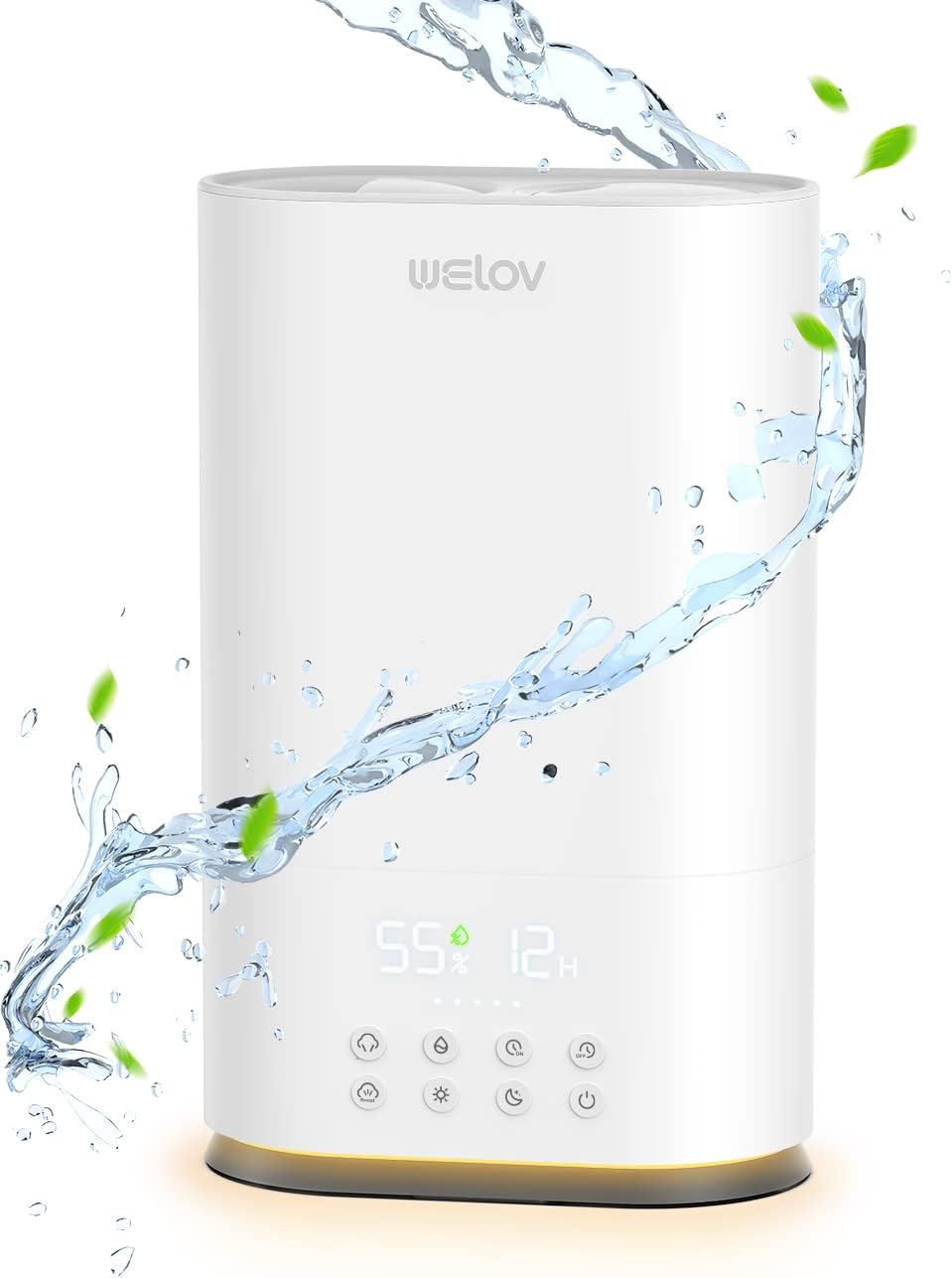
Imej: Depan view of the WELOV Cool Mist Humidifier H500D in white, with water droplets and leaves indicating mist output.
Panduan Persediaan
Follow these steps to set up your WELOV Cool Mist Humidifier for first-time use:
- Bongkar: Carefully remove the humidifier from its packaging. Ensure all components, including the main unit, water tank, and power adapter, are present and undamaged.
- penempatan: Letakkan pelembap udara di atas permukaan yang rata, stabil dan kalis air, sekurang-kurangnya 6 inci (15 cm) dari dinding dan perabot. Elakkan meletakkannya terus di atas permaidani atau berhampiran sumber haba.
- Isi Tangki Air:
- Keluarkan tangki air dari dasar.
- Buka penutup tangki di bahagian bawah tangki.
- Fill the tank with clean, cool tap water. Distilled or demineralized water is recommended to prevent mineral buildup and white dust.
- Pasang semula penutup tangki dengan selamat.
- Carefully place the filled water tank back onto the humidifier base.
- Sambungkan Kuasa: Plug the power adapter into the humidifier's power port, then plug the adapter into a standard electrical outlet. The unit will enter standby mode.
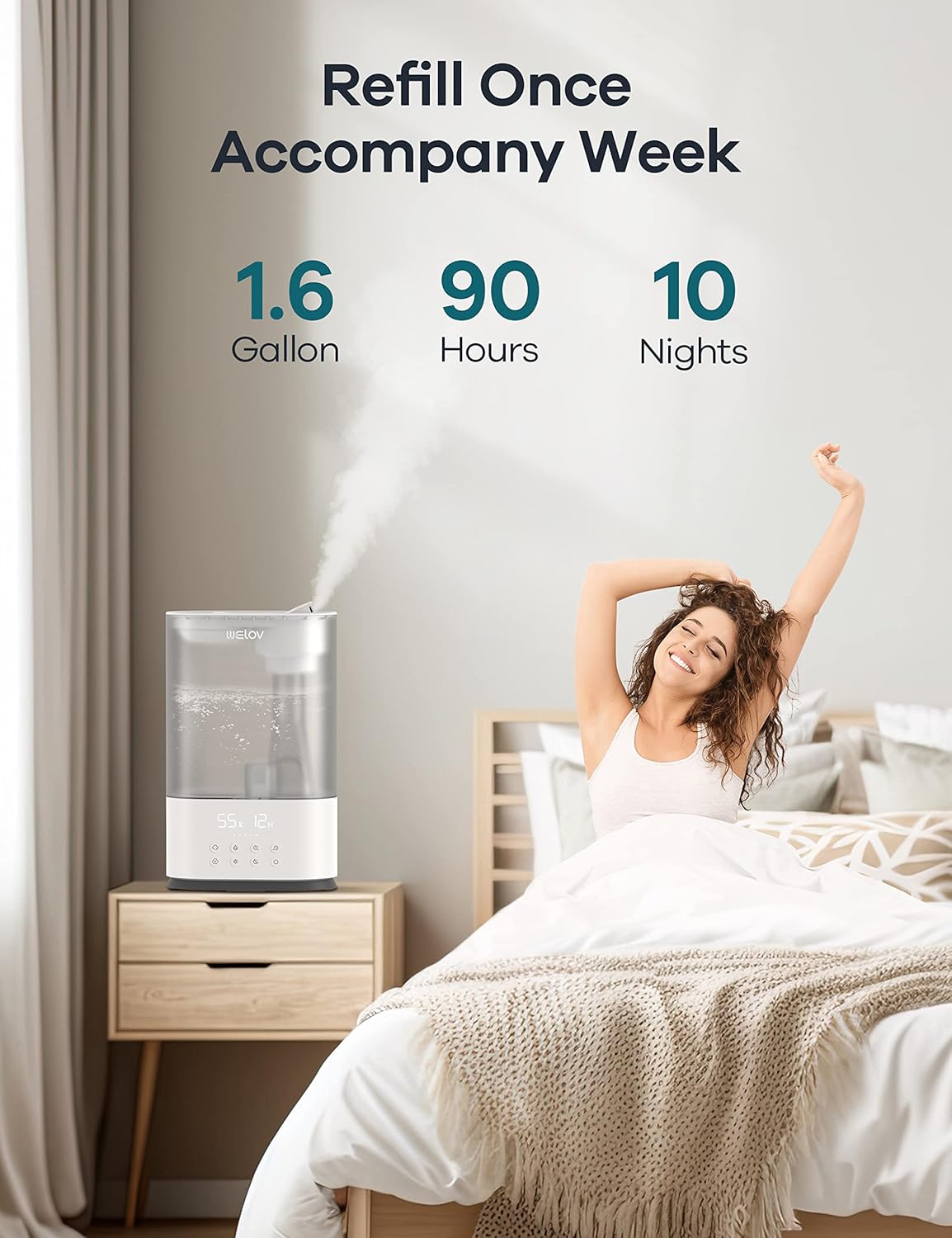
Image: A person refilling the water tank of the WELOV humidifier, demonstrating the large capacity that lasts for days.
Arahan Operasi
The WELOV H500D Humidifier offers various modes and settings for optimal comfort.
Panel Kawalan Terlaluview

Image: Diagram illustrating the control panel buttons and their functions, including mist level, humidity setting, timers, BoostMist, night light, sleep mode, and power.
- Hidupkan/Mati Kuasa: Tekan butang kuasa untuk menghidupkan atau mematikan pelembap udara.
- Pelarasan Tahap Kabus: Cycle through 5 mist levels (60ml/h, 120ml/h, 180ml/h, 240ml/h, 300ml/h) to achieve desired output.
- Humidity Setting (Auto Mode): Set your desired humidity level between 30% RH and 95% RH. The humidifier will automatically adjust mist output and turn on/off to maintain this level. Each press increases the setting by 5%.
- BoostMist Technology: Activate BoostMist for a rapid increase in humidity, providing up to 550ml/h mist output. This mode runs for 30 minutes automatically.
- Fungsi Pemasa: Set a timer for 1-12 hours for automatic turn-on (On Timer) or turn-off (Off Timer). Note that the on and off timers are controlled separately and cannot be used in combination.
- Cahaya Malam: Long press the night light button to adjust the brightness of the eye-protecting night light.
- Mod tidur: Activate sleep mode to turn off all display lights within 3 seconds for undisturbed rest.
Ciri-ciri Utama dalam Operasi
- Smart Humidity Monitoring: The humidifier continuously monitors room humidity and adjusts its operation to maintain your set level, preventing over-humidification.
- Jangka Panjang: With a 6L (1.6 gallon) tank, the humidifier can operate for up to 90 hours, providing up to 10 nights of continuous mist without frequent refills.
- Liputan Luas: Designed for large rooms up to 753 sq. ft., ensuring effective humidification across significant areas.
- Operasi senyap: The ultrasonic technology ensures low noise levels, making it suitable for bedrooms and nurseries.
Video: An official product video demonstrating the WELOV H500D BoostMist Cool Mist Humidifier in operation, highlighting its features and mist output.
Penyelenggaraan
Pembersihan dan penyelenggaraan yang kerap adalah penting untuk prestasi optimum dan jangka hayat pelembap udara anda.
- Penyelenggaraan Harian:
- Kosongkan dan bilas tangki air dan tapaknya setiap hari.
- Wipe down any surfaces with a clean, dry cloth.
- Pembersihan Mingguan:
- Unplug the humidifier and disassemble the water tank from the base.
- Pour out any remaining water from both the tank and the base.
- Membersihkan Tangki Air: Fill the tank halfway with water and add 2 tablespoons of white vinegar. Shake gently and let it sit for 30 minutes. Rinse thoroughly with clean water.
- Membersihkan pangkalan: Pour a small amount of white vinegar into the water basin and let it sit for 30 minutes. Use a soft brush or cloth to clean the ultrasonic atomizer and other components. Rinse the base thoroughly.
- Dustproof Sponge: Regularly check and clean the dustproof sponge located near the fan. This prevents dust or hair from being attracted to the heat dissipation part of the fan.
- Benarkan semua bahagian kering sepenuhnya sebelum dipasang semula.
- Storan: If storing the humidifier for an extended period, ensure all parts are clean and dry. Store in a cool, dry place.
Video: An official product video demonstrating the proper steps to clean the WELOV H500D Humidifier, including tank and base cleaning.
Menyelesaikan masalah
If you encounter issues with your WELOV Humidifier, refer to the following common problems and solutions. For more detailed guidance, please consult the official Troubleshooting Guide PDF available online.
| Masalah | Kemungkinan Punca | Penyelesaian |
|---|---|---|
| Tiada Keluaran Kabus |
|
|
| White Dust Around Humidifier |
|
|
| Bunyi Luar Biasa |
|
|
For comprehensive troubleshooting, refer to the official Panduan Penyelesaian Masalah (PDF).
Spesifikasi
| Ciri | Perincian |
|---|---|
| Jenama | WELOV |
| Nama Model | H500D-W |
| warna | putih |
| Ciri Khas | Adjustable Humidity Control, Digital Display, Adjustable Night Light, 1-12hrs Timer |
| Jenis Penapis | Tanpa Penapis |
| Mod Operasi | Ultrasonik |
| Dimensi Produk | 9.84"D x 5.12"W x 15.98"H |
| Berat Barang | 2.35 Kilogram (5.17 paun) |
| Jenis Bilik | Kids Room, Office, Bedroom, Living Room, Nursery |
| Komponen yang Disertakan | Span kalis habuk |
| Voltage | 32 Volt (DC) |
| Wattage | 35.2 watt |
| Kaedah Kawalan | Sentuh |
| Negara Asal | China |
| Tarikh Tersedia Pertama | 3 November 2022 |
Waranti dan Sokongan
WELOV is committed to providing excellent customer service and product support.
- Waranti: The WELOV H500D Humidifier comes with a 24-month extended warranty (12+12 months).
- Jaminan Wang Dikembalikan: Nikmati jaminan wang dikembalikan selama 30 hari dari tarikh pembelian.
- Sokongan Pelanggan:
- Balasan Pantas: Expect a quick reply to your inquiries within 24 hours.
- Sokongan Pelanggan Sepanjang Hayat: WELOV offers lifetime customer support for your product.
- Hubungi Hotline: For direct assistance, please call +1 (866) 779 3866.
- Waktu Operasi: Monday - Friday, 9:00 AM - 5:00 PM PST.

Image: The WELOV brand logo, representing quality and customer care.
Dokumen Berkaitan - H500D
 |
WELOV H500D Ultrasonic Cool Mist Humidifier User Manual User manual for the WELOV H500D Ultrasonic Cool Mist Humidifier. This guide provides comprehensive instructions for setup, operation, maintenance, and troubleshooting to ensure optimal performance and a healthier living environment. |
 |
WELOV 60x02H Humidifier Troubleshooting Guide and Care Instructions Comprehensive guide for WELOV 60x02H humidifier, covering dustproof sponge cleaning, end-of-season storage, and detailed troubleshooting for common issues like water level, mist production, tank leakage, and more. |
 |
Manual Pengguna Welov H500 Pro Humidifier dan Produk Selesaiview Panduan pengguna yang komprehensif untuk pelembap Welov H500 Pro, meliputi ciri produk, arahan operasi untuk menambah air, kawalan muncung, tetapan kabus dan kelembapan, lampu malam, fungsi pemasa, mod tidur, fungsi memori dan perlindungan air rendah. |
 |
WELOV H500 Pro Humidifier Troubleshooting Guide Comprehensive troubleshooting guide for the WELOV H500 Pro smart humidifier. Resolve common issues with water levels, mist production, leakage, and AiDot app connectivity. |
 |
Welov Humidifier Troubleshooting Guide - Fix Common Issues Find solutions to common problems with your Welov humidifier, including issues with mist output, water levels, leakage, noise, and more. This guide helps you troubleshoot and maintain your device. |
 |
Welov H500 Pro Ultrasonic Cool Mist Smart Humidifier User Manual Comprehensive user manual for the Welov H500 Pro Ultrasonic Cool Mist Smart Humidifier. Includes setup, operation, maintenance, troubleshooting, and app integration guides. |
Ask a question about this manual
Ask about setup, troubleshooting, compatibility, parts, safety, or missing instructions. Manuals+ will review the question and use this page’s manual context to help answer it.