
pengenalan
This manual provides detailed instructions for the installation, operation, and maintenance of your hizpo 8-inch Android 12 Car Stereo. This unit features an 8-inch touchscreen, Android 12 operating system, GPS navigation, Apple CarPlay, Android Auto, Bluetooth, RDS, USB, WiFi, and 4G connectivity. Please read this manual thoroughly before using the product to ensure proper functionality and safety.
Apa yang ada dalam Kotak
Carefully unpack the box and ensure all items listed below are present and in good condition.

Image: All components included in the hizpo car stereo package.
- hizpo 8-inch Android 12 Car Stereo Main Unit
- Power Cable & Canbus Decoder
- RCA Harness with 4G SIM Card Slot
- Kabel RCA Input Kamera Belakang
- 2*USB Adapter Cables
- Antena 4G LTE
- Antena GPS
- Mikrofon Luaran
- Kabel Penyesuai Antena Radio
Persediaan & Pemasangan
Professional installation is recommended for this car stereo. Ensure the vehicle's power is disconnected before beginning installation. Refer to the wiring diagram and connector pin pictures for correct connections.

Image: Wiring diagram and connector pin details for the car stereo installation.
Arahan pendawaian:
- If connected to the 'Connect 1' Power interface, connect the 'B' and 'A' interfaces.
- If connected to the 'Connect 2' Power interface, connect the 'Z' and 'A' interfaces.
- If connected to the 'Connect 3' Power interface, you need to connect the 'S' and 'A' interfaces. (For Mercedes-Benz B-class models, choose the appropriate connector from the three types shown in the figure: connector 1, connector 2, or connector 3).
- The Canbus Box is a decoder that adapts to the steering wheel control functions of your original car system.
- The tandem valve bridges the connection and disconnection of the cables to replace the male connector and the Canbus Box.
- If your car has a Command system, this unit is not compatible.
- This device cannot decode the AC conditioning information of your car.
Arahan Operasi
Kawalan Asas
The unit features an intuitive touchscreen interface. Power on/off by pressing the power button. Adjust volume using the dedicated volume controls or steering wheel controls.
Apple CarPlay & Android Auto
Connect your smartphone via USB or wirelessly to access Apple CarPlay or Android Auto. This allows for voice control of phone calls, GPS navigation, music playback, and messaging directly from the car stereo display.

Image: Apple CarPlay and Android Auto functionality on the car stereo screen.
Video: Demonstration of the 8-core radio with Apple CarPlay and Android Auto features, including various settings and applications.
Bebas Tangan Bluetooth
Pair your mobile phone via Bluetooth for hands-free calling and music streaming. The system automatically connects to previously paired devices.

Image: Bluetooth hands-free calling and music streaming interface.
FM Radio & Music Playback
Tune into FM radio stations (87.5 - 108MHz) or AM stations (522 - 1620 KHz). The unit supports lossless music playback from USB drives or via Bluetooth streaming.

Image: FM Radio and music playback controls on the car stereo.
Navigasi GPS
Utilize the built-in GPS navigation system for accurate routing. The system supports various map types and can be integrated with Apple CarPlay or Android Auto for enhanced navigation features.
Kawalan Roda Stereng
The unit supports original car steering wheel controls for convenient operation of audio and other functions, thanks to the integrated Canbus decoder.
Image: Steering wheel control interface for custom button mapping.
Tetapan Paparan
Adjust display settings including day and night modes for optimal visibility in different lighting conditions. The unit also supports split-screen functionality to view multiple applications simultaneously.

Image: Day and Night mode display settings.

Imej: Ciri skrin pisah memaparkan dua aplikasi serentak.
Tetapan Audio (DSP)
The built-in DSP (Digital Signal Processor) with BU32107EFV chip allows for advanced audio customization, including equalizer settings, bass enhancement, and sound field adjustments for an optimized listening experience.

Image: Digital Sound Processor (DSP) interface for audio adjustments.

Image: Optical and coaxial digital audio output ports on the rear of the unit.
CarAPP Functions
Access various car-related information and settings through the CarAPP interface, including car info display, AC settings, TPMS info, and drive mode selection.

Image: CarAPP menu displaying various vehicle information and settings.
Kawalan Suara
The unit supports voice commands for various functions, enhancing convenience and safety while driving. Voice control sensitivity is increased by 30% for better recognition.

Image: Voice control feature in action, showing prompts and responses.
belakangview Input Kamera
Sambungkan belakangview camera to the unit for enhanced safety during parking and reversing. The display automatically switches to the camera view apabila terbalik.
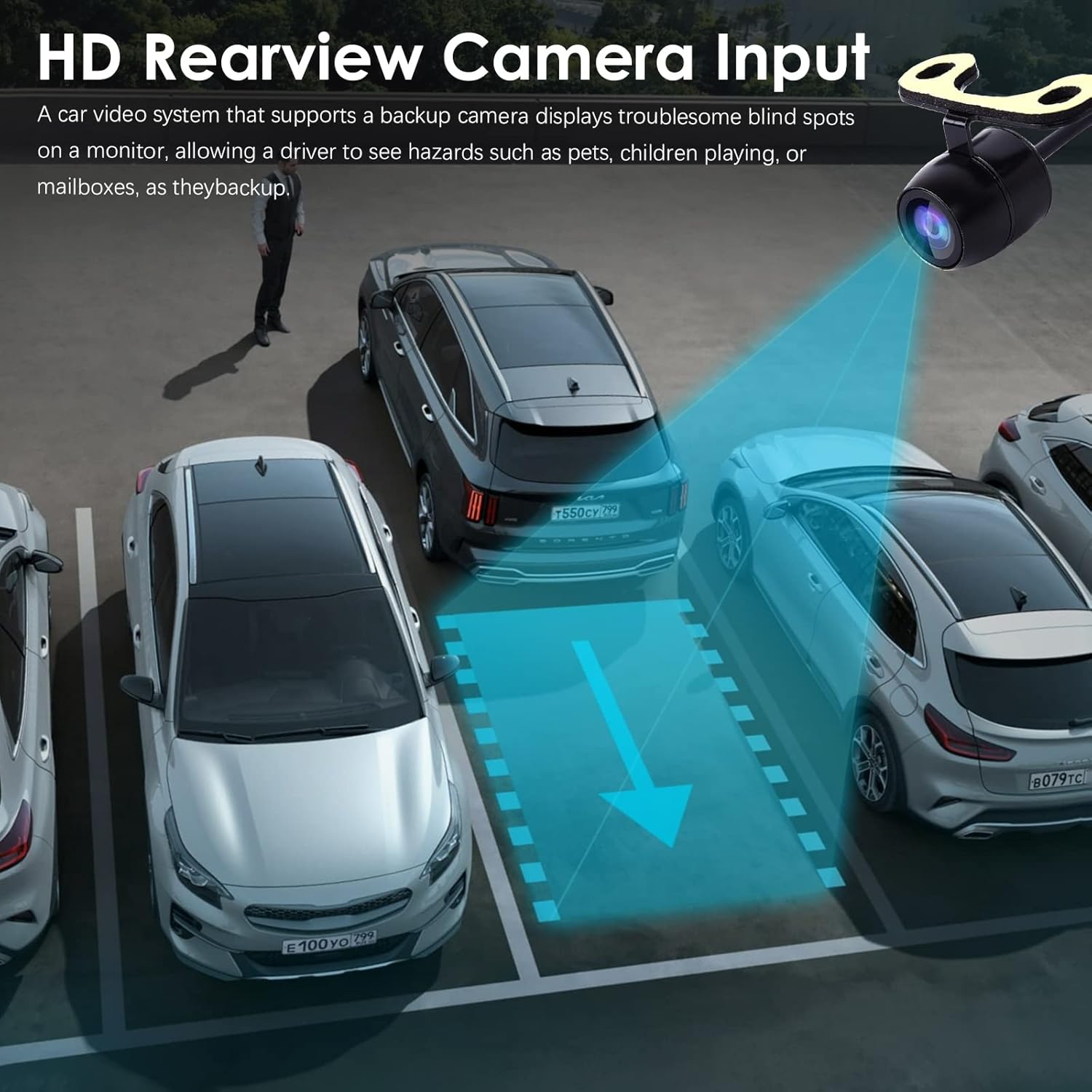
Imej: Belakangview camera input display on the car stereo.
Penyelenggaraan
To ensure the longevity and optimal performance of your hizpo car stereo, follow these maintenance guidelines:
- Pembersihan: Gunakan kain lembut dan kering untuk membersihkan skrin dan bahagian luar. Elakkan pembersih atau pelarut yang melelas.
- Kemas Kini Perisian: Periodically check for and install software updates to ensure the system has the latest features and bug fixes. Updates can typically be found in the system settings or on the manufacturer's webtapak.
- Suhu: Elakkan daripada mendedahkan unit kepada suhu yang melampau, panas dan sejuk, untuk tempoh yang lama.
- Kipas Penyejuk: The unit includes a small cooling fan to maintain optimal operating temperature. Ensure the fan vents are not obstructed.

Image: Integrated cooling fan for thermal management.
Menyelesaikan masalah
Jika anda menghadapi masalah dengan stereo kereta anda, rujuk kepada masalah dan penyelesaian biasa berikut:
- Tiada Kuasa: Check all power connections and fuses. Ensure the ignition is on.
- Tiada Bunyi: Verify speaker connections. Check volume levels and mute settings. Ensure the correct audio source is selected.
- GPS Tidak Berfungsi: Pastikan antena GPS disambungkan dengan betul dan mempunyai jernih view dari langit. Semak tetapan GPS dalam sistem.
- Isu Sambungan Bluetooth: Ensure Bluetooth is enabled on both the stereo and your phone. Delete previous pairings and try re-pairing.
- Kawalan Roda Stereng Tidak Bertindak balas: Verify Canbus decoder connection. Check steering wheel control settings in the CarAPP.
- Skrin sentuh Tidak Responsif: Try restarting the unit. If the issue persists, a factory reset may be necessary (note: this will erase all user data).
For persistent issues, contact hizpo customer support.
Spesifikasi
| Ciri | Perincian |
|---|---|
| Jenama | hizpo |
| Jenis Perkhidmatan Kenderaan | kereta |
| Saiz Skrin | 8 Inci |
| Ciri Khas | Bluetooth, Touchscreen |
| Teknologi Ketersambungan | Selular, Wi-Fi |
| Jenis Peta | Europe (Pre-installed, other regions via download) |
| Mod Keluaran Audio | Stereo |
| Jenis Pemasangan | Pemasangan Papan Pemuka |
| Resolusi | 720 x 1280 |
| Sistem Operasi | Android 12 |
| Serasi dengan Jenis Kenderaan | Car (Mercedes-Benz A-Class B-Class V-Class Sprinter) |
| Input Antara Muka Manusia | Skrin sentuh |
| Peranti Serasi | Telefon Pintar, Pembesar Suara |
| Kaedah Kawalan | Sentuh |
| Sistem Navigasi Satelit yang Disokong | GPS |
| CPU | 8-Core Unisoc 7862 (1.8-2.0GHz) |
Waranti & Sokongan
hizpo is committed to providing quality products and customer satisfaction. Your hizpo car stereo comes with a 1-Year Warranty from the date of purchase, covering manufacturing defects.
For technical assistance, troubleshooting, or warranty claims, please contact hizpo customer support through the retailer where the product was purchased or visit the official hizpo website for contact information. Please have your product model number (B0BL6KVL17) and proof of purchase ready when contacting support.

Image: hizpo's commitment to customer satisfaction and support.