
pengenalan
This manual provides detailed instructions for the operation and maintenance of your TaIYanG Bluetooth Keyboard. Please read this manual thoroughly before using the product to ensure proper function and longevity.
The TaIYanG Bluetooth Keyboard is a versatile wireless Bluetooth keyboard designed for broad compatibility with various devices, including iPads, iPhones, Android tablets, and Windows devices. It features a sleek, ultra-slim design, comfortable and quiet typing experience, and a long-lasting rechargeable battery.
Kandungan Pakej
Sila semak kandungan bungkusan dengan teliti. Jika terdapat barang yang hilang atau rosak, sila hubungi khidmat pelanggan.
- 1 x TaIYanG Bluetooth Keyboard
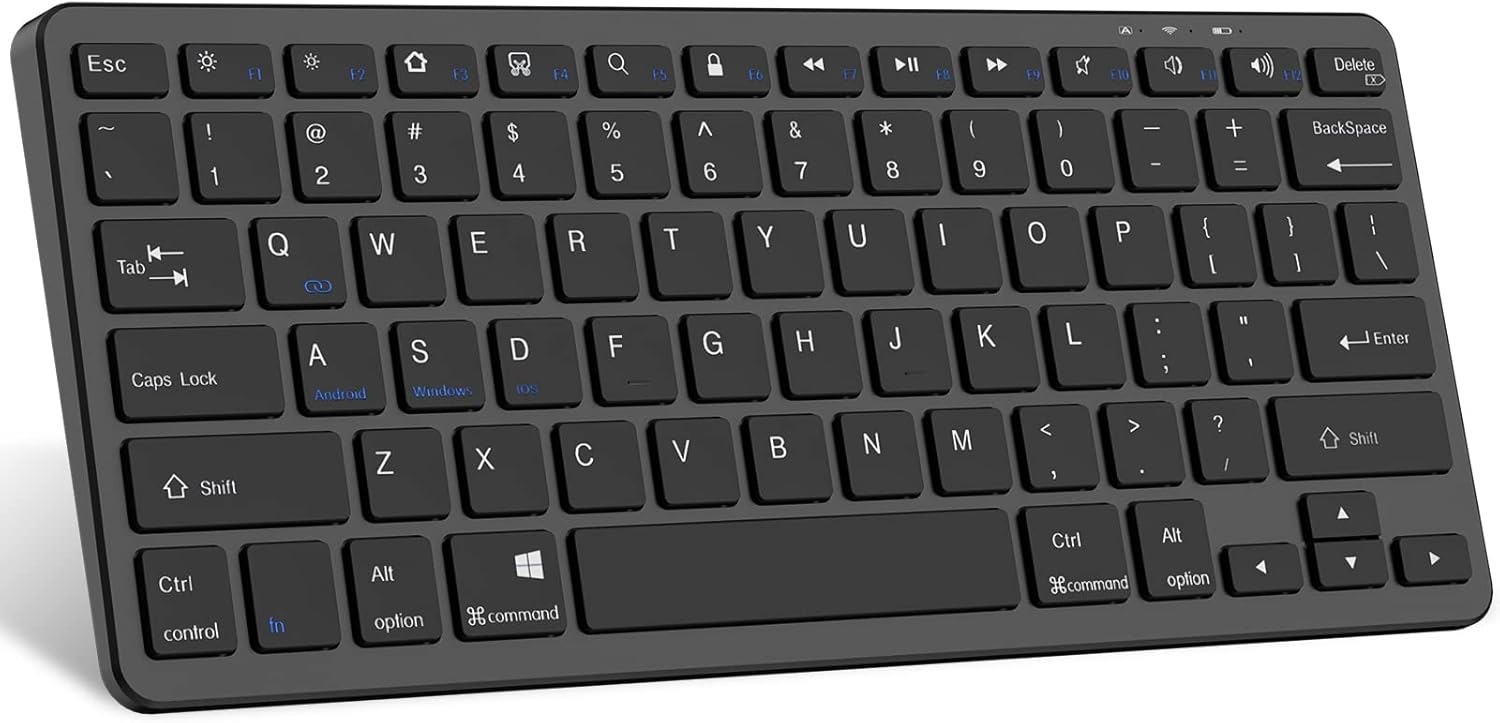
Image: The TaIYanG Bluetooth Keyboard, showing its full layout.
Panduan Persediaan
1. Mengecas Papan Kekunci
Before first use, fully charge the keyboard. Connect the included charging cable to the keyboard's charging port and to a USB power source. The charging indicator light will illuminate during charging and turn off when fully charged.
- Masa Pengecasan: Kira-kira 2 jam
- Battery Life: Up to 10 days of constant work, 3 months standby.

Image: The TaIYanG Bluetooth Keyboard connected to a charging cable, illustrating its rechargeable battery feature.
2. Berpasangan Bluetooth
- Turn on the keyboard by sliding the power switch to the "ON" position. The Bluetooth indicator light will start blinking.
- On your device (iPad, tablet, phone), go to tetapan > Bluetooth dan HIDUPKAN Bluetooth.
- Your device will search for available Bluetooth devices. Select "Bluetooth Keyboard" or a similar name from the list.
- Jika digesa, masukkan kod gandingan yang dipaparkan pada peranti anda menggunakan papan kekunci dan tekan Masuk.
- Once paired, the Bluetooth indicator light on the keyboard will stop blinking and remain solid, or turn off, indicating a successful connection.

Image: The TaIYanG Bluetooth Keyboard positioned next to an iPad and an iPhone, highlighting its broad compatibility with various devices.
Arahan Operasi
System Switching Hotkeys
The keyboard features dedicated hotkeys to switch between different operating systems for optimized functionality:
- fn + A: Beralih kepada sistem Android
- Fn + S: Beralih kepada sistem Windows
- Fn + D: Switch to iOS/iPadOS system
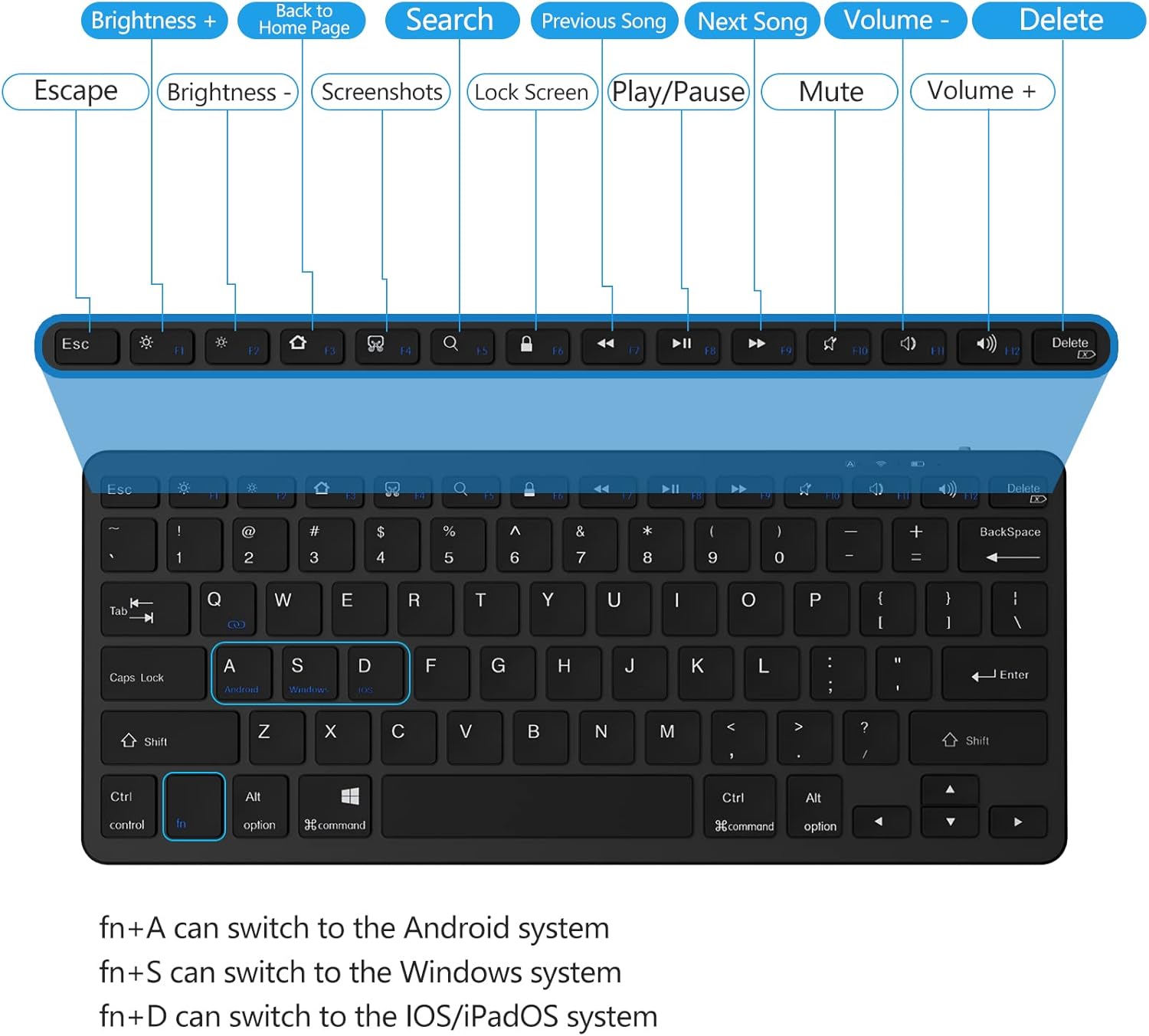
Imej: A terperinci view of the keyboard layout, highlighting the function keys and their corresponding actions for different operating systems.
Function Keys (Hotkeys)
The top row of keys provides quick access to various functions when used with the Fn key (for some functions, or directly for others depending on the OS mode):
| kunci | Fungsi |
|---|---|
| Esc | melarikan diri |
| F1 | Kecerahan Turun |
| F2 | Kecerahan Naik |
| F3 | Virtual Keyboard / Screenshot (iOS) |
| F4 | Cari |
| F5 | Skrin Utama |
| F6 | Kunci Skrin |
| F7 | Trek Sebelumnya |
| F8 | Main/Jeda |
| F9 | Trek Seterusnya |
| F10 | bisu |
| F11 | Kelantangan Kurang |
| F12 | Kelantangan Naik |
| Padam | Padam |
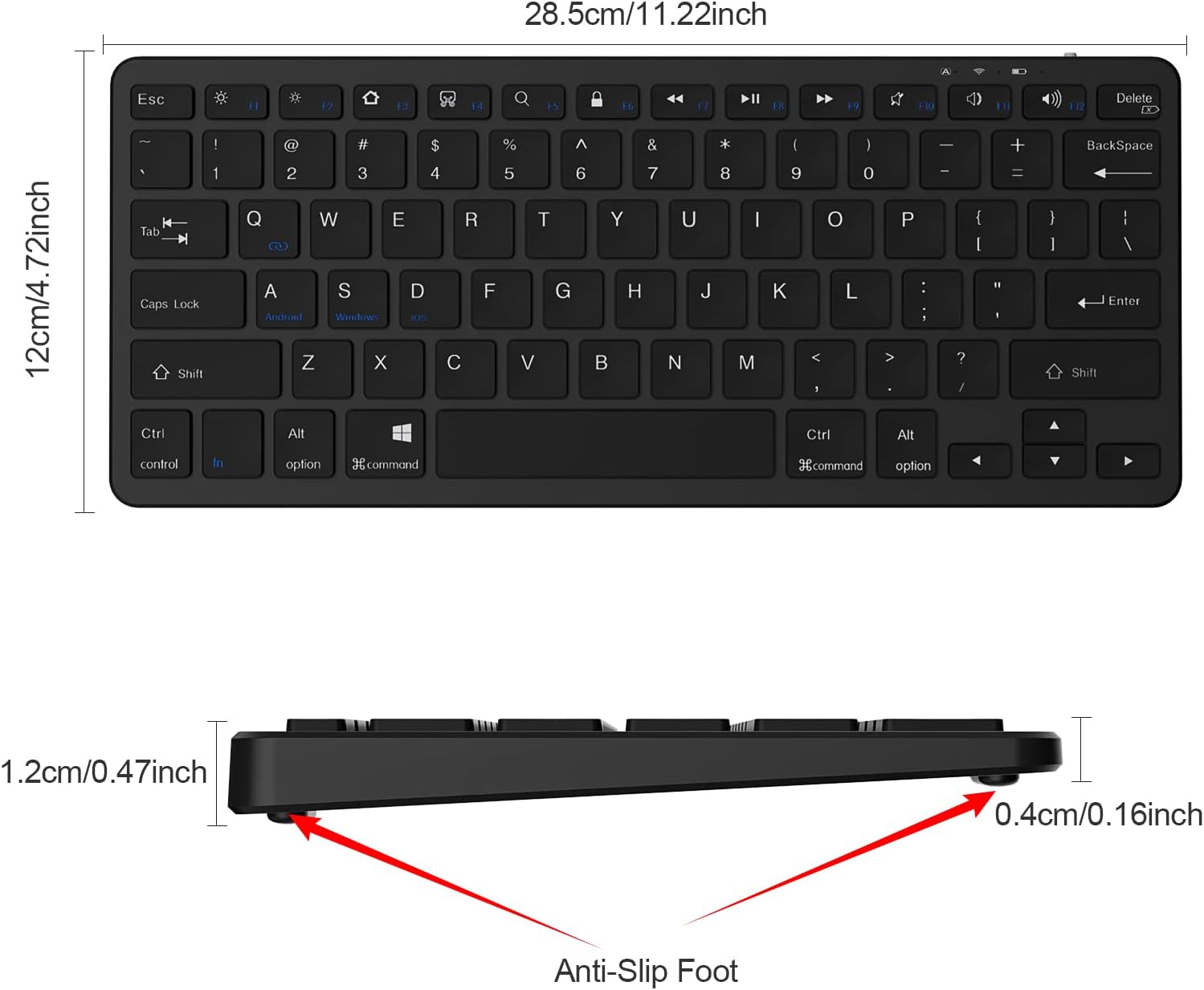
Image: A user's hands typing on the TaIYanG Bluetooth Keyboard, demonstrating its comfortable and quiet typing experience.
Penyelenggaraan
Pembersihan
- Use a soft, lint-free cloth to clean the keyboard surface.
- Untuk kotoran degil, sedikit dampen the cloth with water or a mild cleaning solution. Do not spray liquids directly onto the keyboard.
- Elakkan menggunakan bahan kimia yang keras, bahan pelelas atau pelarut.
Penyimpanan
- Simpan papan kekunci di tempat yang sejuk dan kering jauh dari cahaya matahari langsung dan suhu yang melampau.
- If storing for an extended period, ensure the keyboard is fully charged before storage and recharge it every few months to maintain battery health.
Menyelesaikan masalah
| Masalah | Penyelesaian |
|---|---|
| Papan kekunci tidak dihidupkan. | Ensure the power switch is in the "ON" position. Charge the keyboard for at least 30 minutes. |
| Papan kekunci tidak berpasangan dengan peranti. |
|
| Kekunci tidak bertindak balas atau menaip dengan salah. |
|
| Papan kekunci kerap terputus. |
|
Spesifikasi
| Ciri | Perincian |
|---|---|
| Nombor Model | 281 BT Keyboard |
| Teknologi Ketersambungan | Bluetooth |
| Dimensi Produk | 11.1 x 4.72 x 0.39 inci (11"L x 4.7"W x 0.2"H) |
| Berat Barang | 12.3 auns |
| Jenis Bateri | 1 bateri Polimer Litium (termasuk) |
| Jarak Operasi | Sehingga 10 meter (33 kaki) |
| Jangka Hayat Utama | Over 3 million times continuously |
| Auto Sleep Feature | Selepas 10 minit tidak aktif |
| Peranti Serasi | iPad 10th / 10.2-inch, iPad Air, iPad Pro 11/12.9, iPad 9.7-inch, iPad Mini, iPhone, Android Tablets (e.g., Samsung Galaxy Tab), Windows devices |
Waranti dan Sokongan
For warranty information and customer support, please refer to the official TaIYanG webtapak atau hubungi perkhidmatan pelanggan mereka secara langsung. Simpan resit pembelian anda untuk tuntutan waranti.
Return Policy: 30-day refund/replacement (as per Amazon's buybox winner information).
Manufacturer: TaIYanG
Seller: TAIYANG Direct
Untuk bantuan lanjut, anda boleh melawati TaIYanG Store on Amazon.