
EAGLEND EH02
Manual Pengguna Fon Kepala Bluetooth EAGLEND EH02
Model: EH02
Produk Selesaiview
The EAGLEND EH02 is a versatile Bluetooth headset designed for clear communication and comfortable listening. Featuring a noise-cancelling microphone, Bluetooth 5.0 connectivity, and a long-lasting battery, it is suitable for various applications including online classes, business calls, gaming, and music enjoyment. The headset offers both wireless Bluetooth and wired 3.5mm audio connections for broad compatibility.
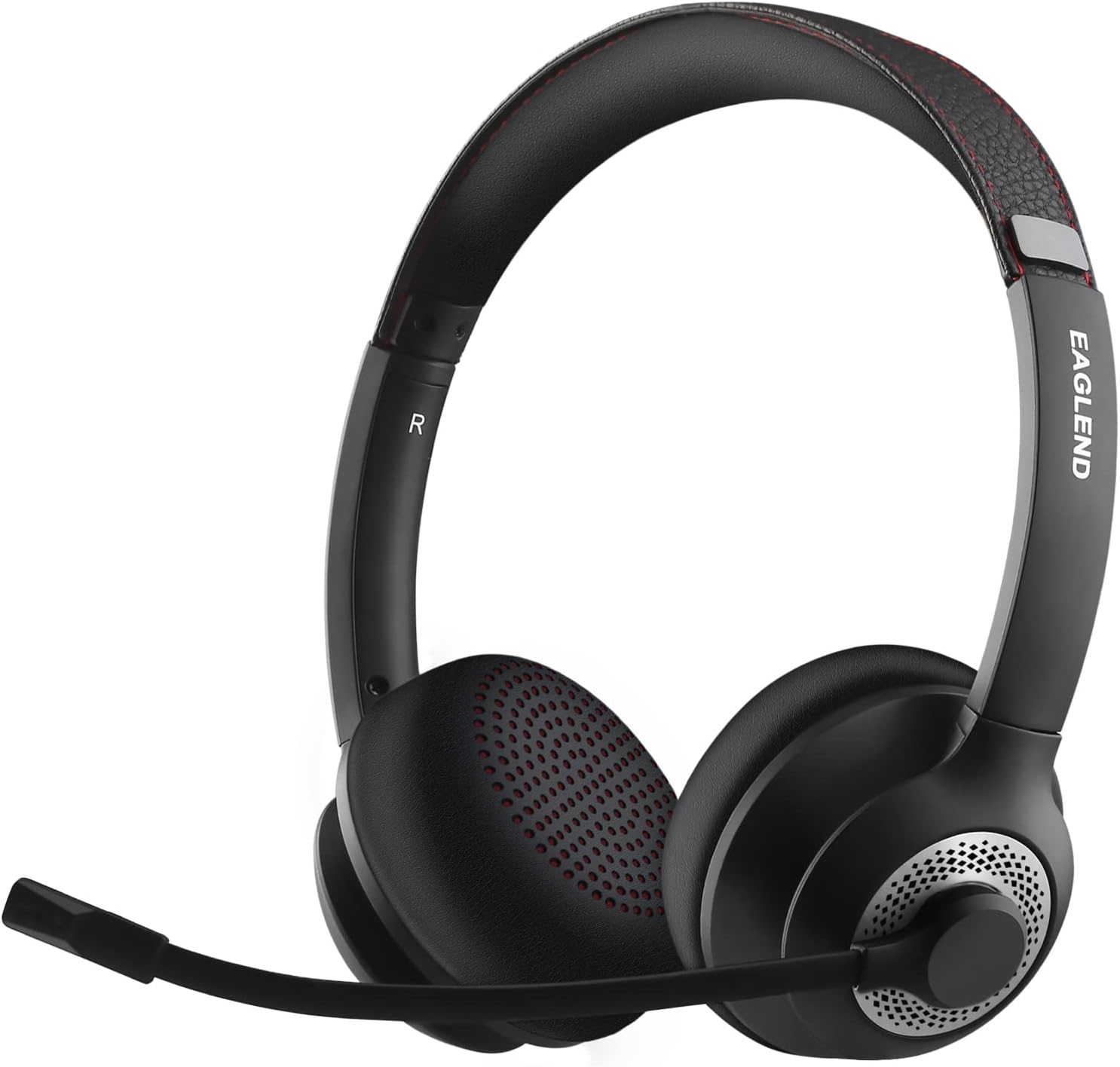
Figure 1: EAGLEND EH02 Bluetooth Headset
Apa yang ada dalam Kotak
- EAGLEND EH02 Bluetooth Headset
- Kabel audio 3.5mm
- Kabel pengecas jenis-C
- Beg simpanan
- Panduan pengguna (manual ini)
Ciri-ciri Produk
- Qualcomm cVc 8.0 Noise Cancelling Microphone: The unidirectional boom microphone rotates 270° and is designed to pick up your voice clearly while significantly reducing background noise. It can be worn on either the left or right ear.

Figure 2: Noise-Cancelling Microphone Technology
- Kesambungan Bluetooth 5.0: Enjoy stable and fast wireless connection to your smartphone, tablet, or other Bluetooth-enabled devices. The headset also supports a wired connection via the included 3.5mm cable for broader compatibility.
- Masa Main Dilanjutkan: The headset provides up to 14 hours of continuous talk time and 200 hours of standby time on a single charge. A quick 10-minute charge can provide 2 hours of working time.
- Adjustable and Comfortable Design: The padded headband is adjustable and stretchable to ensure a perfect fit for various head sizes. Soft protein memory foam ear cushions, made with breathable, ROHS certified material, prevent ear heat and sweat for all-day comfort.

Figure 3: Pressure-Free Comfort Earpads

Figure 4: Ergonomic and Flexible Design
Persediaan dan Ketersambungan
Berpasangan Bluetooth
- Pastikan set kepala dicas.
- Power on the headset. It will automatically enter pairing mode if it's the first time, or if it's not connected to a previously paired device. The indicator light will flash blue and red.
- Pada peranti anda (telefon pintar, tablet, komputer riba), dayakan Bluetooth dan cari peranti yang tersedia.
- Select "EAGLEND EH02" from the list of found devices.
- Once connected, the indicator light on the headset will turn solid blue or flash blue slowly.
Sambungan Berwayar
For devices without Bluetooth or when battery is low, use the included 3.5mm audio cable.
- Pasangkan satu hujung kabel audio 3.5mm ke dalam bicu audio alat dengar.
- Plug the other end into the 3.5mm audio port of your device (e.g., computer, phone).
- The headset will function as a wired headphone. Note that microphone functionality may vary depending on the device's 3.5mm port configuration.
Arahan Operasi
Mengecas Alat Dengar
- Sambungkan kabel pengecas Jenis-C ke port pengecasan pada set kepala.
- Sambungkan hujung kabel yang satu lagi ke sumber kuasa USB (cth, port USB komputer, penyesuai dinding).
- The indicator light will show red during charging and turn off or change color (e.g., blue) when fully charged.
- Masa pengecasan adalah lebih kurang 1.5 jam untuk pengecasan penuh.
Microphone Mute Control
The EH02 features a unique mic boom mute control. To mute the microphone, simply rotate the microphone boom upwards to its upright position. A voice prompt will confirm "Mic mute". To unmute, rotate the microphone boom back down to the speaking position.

Figure 5: Rotating Microphone Boom Mute Control
Penggunaan Umum
The headset is optimized for clear communication in various environments, including online meetings, virtual classrooms, and general audio playback.

Figure 6: Headset in use for online communication
Penyelenggaraan
- Pembersihan: Gunakan kain lembut dan kering untuk membersihkan set kepala. Jangan gunakan pembersih atau pelarut yang melelas.
- Storan: Store the headset in the provided storage bag when not in use to protect it from dust and scratches. Avoid storing in extreme temperatures.
- Penjagaan Bateri: To prolong battery life, avoid fully discharging the battery frequently. Charge the headset regularly, even if not in frequent use.
- Elakkan Kelembapan: Jauhkan alat dengar daripada air dan kelembapan berlebihan.
Menyelesaikan masalah
| Masalah | Kemungkinan Punca | Penyelesaian |
|---|---|---|
| Alat dengar tidak dihidupkan. | Bateri lemah. | Cas set kepala selama sekurang-kurangnya 1.5 jam. |
| Tidak boleh berpasangan dengan peranti. | Bluetooth not enabled on device; headset not in pairing mode; too far from device. | Ensure Bluetooth is on. Put headset in pairing mode (indicator flashing red/blue). Move headset closer to device (within 33ft/10m). |
| Tiada bunyi atau kelantangan rendah. | Device volume too low; headset not connected; incorrect audio output selected. | Increase volume on both headset and device. Reconnect headset. Check device's audio output settings. |
| Mikrofon tidak berfungsi. | Microphone muted; incorrect input device selected; microphone boom not positioned correctly. | Ensure microphone is unmuted (boom down). Check device's audio input settings. Ensure microphone boom is fully extended and positioned towards your mouth. |
| Kualiti audio yang lemah. | Gangguan; bateri lemah; peranti terlalu jauh. | Move away from sources of interference. Charge headset. Move closer to device. |
Spesifikasi Teknikal
| Spesifikasi | Perincian |
|---|---|
| Nama Model | EH02 |
| Teknologi Ketersambungan | Wayarles (Bluetooth), Berwayar (Bicu 3.5mm) |
| Teknologi Komunikasi Tanpa Wayar | Bluetooth 5.0 |
| Mikrofon | Qualcomm cVc 8.0 Noise Cancelling, Unidirectional, 270° Rotatable Boom |
| Hayat Bateri | Sehingga 14 Jam (Masa Bercakap) |
| Masa Tunggu Sedia | 200 Jam |
| Masa Mengecas | lebih kurang 1.5 Jam |
| Caj Cepat | 10 minutes charge for 2 hours use |
| Jack Fon Kepala | Jack 3.5 mm |
| Penempatan Telinga | Di Telinga |
| Kawalan Bunyi | Sound Isolation (Passive), ENC (Microphone) |
| Berat Barang | 7.4 auns |
| Dimensi Pakej | 7.44 x 6.5 x 2.24 inci |
Waranti dan Sokongan
For warranty information and technical support, please refer to the contact details provided with your purchase or visit the official EAGLEND webtapak. Simpan bukti pembelian anda untuk sebarang tuntutan waranti.
If you encounter any issues not covered in this manual, please contact EAGLEND customer service for assistance.
Ask a question about this manual
Ask about setup, troubleshooting, compatibility, parts, safety, or missing instructions. Manuals+ will review the question and use this page’s manual context to help answer it.