
1. Pengenalan
This manual provides essential information for setting up, operating, and maintaining your DOOGEE X98 Pro smartphone. Please read it carefully to ensure proper use and to maximize the device's performance and longevity.

Gambar 1: Lebihview of DOOGEE X98 Pro key features.
2. Kandungan Pakej
Sahkan bahawa semua item terdapat dalam pakej produk anda:
- DOOGEE X98 Pro Mobile Phone
- Kabel Jenis-C USB
- Protective Film (pre-applied or in box)
- SIM Card Pin Ejector
- Pengecas 5V/2A
- Manual Pengguna (dokumen ini)
3. Reka Letak Peranti
Familiarize yourself with the physical components of your DOOGEE X98 Pro.

Figure 2: Rear design of the DOOGEE X98 Pro.
The device features a minimalist design with precision-engineered rounded edges for a comfortable grip. Key components include:
- Butang Kuasa: Terletak di sisi, digunakan untuk menghidupkan/mematikan peranti atau membangunkan/menidurkan skrin.
- Butang Kelantangan: Terletak berhampiran butang kuasa, digunakan untuk melaraskan media dan kelantangan panggilan.
- Port USB Jenis-C: Di bahagian bawah, untuk pengecasan dan pemindahan data.
- Bicu Fon Kepala 3.5mm: Untuk menyambungkan fon kepala berwayar.
- Dual Rear Camera Module: Located on the back, includes the 12MP AI main camera and 2MP portrait camera with triple LED flash.
- Kamera Depan: Located at the top of the display, an 8MP AI Beautify camera.
- Dulang Kad SIM/SD: On the side, for inserting Nano SIM cards and a microSD card.
4. Persediaan
4.1. Memasukkan Kad SIM dan SD
- Cari dulang kad SIM di sisi telefon anda.
- Insert the SIM ejector pin into the small hole on the tray to open it.
- Tarik keluar dulang dengan berhati-hati.
- Place your Nano SIM card(s) and/or microSD card into the designated slots on the tray. Ensure the gold contacts face downwards. The phone supports dual Nano SIMs or one Nano SIM and one microSD card up to 1TB.
- Tolak dulang perlahan-lahan ke dalam telefon sehingga ia berbunyi pada tempatnya.
4.2. Kuasa Awal Hidup
- Press and hold the Power button on the side of the phone until the DOOGEE logo appears.
- Ikut arahan pada skrin untuk melengkapkan persediaan awal, termasuk pemilihan bahasa, sambungan Wi-Fi, persediaan akaun Google dan tetapan keselamatan.
4.3. Mengecas Bateri
Before first use, it is recommended to fully charge the device. Use the provided 5V/2A charger and Type-C USB cable.
- Connect the Type-C end of the USB cable to the phone's charging port.
- Connect the USB-A end of the cable to the power adapter.
- Palamkan penyesuai kuasa ke salur keluar dinding.
- Penunjuk pengecasan akan muncul pada skrin.
The 4200mAh battery supports 10W fast charging.
5. Arahan Operasi
5.1. Navigasi Asas
The DOOGEE X98 Pro runs on Android 12.0, offering an intuitive user experience. Navigation is primarily touch-based:
- Ketik: Pilih item atau buka apl.
- Leret: Scroll through lists, home screens, or app drawers.
- Cubit: Zum masuk atau keluar pada foto dan web muka surat.
- Tekan lama: Akses menu kontekstual atau alihkan ikon.
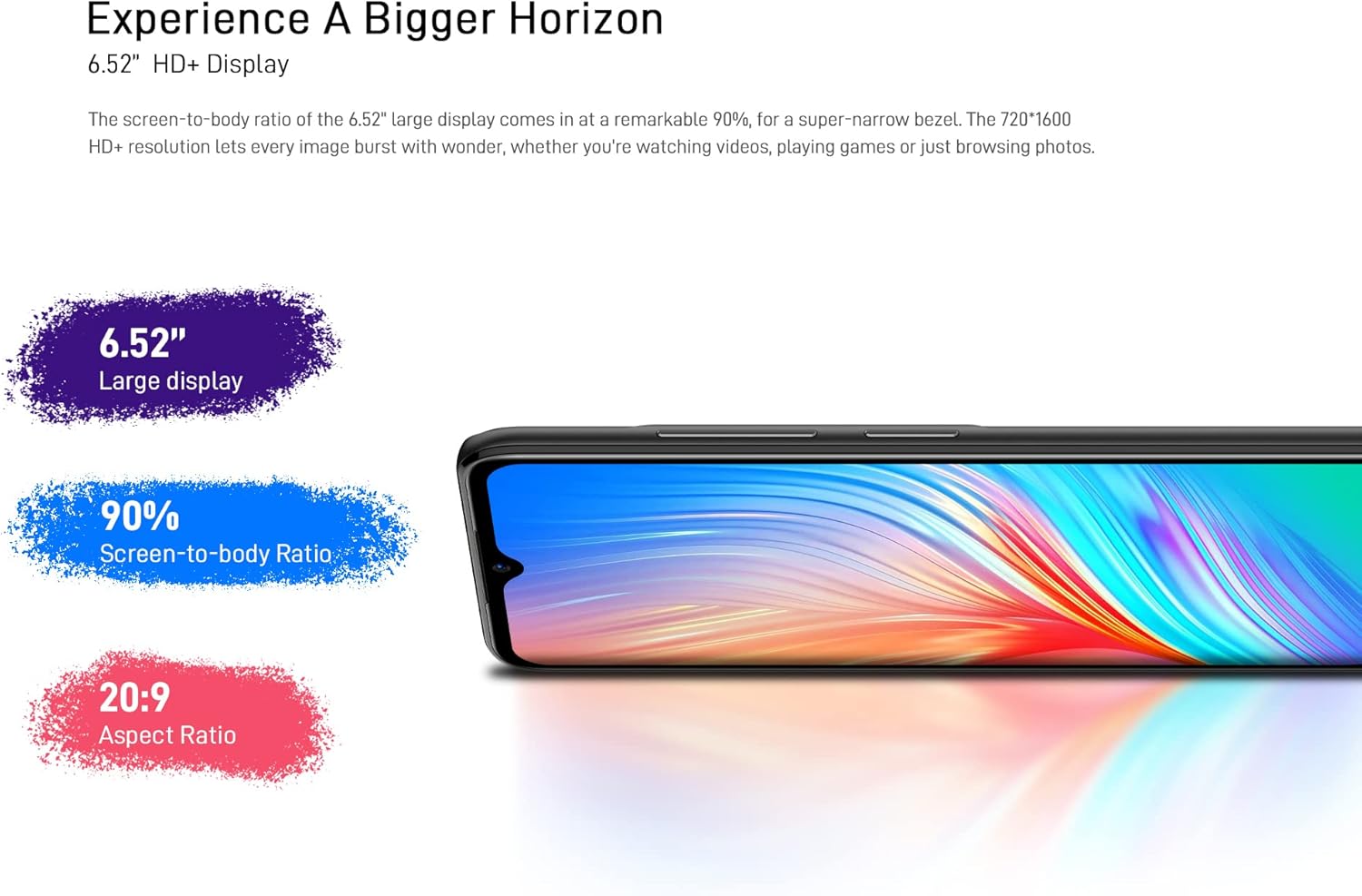
Figure 3: The 6.52-inch HD+ display.
5.2. Buka Kunci Wajah
The device supports face recognition for quick and secure unlocking.
- Pergi ke Tetapan > Keselamatan > Buka Kunci Wajah.
- Follow the on-screen prompts to register your face.
- Pastikan keadaan pencahayaan yang baik semasa pendaftaran untuk prestasi optimum.
5.3. Penggunaan Kamera
The DOOGEE X98 Pro features a 12MP AI Dual Rear Camera and an 8MP Front Camera.
Rear Camera (12MP AI Dual Camera)

Figure 4: Rear camera specifications.
Buka aplikasi Kamera untuk mengakses pelbagai mod:
- Foto: Standard mode for capturing still images. Features include AI Beauty, HDR, and a 78.1° visual angle with F1.8 aperture.
- Potret: Utilizes the 2MP portrait camera for depth effects.
- Mod Malam: Enhances clarity in low-light conditions.
- Pergerakan Perlahan: Records videos in slow motion.

Gambar 5: Cthample of Night Mode photography.
Front Camera (8MP AI Beautify)
The 8MP front camera is designed for clear selfies and video calls, featuring AI Beautify mode.
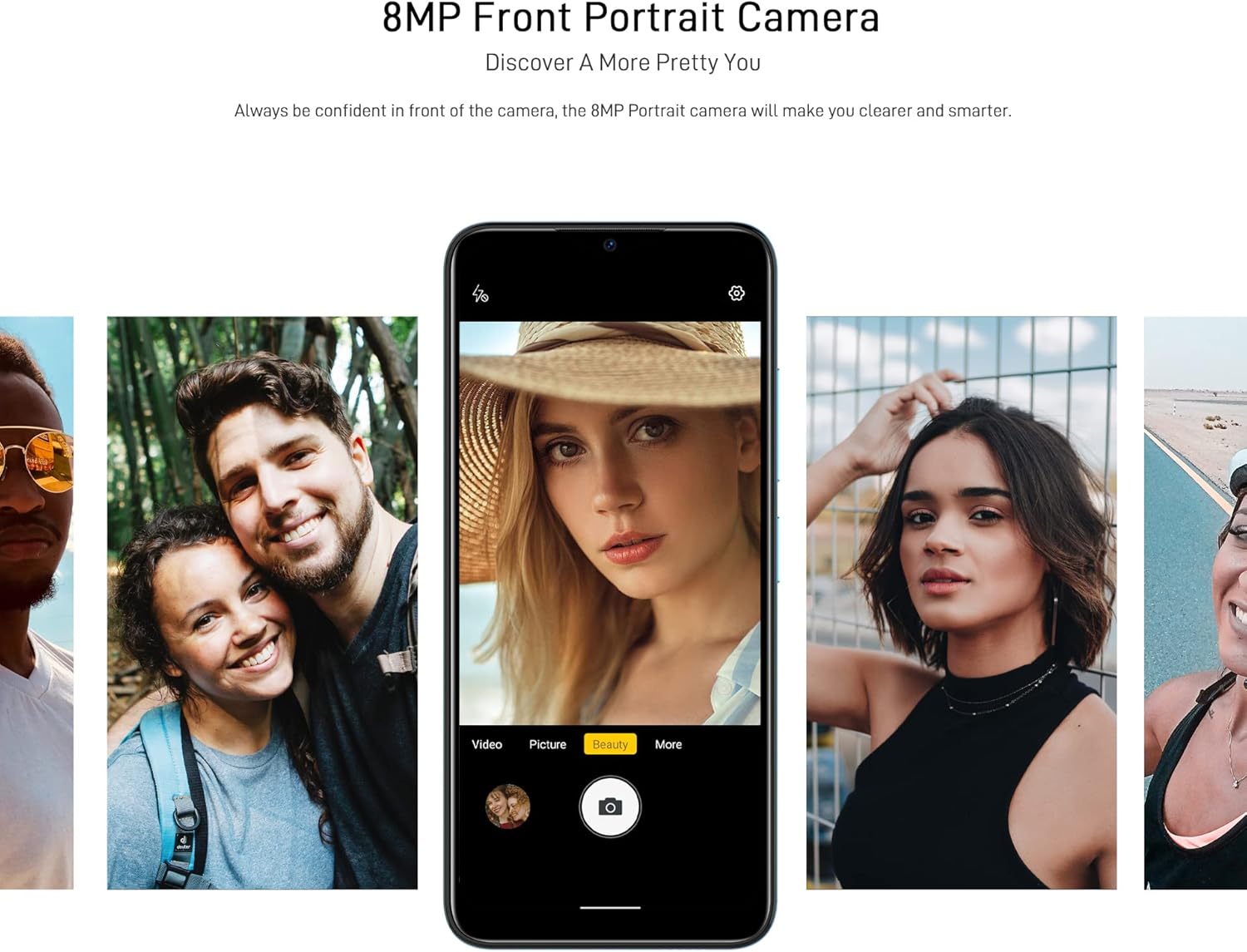
Figure 6: Front camera in use for portraits.
5.4. Ketersambungan
- Wi-Fi: Sambung ke rangkaian wayarles melalui Tetapan > Rangkaian & Internet > Wi-Fi. Supports 2.4G (b/g/n).
- Bluetooth: Pair with other Bluetooth devices via Tetapan > Peranti yang disambungkan > Bluetooth. Supports BT5.0.
- Data mudah alih: Dayakan atau lumpuhkan data mudah alih melalui Tetapan > Rangkaian & internet > Rangkaian mudah alih. Supports 2G/3G/4G LTE.
- GPS: The device supports GPS, Glonass, Galileo, and Beido for accurate navigation.
- OTG: On-The-Go (OTG) functionality allows connecting USB peripherals like flash drives.
5.5. Pengurusan Storan
The phone comes with 64GB of internal storage, expandable up to 1TB using a microSD card. To manage storage, go to Tetapan > Storan.
6. Penyelenggaraan
6.1. Membersihkan Peranti Anda
Gunakan kain lembut dan tidak berbulu untuk membersihkan skrin dan badan telefon anda. Elakkan menggunakan bahan kimia yang keras atau bahan yang melelas.
6.2. Kemas Kini Perisian
Regularly check for system updates to ensure your device has the latest features and security patches. Go to Tetapan > Sistem > Kemas kini sistem.
6.3. Penjagaan Bateri
- Elakkan mendedahkan telefon kepada suhu yang melampau.
- Jangan biarkan bateri habis sepenuhnya dengan kerap.
- Gunakan hanya pengecas dan kabel serasi yang asal atau yang diperakui.
7. Penyelesaian masalah
If you encounter issues with your DOOGEE X98 Pro, try the following solutions:
- Peranti tidak dihidupkan: Pastikan bateri dicas. Sambungkan pengecas dan tunggu beberapa minit sebelum cuba menghidupkan semula.
- Apl ranap atau beku: Close the app and reopen it. If the issue persists, restart the phone. Clear the app's cache via Tetapan > Apl > [Nama Apl] > Storan & cache > Kosongkan cache.
- Hayat bateri yang lemah: Reduce screen brightness, disable unused features like Wi-Fi or Bluetooth, and close background apps. Check battery usage in Tetapan > Bateri untuk mengenal pasti apl yang haus kuasa.
- Connectivity issues (Wi-Fi/Bluetooth/Mobile Data): Toggle the respective connection off and on. Restart your phone or the router/paired device.
- Buka Kunci Wajah tidak berfungsi: Ensure your face is well-lit and unobstructed. Re-register your face if necessary.
For persistent issues, consider performing a factory reset (Tetapan > Sistem > Tetapkan semula pilihan > Padam semua data (tetapan semula kilang)). Amaran: Ini akan memadamkan semua data pada telefon anda. Sandarkan data penting sebelum meneruskan.
8. Spesifikasi
Detailed technical specifications for the DOOGEE X98 Pro:
| Ciri | Spesifikasi |
|---|---|
| Model | X98 Pro |
| Sistem Operasi | Android 12.0 |
| Pemproses | MediaTek Helio G25 Octa Core, 2.3 GHz, 12nm |
| GPU | IMG-GE8320, up to 650 MHz |
| RAM | 4GB |
| Storan Dalaman | 64GB |
| Storan Boleh Dikembangkan | TFlash/microSD card up to 1TB |
| Paparan | 6.52-inch HD+ Waterdrop Screen, 720*1600 resolution, 90% screen-to-body ratio |
| Kamera Belakang | 12MP SONY AI Dual Camera (f/1.8, 78.1° visual angle) + 2MP Portrait Camera, Triple LED Flash |
| Kamera Depan | 8MP AI Beautify Camera |
| Bateri | 4200mAh, 10W Type-C Fast Charge |
| Kad SIM | Dual Nano SIM (or 1 Nano SIM + 1 microSD) |
| Jalur Rangkaian | 2G GSM, 3G, 4G LTE |
| Wi-Fi | 2.4G (b/g/n) |
| Bluetooth | BT5.0 |
| Navigasi | GPS, Glonass, Galileo, Beido |
| Penderia | Face Unlock, G-sensor, Proximity Sensor, Ambient Light Sensor, Compass (Magnetic), Geomagnetism |
| Pelabuhan | Type-C, 3.5mm Headphone Jack |
| Dimensi | 165.3mm x 76.3mm x 8.8mm |
| Berat badan | 205g (termasuk bateri) |

Figure 7: MediaTek Helio G25 Octa-core Processor.

Figure 8: Optimized performance for gaming.
9. Maklumat Keselamatan
Sila patuhi garis panduan keselamatan berikut:
- Jangan buka, baiki atau ubah suai peranti itu sendiri.
- Elakkan daripada mendedahkan peranti kepada suhu yang melampau, cahaya matahari langsung atau kelembapan yang tinggi.
- Use only approved accessories (charger, cable, etc.).
- Jauhkan peranti daripada air dan cecair lain.
- Buang peranti dan baterinya secara bertanggungjawab mengikut peraturan tempatan.
10. Waranti dan Sokongan
For warranty information, please refer to the warranty card included in your product package or visit the official DOOGEE website. For technical support or service inquiries, please contact DOOGEE customer service through their official channels.