
STEELMATE TP-S12I
STEELMATE TP-S12I Valve Type Tire Pressure Monitoring System
Manual Pengguna
1. Pengenalan
This manual provides instructions for the STEELMATE TP-S12I Valve Type Tire Pressure Monitoring System (TPMS). This system is designed to monitor your vehicle's tire pressure and temperature in real-time, enhancing driving safety for both the driver and passengers. The system features internal sensors for high accuracy and a solar-powered display unit with audible and visual alarms for abnormal tire conditions.
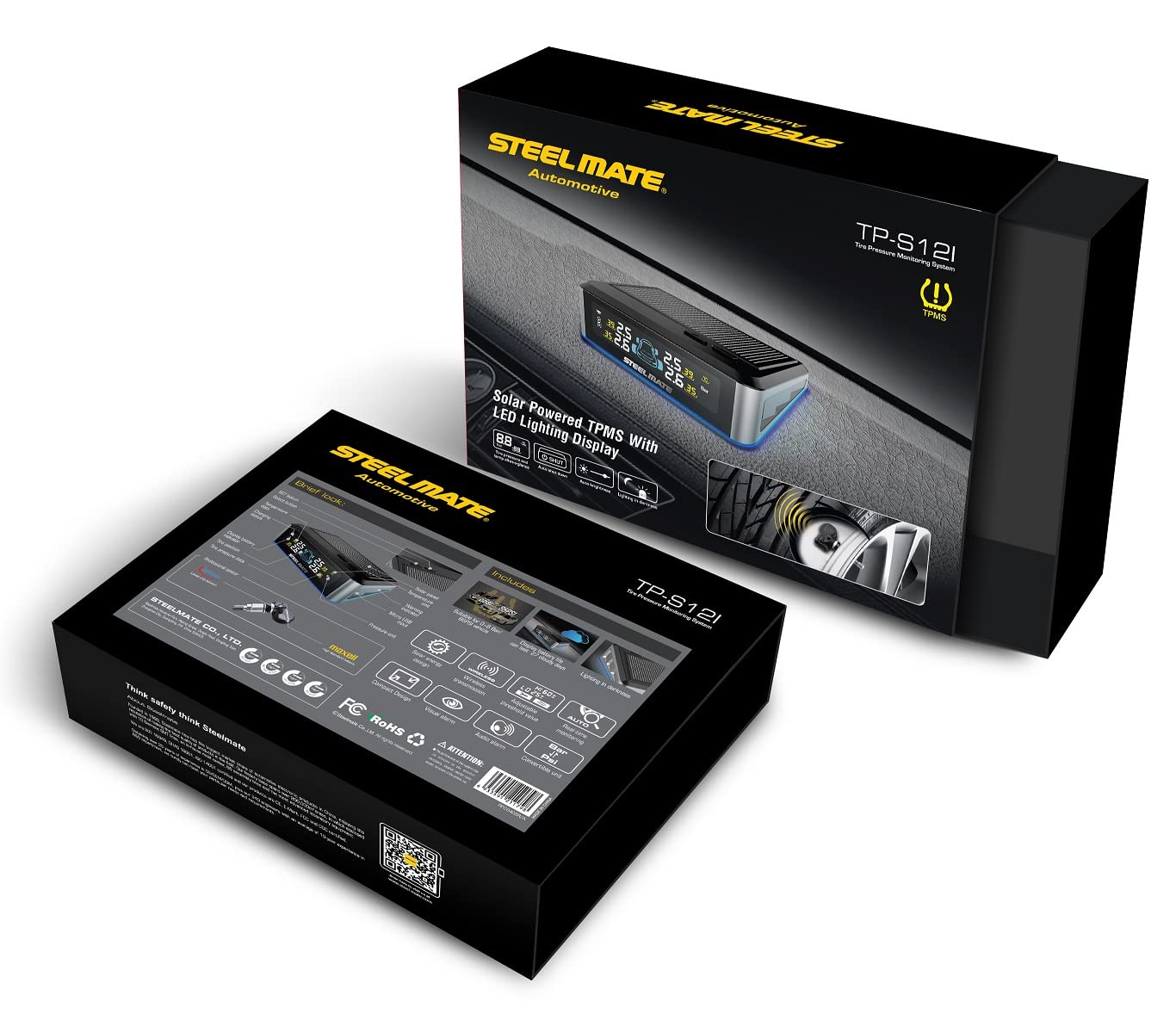
Figure 1: STEELMATE TP-S12I Display Unit
2. Kandungan Pakej
Sila semak kandungan pakej semasa dibuka untuk memastikan semua item ada:
- Display Unit (1)
- Valve Sensors (4)
- Adhesive Tape Set (1)
- Instruction Manual (Japanese)

Rajah 2: Kandungan Pakej
3. Ciri-ciri Produk
- Internal Valve Sensors: Provides higher accuracy and security compared to external sensors.
- Pemantauan masa nyata: Continuously displays tire pressure and temperature for all four tires.
- Penggera Boleh Didengar dan Visual: Notifies the driver of abnormal tire conditions (e.g., rapid air leakage, high/low pressure, high temperature) with sound and flashing display.
- IP67 Kalis Air dan Habuk: Sensors are designed to withstand harsh environmental conditions.
- Solar Powered Display: The display unit charges via solar energy, simplifying installation and reducing cable clutter.
- Power-Saving Sensors: Designed for long battery life, typically exceeding 5 years under normal use.
- Three-Color LED Display: Clear and easy-to-read display with different colors for various statuses.

Figure 3: Benefits of a Tire Pressure Monitoring System
4. Persediaan
4.1 Pemasangan Sensor
The valve sensors are internal and require professional installation. It is strongly recommended to have the sensors installed by a qualified specialist or car service center to ensure proper mounting and tire balancing.
4.2 Display Unit Placement
The display unit is solar-powered, making its placement straightforward. Position the display unit on your vehicle's dashboard where it can receive direct sunlight for charging and where the display is clearly visible to the driver without obstructing the view of the road. Use the provided adhesive tape to secure the unit.
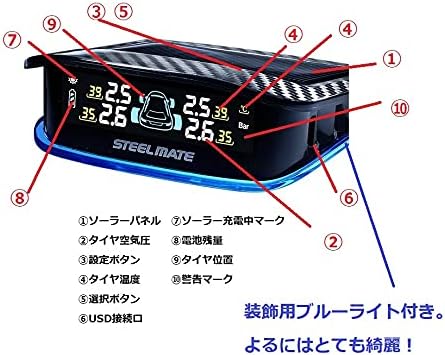
Figure 4: Recommended Display Unit Placement
5. Arahan Operasi
5.1 Hidupkan/Mati Kuasa
The display unit automatically powers on when it detects vibration (e.g., when the vehicle starts moving) and powers off after a period of inactivity to conserve battery. It also charges automatically via its solar panel when exposed to sunlight.
5.2 Paparan Terlaluview
The display shows real-time pressure and temperature for each tire. It also indicates battery status and solar charging activity.

Rajah 5: Ciri-ciri Unit Paparan
- Panel Suria: Mengecas bateri dalaman.
- Tekanan Tayar: Displays current tire pressure (e.g., in Bar or PSI).
- Butang Tetapan: Digunakan untuk memasuki mod tetapan dan mengesahkan pilihan.
- Suhu Tayar: Displays current tire temperature (e.g., in °C).
- Butang Pemilihan: Used to navigate through settings options.
- Port USB: For alternative charging or firmware updates.
- Penunjuk Pengecasan Suria: Lights up when the unit is charging via solar power.
- Tahap Bateri: Indicates the display unit's internal battery charge.
- Tire Position: Graphic representation of the vehicle and tire positions.
- Tanda Amaran: Appears when an alarm condition is met.
5.3 Fungsi Penggera
The system will trigger an alarm (audible beep and flashing display) if any tire's pressure or temperature falls outside the preset safe range. The default alarm pressure range is 1.7 Bar (low pressure) to 3.3 Bar (high pressure). The display will highlight the affected tire and show the warning mark.
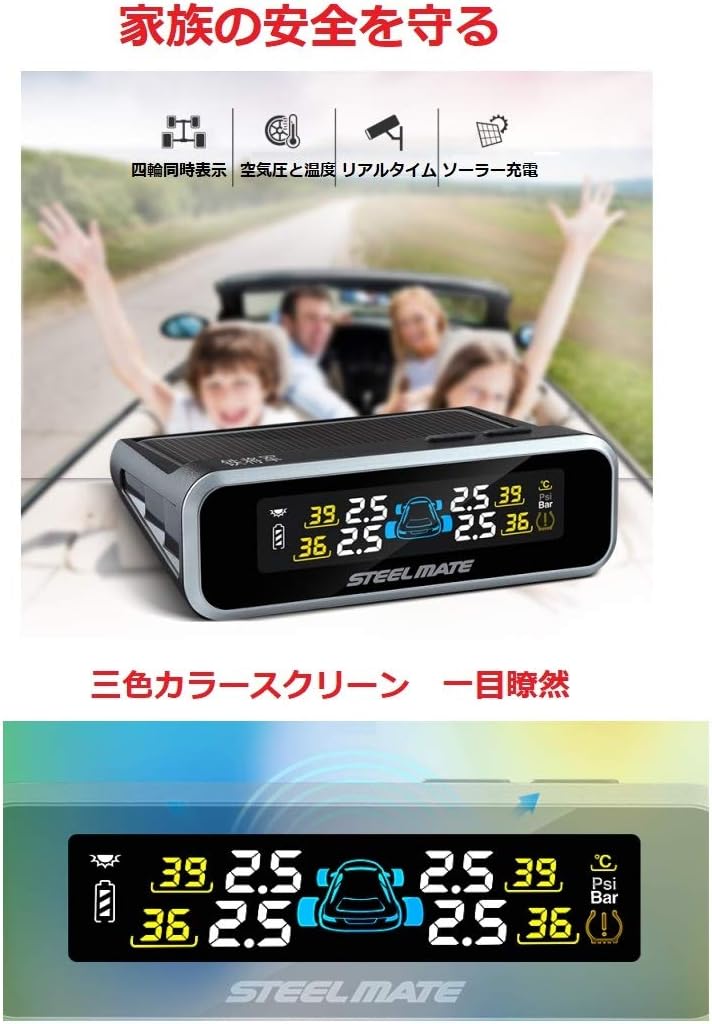
Figure 6: Three-Color Display Screen
6. Penyelenggaraan
6.1 Display Unit Care
Keep the solar panel on the display unit clean and free from dust or obstructions to ensure efficient charging. Wipe the display screen with a soft, dry cloth. Avoid using abrasive cleaners or solvents.
6.2 Sensor Battery
The internal sensors are designed for a long battery life, typically exceeding 5 years. Battery replacement for internal sensors should be performed by a professional.
7. Penyelesaian masalah
| Masalah | Kemungkinan Punca | Penyelesaian |
|---|---|---|
| Paparan tidak dihidupkan | Low battery; No vibration detected | Place in direct sunlight for charging; Start driving to activate. |
| No tire data displayed | Sensor not transmitting; Sensor battery low; Interference | Drive for a few minutes; Check sensor battery (professional service); Relocate display unit. |
| Bacaan tidak tepat | Incorrect sensor installation; Sensor malfunction | Consult a professional for sensor re-installation/calibration; Replace faulty sensor. |
| Alarm frequently triggers | Tire pressure/temperature genuinely outside range; Alarm thresholds set too narrow | Check and adjust tire pressure/temperature; Adjust alarm thresholds in settings (refer to detailed manual). |

Figure 7: Dangers of Abnormal Tire Pressure
8. Spesifikasi
| Komponen | Spesifikasi |
|---|---|
| Display Unit Operating Voltage | 2.6 - 3.6 V |
| Display Unit Operating Temperature | -20°C hingga 70°C |
| Sensor Operating Voltage | 2.0 - 3.6 V |
| Suhu Operasi Sensor | -30°C hingga 105°C |
| Alarm Pressure Range | 1.7 Bar (Low) > Pressure > 3.3 Bar (High) |
| bahan | Keluli Aloi |
| Berat Produk | Kira-kira 250 g |
9. Waranti dan Sokongan
9.1 Maklumat Waranti
This STEELMATE TP-S12I product comes with a waranti setahun dari tarikh pembelian. Waranti ini meliputi kecacatan pembuatan dan kerosakan dalam penggunaan biasa. Sila simpan bukti pembelian anda untuk tuntutan waranti.
9.2 Sokongan Pelanggan
For technical assistance, troubleshooting, or warranty inquiries, please contact your retailer or the STEELMATE customer service department. Refer to the contact information provided with your purchase documentation.
Ask a question about this manual
Ask about setup, troubleshooting, compatibility, parts, safety, or missing instructions. Manuals+ will review the question and use this page’s manual context to help answer it.