
PROSCAN PSP1678
Manual Pengguna Pembesar Suara Bluetooth PROSCAN PSP1678
Model: PSP1678
pengenalan
Terima kasih kerana membeliasing the PROSCAN PSP1678 LED Light Up Bluetooth Speaker. This manual provides essential information for the safe and efficient operation of your device. Please read it thoroughly before use and retain it for future reference.
The PSP1678 is a versatile portable speaker featuring Bluetooth connectivity, built-in FM radio, USB/TF card input, AUX input, and a microphone input, all complemented by dynamic LED lighting and a built-in rechargeable battery.
Maklumat Keselamatan
- Jangan dedahkan pembesar suara kepada suhu yang melampau, cahaya matahari langsung atau kelembapan yang tinggi.
- Elakkan daripada menjatuhkan atau menundukkan pembesar suara kepada impak yang kuat.
- Jangan buka, baiki atau ubah suai unit ini sendiri. Rujuk semua servis kepada kakitangan yang berkelayakan.
- Jauhkan pembesar suara daripada air dan cecair lain. Produk ini tidak kalis air.
- Gunakan hanya kabel pengecasan dan penyesuai kuasa yang ditentukan.
- Bersihkan pembesar suara dengan kain lembut dan kering. Jangan gunakan pembersih atau pelarut yang melelas.
- Pastikan pengudaraan yang betul semasa mengendalikan pembesar suara.
Kandungan Pakej
- Pembesar Suara Bluetooth PROSCAN PSP1678
- Kabel Pengecas USB
- Manual Pengguna (dokumen ini)
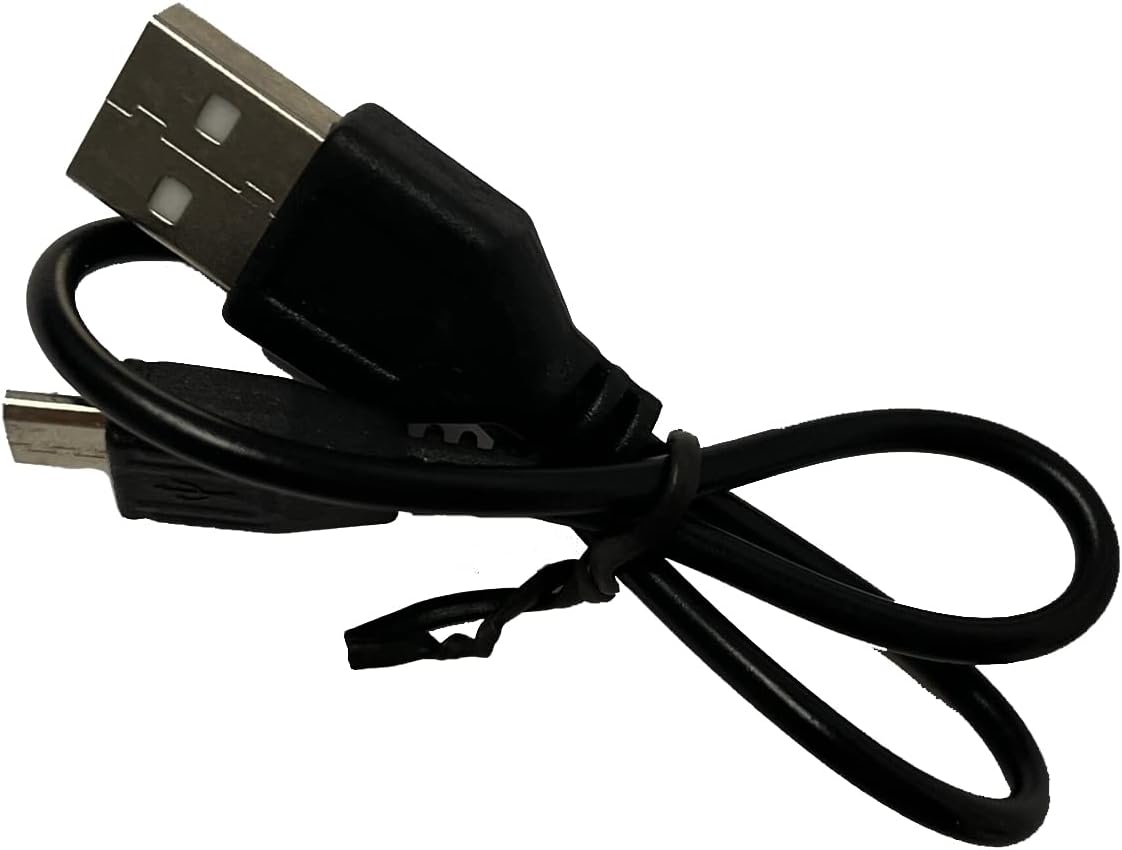
Image: Included USB Charging Cable. This cable is used to recharge the speaker's internal battery.
Produk Selesaiview
Familiarize yourself with the various parts and controls of your PROSCAN PSP1678 speaker.

Imej: Depan view of the PROSCAN PSP1678 speaker, showcasing the dual 4-inch speakers with active LED lighting. The PROSCAN logo is visible between the speakers.

Image: Top panel of the PROSCAN PSP1678 speaker, showing the control buttons, USB port, TF card slot, AUX input, microphone input, and the main volume/mode knob.
Fungsi Panel Kawalan:
- Butang Kuasa: Tekan dan tahan untuk menghidupkan/Mematikan pembesar suara.
- Butang Mod: Short press to switch between Bluetooth, FM Radio, USB/TF, and AUX modes.
- Butang Main/Jeda: In Bluetooth/USB/TF mode, press to play or pause. In FM mode, press to auto-scan and save stations.
- Butang Sebelumnya/Kelantangan Rendah: Tekan sebentar untuk trek/stesen sebelumnya. Tekan lama untuk mengurangkan kelantangan.
- Butang Seterusnya/Kelantangan Naik: Tekan sebentar untuk trek/stesen seterusnya. Tekan lama untuk meningkatkan kelantangan.
- Port USB: Untuk main balik pemacu kilat USB.
- Slot Kad TF: Untuk main balik kad TF (MicroSD).
- Input AUX: Bicu 3.5mm untuk menyambungkan peranti audio luaran.
- Input Mikrofon: Bicu 6.35mm untuk menyambungkan mikrofon.
- Port Pengecasan DC 5V: Untuk menyambungkan kabel pengecas USB.
- Tombol Kelantangan: Rotates to adjust the master volume.
Persediaan
1. Mengisi Speaker
Before first use, fully charge the speaker. Connect the small end of the included USB charging cable to the DC 5V charging port on the speaker and the other end to a USB power adapter (not included) or a computer USB port. The charging indicator light will illuminate during charging and turn off when fully charged.
Masa Pengecasan: Kira-kira 3-4 jam.
2. Menghidupkan/Mematikan
Tekan dan tahan butang Butang Kuasa on the control panel for approximately 3 seconds to turn the speaker On or Off.
Arahan Operasi
1. Mod Bluetooth
- Turn on the speaker. It will automatically enter Bluetooth pairing mode, indicated by a flashing LED light and an audible prompt.
- Dayakan Bluetooth pada peranti mudah alih anda (telefon pintar, tablet, dll.).
- Cari untuk "PSP1678" in the list of available Bluetooth devices.
- Select "PSP1678" to connect. Once successfully paired, you will hear a confirmation sound, and the LED light will stop flashing.
- Anda kini boleh memainkan audio daripada peranti anda melalui pembesar suara.
Nota: Pembesar suara secara automatik akan cuba menyambung semula ke peranti pasangan terakhir apabila dihidupkan.
2. Mod Radio FM
- Turn on the speaker. Press the Butang Mod berulang kali sehingga anda mendengar gesaan radio FM.
- Untuk mengimbas automatik dan menyimpan stesen FM yang tersedia, tekan sebentar Butang Main/Jeda. Pembesar suara akan mengimbas dan menyimpan stesen secara automatik.
- Gunakan Sebelumnya dan Next Buttons to navigate between saved stations.
3. Main Semula Kad USB/TF
- Insert a USB flash drive or TF (MicroSD) card into the respective port.
- The speaker will automatically switch to USB or TF mode and begin playing audio files (MP3 format recommended). If it doesn't, press the Butang Mod untuk memilih mod yang betul.
- Gunakan Main/Jeda, Sebelumnya, dan Next Buttons untuk mengawal main balik.
4. Mod Input AUX
- Sambungkan satu hujung kabel audio 3.5mm (tidak disertakan) ke port input AUX pada pembesar suara.
- Sambungkan hujung kabel yang satu lagi ke bicu output audio peranti luaran anda (cth., pemain MP3, komputer).
- Tekan ke Butang Mod untuk bertukar kepada mod AUX.
- Control audio playback from your connected external device.
5. Input Mikrofon
Connect a wired microphone (not included) to the Microphone Input jack. The microphone audio will be mixed with the current audio playback. Adjust the main volume knob to control the overall sound level.
6. Kawalan Lampu LED
The LED lights on the speaker automatically activate when the speaker is powered on. There is no dedicated button to turn the lights off or change patterns. They are designed to enhance the audio experience.
Penyelenggaraan
- Pembersihan: Gunakan kain lembut, kering dan tidak berbulu untuk membersihkan bahagian luar pembesar suara. Jangan gunakan pembersih cecair, aerosol atau pelarut.
- Storan: Apabila tidak digunakan untuk tempoh yang lama, simpan pembesar suara di tempat yang sejuk dan kering, jauh dari cahaya matahari langsung dan suhu yang melampau.
- Penjagaan Bateri: Untuk memanjangkan hayat bateri, elakkan daripada kerap mencas sepenuhnya bateri. Cas semula pembesar suara secara berkala, walaupun tidak digunakan, untuk mengekalkan kesihatan bateri.
Menyelesaikan masalah
| Masalah | Kemungkinan Punca | Penyelesaian |
|---|---|---|
| Speaker tidak dihidupkan. | Bateri hampir habis atau habis. | Cas pembesar suara sepenuhnya menggunakan kabel USB yang disediakan. |
| Tiada bunyi. | Volume is too low. Incorrect mode selected. Device not connected properly. | Increase volume on speaker and connected device. Press Mode button to select correct input. Reconnect Bluetooth/AUX cable. |
| Tidak boleh berpasangan melalui Bluetooth. | Pembesar suara tidak dalam mod berpasangan. Peranti terlalu jauh. Gangguan. | Ensure speaker is in Bluetooth mode (flashing LED). Move device closer to speaker. Turn off other Bluetooth devices. |
| Penerimaan radio FM kurang baik. | Isyarat lemah. | Relocate the speaker to an area with better reception. Perform auto-scan again. |
| Kad USB/TF tidak dimainkan. | tak betul file format. Kad/pemacu tidak dimasukkan dengan betul. | pastikan files are in MP3 format. Reinsert the USB drive/TF card firmly. Press Mode button to select correct input. |
Spesifikasi
| Ciri | Perincian |
|---|---|
| Nombor Model | PSP1678 |
| Kuasa Speaker | 5W x 2 |
| Saiz Pembesar Suara | 4 inci x 2 |
| Ketersambungan | Bluetooth, USB, Kad TF, AUX, Radio FM |
| Input Mikrofon | ya |
| Sumber Kuasa | Built-in Rechargeable Battery, Corded Electric (via USB) |
| Dimensi Produk (D x W x H) | 6.25" x 16.25" x 7.75" |
| Berat Barang | 4 paun |
| UPC | 058465824457 |

Image: PROSCAN PSP1678 speaker with approximate dimensions indicated: 15.47 inches height, 7.28 inches width, and 5.9 inches depth.
Waranti dan Sokongan
PROSCAN products are designed and manufactured to the highest quality standards. For warranty information or technical support, please refer to the warranty card included with your purchase or visit the official PROSCAN webtapak. Simpan bukti pembelian anda untuk tuntutan waranti.
For further assistance, you may contact PROSCAN customer service through their official channels. Please have your model number (PSP1678) and purchase details ready.
Nota: Terma dan syarat jaminan mungkin berbeza mengikut wilayah.
Ask a question about this manual
Ask about setup, troubleshooting, compatibility, parts, safety, or missing instructions. Manuals+ will review the question and use this page’s manual context to help answer it.