pengenalan
Thank you for choosing the Generic BL-602 TWS Wireless Earbuds. This manual provides essential information on how to set up, operate, and maintain your new earbuds. Please read it carefully before use to ensure optimal performance and longevity of your device.

Image: Generic BL-602 TWS Wireless Earbuds resting inside their open white charging case.
Persediaan
1. Kandungan Pakej
- BL-602 TWS Wireless Earbuds (Left and Right)
- Kes Pengecasan
- Kabel Pengecas USB
- Manual Pengguna
- Black Protective Case (optional accessory)
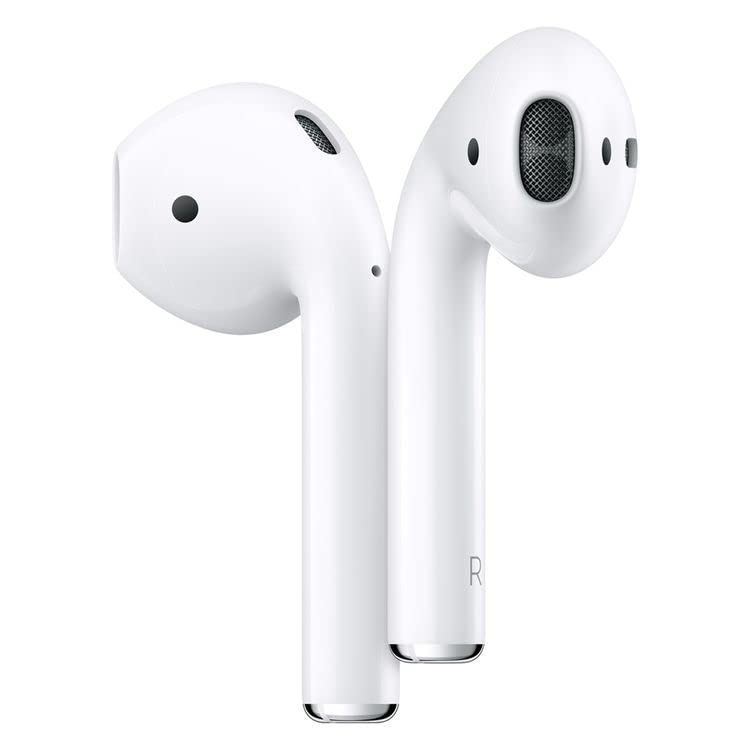
Image: The white charging case with a green indicator light, a black silicone protective case, and a white USB charging cable.
2. Pengecasan Awal
Before first use, fully charge the earbuds and the charging case. Connect the provided USB charging cable to the charging port on the case and a compatible USB power source. The indicator light on the case will show charging status. Once fully charged, the indicator light will change or turn off.
3. Berpasangan dengan Peranti Anda
- Pastikan fon telinga dicas dan diletakkan di dalam bekas pengecasan.
- Buka penutup bekas pengecasan. Fon telinga akan memasuki mod berpasangan secara automatik.
- Pada peranti anda (telefon pintar, tablet, dll.), dayakan Bluetooth.
- Cari untuk available Bluetooth devices and select "BL-602" from the list.
- Setelah disambungkan, anda akan mendengar nada pengesahan dan fon telinga akan sedia untuk digunakan.
Arahan Operasi
The BL-602 earbuds feature touch controls for easy management of music and calls.
Fungsi Kawalan Sentuh:
- Main/Jeda: Ketik sekali pada salah satu fon telinga.
- Lagu Seterusnya: Ketik dua kali pada fon telinga kanan.
- Trek Sebelumnya: Ketik dua kali pada fon telinga kiri.
- Jawab/Tamatkan Panggilan: Ketik sekali pada salah satu fon telinga semasa panggilan masuk.
- Tolak Panggilan: Tekan dan tahan salah satu fon telinga selama 2 saat semasa panggilan masuk.
- Aktifkan Pembantu Suara: Ketik tiga kali pada salah satu fon telinga.
- Hidupkan kuasa: Open the charging case lid or press and hold the touch area for 3 seconds if earbuds are out of case and off.
- Matikan: Place earbuds back into the charging case and close the lid, or press and hold the touch area for 5 seconds.
Penyelenggaraan
Pembersihan
- Bersihkan fon telinga dan bekas pengecas dengan kerap menggunakan kain yang lembut, kering dan tidak berbulu.
- Jangan gunakan pembersih yang melelas, alkohol atau pelarut kimia.
- Pastikan kanta pengecas pada kedua-dua fon telinga dan sarung bersih dan bebas daripada serpihan.
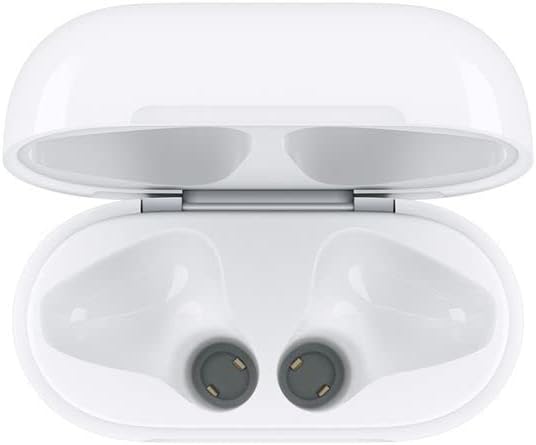
Image: Interior of the charging case, highlighting the charging contacts for the earbuds.
Penjagaan Bateri
- Elakkan menyahcas sepenuhnya bateri dengan kerap.
- Simpan fon telinga dan sarung di tempat yang sejuk dan kering apabila tidak digunakan.
- Charge the device at least once every three months if not used regularly to prevent battery degradation.
Penyimpanan
When not in use, store the earbuds in their charging case to protect them from dust, damage, and to keep them charged. The optional black protective case can provide additional protection.
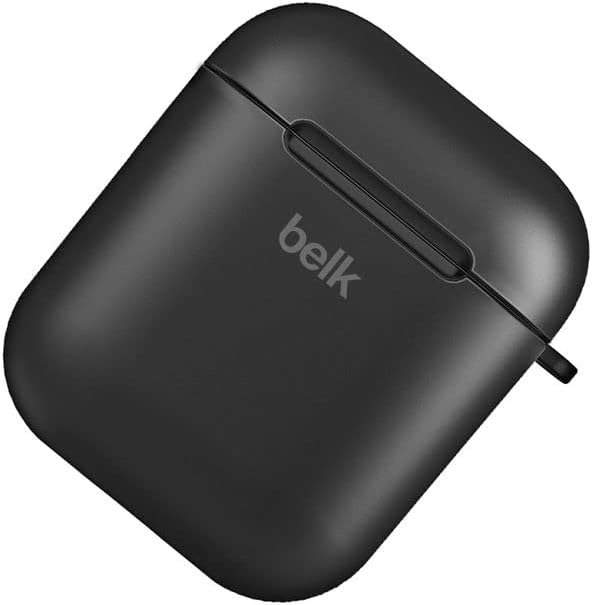
Image: A closed black protective case, designed to hold the earbud charging case.
Menyelesaikan masalah
| Masalah | Penyelesaian yang Mungkin |
|---|---|
| Fon telinga tidak berpasangan |
|
| Tiada bunyi daripada satu atau kedua-dua fon telinga |
|
| Kes pengecas tidak dicas |
|
| Fon telinga tidak dicas dalam kes |
|
Spesifikasi
- model: BL-602
- Julat Komunikasi: <10 meters (standard environment)
- Respons Kekerapan: 20Hz - 20kHz
- Protokol Sokongan: HSP/HFP/A2DP/AVRCP
- Earbud Impedance: 32 Ohm
- Vol Operasitage: 3.1-4.2V
- Kuasa: 5mW
- Kapasiti Bateri Earbud: 45mAh
- Kapasiti Bateri Kes Pengecasan: 400mAh
- Bahan: plastik
- Kaedah Kawalan: Sentuh
- Peranti Serasi: Phones, Tablets, Desktop computers, Laptops, Mobile phones, Smart speakers, TVs, Car audio systems, Digital video game consoles
- warna: putih
- Peletakan Telinga: Dalam telinga
- Teknologi Ketersambungan: Wayarles (Bluetooth)
- Komponen yang Disertakan: Kabel Pengecas USB
- Dimensi Pakej: 10 x 10 x 10 cm; 100 gram
Waranti & Sokongan
Produk ini disertakan dengan waranti pengeluar standard. Sila rujuk kepada dokumentasi pembelian anda untuk terma dan syarat waranti tertentu.
Sokongan Pelanggan
For any inquiries or support needs, please contact your retailer or the manufacturer's customer service. Most email inquiries are typically answered within 24 hours.

Image: Graphic detailing general service information including delivery, payment, and customer support response times.


