
1. Persediaan dan Penggunaan Awal
1.1 Kandungan Pakej
Sahkan bahawa pakej anda mengandungi item berikut:
- EURANS Smart Watch IW1 Lite
- Kabel Pengecasan
- Manual Pengguna
1.2 Mengecas Peranti
Before first use, fully charge your smart watch. The device features a 7-day battery life with typical use and a standby time of 30 days. A full charge typically takes 1 hour.
- Sambungkan kabel pengecas magnet ke kenalan pengecas di bahagian belakang jam tangan.
- Palamkan hujung kabel USB ke dalam penyesuai kuasa USB standard (disyorkan 5V/1A) atau port USB komputer.
- The watch screen will display a charging indicator. Ensure the contacts are clean and dry before charging.
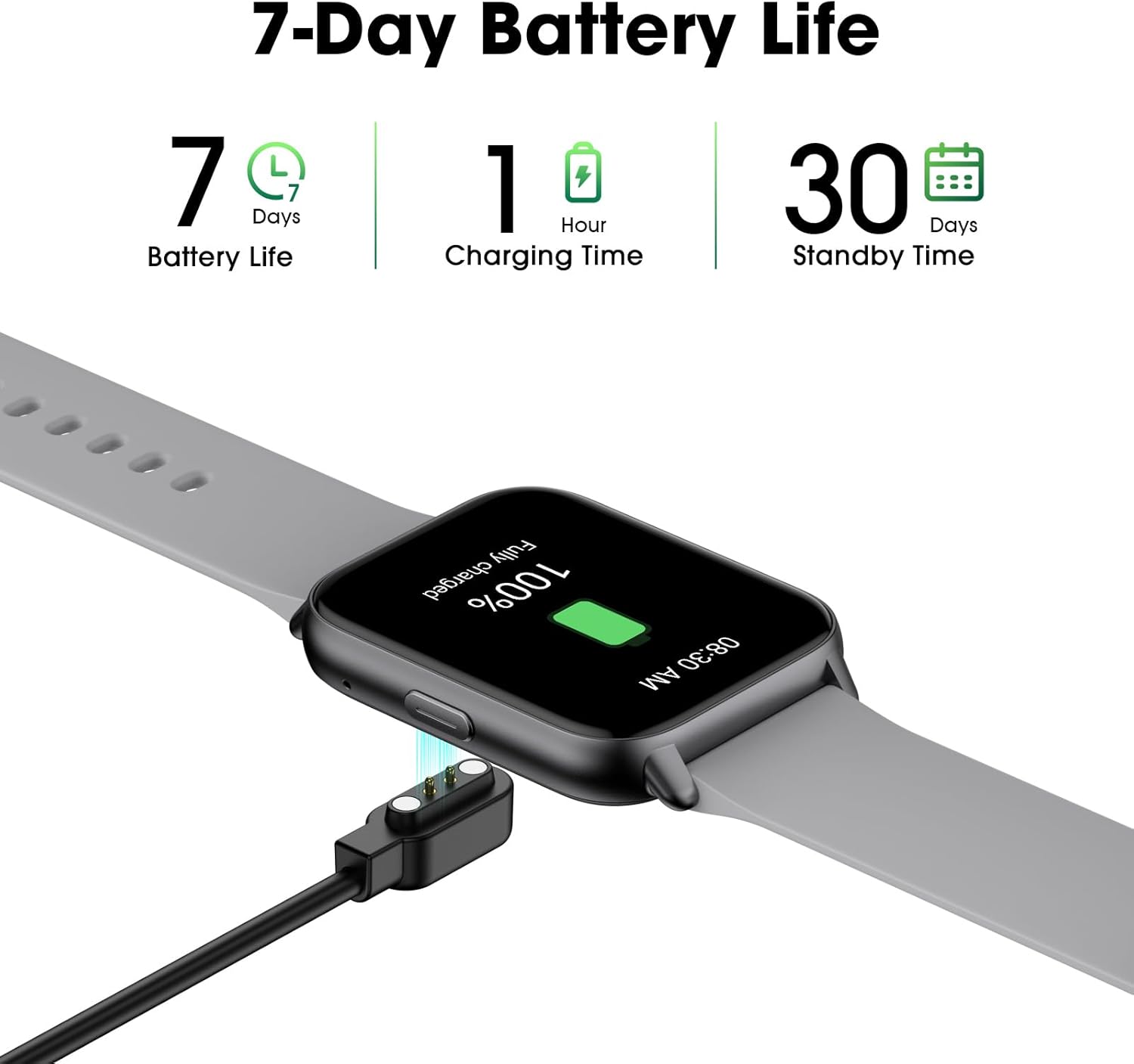
Image: The EURANS Smart Watch IW1 Lite connected to its magnetic charging cable, showing a full charge. Text on the image indicates '7 Days Battery Life', '1 Hour Charging Time', and '30 Days Standby Time'.
1.3 Menghidupkan/Mematikan
- Hidupkan kuasa: Tekan dan tahan butang sisi selama beberapa saat sehingga skrin menyala.
- Matikan: From the watch face, swipe down to access the quick settings, then tap the power icon, or navigate to 'Settings' > 'Power Off' and confirm.
1.4 Navigasi Asas
The EURANS Smart Watch IW1 Lite features a touch-sensitive HD screen and a side button for navigation.
- Leret ke atas/bawah: Tatal melalui menu atau pemberitahuan.
- Leret Kiri/Kanan: Access different function screens (e.g., activity data, heart rate).
- Ketik: Pilih item atau sahkan tindakan.
- Butang Sisi: Press to return to the watch face or wake the screen.

Image: The EURANS Smart Watch IW1 Lite showing the main watch face with current time (08:26), date (APR 06, SATURDAY), and activity metrics including calories burned (234), steps taken (8000), and distance (4.25). A smaller inset image shows options for 'Binding APP' or 'Skip Binding'.
1.5 Optional App Connection
The EURANS Smart Watch IW1 Lite is designed to function independently without requiring a smartphone app. All core features like step counting, calorie tracking, and health monitoring are accessible directly on the watch. However, an optional companion application can be used to access additional features:
- Data Record & Check: View historical fitness and health data.
- Weather Display: Receive weather updates on your watch.
- Message Notification: Receive alerts from your smartphone.
Refer to the app's instructions for pairing and setup if you choose to use these extended features.
2. Mengendalikan Jam Tangan Pintar
2.1 Pengesanan Aktiviti
The watch automatically tracks your daily activity. Swipe through the watch faces to view your current statistics.
- Pembilang Langkah: Records the number of steps taken throughout the day.
- Penjejak Kalori: Anggaran kalori yang dibakar berdasarkan aktiviti anda.
- Penjejak Jarak: Calculates the distance covered.

Image: A man and a woman running outdoors. Below them, three circular icons display activity data: 426 Kcal (Calories), 9973 Steps, and 3.96 KM (Distance).
2.2 Pemantauan Kesihatan
The EURANS Smart Watch IW1 Lite provides continuous health monitoring features.
- Pemantau Kadar Jantung: Measures your heart rate throughout the day. Access the heart rate screen to view data masa nyata dan trend sejarah.
- Pengukuran Oksigen Darah (SpO2): Provides on-demand blood oxygen saturation readings.
- Monitor Tidur: Tracks your sleep patterns, including deep sleep, light sleep, and wake times.
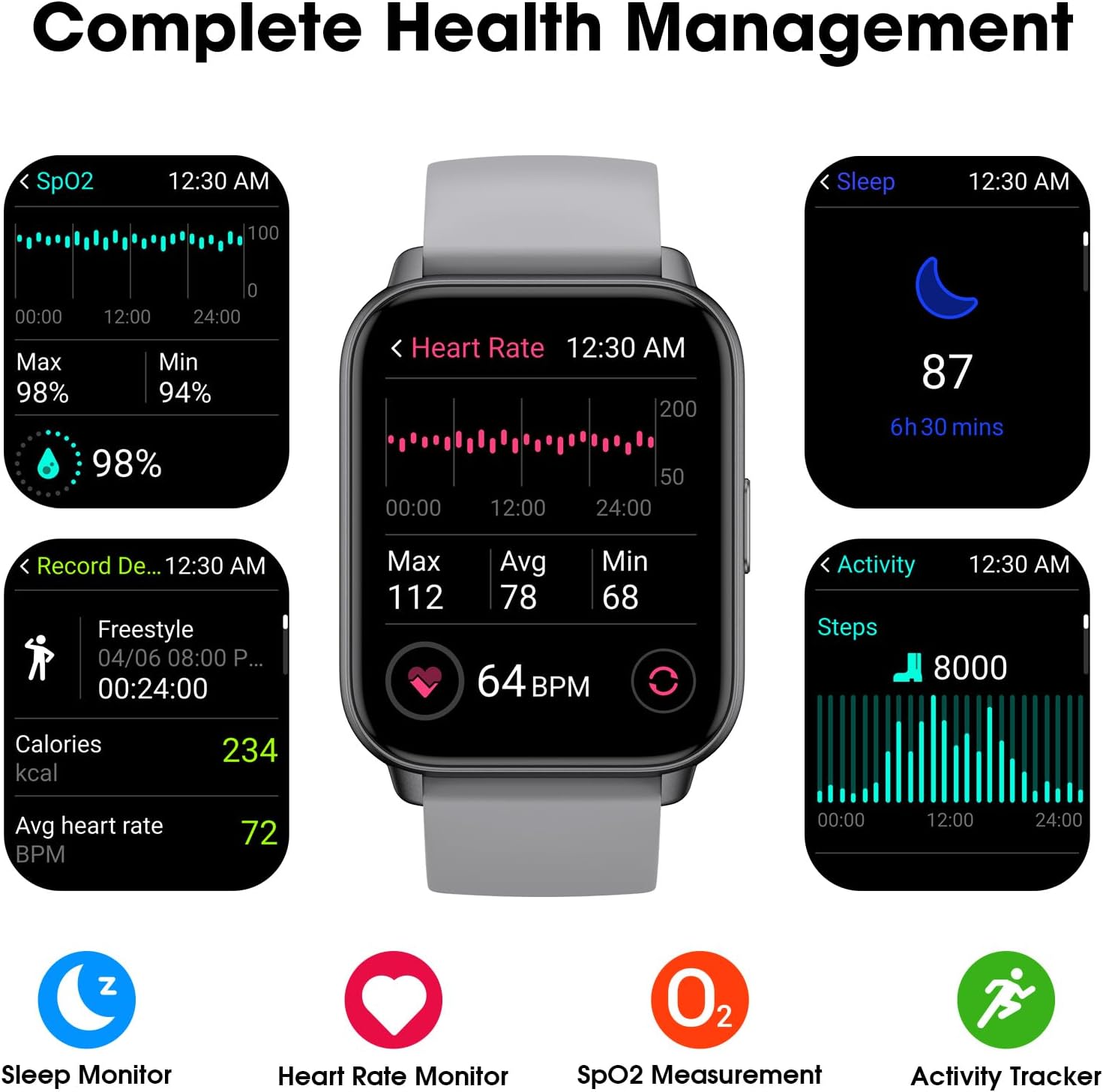
Image: A collage of watch screens demonstrating various health management features. These include SpO2 measurement (98%), heart rate monitoring (64 BPM with max/avg/min), sleep tracking (87, 6h 30 mins), and activity recording (calories, heart rate, steps).
2.3 Watch Functions
Beyond fitness tracking, the watch includes several utility functions:
- Paparan Masa: Customizable watch faces to show time and date.
- Jam loceng: Tetapkan penggera terus pada jam tangan.
- Jam randik: Untuk aktiviti masa.
- Pemasa: For countdowns.
2.4 Display Readability
The EURANS Smart Watch IW1 Lite features a 1.69-inch HD screen designed for clear visibility.
- Nombor Besar: Time and data are displayed with large, easy-to-read digits.
- Sunlight Readability: The screen is optimized for visibility even under direct sunlight.

Imej: Dari dekat view of the EURANS Smart Watch IW1 Lite screen, demonstrating its large and easy-to-read display. The image shows the time (08:26), date (APR 06), and activity metrics, emphasizing clarity and readability under various lighting conditions.
3. Penyelenggaraan
3.1 Membersihkan Jam Tangan Anda
Pembersihan berkala membantu mengekalkan prestasi dan penampilan jam tangan.
- Lap skrin dan tali dengan lembut, damp, kain tidak berbulu.
- Elakkan menggunakan bahan kimia yang keras, pembersih yang melelas, atau pelarut.
- Ensure the charging contacts are clean and dry to prevent corrosion and ensure proper charging.
3.2 Tahan Air
The EURANS Smart Watch IW1 Lite is IP68 waterproof, meaning it is resistant to dust and can withstand immersion in water up to 1.5 meters for up to 30 minutes.
- It is suitable for daily use, such as hand washing, rain, and swimming in shallow water.
- Jangan gunakan jam tangan di dalam air panas, sauna atau bilik wap, kerana wap boleh menembusi pengedap.
- Avoid prolonged immersion or high-pressure water activities like diving or high-speed water sports.
- Jangan kendalikan butang di bawah air.
3.3 Penyimpanan
Apabila tidak digunakan untuk tempoh yang lama, simpan jam tangan di tempat yang sejuk dan kering. Adalah disyorkan untuk mengecas jam tangan secara berkala bagi mengekalkan kesihatan bateri.
4. Penyelesaian masalah
If you encounter issues with your EURANS Smart Watch IW1 Lite, refer to the following common solutions:
- Tonton tidak dihidupkan: Pastikan jam tangan dicas sepenuhnya. Sambungkannya ke pengecas selama sekurang-kurangnya 10 minit.
- Jam tangan tidak dicas: Check that the charging cable is securely connected to both the watch and the power source. Ensure the charging contacts on the watch and cable are clean and free of debris.
- Data aktiviti yang tidak tepat: Ensure the watch is worn snugly on your wrist, about one finger's width above your wrist bone. Movement of the watch on your wrist can affect sensor accuracy.
- Skrin tidak bertindak balas: Try restarting the watch by holding the side button until the power off option appears, then power off and on again. If unresponsive, allow the battery to fully drain and then recharge.
- Time/Date incorrect: If connected to an app, ensure the watch is synced. If not using an app, manually adjust the time and date through the watch's settings.
4.1 Tetapan Semula Kilang
If problems persist, a factory reset may resolve the issue. Note that this will erase all data on the watch.
- Navigasi ke 'Tetapan' pada jam tangan anda.
- Select 'System' or 'Reset'.
- Choose 'Factory Reset' and confirm the action.
5. Spesifikasi
| Ciri | Spesifikasi |
|---|---|
| Nombor Model | IW1 Lite |
| Jenama | EURAN |
| Saiz Skrin | 1.69 Inci |
| Kapasiti Bateri | 350 Miliamp jam |
| Hayat Bateri Biasa | Sehingga 7 Hari |
| Masa Tunggu Sedia | Sehingga 30 Hari |
| Masa Mengecas | Lebih kurang 1 Jam |
| Tahan Air | IP68 |
| Ketersambungan | Bluetooth |
| Keserasian Sistem Pengendalian | Android, iOS (for optional app features) |
| Ciri Khas | Activity Tracker, Sleep Monitor, Time Display, Heart Rate Monitor, SpO2 Measurement |
6. Waranti dan Sokongan
6.1 Maklumat Waranti
Your EURANS Smart Watch IW1 Lite is covered by a limited manufacturer's warranty. Please refer to the warranty card included in your product packaging for specific terms and conditions, including warranty period and coverage details.
6.2 Sokongan Pelanggan
For technical assistance, troubleshooting, or warranty claims, please contact EURANS customer support. Contact details can typically be found on the product packaging, the official EURANS webtapak, atau melalui peruncit anda.