
Lumary EU-SI56B-1
Lumary Smart LED String Light 16.5m with Remote Control
Model: EU-SI56B-1
1. Pengenalan
This manual provides essential information for the safe and efficient use of your Lumary Smart LED String Light. Please read it thoroughly before installation and operation, and retain it for future reference.
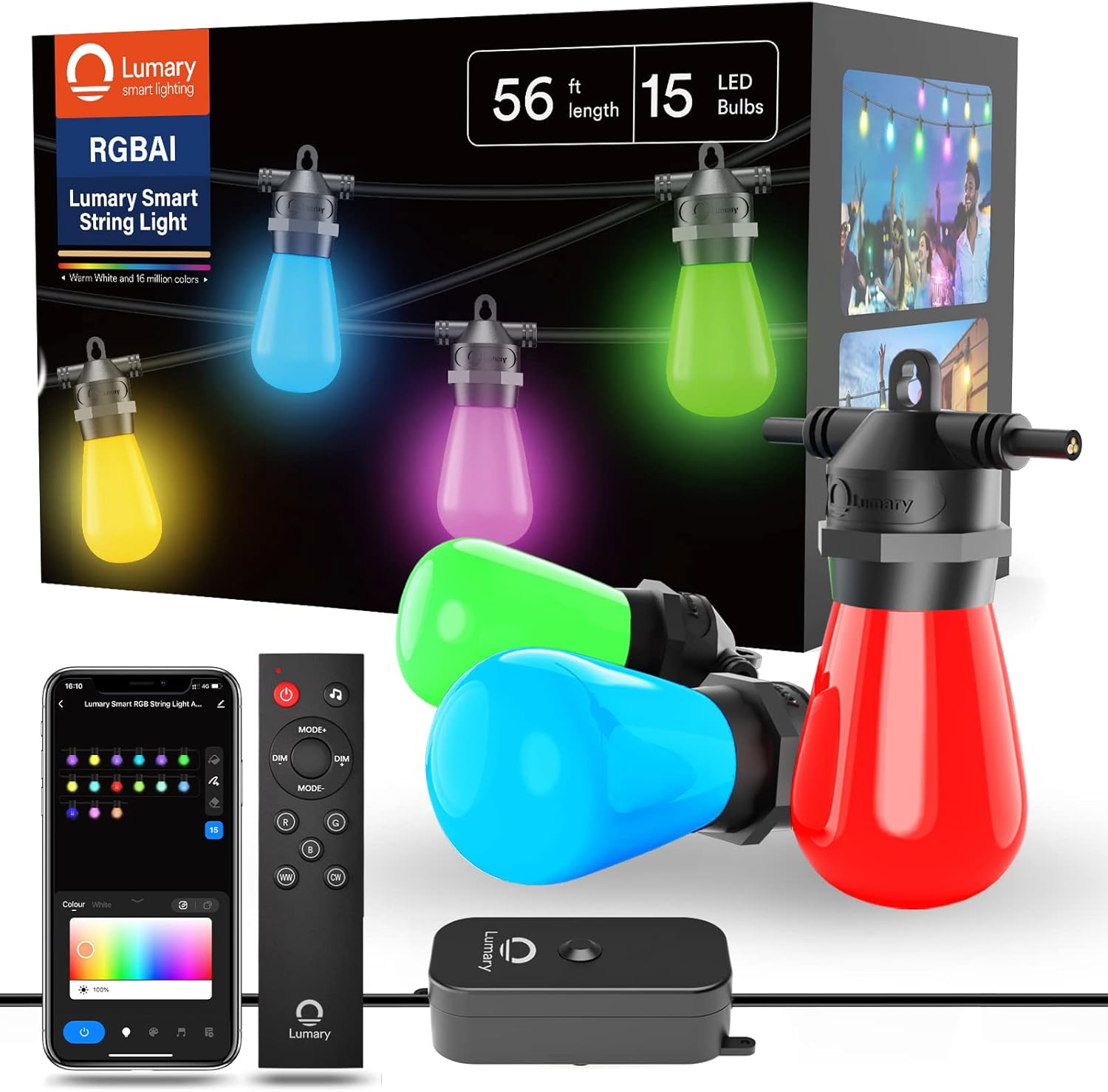
Figure 1: Lumary Smart String Light product packaging and components.
2. Arahan Keselamatan
- Pastikan bekalan kuasa voltage matches the product's requirements (110V AC).
- Do not attempt to repair or modify the product yourself. Refer all servicing to qualified personnel.
- Keep the product away from open flames and extreme heat sources.
- Pastikan semua sambungan selamat sebelum memasangkan ke salur keluar kuasa.
- Do not immerse the power adapter or control box in water, despite the IP65 rating for the string light itself.
- Always unplug the string light from the power source before cleaning or performing any maintenance.
- This product is designed for outdoor use but should be installed in a manner that minimizes exposure to severe weather conditions.
3. Kandungan Pakej
Sahkan bahawa semua item terdapat dalam pakej:
- 1x Lumary Smart LED String Light (16.5m with 15 bulbs)
- 1x Spare LED Bulb
- 1x Smart Controller
- 1x Penyesuai Kuasa
- 1x Alat Kawalan Jauh
- 1x Manual Pengguna (dokumen ini)
4. Persediaan
4.1 Pemasangan Fizikal
- Unpack the string light and all components.
- Carefully uncoil the string light, ensuring no tangles or damage to the cable or bulbs.
- Mount the string light in your desired outdoor location. The cable is designed to withstand outdoor elements.
- Connect the smart controller to the string light.
- Connect the power adapter to the smart controller.
- Ensure the power adapter is placed in a dry location, protected from direct water exposure.

Figure 2: Component overview and dimensions. The string light measures 16.5m (56ft) with 15 bulbs. The plug wire is 0.98m, and the distance from the smart controller to the first bulb is 1.7m.

Figure 3: Detailed dimensions and layout of the string light.
4.2 Pemasangan Apl dan Berpasangan
- Download the "Lumary" app from your smartphone's app store.
- Register or log in to your Lumary account.
- Plug the string light into a power outlet. The lights should begin to flash, indicating pairing mode.
- In the Lumary app, follow the on-screen instructions to add a new device.
- Ensure your smartphone is connected to a 2.4GHz Wi-Fi network. The Lumary Smart LED String Light only supports 2.4GHz Wi-Fi.
- Once connected, you can control the lights via the app.
4.3 Integrasi Pembantu Suara
The Lumary Smart LED String Light is compatible with Alexa and Google Assistant.
- Ensure your string light is successfully paired with the Lumary app.
- Buka aplikasi Alexa atau Google Home anda.
- Navigasi ke bahagian "Kemahiran" atau "Berfungsi dengan Google".
- Cari untuk and enable the "Lumary" skill/service.
- Link your Lumary account when prompted.
- Discover devices. Your Lumary Smart LED String Light should now appear in your voice assistant app.
- You can now use voice commands such as "Alexa, turn on the string light" or "Hey Google, change string light to red."
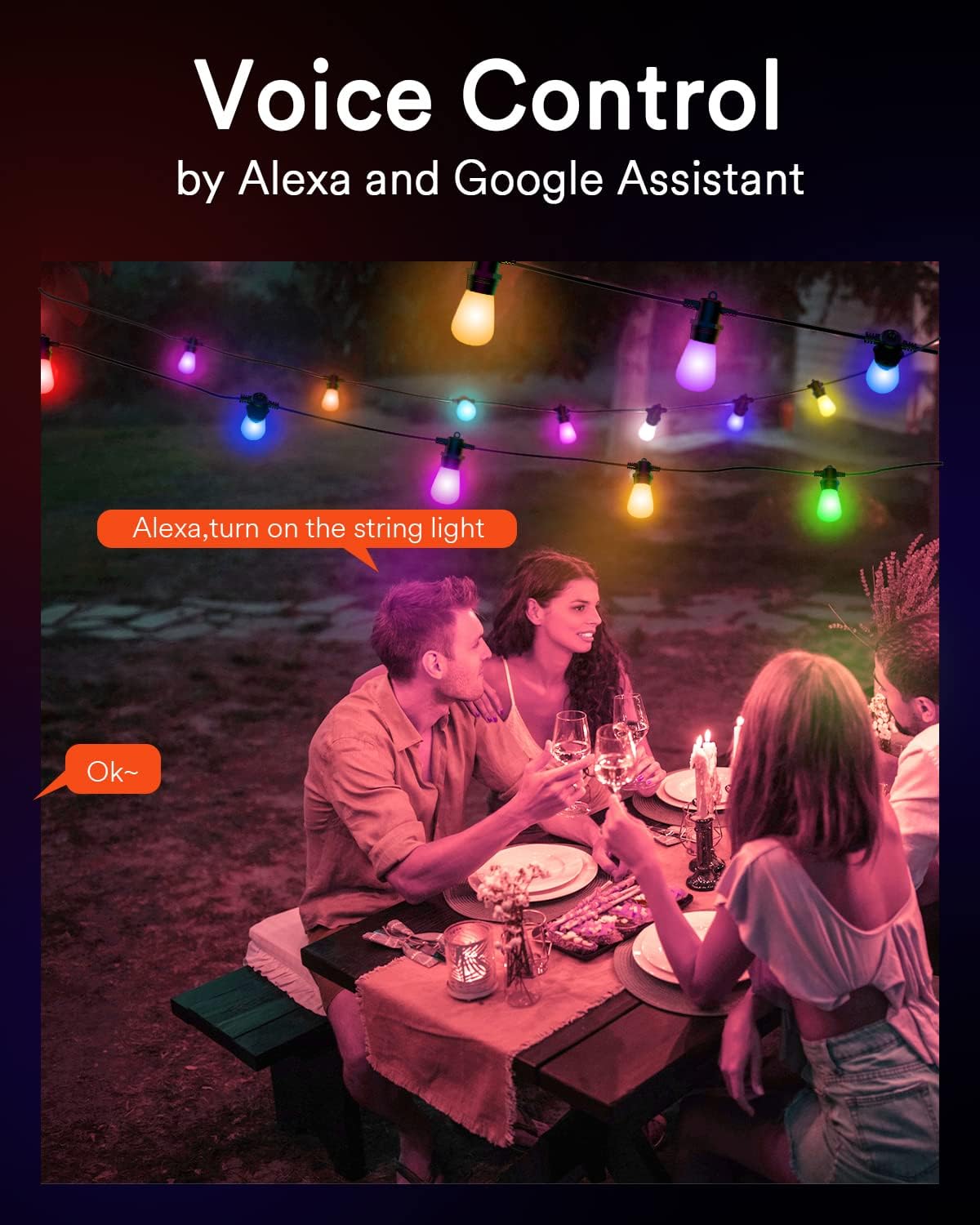
Figure 4: Voice control in action with Alexa.
5. Arahan Operasi
5.1 Mod Kawalan
Your Lumary Smart LED String Light offers multiple control options:
- Lumary App: Full control over colors, brightness, scenes, and scheduling.
- Kawalan Jauh: Included remote for basic functions like on/off, mode changes, and dimming.
- Switch Box: The physical control box on the string light allows for basic on/off and mode changes without network connectivity.
- Kawalan Suara: Integrate with Alexa or Google Assistant for hands-free operation.

Gambar 5: Lebihview of the four available control modes.
5.2 Pelarasan Warna dan Kecerahan
- RGBAiWW Technology: The string light features RGBAiWW technology, allowing for a wide spectrum of colors, including 16 million color options and dedicated warm white modes.
- Kawalan Mentol Individu: Each bulb can be controlled independently via the Lumary app. You can turn individual bulbs on/off, change their color, and adjust brightness from 1% to 100%.
- Kawalan Kumpulan: Create groups within the Lumary app to manage multiple string lights or sections simultaneously with a single command.
5.3 Scene Modes and Music Synchronization
- Adegan Pratetap: The Lumary app offers over 8 preset scene modes to instantly set the ambiance for various occasions.
- DIY Scenes: Customize and save your own scene modes by adjusting colors and brightness to your preference.
- Penyegerakan Muzik: The string light can change colors in sync with music rhythms or game sounds, enhancing your entertainment experience.
5.4 Pemasa dan Penjadualan
Use the Lumary app to set schedules for your string lights:
- Fungsi Pemasa: Set a timer for the lights to automatically turn on or off after a specified duration.
- Penjadualan: Create daily or weekly schedules for the lights to activate or deactivate at specific times, such as turning on in the evening and off in the morning.
6. Penyelenggaraan
6.1 Ciri Ketahanan
- IP65 Kalis Air: The string light and control box are rated IP65, providing protection against dust and water jets, making them suitable for outdoor use in various weather conditions.
- Mentol Kalis Pecah: The robust PC plastic bulbs are designed to be shatterproof, resisting impacts and drops.
- Stronger Cable: The string light features a 22 AWG (3-conductor) cable, enhancing its durability and resistance to wind, rain, and snow.
- Parallel Technology: Designed with parallel wiring, if one bulb breaks, the remaining bulbs will continue to function without interruption.

Figure 6: Lumary's durable design features compared to standard string lights.
6.2 Penggantian Mentol
The string light comes with 15 dimmable 1W LED bulbs and 1 spare bulb. If a bulb needs replacement:
- Ensure the string light is unplugged from the power source.
- Carefully unscrew the faulty bulb.
- Screw in a new compatible LED bulb.
- Dispose of the old bulb responsibly.
7. Penyelesaian masalah
| Masalah | Kemungkinan Punca | Penyelesaian |
|---|---|---|
| Lampu tidak menyala. | Tiada bekalan elektrik, sambungan longgar, mentol rosak. | Check power outlet, ensure all connections are secure. Replace any faulty bulbs with the spare provided. |
| Tidak dapat menyambung ke Wi-Fi. | Jalur Wi-Fi salah, isyarat lemah, kata laluan salah. | Ensure your router is broadcasting a 2.4GHz Wi-Fi signal. Move the string light closer to the router. Double-check Wi-Fi password. Reset the smart controller and try pairing again. |
| Alat kawalan jauh tidak berfungsi. | Bateri habis, halangan, di luar julat. | Replace remote control battery. Ensure no obstructions between remote and control box. Operate within effective range. |
| One or more bulbs are off. | Mentol rosak. | Due to parallel technology, other bulbs should still work. Replace the specific faulty bulb with the spare. |
8. Spesifikasi
| Ciri | Perincian |
|---|---|
| Jenama | Lumari |
| Nombor Model | EU-SI56B-1 |
| Panjang | 16.5 meter (56 kaki) |
| Bilangan Mentol | 15 + 1 ganti |
| Jenis Mentol | LED, 1W dimmable |
| Light Color Output | RGBAiWW (16 million colors, warm white) |
| bahan | ABS, Polycarbonate, PVC |
| Peringkat Perlindungan Ingress (IP). | IP65 |
| Voltage | 110 Volt (AC) |
| Wat Maksimumtage | 14.58 Watts-hours |
| kuasa | 12.00 Watt |
| Ciri Khas | Color changing, shatterproof, adjustable, remote controlled, timer, voice control (Alexa/Google Assistant) |
| Ketersambungan | Wi-Fi (2.4GHz sahaja), Bluetooth |
| Indeks Paparan Warna (CRI) | 80 |
| Berat Barang | 1.44 Kilogram |

Figure 7: EU Energy Label. For more details, refer to the Pangkalan data EPREL.

Figure 8: Product Data Sheet with detailed technical information. For more details, refer to the Pangkalan data EPREL.
9. Waranti & Sokongan
Specific warranty information for the Lumary Smart LED String Light is not provided in the product data. For warranty details, technical support, or replacement parts, please contact Lumary customer service directly or refer to the official Lumary webtapak.
Information regarding the availability of spare parts and guaranteed software updates is not available in the provided product data.
Ask a question about this manual
Ask about setup, troubleshooting, compatibility, parts, safety, or missing instructions. Manuals+ will review the question and use this page’s manual context to help answer it.