
1. Pengenalan
This manual provides essential information for setting up, operating, maintaining, and troubleshooting your Beelink SEI10 Mini PC. Please read this manual thoroughly before using the device to ensure optimal performance and longevity.
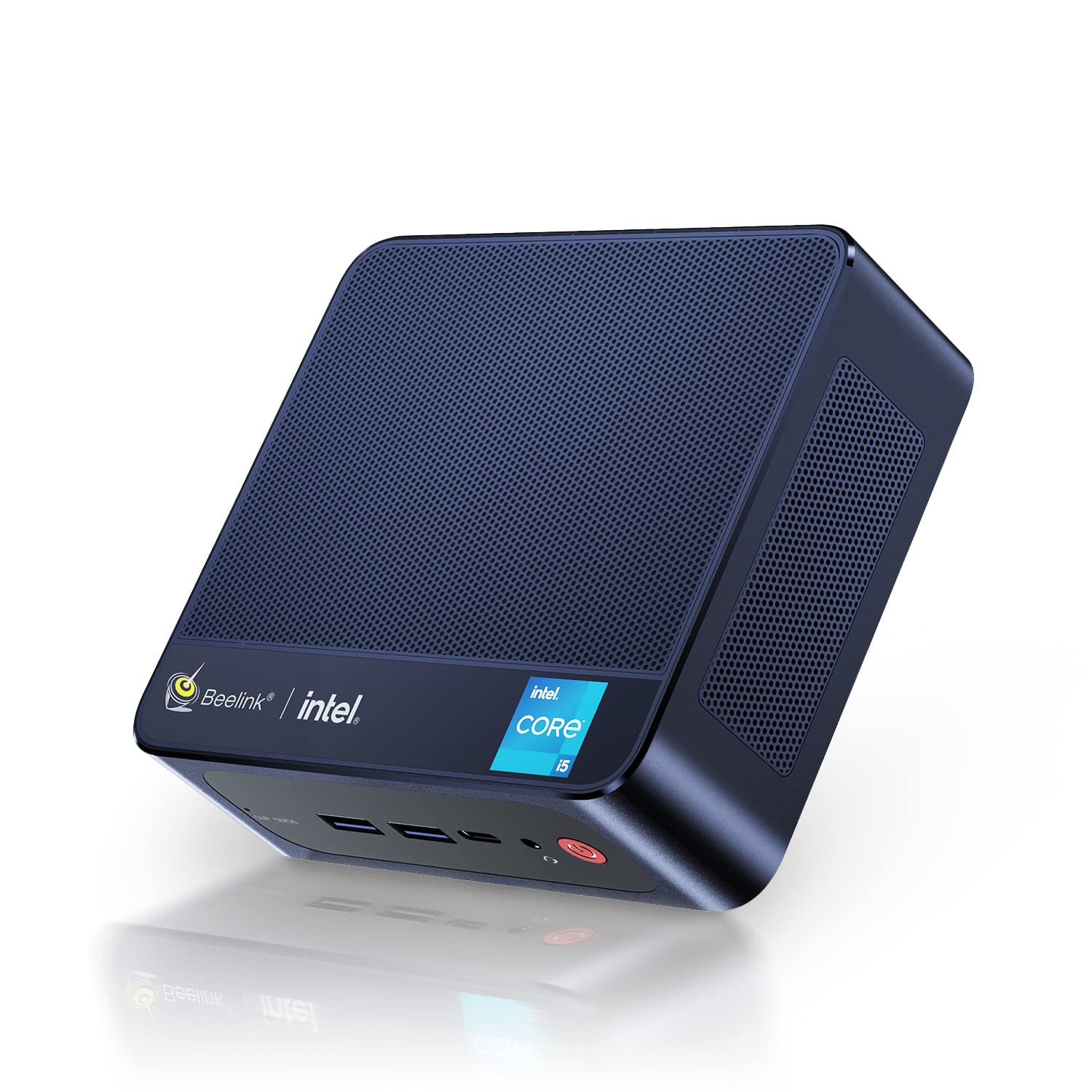
Figure 1: Beelink SEI10 Mini PC
The Beelink SEI10 is a compact and powerful mini PC designed for various computing tasks, from home entertainment to office productivity. It features an Intel Core i5-1035G4 processor, 16GB DDR4 RAM, and a 500GB SSD, offering efficient performance in a small form factor.
2. Kandungan Pakej
Sahkan bahawa semua item terdapat dalam pakej:
- 1 × Beelink SEI10 Mini PC
- 2 × HDMI Cables (25cm and 100cm)
- 1 × Penyesuai Kuasa
- 1 × Pendakap Pelekap
- 1 × Manual Pengguna (dokumen ini)
3. Produk Lebihview dan Pelabuhan
The Beelink SEI10 Mini PC offers a range of connectivity options for various peripherals and displays.

Rajah 2: Depan view of the Beelink Mini PC, highlighting its support for WiFi 6 and Bluetooth 5.2 connectivity.
Pelabuhan dan Penyambung:
- 1 × DC Jack Port (for power input)
- 4 × Port USB 3.0
- 2 × RJ45 Ports (Gigabit LAN)
- 2 × HDMI Ports (supports dual 4K display output)
- 1 × Audio Jack Port (for headphones and microphone)
- 1 × Type-C Port (supports video output)
4. Persediaan
Follow these steps to set up your Beelink SEI10 Mini PC:
- Sambung ke Paparan: Use one of the provided HDMI cables to connect the Mini PC to your monitor or TV. If your display supports Type-C video input, you can use the Type-C port.
- Sambung Peranti: Plug in your USB keyboard and mouse into the USB 3.0 ports.
- Sambung ke Kuasa: Connect the power adapter to the DC Jack port on the Mini PC, then plug the adapter into a power outlet.
- Hidupkan kuasa: Press the power button located on the front of the Mini PC. The device will boot up, and you should see the operating system on your display.
- Konfigurasi Awal: Ikut arahan pada skrin untuk melengkapkan persediaan Windows 11 Pro, termasuk bahasa, wilayah, sambungan rangkaian dan penciptaan akaun pengguna.
5. Beroperasi
Hidupkan/Mati Kuasa:
- Untuk Menghidupkan: Tekan butang kuasa.
- Untuk Mematikan: Klik butang Mula dalam Windows, kemudian pilih Kuasa > Matikan.
- Untuk Mulakan Semula: Klik butang Mula dalam Windows, kemudian pilih Kuasa > Mulakan semula.
Kesambungan Rangkaian:
- Wi-Fi: The Mini PC supports Wi-Fi 6 (802.11ax). To connect, click the Wi-Fi icon in the taskbar, select your network, enter the password, and click Connect.
- Ethernet: For a wired connection, connect an Ethernet cable from your router to one of the RJ45 ports on the Mini PC.
- Bluetooth: The Mini PC supports Bluetooth 5.0. To pair devices, go to Windows Settings > Bluetooth & devices, and follow the instructions to add a new device.
Persediaan Berbilang Paparan:
The Beelink SEI10 supports dual 4K display output via its two HDMI ports and an additional display via the Type-C port, allowing for a triple display setup. Connect your monitors to the available ports, and Windows will automatically detect them. You can configure display settings (extend, duplicate, etc.) in Windows Settings > System > Display.
6. Storan dan Pengembangan Memori
The Mini PC comes with 16GB DDR4 RAM and a 500GB M.2 NVMe SSD. You can expand the storage and memory as follows:
- Memori (RAM): The system supports configurable memory up to 16GB with a single card and 32GB with dual cards.
- M.2 NVMe SSD: The M.2 2280 NVMe SSD can be upgraded to up to 2TB.
- Pemacu SATA 2.5 inci: An additional 2.5-inch SATA drive (HDD/SSD) can be installed for further storage expansion.

Gambar 3: Dalaman view of the Beelink Mini PC's cooling system, showing the fan, heatsink, and hard drive cooler, along with a table of noise levels.
7. Penyelenggaraan
Pembersihan:
- Bersihkan bahagian luar Mini PC dengan kerap menggunakan kain lembut dan kering.
- Use compressed air to clear dust from ventilation openings to ensure proper airflow and cooling.
- Do not use liquid cleaners or solvents directly on the device.
Kemas Kini Perisian:
Pastikan sistem pengendalian dan pemacu Windows anda dikemas kini untuk memastikan prestasi dan keselamatan yang optimum. Kemas Kini Windows boleh diakses melalui Tetapan > Kemas Kini & Keselamatan > Kemas Kini Windows.
Pengurusan Haba:
The Beelink SEI10 is equipped with an efficient cooling system, including a quiet fan and dual heat pipes. Ensure the Mini PC is placed in a well-ventilated area and that its vents are not obstructed to prevent overheating.
8. Penyelesaian masalah
Tiada Kuasa:
- Pastikan penyesuai kuasa disambungkan dengan selamat ke PC Mini dan salur keluar kuasa yang berfungsi.
- Sahkan alur keluar kuasa berfungsi dengan memasang peranti lain.
Tiada Paparan:
- Check that the HDMI or Type-C cable is securely connected to both the Mini PC and the monitor.
- Pastikan monitor dihidupkan dan ditetapkan kepada sumber input yang betul.
- Cuba port atau kabel HDMI yang lain jika ada.
Isu Ketersambungan Rangkaian:
- For Wi-Fi, ensure your router is working and the Wi-Fi password is correct.
- For Ethernet, check the cable connection and ensure your router's LAN port is active.
- Mulakan semula penghala dan Mini PC anda.
Prestasi Perlahan:
- Tutup aplikasi yang tidak perlu berjalan di latar belakang.
- Ensure the system has sufficient free storage space.
- Semak dan pasang sebarang kemas kini Windows yang belum selesai.
- Ensure proper ventilation to prevent thermal throttling.
9. Spesifikasi
The following table details the technical specifications of the Beelink SEI10 Mini PC:
| Ciri | Spesifikasi |
|---|---|
| Jenama | Beelink |
| Nama Model | SEI10 |
| Sistem Operasi | Windows 11 Pro (Windows 10 Pro also possible, upgradeable) |
| Model CPU | Intel Core i5-1035G4 (10th Gen) |
| CPU Base Frequency | 1.1 GHz |
| CPU Max Turbo Frequency | 3.70 GHz (4 Cores / 8 Threads) |
| Cache Pintar | 6 MB |
| Grafik | Intel Iris Plus Graphics (Integrated) |
| RAM | 16GB DDR4 (3200 MHz) |
| Kapasiti RAM Maks | 32GB (via dual slots) |
| Penyimpanan | 500GB M.2 2280 NVMe SSD |
| Peluasan Storan | Up to 2TB M.2 NVMe SSD, 2.5-inch SATA HDD/SSD slot |
| Ethernet | 1000Mbps LAN (2x RJ45 ports) |
| Wi-Fi | Wi-Fi 6 (802.11ax) |
| Bluetooth | Bluetooth 5.0 |
| Output Video | 2x HDMI (4K support), 1x Type-C (video output) |
| Port USB | 4x USB 3.0 |
| Port Audio | 1x Audio Jack (HP & Mic) |
| Nisbah Aspek | 16:9 |
| Resolusi | 3840 x 2160 (4K) |
| Tahun Pembuatan | 2022 |
| UPC | 810056048167 |
Note: Some images in this manual may depict features or specifications of similar Beelink models or general Intel processor capabilities. The specifications listed above are specific to the Beelink SEI10 model with the Intel Core i5-1035G4 processor.

Figure 4: An illustration detailing processor specifications, showing an Intel Core i5-11320H processor. Note: This specific model (SEI10) features an Intel Core i5-1035G4 processor.

Figure 5: A table comparing power consumption and performance metrics between different Intel Core i5 processors.

Figure 6: Performance comparison chart for different Intel Core i5 processors, illustrating benchmark scores.
10. Waranti dan Sokongan
Beelink provides lifetime technical support for the SEI10 Mini PC. If you encounter any issues or require assistance, please contact our support team. We offer 7-day/24-hour service to address your concerns.
All Beelink products, including this Mini PC, are certified by FCC, CE, and RoHS, ensuring compliance with quality and safety standards.
If your device was shipped with Windows 10 Pro, you can contact us for a free upgrade to Windows 11 Pro.


