
Pro-Ject PJ292792
Pro-Ject Debut PRO S Turntable User Manual
Model: PJ292792
pengenalan
This manual provides essential information for the proper setup, operation, and maintenance of your Pro-Ject Debut PRO S Turntable. Please read these instructions carefully before using your turntable to ensure optimal performance and longevity of the product.
Kandungan Pakej
Before proceeding with setup, verify that all components are present in the packaging:
- Pro-Ject Debut PRO S Turntable Unit
- Pick it S2 C integrated cartridge/headshell
- 10" Aluminum S-Shaped Tonearm (pre-installed)
- Precision aluminum platter with TPE damping
- TPE-Damped Die-Cast Aluminum Record Platter
- Penutup habuk
- Kabel fonon separa simetri premium
- Bekalan kuasa
- Kaunter berat badan
- Berat anti-skate
- Setup tools (e.g., alignment protractor, stylus force gauge)
Persediaan
Proper setup is crucial for the performance of your turntable. Follow these steps carefully.
1. Membongkar dan Meletakkan
Carefully remove all components from the packaging. Place the turntable on a stable, level surface, away from direct sunlight, heat sources, and vibrations. Ensure adequate ventilation around the unit.

Image: The Pro-Ject Debut PRO S Turntable, showcasing its sleek satin black finish and the S-shaped tonearm. This view highlights the overall design and footprint of the unit, important for placement considerations.
The turntable features height-adjustable TPE-damped metal feet. Adjust these feet to ensure the turntable chassis is perfectly level. This minimizes resonance and improves playback stability.

Imej: Bersudut view from below the turntable, illustrating the motor suspension system and the adjustable TPE-damped metal feet. Proper adjustment of these feet is essential for leveling the turntable and isolating it from vibrations.
2. Pemasangan Pinggan dan Tali Pinggang
Carefully place the TPE-damped die-cast aluminum record platter onto the spindle. Locate the drive belt and loop it around the motor pulley and the sub-platter rim. Ensure the belt is not twisted.

Image: A schematic diagram illustrating the turntable's platter and belt drive mechanism. This visual aid helps in correctly installing the drive belt around the motor pulley and the sub-platter.
3. Tonearm and Cartridge Setup
The Debut PRO S comes with a 10" S-shaped aluminum tonearm and a Pick it S2 C integrated cartridge/headshell pre-installed. You will need to balance the tonearm and set the tracking force.
- Seimbangkan Tonearm: Gently release the tonearm clamp. While supporting the tonearm, rotate the counterweight until the tonearm floats freely and horizontally.
- Tetapkan Pasukan Penjejakan: Once balanced, rotate the tracking force scale ring on the counterweight to '0' without moving the counterweight itself. Then, rotate the entire counterweight counter-clockwise until the desired tracking force (typically specified by the cartridge manufacturer, usually around 1.8g for the Pick it S2 C) is indicated on the scale.
- Tetapkan Anti-Luncur: Attach the anti-skate weight to the small fishing line and loop it over the anti-skate post. The recommended setting for the Pick it S2 C cartridge is typically the second groove from the tonearm pivot.
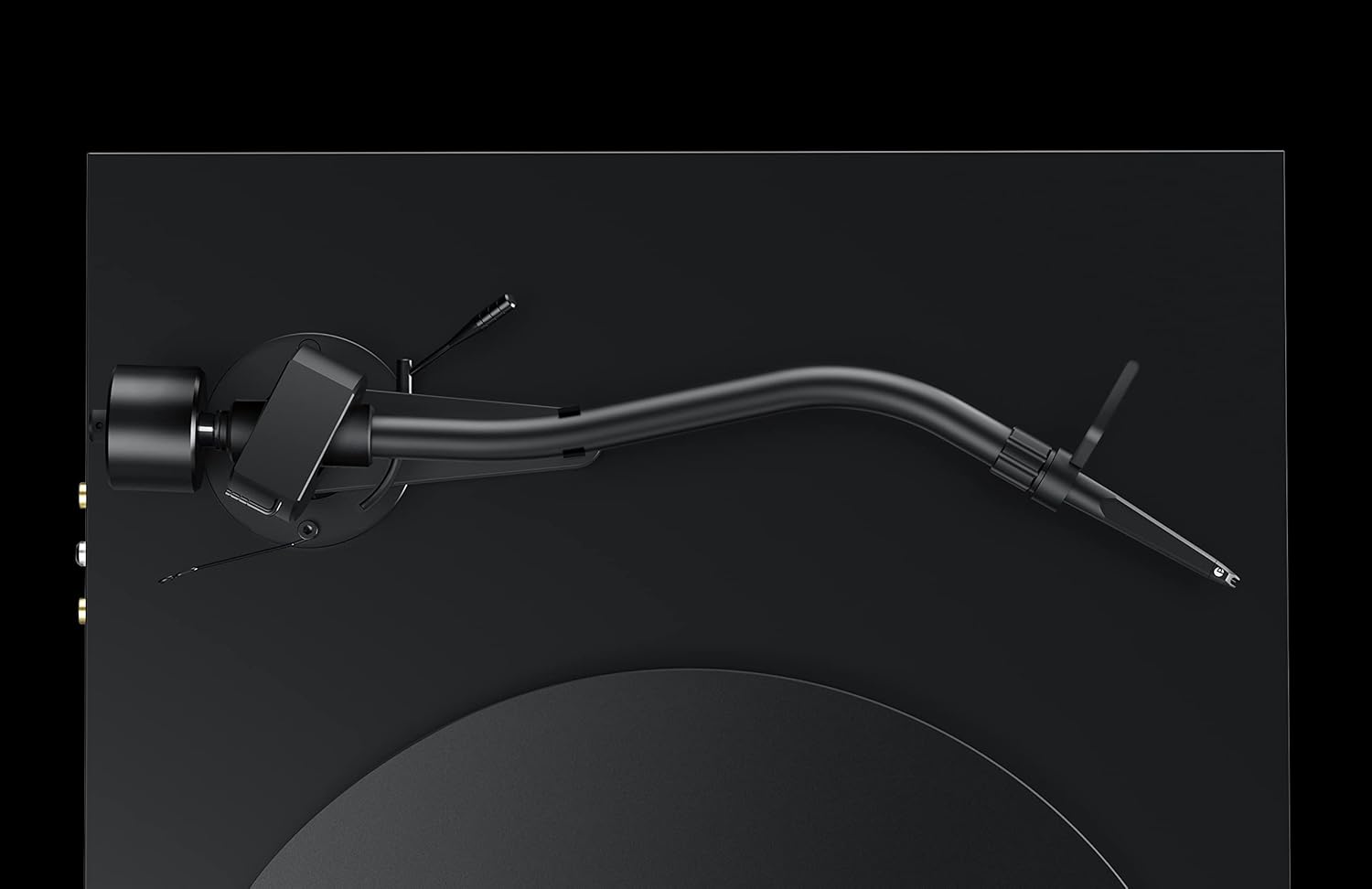
Imej: A terperinci view of the S-shaped tonearm, highlighting the counterweight and anti-skate mechanism. This image is crucial for understanding the physical components involved in balancing the tonearm and setting the tracking force.
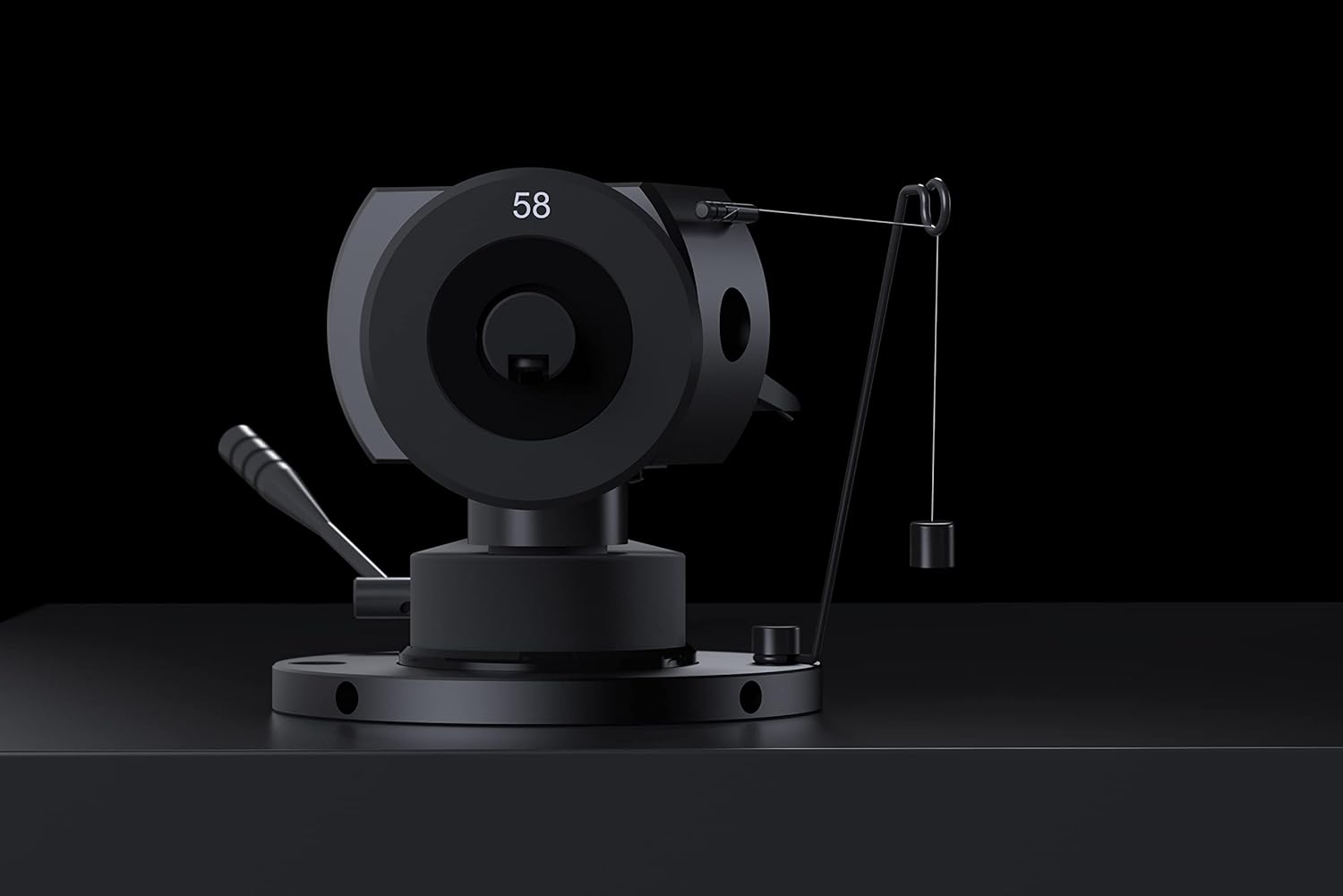
Image: A close-up of the tonearm's pivot area, clearly showing the anti-skate weight and its attachment point. This detail assists users in correctly setting the anti-skate force.
The tonearm also supports VTA (Vertical Tracking Angle) and Azimuth adjustment for fine-tuning cartridge performance. Refer to advanced setup guides if you wish to adjust these parameters.
4. Sambungan
Connect the premium semi-symmetrical phono cable from the turntable's RCA outputs to the phono input of your ampliifier atau phono praamplifier. Ensure the ground wire is connected to the ground terminal on your amplifier to prevent hum.
Connect the power supply to the turntable's power input and then to a suitable wall outlet.
Arahan Operasi
Once set up, operating your Pro-Ject Debut PRO S Turntable is straightforward.
1. Powering On and Speed Selection
Locate the power switch, typically on the underside or side of the plinth. Turn the turntable on. The Debut PRO S supports multiple speeds, including 33 1/3, 45, and 78 RPM. Adjust the speed according to the record you are playing. For 78 RPM records, a special stylus may be required.

Imej: Overhed view of the Pro-Ject Debut PRO S Turntable, providing a clear perspective of the platter, tonearm, and the overall layout. This angle is useful for understanding the operational components.
2. Memainkan Rekod
- Letakkan rekod di atas pinggan.
- Pastikan kelajuan main balik yang betul dipilih.
- Angkat lengan atas perlahan-lahan menggunakan tuil isyarat.
- Position the stylus over the lead-in groove of the record.
- Perlahan-lahan turunkan tuil isyarat untuk membolehkan stylus turun ke atas rekod.
- At the end of the record, lift the tonearm using the cueing lever and return it to the tonearm rest. Secure it with the tonearm clamp.
Penyelenggaraan
Penyelenggaraan tetap akan membantu mengekalkan prestasi dan penampilan meja putar anda.
- Cleaning the Chassis: The turntable features an 8-coat hand-painted satin black MDF chassis. Use a soft, dry, lint-free cloth to gently wipe the surface. Avoid abrasive cleaners or solvents.
- Membersihkan Stylus: Use a dedicated stylus cleaning brush or fluid to carefully clean the stylus before or after each play. Always brush from back to front.
- Dustcover Care: The included dustcover protects the turntable from dust. Clean it with a soft, damp kain. Jangan gunakan bahan kimia yang keras.
- Pemeriksaan Tali Pinggang: Periodically inspect the drive belt for wear or stretching. Replace if necessary to maintain accurate playback speed.
Menyelesaikan masalah
Jika anda menghadapi masalah dengan meja putar anda, rujuk kepada masalah dan penyelesaian biasa berikut.
| Masalah | Kemungkinan Punca | Penyelesaian |
|---|---|---|
| Tiada bunyi atau bunyi yang sangat rendah |
|
|
| Bunyi bising |
|
|
| Melangkau atau bunyi herot |
|
|
| Kelajuan main balik yang salah |
|
|
Spesifikasi
| Ciri | Perincian |
|---|---|
| Nama Model | Debut PRO S |
| Nombor Model Item | PJ292792 |
| Jenama | Pro-Ject |
| Dimensi Produk (L x W x H) | 13.39 x 18.11 x 5.51 inci |
| Berat Barang | 15.4 paun (7 Kilogram) |
| Tonearm Style | S Shape Tonearm, 10" Aluminum |
| Kartrij | Pick it S2 C integrated cartridge/headshell |
| Platter | Precision aluminum platter with TPE damping, TPE-Damped Die-Cast Aluminum Record Platter |
| Bahan Casis | Engineered Wood (MDF) with 8-coat hand-painted satin black finish |
| Jenis Motor | AC Motor with motor suspension |
| Ciri Khas | VTA & Azimuth Adjustment, 78 RPM Support, Height-adjustable TPE-damped metal feet |
| warna | Hitam |
| Peranti Serasi | Laptop, Desktop, Personal Computer, Headphone, Speaker (via appropriate amplifikasi) |
Waranti dan Sokongan
Maklumat Waranti: Specific warranty terms and conditions for the Pro-Ject Debut PRO S Turntable are typically provided with the product packaging or can be found on the official Pro-Ject Audio Systems webtapak. Sila simpan bukti pembelian anda untuk tuntutan waranti.
Sokongan Pelanggan: For technical assistance, troubleshooting beyond this manual, or service inquiries, please contact Pro-Ject Audio Systems customer support or your authorized dealer. Contact information can usually be found on the manufacturer's webtapak atau dalam dokumentasi produk.
Ask a question about this manual
Ask about setup, troubleshooting, compatibility, parts, safety, or missing instructions. Manuals+ will review the question and use this page’s manual context to help answer it.