
pengenalan
Welcome to the world of Transformers robots. This manual provides essential information for the setup, operation, and care of your Transformers Legacy Evolution Deluxe Class Insecticon Bombshell action figure. This figure allows for transformation between robot and insect modes, offering dynamic play and display options. Please read these instructions carefully to ensure proper use and enjoyment of your toy.
Maklumat Keselamatan
AMARAN: Bahagian kecil mungkin dihasilkan. Bukan untuk kanak-kanak di bawah 3 tahun.
Recommended age for this product is 8 years and up.
Apa yang ada dalam Kotak
- 1 x Transformers Legacy Evolution Deluxe Class Insecticon Bombshell Figure
Persediaan
Upon unboxing, carefully remove the figure from its packaging. The figure comes pre-assembled in robot mode. Familiarize yourself with the figure's joints and articulation points before attempting transformation.

Image: The Transformers Legacy Evolution Deluxe Class Insecticon Bombshell figure shown in its retail packaging. The packaging displays the character in both robot and insect modes, highlighting its transforming capabilities and age recommendation of 8+.

Image: The back of the Transformers Legacy Evolution Deluxe Class Insecticon Bombshell packaging. It features an illustration of the figure in robot mode and its insect mode, along with a step-by-step transformation guide indicating 13 steps. Safety warnings in multiple languages are also visible.
Arahan Pengendalian: Transformasi
The Transformers Legacy Evolution Deluxe Class Insecticon Bombshell figure can transform between two distinct modes: Robot Mode and Insect Mode. Follow the steps below for a smooth transformation.
Transformation from Robot Mode to Insect Mode (13 Steps)
- Begin with the figure in robot mode.
- Fold the robot's hands into the forearms.
- Rotate the waist 180 degrees.
- Collapse the legs by folding the lower leg sections upwards.
- Fold the robot's head down into the chest cavity.
- Rotate the shoulder sections to align with the insect mode's body.
- Bring the arms forward and connect them to the leg sections, forming the front of the insect mode.
- Adjust the insect legs from the robot's back and arms to position them correctly for the insect mode.
- Ensure all panels are securely tabbed into place to form a compact insect mode.

Image: The Transformers Legacy Evolution Deluxe Class Insecticon Bombshell figure displayed in its robot mode, standing next to its packaging. The figure is predominantly purple, black, and silver, with yellow accents on the chest.
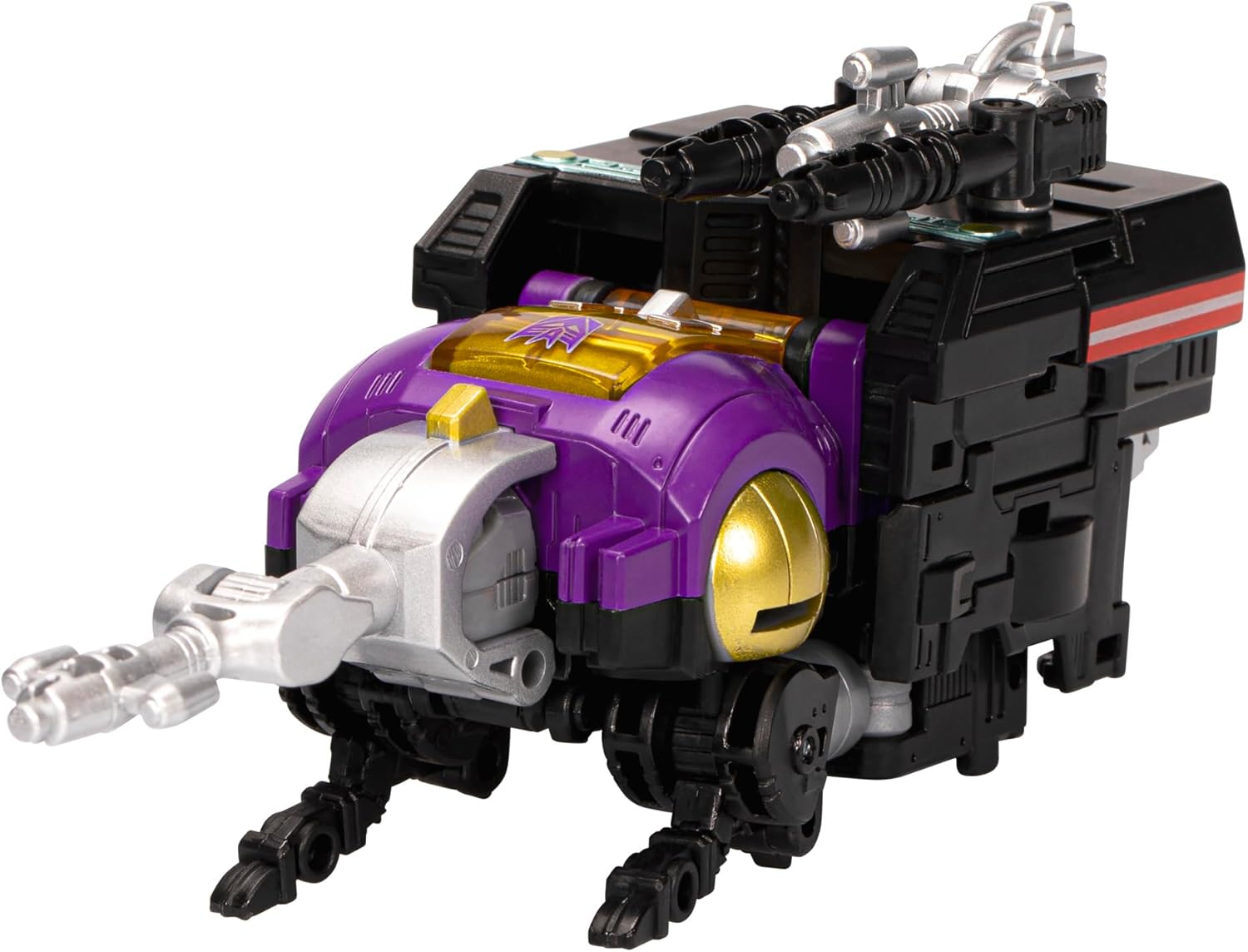
Image: The Transformers Legacy Evolution Deluxe Class Insecticon Bombshell figure transformed into its insect mode. The figure resembles a rhinoceros beetle, with its primary colors of purple, black, and silver, and yellow details.
Official Transformation Guide Video
Video: Semula terperinciview and transformation guide for the Transformers Legacy Evolution Bombshell figure. The video demonstrates the figure's robot and insect modes, highlighting its articulation, accessories, and the step-by-step process of converting between modes. This video is provided by a seller and is genuinely useful for understanding the product's functionality.
Penyelenggaraan
To keep your Transformers Bombshell figure in optimal condition:
- Pembersihan: Use a soft, dry cloth to wipe away dust. Avoid harsh chemicals or abrasive materials.
- Storan: Store the figure away from direct sunlight and extreme temperatures to prevent discoloration or material degradation.
- Penjagaan Bersama: If joints become loose, a small amount of clear nail polish or a specialized joint tightener can be applied to the peg and allowed to dry. If joints are too tight, gently work them back and forth.
Menyelesaikan masalah
If you encounter any issues with your figure, please refer to the following common solutions:
- Difficulty Transforming: Ensure all previous steps are completed correctly. Do not force parts; if a joint is stiff, gently wiggle it to loosen. Refer to the included instructions or the video guide for visual assistance.
- Bahagian longgar: Check if any parts are designed to be detachable (e.g., accessories). If a permanent part is loose, refer to the 'Joint Care' section under Maintenance.
- Aksesori Tiada: Verify the 'What's in the Box' section. If an item is missing upon purchase, contact your retailer or the manufacturer.
Spesifikasi
| Ciri | Perincian |
|---|---|
| Dimensi Produk | 2.5 x 5.5 x 8.63 inci |
| Berat Barang | 2.85 auns |
| Nombor Model Item | F7200 |
| Umur Disyorkan Pengilang | 8 tahun dan ke atas |
| Pengeluar | Hasbro |
Waranti dan Sokongan
Untuk maklumat waranti atau sokongan produk, sila rujuk butiran hubungan yang diberikan pada pembungkusan produk atau lawati Hasbro rasmi webtapak. Simpan bukti pembelian anda untuk sebarang tuntutan waranti.