
pengenalan
This manual provides essential information for setting up, operating, maintaining, and troubleshooting your Apple Watch Series 8 GPS 45mm. Designed for health monitoring, fitness tracking, and seamless connectivity, this smart watch integrates advanced technology to enhance your daily life. Please read this guide thoroughly to ensure proper use and to maximize your device's capabilities.

Image: The Apple Watch Series 8, featuring a Starlight Aluminum Case and a matching Starlight Sport Band. The always-on Retina display shows a classic watch face with additional information such as UV index, temperature, and activity rings.
Apa yang ada dalam Kotak
Upon unboxing your Apple Watch Series 8, verify that all the following components are present:
- Apple Watch Series 8 Case (45mm Starlight Aluminum)
- Starlight Sport Band (M/L size, fits 160–210mm wrists)
- 1m Magnetic Charging Cable (USB-C)

Image: A visual representation of the Apple Watch Series 8 packaging contents, showing the watch case, the sport band, and the USB-C magnetic fast charging cable.
Persediaan
1. Mengecas Apple Watch Anda
Before initial use, fully charge your Apple Watch. Connect the magnetic charging cable to the back of your watch and plug the USB-C end into a compatible power adapter (sold separately) or a USB-C port. The watch will display a charging indicator.
2. Attaching the Band
Slide the band pieces into the slots on the top and bottom of the Apple Watch case until you feel and hear a click. Ensure the band is securely fastened before wearing.
3. Berpasangan dengan iPhone
- Ensure your iPhone is running the latest iOS version and has Bluetooth and Wi-Fi enabled.
- Hidupkan Apple Watch anda dengan menekan dan menahan butang sisi sehingga logo Apple muncul.
- Bawa iPhone anda berhampiran Apple Watch anda. Skrin berpasangan akan muncul pada iPhone anda. Ketik 'Teruskan'.
- Letakkan iPhone anda supaya Apple Watch anda muncul dalam viewpencari aplikasi Apple Watch.
- Follow the on-screen instructions on both devices to complete the pairing process, including setting up a passcode and choosing your preferred settings.
Mengendalikan Apple Watch Anda
Navigasi dan Kawalan
- Mahkota Digital: Rotate to scroll, zoom, or adjust values. Press once to go to the watch face or app launcher. Double-press to switch between recently used apps. Press and hold to activate Siri.
- Butang Sisi: Press once to open the Dock (recently used apps). Press and hold to access Emergency SOS, Medical ID, and power options. Double-press for Apple Pay.
- Paparan Sentuh: Ketik untuk memilih, leret untuk menavigasi, paksa sentuh untuk pilihan tambahan (pada aplikasi yang disokong).
Ciri-ciri Kesihatan
- Apl Oksigen Darah: Ukur tahap oksigen darah anda apabila diperlukan.
- Apl ECG: Generate an electrocardiogram similar to a single-lead ECG.
- Penderiaan Suhu: Menyediakan anggaran ovulasi retrospektif dan ciri pengesanan kitaran lanjutan.
- Penjejakan Tidur: Pantau tidur anda stages (REM, Core, Deep) and overall sleep patterns.
- Pemantauan Denyut Jantung: Track your heart rate throughout the day and receive notifications for high, low, or irregular rhythms.
Ciri Keselamatan
- Pengesanan Ranap: Automatically detects severe car crashes and connects you with emergency services.
- Pengesanan Kejatuhan: Mengesan jatuh dengan kuat dan boleh memulakan panggilan kecemasan jika anda tidak bertindak balas.
- SOS Kecemasan: Press and hold the side button to quickly call emergency services and notify your emergency contacts.
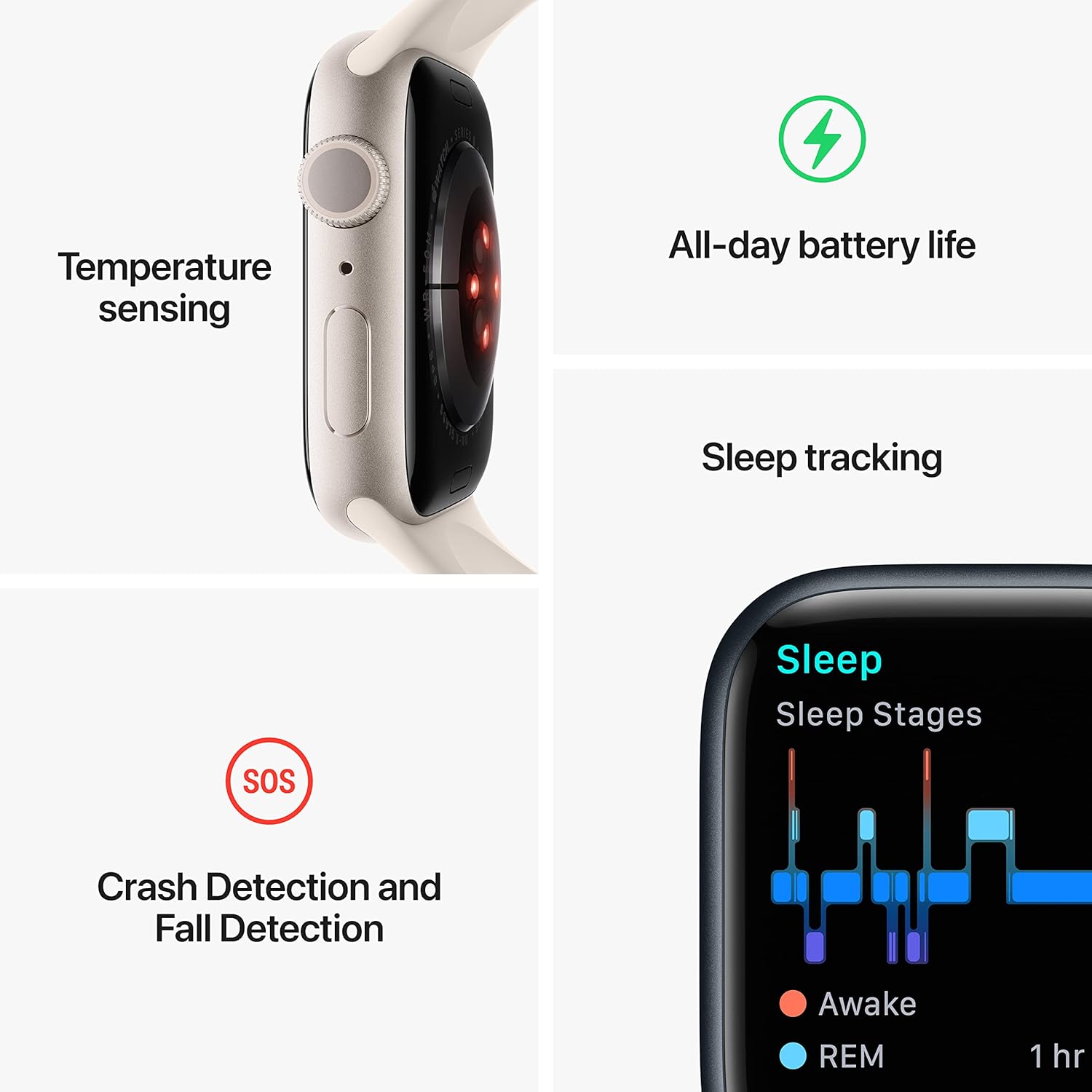
Image: A graphic illustrating key features of the Apple Watch Series 8: temperature sensing, all-day battery life, sleep tracking with sleep stages, and crash detection with fall detection.
Penjejakan Kecergasan
- Aplikasi Senaman: Track various workouts with advanced metrics.
- Deringan Aktiviti: Monitor your daily Move, Exercise, and Stand goals.
- GPS: Built-in GPS for accurate tracking of outdoor activities without your iPhone.
Ketersambungan dan Komunikasi
- Panggilan dan SMS: Make and receive calls and send messages directly from your wrist when connected to your iPhone or Wi-Fi.
- Siri: Gunakan arahan suara untuk pelbagai tugas.
- Apple Pay: Make secure payments with a double-press of the side button.
- App Store: Access and download thousands of apps directly on your watch.
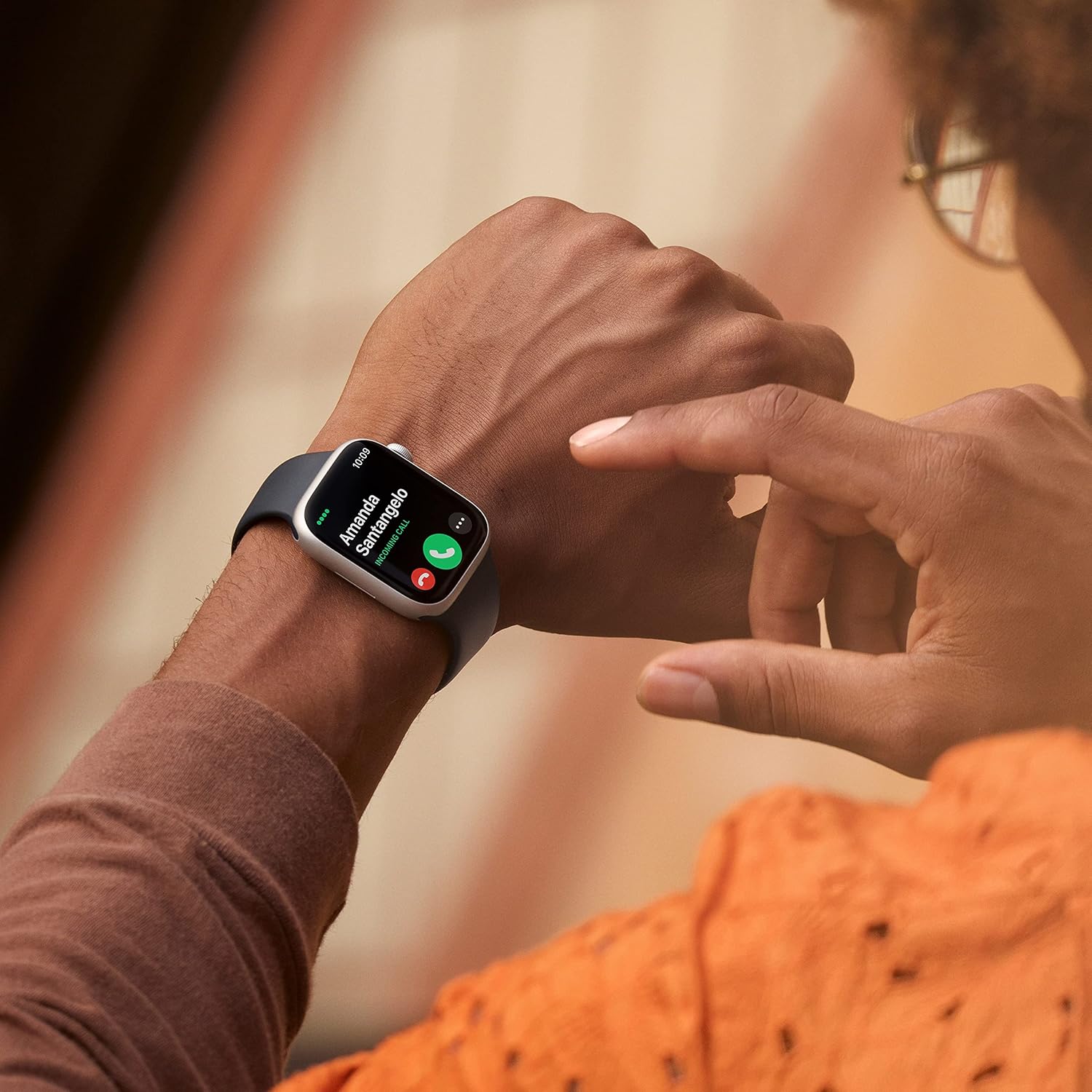
Image: A close-up of a person's wrist wearing an Apple Watch Series 8, displaying an incoming call from 'Amanda Santangelo' with options to accept or decline.
Penyelenggaraan
Membersihkan Apple Watch Anda
Regularly clean your Apple Watch to maintain its appearance and functionality. Use a soft, lint-free cloth. If necessary, lightly dampen the cloth with fresh water. Avoid using soaps, cleaning products, abrasive materials, or compressed air. Ensure the watch is dry before charging or wearing.
Penjagaan Band
Clean your sport band with a non-abrasive, lint-free cloth. For deeper cleaning, you can use a mild, hypoallergenic hand soap and rinse thoroughly with fresh water. Allow the band to air dry completely before reattaching it to your watch.
Kemas Kini Perisian
Keep your Apple Watch software updated to the latest version of watchOS for optimal performance, new features, and security enhancements. Updates can be managed through the Apple Watch app on your iPhone.
Menyelesaikan masalah
Watch Not Turning On or Responding
- Cas Jam Tangan: Pastikan jam tangan dicas. Sambungkannya ke kabel pengecas magnet dan sumber kuasa selama sekurang-kurangnya 30 minit.
- Paksa Mulakan Semula: Press and hold both the side button and the Digital Crown for at least 10 seconds, until you see the Apple logo.
Isu Berpasangan
- Check iPhone Settings: Pastikan Bluetooth dan Wi-Fi didayakan pada iPhone anda.
- Mulakan semula Peranti: Mulakan semula iPhone dan Apple Watch anda.
- Reset Apple Watch: If pairing fails repeatedly, you may need to erase your Apple Watch and try pairing again. (Go to Settings > General > Reset > Erase All Content and Settings on the watch).
Bateri Cepat Habis
- Semak Penggunaan Bateri: In the Apple Watch app on your iPhone, go to My Watch > Battery to see which apps are consuming the most power.
- Laraskan Tetapan: Reduce screen brightness, turn off Always-On Display if not needed, limit background app refresh, and disable unnecessary notifications.
- Kemas Kini Perisian: Ensure your watchOS is up to date.
Spesifikasi
| Nombor Model | MNUQ3LL/A |
| Jenama | epal |
| Saiz Skrin | 45 Milimeter |
| bentuk | Segi empat |
| GPS | GPS terbina dalam |
| Jenis Bateri | Litium Ion |
| Standard Komunikasi Tanpa Wayar | 802.11n |
| Teknologi Ketersambungan | USB |
| Ciri Khas | Penjejak Aktiviti, Monitor Kadar Jantung, Monitor Tidur, Oksigen Darah |
| Kapasiti Penyimpanan Memori | 32 GB |
| Sistem Operasi | WatchOS |
| Dimensi Produk | 1.73 x 0.42 x 1.5 inci |
| Berat Barang | 1.28 auns |
Waranti dan Sokongan
Your Apple Watch Series 8 is covered by Apple's standard limited warranty. For detailed warranty information, please refer to the documentation included with your product or visit the official Apple support website. Apple also provides extensive online support resources, including user guides, troubleshooting articles, and community forums. For technical assistance, contact Apple Support directly.
Untuk maklumat dan sokongan terkini, sila layari: support.apple.com/watch