
1. Arahan Keselamatan Penting
Please read and save these safety instructions before using your WELOV H300 Cool Mist Humidifier. Failure to follow these instructions may result in electric shock, fire, or serious injury.
- Sentiasa letakkan pelembap udara pada permukaan yang keras, rata dan kalis air sekurang-kurangnya 12 inci (30 cm) dari dinding dan peralatan.
- Do not place the humidifier on carpet, near heat sources, or in direct sunlight.
- Ensure the power cord is not pinched or placed under heavy objects. Do not use with a damaged cord or plug.
- Cabut plag pelembap udara sebelum mengisi, membersihkan atau mengalihkannya.
- Jangan rendam unit asas ke dalam air atau cecair lain.
- Keep out of reach of children and pets. This appliance is not intended for use by persons with reduced physical, sensory, or mental capabilities unless supervised.
- Use only clean, cool tap water or distilled water. Do not add essential oils directly into the water tank as this may damage the unit.
- Do not block the mist outlet or air vents.
- If the humidifier emits an unusual smell or sound, discontinue use immediately and unplug it.
2. Produk Lebihview
The WELOV H300 is a cool mist ultrasonic humidifier designed to add moisture to the air, helping to alleviate symptoms caused by dry air. It features a large water tank, quiet operation, and multiple functions for user convenience.

Image: The WELOV H300 humidifier operating in a bedroom, demonstrating its compact design and mist output.
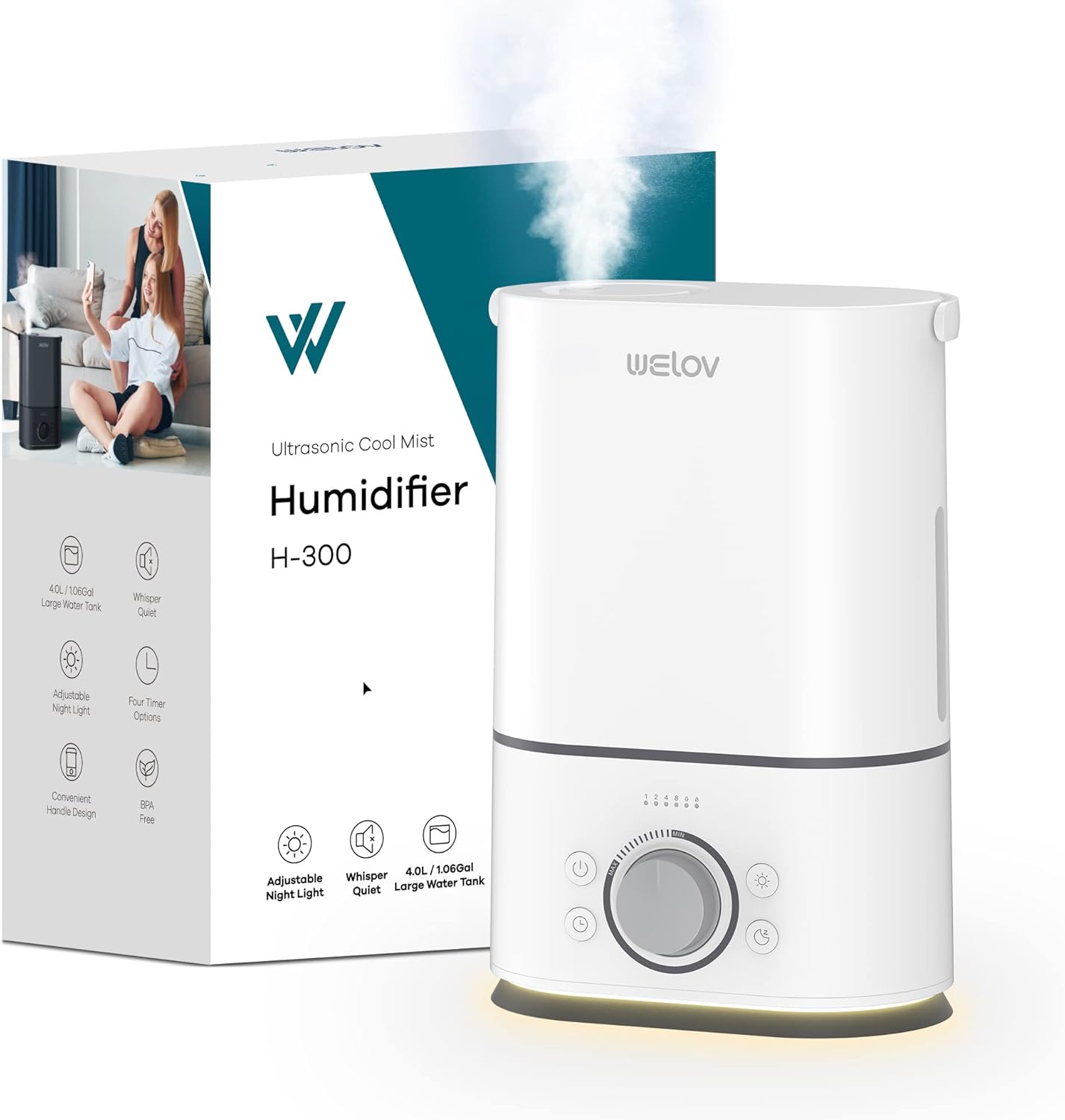
Image: The WELOV H300 humidifier shown alongside its retail packaging, highlighting its design and key features.
3. Komponen Produk
Familiarize yourself with the parts of your WELOV H300 humidifier:
- Tangki Air: Holds up to 4 liters (1.06 gallons) of water. Features a portable handle for easy carrying.
- Unit Asas: Contains the ultrasonic atomizer, fan, and control panel.
- Muncung Kabus: 360° rotatable for directing mist.
- Tombol kawalan: Adjusts mist output level.
- Butang Kuasa: Menghidupkan / mematikan unit.
- Butang Pemasa: Sets operation duration.
- Butang Lampu Malam: Activates/deactivates the night light.
- Visible Water Level Window: Allows monitoring of water level.
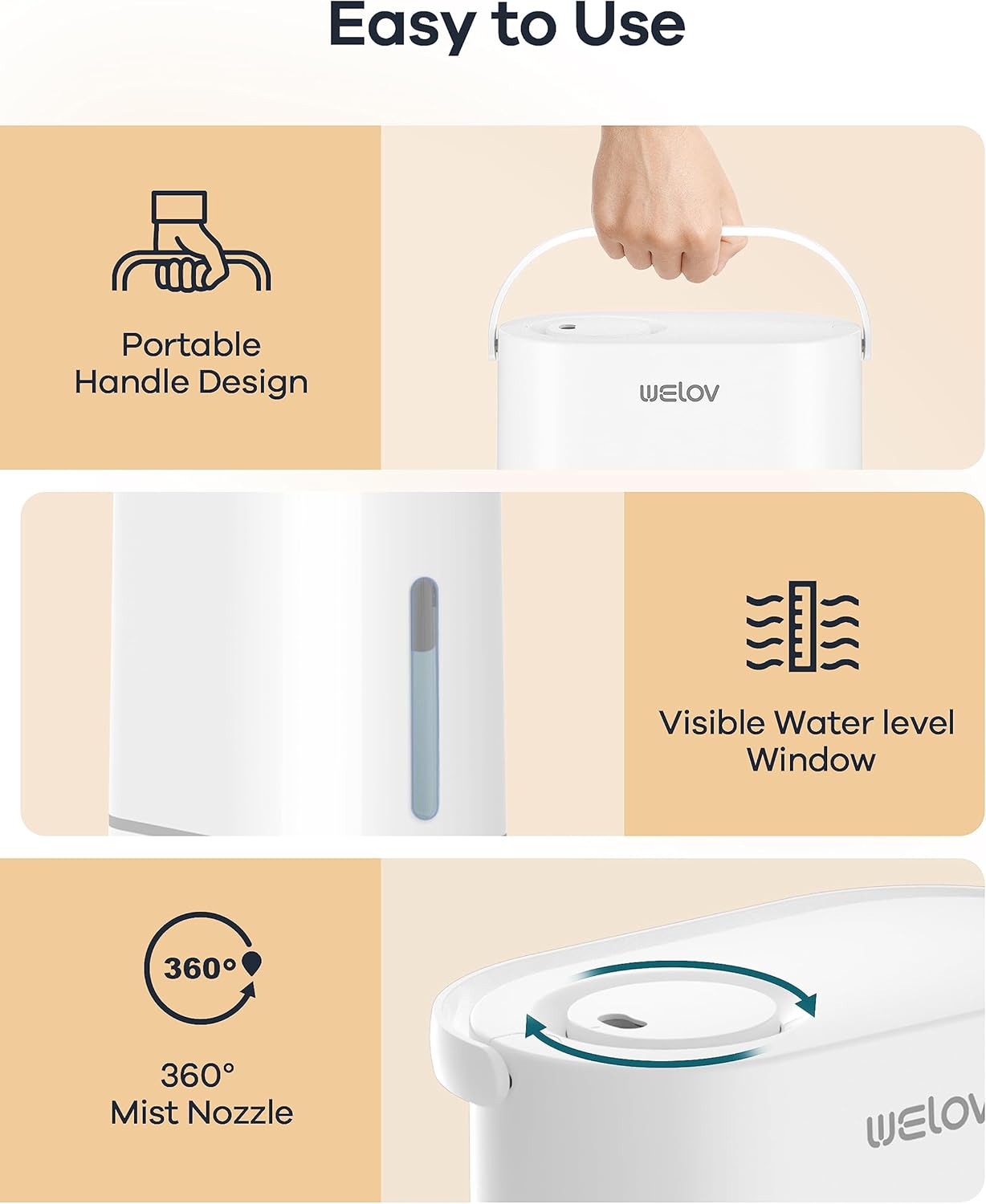
Image: Key features of the WELOV H300 humidifier, including its portable handle, visible water level window, and 360° mist nozzle.
4. Setup and Filling
Follow these steps for initial setup and refilling:
- Bongkar: Remove all packaging materials and place the humidifier on a flat, stable surface.
- Keluarkan Tangki Air: Gently lift the water tank from the base unit using the portable handle.
- Isi Tangki Air: Invert the water tank and unscrew the tank cap. Fill the tank with clean, cool tap water or distilled water. Distilled water is recommended to minimize mineral buildup. Do not fill past the MAX line.
- Penutup Selamat: Skrukan penutup tangki kembali dengan ketat.
- Letakkan Tangki di Pangkalan: Carefully place the filled water tank back onto the base unit, ensuring it is seated correctly.
- Sambungkan Kuasa: Palamkan kord kuasa ke soket elektrik standard.

Image: The large capacity water tank of the WELOV H300 humidifier, illustrating its ability to provide mist for up to 50 hours.
5. Operasi
Operating your WELOV H300 humidifier is straightforward:
- Hidupkan/Mati Kuasa: Press the Power button (⑂) to turn the humidifier on or off. The indicator light will illuminate when on.
- Laraskan Tahap Kabus: Rotate the control knob clockwise to increase mist output and counter-clockwise to decrease it.
- Fungsi Lampu Malam: Press the Night Light button (☼) to turn the gentle warm night light on or off.
- Tetapan Pemasa: Press the Timer button (⏱) repeatedly to set the operating time to 1, 2, 4, or 8 hours. The humidifier will automatically shut off after the selected time.
- Mod tidur: To activate sleep mode, press and hold the Night Light button (☼) for 3 seconds. In sleep mode, all indicator lights will turn off, and the humidifier will operate at a low mist level for quiet operation. Press any button to exit sleep mode.
- Pemadaman Automatik: The humidifier will automatically shut off when the water level is low or the water tank is removed from the base. This safety feature prevents damage to the unit.

Image: The WELOV H300 humidifier operating quietly near a sleeping baby, demonstrating its ultra-quiet function and adjustable night light.
6. Penyelenggaraan dan Pembersihan
Pembersihan berkala adalah penting untuk prestasi dan kebersihan yang optimum. Sentiasa cabut plag pelembap udara sebelum membersihkan.
Pembersihan Tangki Air:
- Clean the water tank once every 2 to 3 weeks.
- Unplug the humidifier and empty any remaining water from the tank.
- Clean the inside of the tank with mild dish soap and warm water. Rinse thoroughly to remove all soap residue.
Pembersihan Unit Pangkalan:
- Clean the base unit once a week.
- Unplug the unit and carefully tilt the humidifier to the left to empty any water out of the side.
- Use mild dish soap and warm water to clean the base. Be careful not to get water into the atomizer, floater, fan exhaust, or motor.
- A cotton swab or damp washcloth is recommended for cleaning hard-to-reach areas.
- For mineral buildup, use a descaling solution (e.g., white vinegar) diluted with water. Let it soak for 15-20 minutes, then gently scrub and rinse.
Ensure all parts are completely dry before reassembling and storing the humidifier.
7. Penyelesaian masalah
Jika anda menghadapi masalah dengan pelembap udara anda, rujuk masalah dan penyelesaian biasa berikut:
| Masalah | Kemungkinan Punca | Penyelesaian |
|---|---|---|
| Tiada kabus atau output kabus yang rendah | Low water level; Unit not plugged in; Mineral buildup on atomizer; Mist nozzle blocked. | Refill water tank; Ensure power is connected; Clean atomizer with a brush or descaling solution; Check for obstructions in the mist nozzle. |
| Bau yang luar biasa | Stagnant water; Dirty water tank or base. | Empty and clean the water tank and base thoroughly. Use fresh water daily. |
| Kebocoran air | Water tank cap not tightened; Water tank not seated correctly; Unit placed on an uneven surface. | Ensure tank cap is securely tightened; Re-seat the water tank properly; Place the humidifier on a flat, stable surface. |
| Unit tidak dihidupkan | No power; Water tank empty or removed. | Check power connection; Ensure water tank is filled and correctly placed on the base. |
8. Spesifikasi
Detailed specifications for the WELOV H300 Cool Mist Humidifier:
- Nombor Model: WE33001-W-STD-US
- kapasiti: 4 Liter (1.06 Gelen)
- Dimensi Produk: 26D x 16.5L x 24T Sentimeter (10.2D x 6.5L x 9.4T inci)
- Berat Barang: 1.85 kg (4.08 lbs)
- Bahan: plastik
- Tahap Bunyi: 22 Decibels (Quiet Sleep Mode)
- Masa jalan: Up to 50 hours (at lowest mist setting)
- Keluaran Kabus: Up to 300ml/h
- Kawasan Liputan: 20-40 square meters (215-430 sq ft)
- Ciri Khas: Auto Shut-Off, Night Light, Portable Handle, Timer (1h/2h/4h/8h), 360° Rotating Nozzle

Imej: Dimensi view of the WELOV H300 humidifier, showing its height, width, and depth measurements.
9. Waranti dan Sokongan Pelanggan
For warranty information or if you experience any issues not covered in this manual, please contact WELOV customer support. Refer to your purchase documentation for specific warranty terms and contact details.
You can typically find support contact information on the WELOV official webtapak atau melalui peruncit tempat anda membeli produk tersebut.