
1. Produk Lebihview
The VANTRUE E2 Dual Dash Cam is designed to provide comprehensive front and rear vehicle recording with advanced features for enhanced safety and convenience. This manual provides instructions for proper installation, operation, and maintenance of your device.

Figure 1: VANTRUE E2 Dual Dash Cam Main Unit
2. Kandungan Pakej
Sahkan bahawa semua item yang disenaraikan di bawah disertakan dalam pakej anda. Jika ada item yang hilang atau rosak, sila hubungi sokongan pelanggan.

Rajah 2: Komponen Termasuk
- VANTRUE E2 Main Dash Cam Unit
- Kamera Belakang
- Magnetic GPS Mount
- Kawalan Jauh Tanpa Wayar
- Pengecas Kereta
- Rear Camera Cable (Standard 6m)
- Type-C USB Cable (1m)
- Alat Pemasangan
- Pita Pelekat 3M
- Filem Elektrostatik
- Panduan Mula Pantas
3. Persediaan dan Pemasangan
Follow these steps to properly install your VANTRUE E2 Dual Dash Cam.
3.1 Memasang Dash Cam
The compact design and magnetic mount allow for flexible installation on the front windshield, dashboard, or rear window.

Figure 3: Mounting Options (Front Glass, Dashboard, Rear Window)

Figure 4: Easy Installation Diagram
- Clean the desired mounting area on your windshield or dashboard.
- Attach the electrostatic film to the windshield first, then attach the magnetic mount to the film.
- Secure the main dash cam unit to the magnetic mount.
- Connect the rear camera to the main unit using the provided rear camera cable.
- Route the cables neatly using the installation tool to hide them along the vehicle's interior trim.
- Connect the car charger to your vehicle's cigarette lighter socket and the dash cam.
3.2 SD Card Insertion and Formatting
Insert a high-speed Micro SD card (Class 10 or higher, up to 1TB, sold separately) into the dash cam. It is crucial to format the SD card within the dash cam before its first use and periodically thereafter to ensure optimal performance and prevent recording errors.
4. Arahan Operasi
The VANTRUE E2 offers various operating modes and control methods.
4.1 Hidupkan/Mati Kuasa
Cam pemuka akan dihidupkan secara automatik dan mula merakam apabila pencucuhan kenderaan anda dihidupkan. Ia akan mati secara automatik apabila pencucuhan dimatikan.
4.2 Mod Rakaman
The E2 records simultaneously from both front and rear cameras at 1944P (2.7K) resolution, utilizing STARVIS IMX335 sensors for clear footage.

Figure 5: Front and Rear 2.7K Recording
4.3 Penglihatan Malam dan WDR
Equipped with STARVIS night vision and WDR technology, the E2 captures clear images in low-light conditions and balances exposure in high-contrast environments.
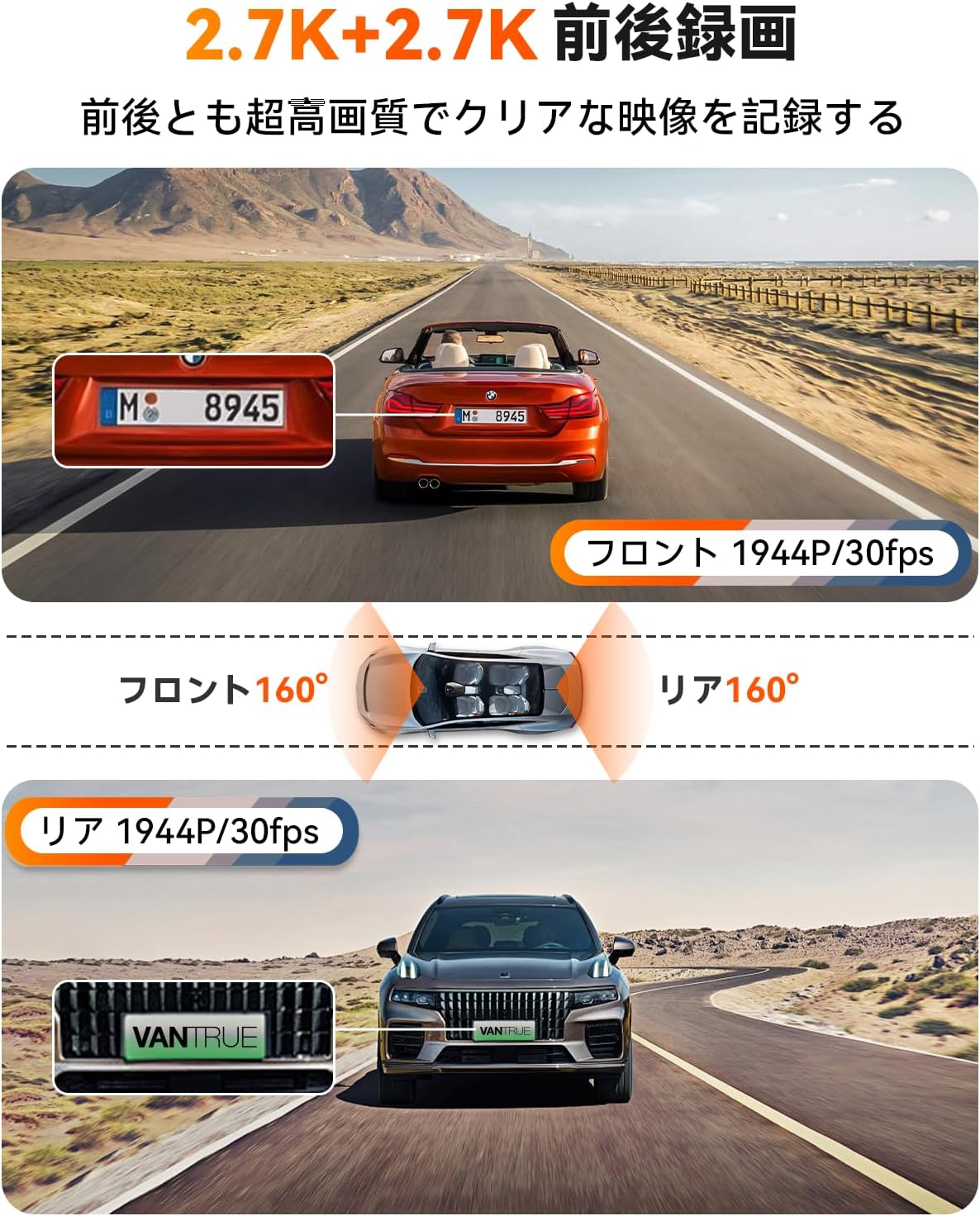
Figure 6: Enhanced Night Vision and WDR

Figure 7: WDR in Action
4.4 Kefungsian GPS
The built-in GPS module records your vehicle's speed, location (latitude and longitude), and driving route, embedding this data into the video files. Maklumat ini boleh viewed using the dedicated VANTRUE app or desktop vieweh.
Rajah 8: Penjejakan GPS
4.5 Kawalan Suara
Control your dash cam hands-free using simple voice commands. This allows you to perform actions like taking photos, locking videos, or toggling audio recording without diverting your attention from the road.
Video 1: Demonstration of Voice Commands for VANTRUE E2.

Rajah 9: Ciri Kawalan Suara
4.6 Alat Kawalan Jauh Tanpa Wayar
The included wireless remote allows for quick actions such as capturing photos or locking important video segments with a single press.

Rajah 10: Fungsi Kawalan Jauh
4.7 5.8GHz WiFi and App Control
Connect your smartphone to the dash cam via high-speed 5.8GHz WiFi using the VANTRUE app. This enables live streaming, video playback, downloading, editing, and sharing of recorded footage, as well as adjusting device settings.

Figure 11: WiFi App Control Interface
Video 2: Selesaiview of VANTRUE E2 features including wide-angle, resolution, night vision, GPS, G-sensor, remote, 5GHz WiFi, parking modes, and CPL filter.
4.8 Parking Surveillance Modes
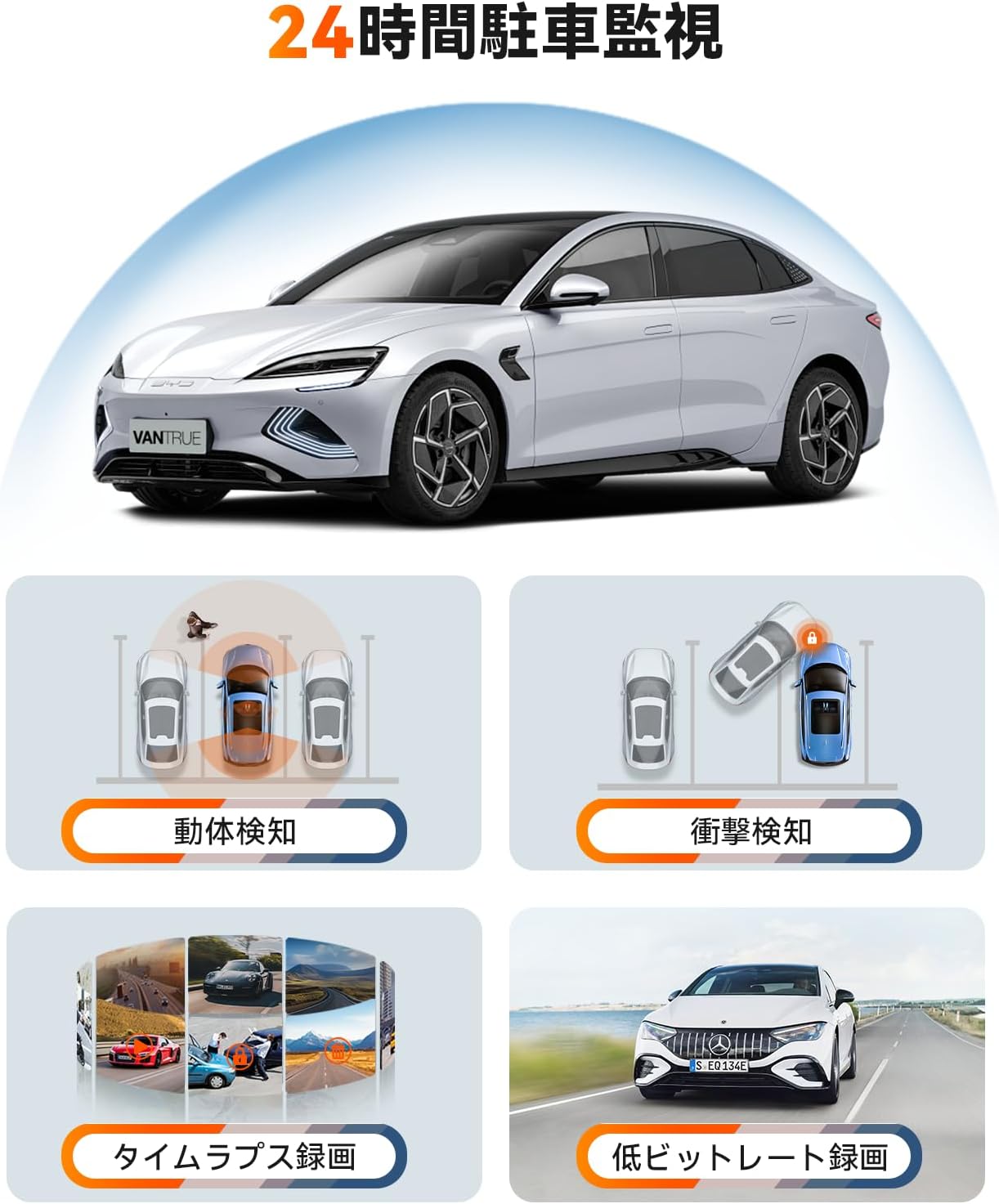
The E2 offers four distinct parking surveillance modes to protect your vehicle when parked. Note: A separately sold direct-wire power cable (ASIN: B094882TJC) is required to enable these functions.

Figure 12: 24-Hour Parking Surveillance
- Pengesanan Pergerakan: Records 15 seconds before and 30 seconds after motion is detected, saving the footage to a normal folder.
- Impact Detection (Low Power Consumption): Automatically starts recording when an impact is detected while the vehicle is parked (power off).
- Low Bitrate Recording (Space Saving): Records at 1080P@15FPS or 720P@15FPS, optimizing storage space.
- Time-Lapse Recording (Space Saving): Captures images at a low frame rate and stitches them into a time-lapse video, condensing long periods into short, viewklip mampu.
5. Penyelenggaraan
Penyelenggaraan berkala memastikan ketahanan dan prestasi optimum kamera papan pemuka anda.
5.1 Penjagaan Kad SD
To prevent data corruption and ensure continuous recording, format your Micro SD card within the dash cam at least once a month. Use a high-quality, reputable brand of Micro SD card (Class 10 or higher).
5.2 Membersihkan Peranti
Gunakan kain lembut dan kering untuk membersihkan kanta dash cam dan skrin. Elakkan menggunakan pembersih atau pelarut yang melelas yang boleh merosakkan peranti.
6. Penyelesaian masalah
If you encounter issues with your VANTRUE E2, refer to the following common solutions:
- Dash Cam Tidak Dihidupkan: Check the power connection to the car charger and ensure the vehicle's ignition is on. Verify the car charger is functioning correctly.
- Ralat Rakaman: Format the SD card within the dash cam. Ensure you are using a compatible high-speed SD card. Replace the SD card if errors persist.
- Kualiti Video Lemah: Clean the camera lenses. Ensure the protective film has been removed from the lenses. Check that the resolution settings are appropriate.
- Isu Sambungan WiFi: Ensure the dash cam's WiFi is enabled. Restart both the dash cam and your smartphone. Reinstall the VANTRUE app if necessary.
- Mod Letak Kereta Tidak Berfungsi: Confirm that the optional direct-wire power cable (ASIN: B094882TJC) is correctly installed and connected.
For further assistance, please contact VANTRUE customer support.
7. Spesifikasi
Detailed technical specifications for the VANTRUE E2 Dual Dash Cam.
| Ciri | Spesifikasi |
|---|---|
| Jenama | VANTRUE |
| Nombor Model | Element 2 (E2) |
| Resolusi Video | Front: 1944P (2.7K), Rear: 1944P (2.7K) |
| Bidang View | 160 degrees (Front & Rear) |
| Apertur | F1.8 |
| Jenis Paparan | LCD |
| Saiz Skrin | 2.45 inci |
| Ketersambungan | Wi-Fi 5.8GHz |
| GPS | Modul GPS Terbina Dalam |
| G-Sensor | ya |
| Parking Modes | Motion Detection, Impact Detection, Low Bitrate, Time-Lapse |
| Kaedah Kawalan | App, Push Button, Voice, Wireless Remote |
| Penyimpanan | Micro SD card (up to 1TB, sold separately) |
| Dimensi (D x W x H) | 2.9 x 7.4 x 4.4 cm |
| Berat badan | 0.88 kg |
| Negara Asal | China |
8. Waranti dan Sokongan
The VANTRUE E2 Dual Dash Cam comes with a standard 12-month warranty. You can extend this warranty to 18 months by registering your product on the official VANTRUE website within 6 months of purchase.
For any questions, concerns, or technical support, please contact VANTRUE customer service through Amazon or visit our official webtapak.