
MISIRUN P8GT
Manual Pengguna Jam Tangan Pintar MISIRUN P8GT
Model: P8GT
1. Pengenalan
Thank you for choosing the MISIRUN Smart Watch P8GT. This manual provides detailed instructions on how to set up, operate, and maintain your new smartwatch. Please read this manual thoroughly to ensure optimal performance and longevity of your device.

Image: The MISIRUN Smart Watch P8GT, showcasing reka bentuknya yang anggun dan paparan yang bertenaga.
2. Apa yang ada di dalam Kotak
- 1* Smartwatch
- 1* Charging Cable (without charge plug)
- 1* Manual Pengguna
3. Produk Lebihview
The MISIRUN Smart Watch P8GT features a 1.7-inch HD display with a resolution of 280x240, offering clear visuals and a responsive full touchscreen experience. It is designed for both men and women, providing a range of functionalities to support a healthy and connected lifestyle.

Imej: Tamatview of the smartwatch's key features, including its display and various functions.
Ciri-ciri Utama:
- Panggilan Bluetooth: Built-in speaker and dialer for making and receiving calls directly from the watch.
- Muka Jam Tersuai: Personalize your watch face with various designs or your own photos.
- Mod Berbilang Sukan: Tracks various activities including cycling, tennis, running, and more.
- Pemantauan Kesihatan: Accurate monitoring of heart rate, blood pressure, blood oxygen, and sleep status.
- Pemain muzik: Control music playback from your wrist.
- Pemberitahuan: Receives message pushes, weather information, and other alerts.
Video: A general demonstration of the MISIRUN Smart Watch P8GT's features and interface.
4. Persediaan
4.1 Mengecas Jam Tangan Pintar
Before first use, fully charge your smartwatch. Connect the provided charging cable to the charging port on the back of the watch and plug the USB end into a compatible power adapter (not included) or a computer USB port. The watch display will indicate charging status.
4.2 Muat Turun dan Pemasangan Apl
To unlock the full potential of your smartwatch, download the "HD Fit Pro" app on your smartphone. You can find it by searching in your device's app store (App Store for iOS, Google Play Store for Android) or by scanning the QR code provided in the physical user manual.
4.3 Pairing the Smart Watch with Your Phone
The smartwatch requires two Bluetooth connections for full functionality: one for data synchronization via the app and another for the call function.
A: First Bluetooth Connection (App's Bluetooth)
- Pastikan Bluetooth didayakan pada telefon pintar anda.
- Open the "HD Fit Pro" app.
- Navigate to the "Equipment" or "Device" section within the app.
- Tap "Add Device" or "Bind Device" and select "P8GT" from the list of available devices.
- Follow the on-screen prompts to complete the pairing process. Allow all requested permissions for full functionality.
Video: Instructions on setting up audio play settings for the smartwatch via the app.
B: Second Bluetooth Connection (Call Function)
After successfully connecting the watch to the app, you need to establish a separate Bluetooth connection for the call function.
- On your smartwatch, swipe left to access the call function interface and tap "Turn on" if prompted.
- On your smartphone, go to your phone's Bluetooth settings.
- Cari untuk "P8GT_Phone" in the list of available devices and tap to connect.
- Once connected, you will be able to make and receive calls directly from your smartwatch.
Video: A guide on how to enable and use the call function on the smartwatch.
5. Arahan Operasi
5.1 Navigasi Asas
The smartwatch features a full touchscreen for intuitive navigation. Swipe left, right, up, or down to access different menus and functions. The side button typically serves as a power button or a return-to-home screen button.
Video: A comprehensive guide on how to use the smartwatch's various features and navigation.
5.2 Menukar Muka Jam Tangan
Personalize your smartwatch by changing the watch face. You can do this directly on the watch or through the "HD Fit Pro" app.
- Sedang Dijaga: Gently press and hold the screen for 2-3 seconds, then swipe left or right to browse available watch faces. Tap to select.
- Melalui Apl: Open the "HD Fit Pro" app, go to "Face Gallery" to explore and install new watch faces. You can also customize a watch face using your own photos.
Video: Detailed instructions on how to change and customize watch faces on your smartwatch.
5.3 Membuat dan Menerima Panggilan
With its built-in speaker and Bluetooth connectivity, the P8GT allows you to manage calls directly from your wrist.
- Membuat Panggilan: Swipe left on the watch face to access the call interface. You can dial numbers directly or select from your synced contacts.
- Menerima Panggilan: When a call comes in, the watch will vibrate and display the caller ID. You can answer or reject the call from the watch screen.

Image: A man demonstrating the call-making feature on the smartwatch.
5.4 Kawalan Main Semula Muzik
Control your smartphone's music playback directly from your smartwatch. This feature allows you to play, pause, skip tracks, and adjust volume without taking out your phone.
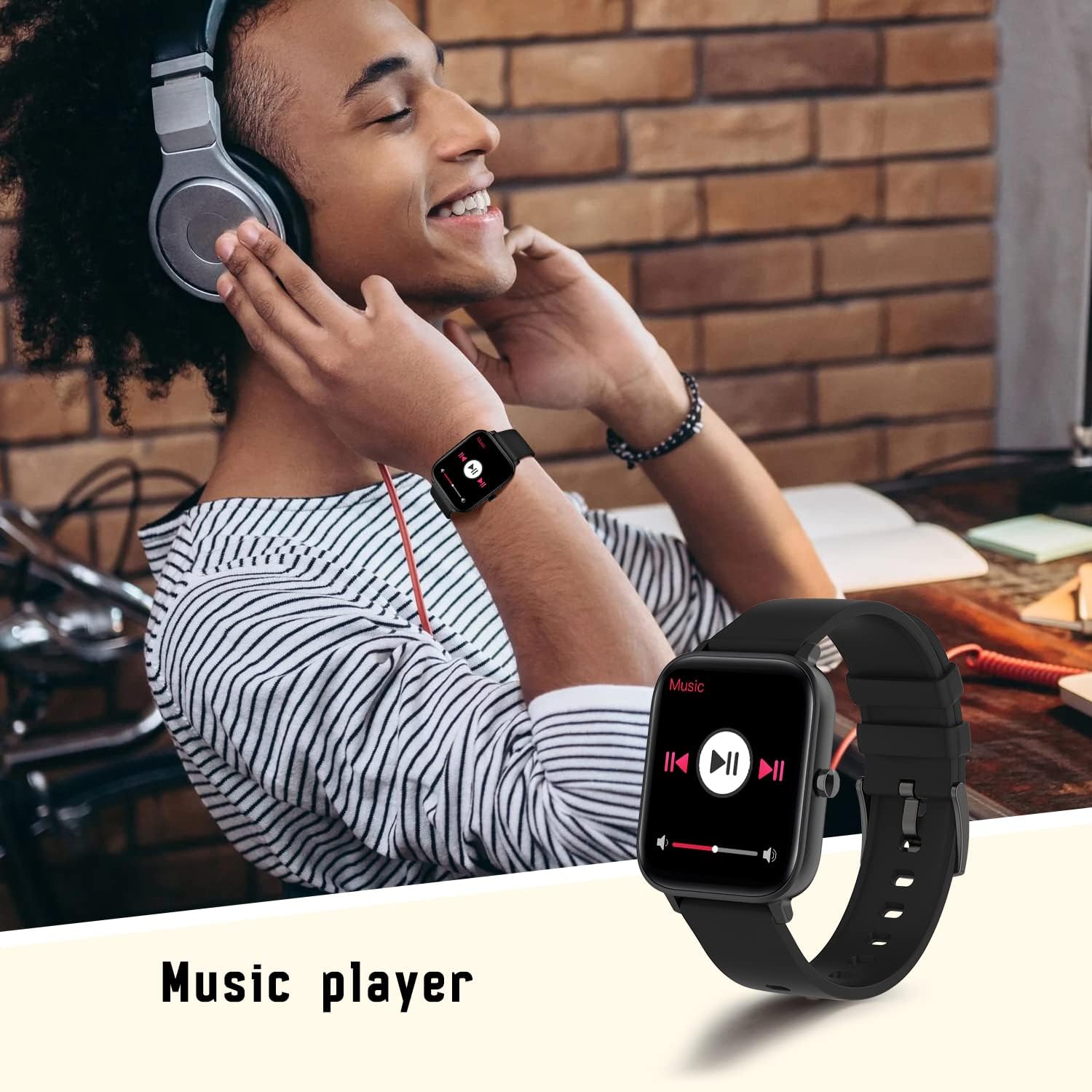
Image: A person using the smartwatch to control music playback.
5.5 Pemantauan Kesihatan
The smartwatch is equipped with advanced sensors to monitor your health metrics.
- Pemantau Kadar Jantung: Provides accurate heart rate readings throughout the day.
- Monitor Tidur: Menjejaki tidur anda secara automatiktages and provides insights into your sleep quality.
- Blood Oxygen (SpO2) & Blood Pressure: Measures your blood oxygen levels and blood pressure.

Image: The smartwatch displaying real-time heart rate data.

Image: The smartwatch displaying sleep tracking information.
5.6 Mod Berbilang Sukan
Track your workouts with precision. The smartwatch supports various sports modes, including walking, running, cycling, and more. It records steps, distance, and calories burned.

Image: The smartwatch showing data from a multi-motion mode, such as steps and calories.
5.7 Pemberitahuan
Receive notifications from your smartphone directly on your wrist. This includes message pushes, social media alerts, and more, ensuring you don't miss important updates.

Image: The smartwatch displaying a message push notification.
5.8 Fungsi Lain
The smartwatch offers additional convenient features:
- Kawalan Kamera: Kawal kamera telefon anda dari jauh.
- Maklumat Cuaca: Dapatkan kemas kini cuaca masa nyata di pergelangan tangan anda.
- Cari Gelang: Locate your watch if misplaced.

Image: The smartwatch displaying current weather information.
6. Penyelenggaraan
To ensure the longevity and proper functioning of your MISIRUN Smart Watch P8GT, follow these maintenance guidelines:
- Pembersihan: Lap skrin dan tali jam tangan dengan kerap menggunakan kain lembut dan kering. Jika perlu, gunakan sedikit kain lembapamp cloth, then dry thoroughly. Avoid harsh chemicals or abrasive materials.
- Tahan Air: While the watch may have some water resistance, avoid prolonged exposure to water, hot water, or steam. Do not wear it while swimming or showering unless explicitly stated in the product specifications.
- Storan: Simpan jam tangan di tempat yang sejuk dan kering apabila tidak digunakan. Elakkan suhu yang melampau.
- mengecas: Use only the provided charging cable. Do not attempt to force the charger into the port.
7. Penyelesaian masalah
If you encounter issues with your smartwatch, try the following common solutions:
- Tonton tidak dihidupkan: Pastikan jam tangan dicas sepenuhnya. Sambungkannya ke pengecas selama sekurang-kurangnya 30 minit.
- Isu sambungan Bluetooth: Ensure Bluetooth is enabled on both your phone and watch. Try restarting both devices. If issues persist, unbind the device from the app and clear the Bluetooth connection record in your phone's settings before attempting to re-pair.
- Data kesihatan tidak tepat: Ensure the watch is worn snugly on your wrist, not too tight or too loose. Keep the sensor clean.
- Pemberitahuan tidak diterima: Check app permissions on your phone to ensure notifications are allowed for the "HD Fit Pro" app and specific applications.
Resetting the Smart Watch
If your smartwatch is unresponsive or experiencing persistent issues, a factory reset may resolve the problem. This will erase all data on the watch.
Video: A step-by-step guide on how to reset the smartwatch and re-pair it with your phone.
8. Spesifikasi
| Ciri | Perincian |
|---|---|
| Dimensi Produk | 1.71 x 1.42 x 0.43 inci |
| Berat Barang | 5 auns |
| Bateri | 1 bateri Lithium Polimer diperlukan (termasuk) |
| Saiz Paparan Skrin Berdiri | 1.7 Inci |
| Sistem Operasi | Android (Compatible with iOS 10.0+ and Android 5.1+) |
| Teknologi Ketersambungan | Bluetooth |
| Ciri Khas | Breath Monitor, Smart Watch with Calls, Notifications, Heart Rate Monitor, Music Player |
| bentuk | Segi empat |
9. Waranti dan Sokongan
Your MISIRUN Smart Watch P8GT comes with a standard manufacturer's warranty. Please refer to the warranty card included in your product packaging for specific terms and conditions. For technical support, troubleshooting assistance, or warranty claims, please contact MISIRUN customer service through the contact information provided in your purchase documentation or on the official MISIRUN webtapak.
Ask a question about this manual
Ask about setup, troubleshooting, compatibility, parts, safety, or missing instructions. Manuals+ will review the question and use this page’s manual context to help answer it.