
pengenalan
This manual provides comprehensive instructions for the installation, operation, and maintenance of your Caliber RMD805BT Car Radio Infotainment System. Please read this manual thoroughly before using the product to ensure proper operation and to prevent damage.
Maklumat Keselamatan
Always observe the following safety precautions to avoid injury or damage to the unit:
- Jangan kendalikan unit dengan cara yang mengalihkan perhatian anda daripada memandu. Sentiasa mengutamakan keselamatan jalan raya.
- Ensure proper wiring and connections to prevent electrical shorts or fire hazards. Consult a professional for installation if unsure.
- Jangan dedahkan unit kepada suhu yang melampau, cahaya matahari langsung untuk tempoh yang lama, atau kelembapan berlebihan.
- Gunakan hanya sumber kuasa dan aksesori yang ditentukan.
- Jangan cuba membuka atau mengubah suai unit. Rujuk semua servis kepada kakitangan yang berkelayakan.
Kandungan Pakej
Sahkan bahawa semua item terdapat dalam pakej:
- Caliber RMD805BT Car Radio Unit
- Power/Speaker Wiring Harness (ISO connector)
- Alat Kawalan Jauh
- Perkakasan Pemasangan
- Manual Pengguna (dokumen ini)
Produk Selesaiview




Persediaan
Pemasangan
The Caliber RMD805BT is designed for 2 DIN standard openings. Professional installation is recommended. Refer to Figure 3 for rear connections.
- Pemasangan: Secure the unit into the vehicle's 2 DIN opening using the provided mounting brackets and screws.
- Pendawaian: Connect the main power/speaker harness (ISO connector) to the vehicle's existing wiring. Ensure correct polarity for all connections.
- Antena: Connect the vehicle's FM antenna to the unit's antenna input.
- Sambungan Pilihan:
- Subwoofer/Amplebih hidup: Connect external subwoofer or amplifier via the RCA output connectors.
- Kamera Belakang: Sambungkan belakang yang serasiview camera to the dedicated video input for automatic display when reversing.
- External Audio/Video: Use the auxiliary RCA inputs for other external audio/video sources.
- Semakan Akhir: Before fully securing the unit, perform a quick power-on test to ensure basic functionality.
Hidupkan Kuasa Awal
After installation, turn on your vehicle's ignition. The unit should power on automatically or by pressing the power button. The touchscreen will display the main menu.
Beroperasi
Fungsi Asas
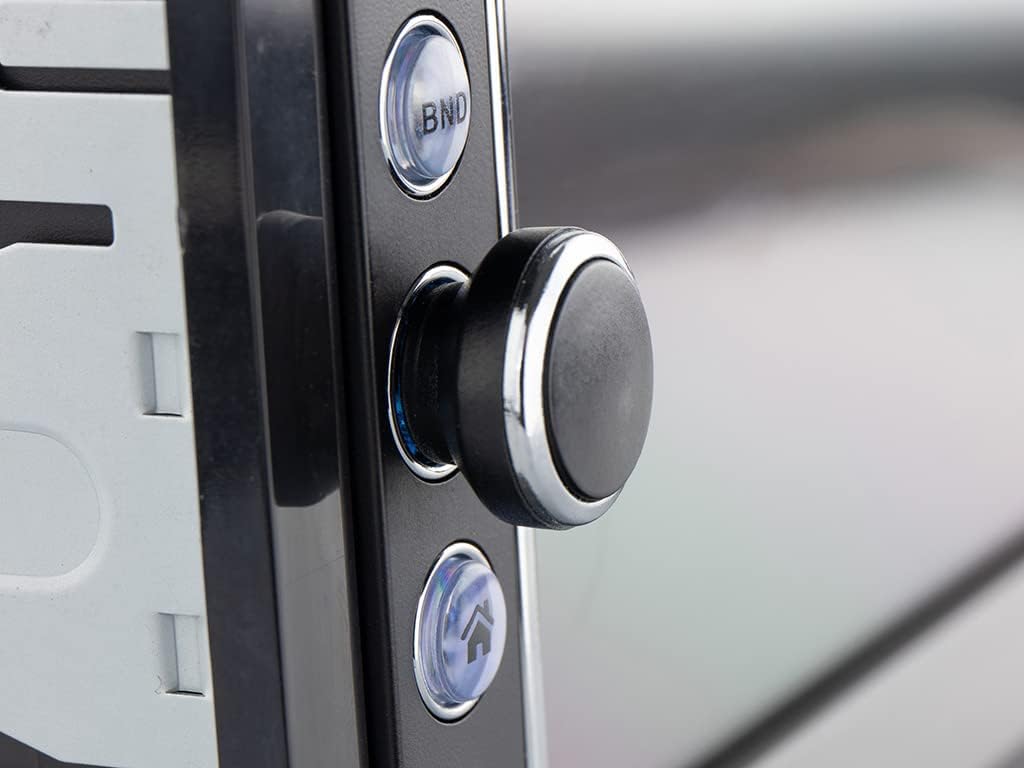
- Hidupkan/Mati Kuasa: Press the power button (usually the rotary knob) to turn the unit on or off.
- Kawalan Kelantangan: Putar kenop untuk menyesuaikan kelantangan.
- Pemilihan Sumber: Tap the 'Mode' icon on the touchscreen or press the 'MODE' button on the remote to cycle through available sources (FM, Bluetooth, USB, SD, AV-IN).
Radio Operation (FM/RDS-EON)
- tuning: In FM mode, use the touchscreen controls to manually tune or auto-scan for stations.
- Pratetap: Simpan stesen kegemaran anda untuk pratetap butang untuk akses pantas.
- RDS-EON: The unit supports RDS-EON, displaying station information, program type, and traffic announcements (TA) when available.
Kesambungan Bluetooth
- Berpasangan: Enable Bluetooth on your smartphone. On the RMD805BT, select the Bluetooth source. Cari untuk 'RMD805BT' on your phone and pair.
- Panggilan Bebas Tangan: Once paired, you can make and receive calls directly through the unit. Use the touchscreen or remote control buttons to answer, end, or reject calls.
- Penstriman Audio (A2DP): Stream music from your smartphone to the car radio. Control playback (play/pause, skip tracks) using the unit's controls or the remote.
Mirrorlink Functionality
The RMD805BT supports Mirrorlink for limited iOS and Android devices. This feature allows you to mirror your smartphone's screen onto the unit's display and control it via the touchscreen.
- Sambungan: Connect your smartphone to the unit via USB.
- Pengaktifan: Follow the on-screen prompts on both the unit and your smartphone to activate Mirrorlink.
- Kawalan: Once active, your phone's screen will appear on the RMD805BT, and you can interact with your phone's apps directly from the unit's touchscreen.
Main semula USB/SD
The unit supports media playback from USB sticks and SD cards (up to 32 GB).
- Sisipkan Media: Insert a USB stick into the USB port or an SD card into the SD card slot.
- Format yang Disokong: The unit can play MP3 and WMA audio files, and display MPEG4, DivX video files, dan imej JPEG files.
- Navigasi: Use the touchscreen to browse folders and select files untuk main balik.
Touchscreen and Remote Control
The 6.2-inch touchscreen provides intuitive control. Alternatively, use the included remote control for convenient operation from a distance.
Penyelenggaraan
- Pembersihan: Use a soft, dry cloth to clean the unit's surface and touchscreen. For stubborn marks, slightly dampen kain dengan air. Elakkan pembersih atau pelarut yang melelas.
- Penjagaan Am: Ensure the unit is not exposed to extreme temperatures or direct sunlight for extended periods. Keep USB and SD card slots free of dust and debris.
Menyelesaikan masalah
If you encounter issues with your Caliber RMD805BT, refer to the following common problems and solutions:
| Masalah | Kemungkinan Punca | Penyelesaian |
|---|---|---|
| Tiada kuasa | Incorrect wiring; Blown fuse; Vehicle ignition off | Check power connections; Replace fuse; Turn on vehicle ignition |
| Tiada bunyi | Volume too low; Mute activated; Speaker wiring incorrect | Increase volume; Deactivate mute; Check speaker connections |
| Bluetooth tidak bersambung | Bluetooth not enabled on phone/unit; Unit not in pairing mode; Device already paired to another unit | Ensure Bluetooth is on; Put unit in pairing mode; Disconnect from other devices |
| USB/SD tidak dimainkan | Tidak disokong file format; Corrupted media; Media not inserted correctly | Semak file formats; Try different media; Reinsert USB/SD card |
| Skrin sentuh tidak bertindak balas | Gangguan perisian sementara; Isu penentukuran skrin | Restart the unit (turn off/on vehicle ignition); If persistent, consult support |
Spesifikasi
| Ciri | Perincian |
|---|---|
| Jenama | berkaliber |
| Nombor Model | RMD805BT |
| warna | Hitam |
| Teknologi Ketersambungan | Bluetooth, USB |
| Jenis Pengawal | Skrin sentuh |
| Ciri Khas | Panggilan bebas tangan |
| Peranti Serasi | Pembesar suara, Telefon Pintar |
| Jenis Penyambung | USB Jenis A |
| Mod Keluaran Audio | Stereo, Surround |
| Konfigurasi Saluran Bunyi Sekeliling | 2.0 |
| Pengekodan Video | MPEG4, DivX |
| Max USB/SD Capacity | 32 GB |
| Kuasa Keluaran | 4 x 75 W |
| Bateri (untuk alat kawalan jauh) | 1 CR2032 (required) |
Maklumat Waranti
The Caliber RMD805BT comes with a Ketersediaan alat ganti 1 tahun guarantee from the date of purchase. For specific warranty terms and conditions, please refer to the warranty card included with your product or contact Caliber customer support.
Sokongan
For further assistance, technical support, or service inquiries, please contact Caliber customer support through their official website or the contact information provided in your product packaging. When contacting support, please have your product model number (RMD805BT) and purchase details ready.