1. Pengenalan
This user manual provides detailed instructions for the MMK iPad A16 Case with Wireless Detachable Keyboard. It covers compatibility, setup, operation, maintenance, and specifications to ensure optimal use of your product.
1.1 Keserasian
This keyboard case is designed for the following iPad models:
- iPad 11th Gen 11 inch (A16, 2025 models: A3354/A3355/A3356)
- iPad 10.9 inch (2022 models: A2757/A2777/A2696/A3162)
To verify your iPad model number, check the back of your device.

Image 1.1: MMK iPad Case with Wireless Detachable Keyboard and iPad.
2. Kandungan Pakej
Sila semak pakej untuk item berikut:
- 1 x Keyboard Case for iPad 10/11
- 1 x Papan Kekunci Bluetooth Tanpa Wayar
- 1 x Kabel Pengecas USB
- 1 x Transparent Keyboard Cover
- 1 x Panduan Pengguna
3. Arahan Persediaan
3.1 Installing the iPad into the Case
- Gently align your iPad with the case's edges.
- Press the iPad firmly into the case, ensuring all corners are securely fitted.
- Verify that all ports, buttons, and the camera cutout are correctly aligned and accessible.

Imej 3.1: Selesaiview of the case features including magnetic design and pencil holder.
3.2 Charging the Wireless Keyboard
Before first use, fully charge the keyboard. Use the provided USB charging cable.
- Connect the small end of the USB charging cable to the Type-C charging port on the keyboard.
- Connect the other end of the USB charging cable to a USB power adapter (not included) or a computer's USB port.
- Lampu penunjuk pengecasan akan menyala semasa pengecasan dan padam apabila dicas sepenuhnya.
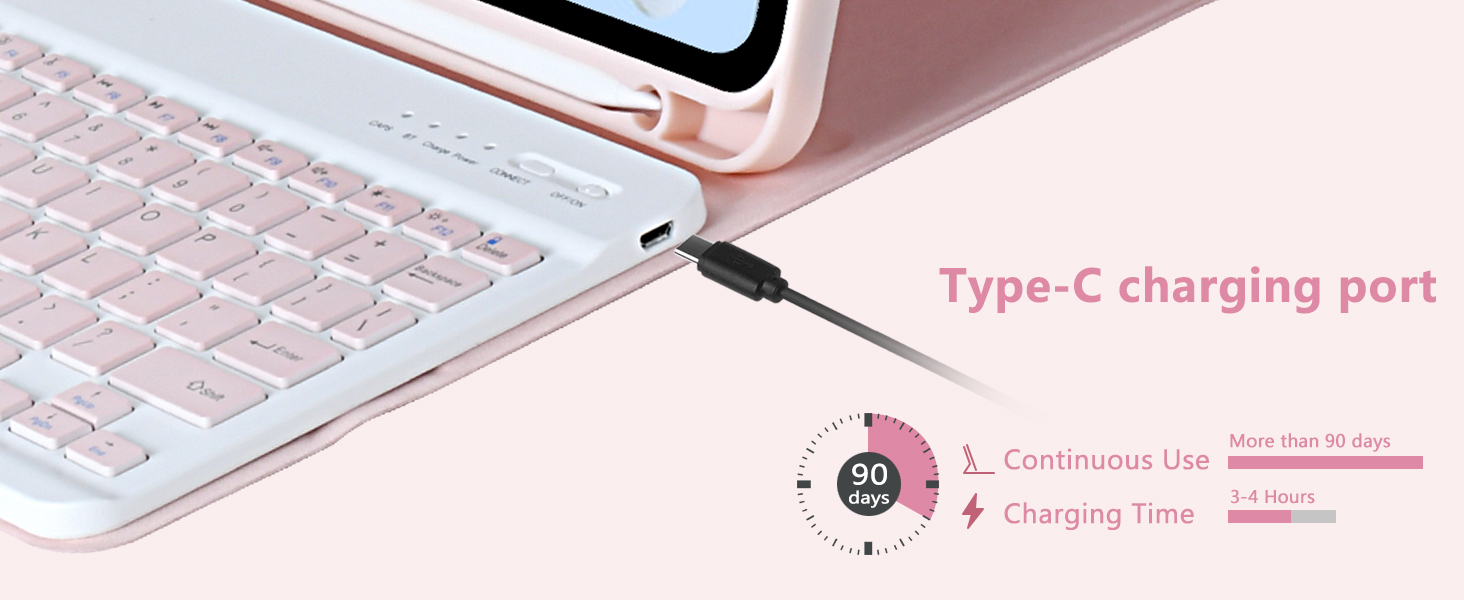
Image 3.2: Keyboard Type-C charging port and estimated charging duration.
3.3 Memasang Papan Kekunci Bluetooth
Follow these steps to connect your wireless keyboard to your iPad via Bluetooth:
- Pastikan papan kekunci dicas.
- Slide the power switch on the keyboard to the 'ON' position. The power indicator light will turn on.
- Press the 'CONNECT' button on the keyboard. The Bluetooth indicator light will start blinking, indicating it is in pairing mode.
- Pada iPad anda, pergi ke tetapan > Bluetooth.
- Hidupkan Bluetooth. iPad anda akan mencari peranti yang tersedia.
- Select 'Bluetooth Keyboard' from the list of devices.
- Once connected, the Bluetooth indicator light on the keyboard will stop blinking.
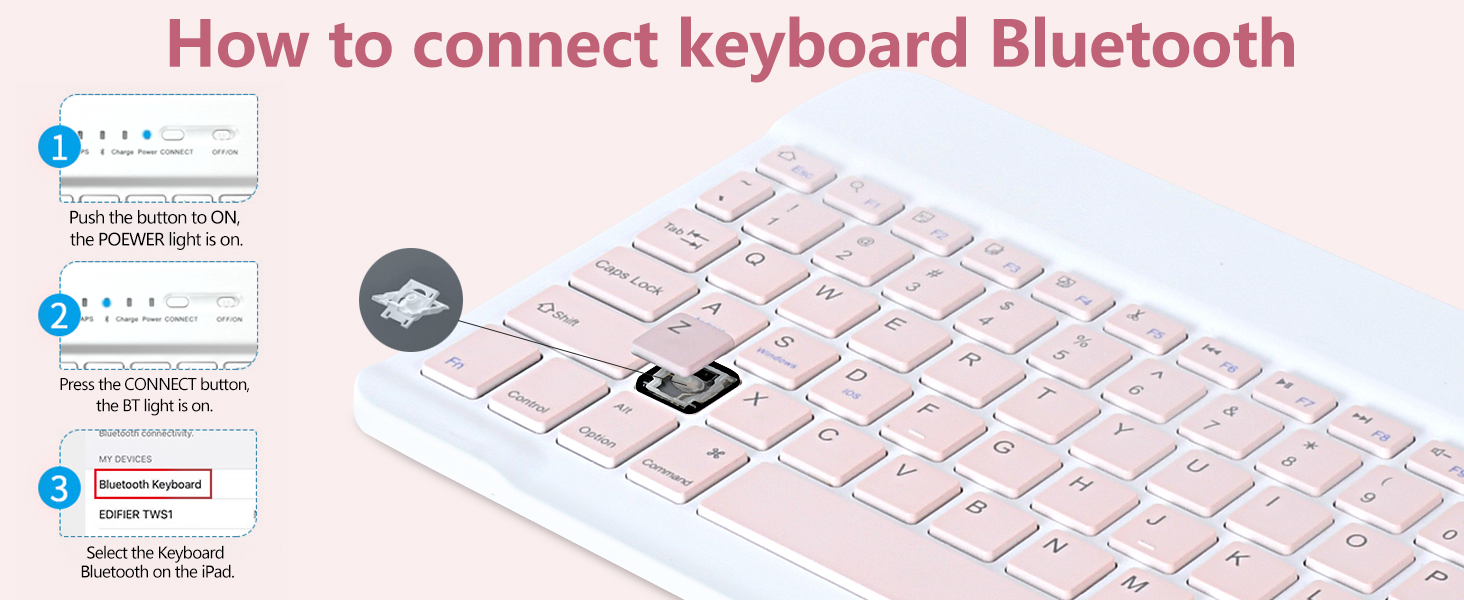
Image 3.3: Visual guide for Bluetooth keyboard connection.
4. Arahan Operasi
4.1 Boleh laras Viewdalam Jawatan
The case features multiple grooves to provide adjustable viewing angles for your iPad. Simply position the iPad in the desired groove to achieve angles of 100°, 110°, or 120°.
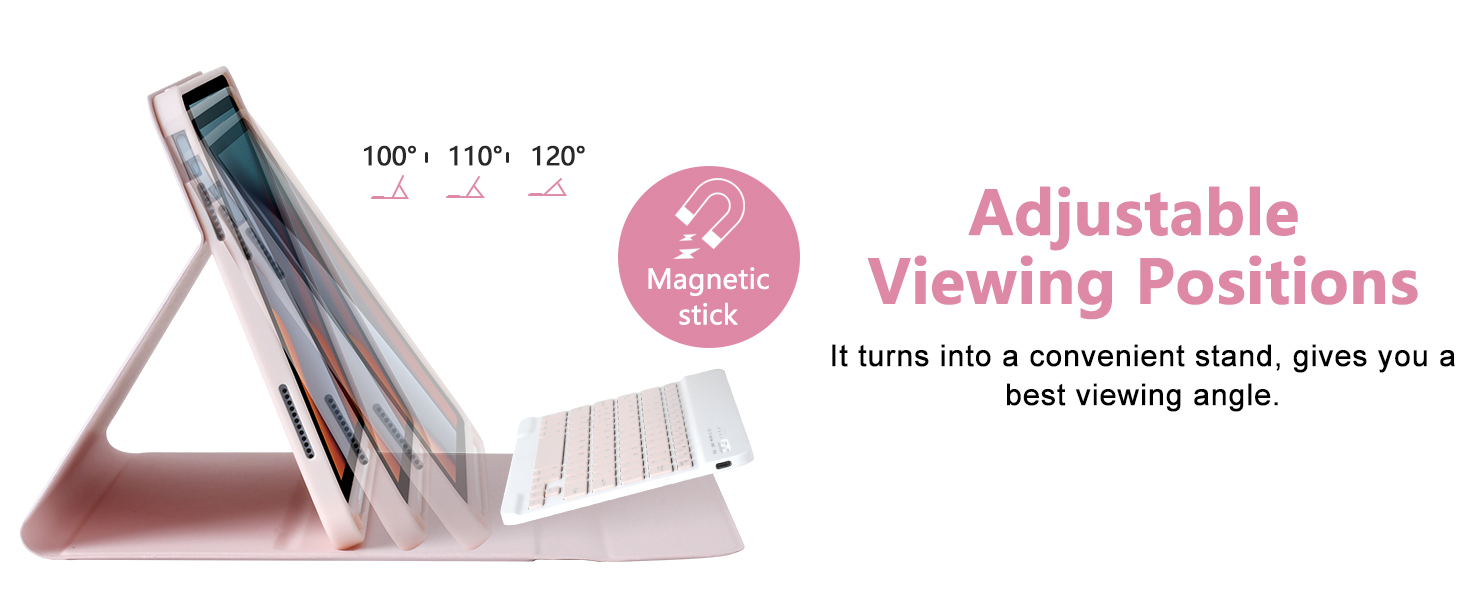
Image 4.1: Illustration of the adjustable viewsudut-sudut.
4.2 Fungsi dan Pintasan Papan Kekunci
The keyboard includes a full set of function keys and is compatible with various operating systems. Use the 'Fn' key in combination with other keys for specific shortcuts.
- Fn+D: Apple iOS compatibility
- Fn+S: Keserasian Windows
- Fn+A: Keserasian Android
Refer to the keyboard layout for specific multimedia and system control keys (e.g., volume, brightness, search).
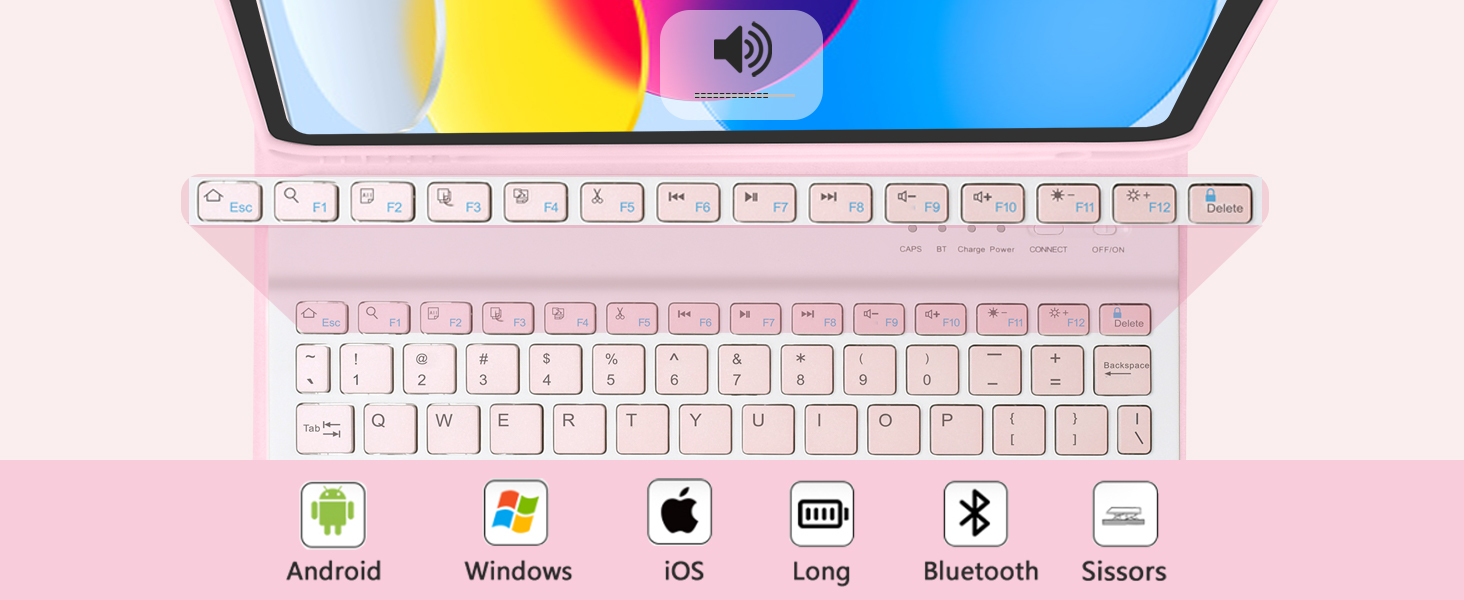
Image 4.2: Keyboard function keys and operating system compatibility.
4.3 Pencil Holder
The case features an integrated pencil holder to securely store your stylus. This ensures your pencil is always accessible and protected.
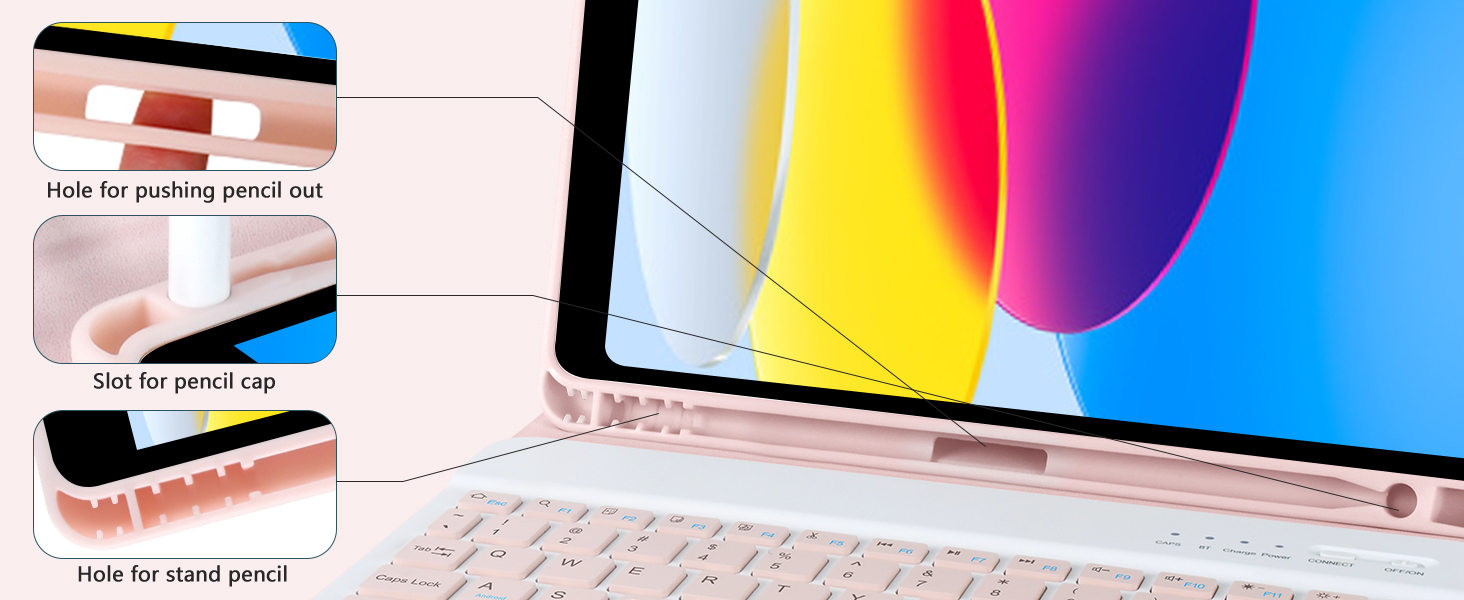
Image 4.3: Details of the integrated pencil holder.
4.4 Mod Penggunaan
The case supports various modes for different activities:
- Mod Jenis: Position the iPad in the stand with the keyboard attached for comfortable typing.
- Mod Berdiri: Detach the keyboard and use the case as a stand for viewkandungan dalam.
- Mod Baca: Fold the case back to hold the iPad comfortably for reading.
- Protect Mode: Close the case to fully protect your iPad during transport.
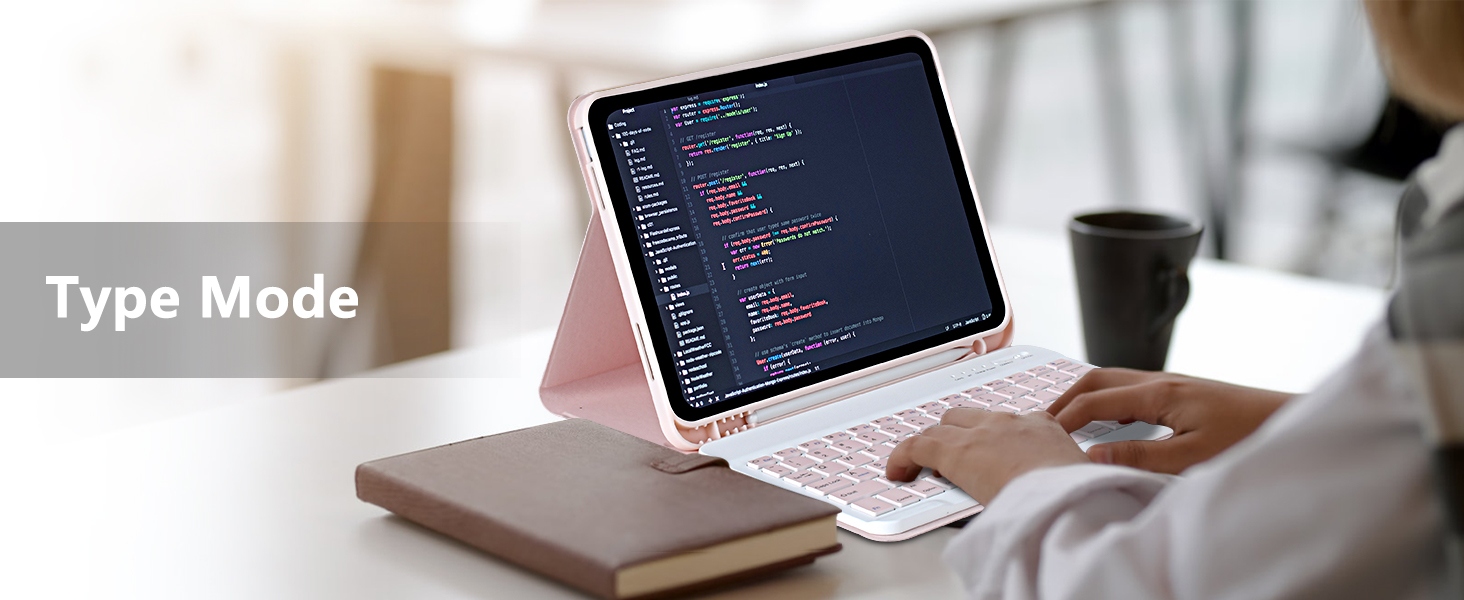
Image 4.4: iPad in Type Mode for productivity.

Image 4.5: iPad in Stand Mode for viewing.
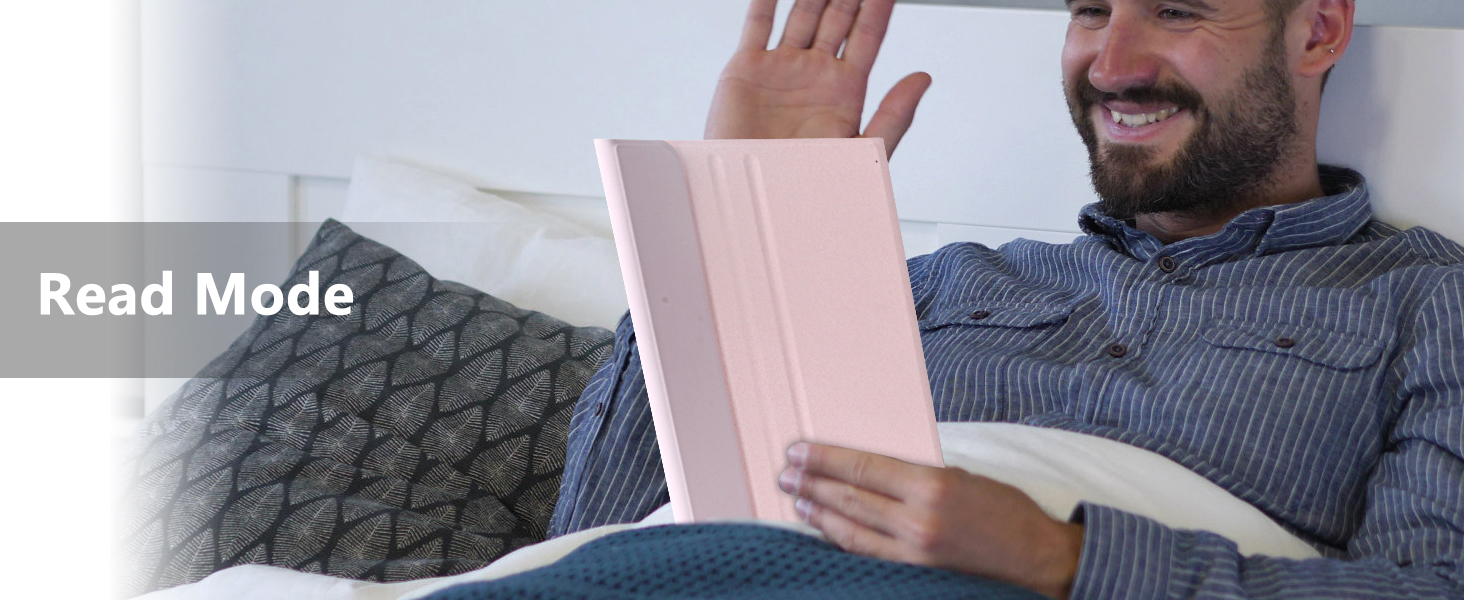
Image 4.6: iPad in Read Mode for comfortable reading.

Image 4.7: iPad in Protect Mode for secure transport.
5. Penyelenggaraan
5.1 Membersihkan Kotak dan Papan Kekunci
To maintain the appearance and functionality of your MMK iPad case and keyboard:
- Lap bekas dengan kain lembut,amp kain. Elakkan bahan kimia yang keras atau pembersih yang kasar.
- For the keyboard, use a dry, soft cloth. Do not spray cleaners directly onto the keyboard.
- Pastikan papan kekunci dimatikan sebelum membersihkannya.
5.2 Ciri-ciri Perlindungan
The case is designed with features to protect your iPad:
- Full 360° Protection: Provides comprehensive coverage for your device.
- Perlindungan jatuh: Designed to absorb impacts from accidental drops.
- Perlindungan Kamera: Raised edges around the camera cutout help prevent scratches.


Image 5.1: Visual representation of drop and camera protection features.
6. Penyelesaian masalah
6.1 Papan Kekunci Tidak Bersambung
- Semak Kuasa: Pastikan papan kekunci dihidupkan dan mempunyai cas bateri yang mencukupi.
- pasangan semula: Turn off Bluetooth on your iPad, then turn it back on. Put the keyboard back into pairing mode by pressing the 'CONNECT' button and try pairing again.
- Mulakan semula Peranti: Mulakan semula iPad dan papan kekunci anda.
6.2 Keyboard Not Charging
- Semak Kabel: Ensure the USB charging cable is securely connected to both the keyboard and the power source.
- Sumber Kuasa: Cuba penyesuai kuasa USB atau port USB komputer yang berbeza.
- Integriti Kabel: Inspect the charging cable for any damage. Try a different compatible USB-C cable if available.
6.3 Kunci Tidak Bertindak Balas
- Tahap Bateri: The keyboard battery might be low. Charge the keyboard fully.
- Sambungan Bluetooth: Ensure the keyboard is properly connected via Bluetooth. If not, follow the re-pairing steps.
- Mulakan semula: Power off and then power on the keyboard.
7. Spesifikasi
| Ciri | Perincian |
|---|---|
| Jenama | MMK |
| Nombor Model Item | A2757 |
| Peranti Serasi | iPad 11th Gen 11 inch (A16, 2025), iPad 10.9 inch (2022) |
| warna | Merah jambu |
| Faktor Bentuk | Kes |
| Jenis Shell | Lembut |
| Berat Barang | 1.96 paun |
| Dimensi Pakej | 11.22 x 8.23 x 1.14 inci |
| Bateri | 1 bateri Lithium Ion (termasuk) |
8. Waranti dan Sokongan
For warranty information or technical support, please refer to the contact details provided with your purchase or visit the official MMK webtapak. Simpan resit pembelian anda untuk tuntutan waranti.