
pengenalan
This manual provides detailed instructions for the Casio WS-1400H-1BVDF Digital Watch. This timepiece is designed for active individuals, featuring a 60-lap memory, an easy-to-read LCD, a front stopwatch button, 100-meter water resistance, an LED light, and a 10-year battery life. Please read this manual carefully to ensure proper use and to fully utilize all functions of your watch.
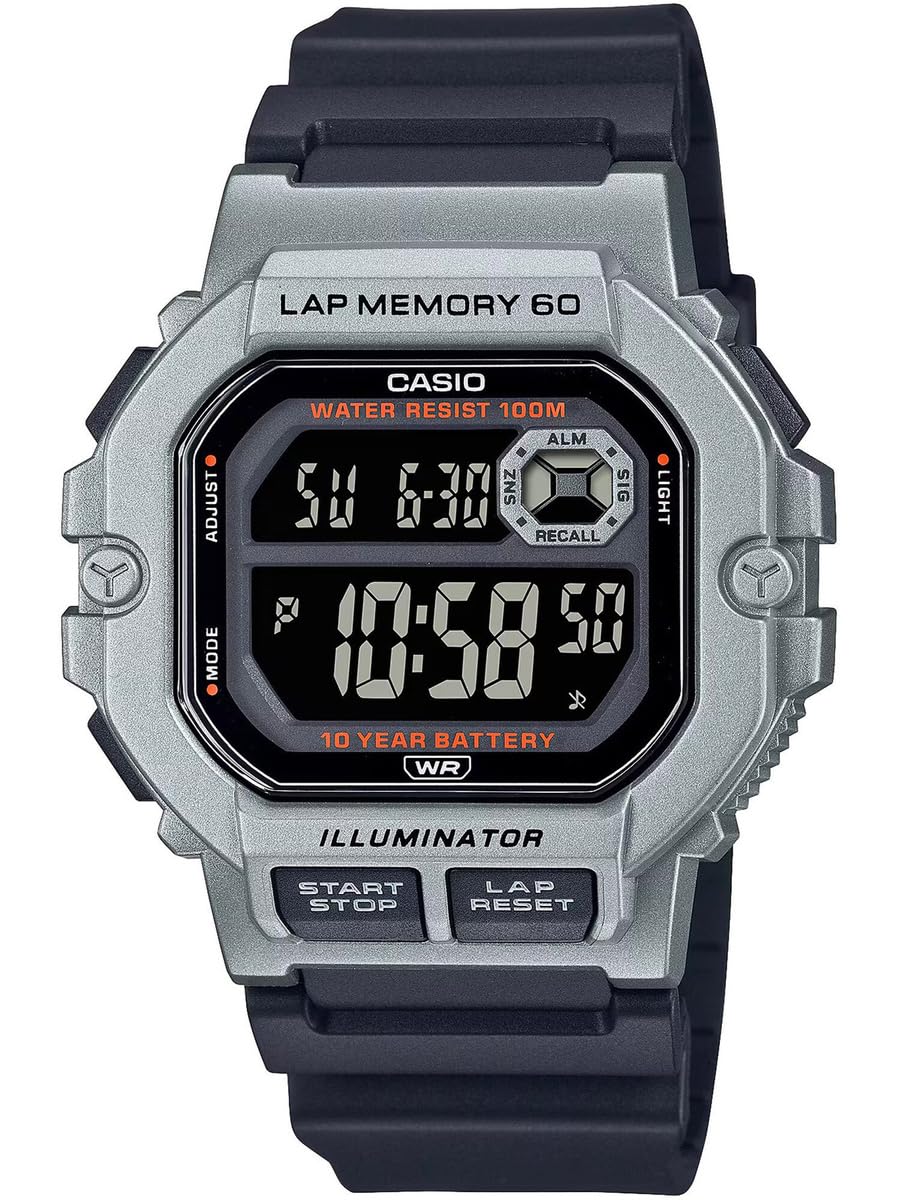
Rajah 1: Depan view of the Casio WS-1400H-1BVDF Digital Watch. This image displays the watch face with its digital display, buttons on the sides, and the black resin band.
Persediaan
Before using your watch, it is recommended to set the current time, date, and any desired alarms.
Fungsi Butang
- A (ADJUST): Digunakan untuk masuk dan keluar dari mod tetapan, dan untuk mengesahkan tetapan.
- B (MODE): Cycles through the watch's modes (Timekeeping, Stopwatch, Lap Memory, Timer, Alarm, Dual Time).
- C (LIGHT): Menerangi paparan.
- D (START/STOP): Used to start/stop stopwatch or timer operations, and to change settings during setup.
- E (LAP/RESET): Used to record laps in stopwatch mode, and to reset values during setup.
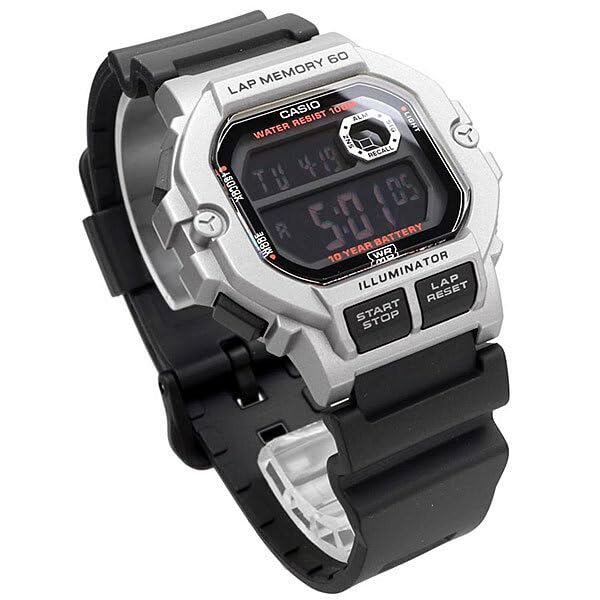
Rajah 2: Bersudut view of the watch, highlighting the placement of the control buttons on the side of the case. These buttons are used for navigating modes and adjusting settings.
Tetapan Masa dan Tarikh
- In Timekeeping Mode, press and hold A until the city code starts flashing. This indicates the setting mode.
- Tekan B to cycle through the settings: City Code → DST (Daylight Saving Time) → 12/24-hour format → Seconds → Hour → Minute → Year → Month → Day.
- guna D dan E untuk menukar nilai berkelip. D typically increases the value, and E decreases or resets.
- Selepas menetapkan semua nilai yang dikehendaki, tekan A untuk keluar dari mod tetapan.
Tetapan Penggera
- Daripada Mod Penjagaan Masa, tekan B repeatedly until you reach the Alarm Mode (indicated by 'ALM' or a bell icon).
- Tekan dan tahan A until the alarm hour digits start flashing.
- guna D to adjust the hour and E untuk menyesuaikan minit.
- Tekan A untuk mengesahkan dan keluar dari mod tetapan penggera.
- Tekan D in Alarm Mode to toggle the alarm ON/OFF.
Arahan Operasi
Navigasi Mod
Tekan ke B (MOD) button to cycle through the watch's various modes in the following order:
Timekeeping Mode → Stopwatch Mode → Lap Memory Mode → Timer Mode → Alarm Mode → Dual Time Mode
Menggunakan Jam Randik
The stopwatch measures elapsed time, split times, and two finishes. It features a 60-lap memory.
- Enter Stopwatch Mode by pressing B. The display will show 'STW' or '00'00"00'.
- Tekan D (MULA/BERHENTI) untuk memulakan jam randik.
- Tekan E (LAP/SET SEMULA) to record a lap time while the stopwatch is running. The lap time will be displayed briefly.
- Tekan D sekali lagi untuk menghentikan jam randik.
- Tekan E untuk menetapkan semula jam randik kepada sifar.
Lap Memory Recall
Kepada view recorded lap times:
- Enter Lap Memory Mode by pressing B.
- guna D dan E to scroll through the stored lap records.
Menggunakan Pemasa
The timer can be set for a countdown from 1 minute up to 24 hours.
- Enter Timer Mode by pressing B. The display will show 'TMR'.
- Tekan dan tahan A until the timer hour digits start flashing.
- guna D dan E untuk menetapkan masa kira detik yang dikehendaki.
- Tekan A untuk mengesahkan tetapan.
- Tekan D untuk memulakan atau menghentikan kira detik.
- Apabila undur mencapai sifar, penggera akan berbunyi. Tekan sebarang butang untuk menghentikan penggera.
Menggunakan Lampu Latar LED
Tekan ke C (LIGHT) button to illuminate the display for easy reading in low-light conditions.
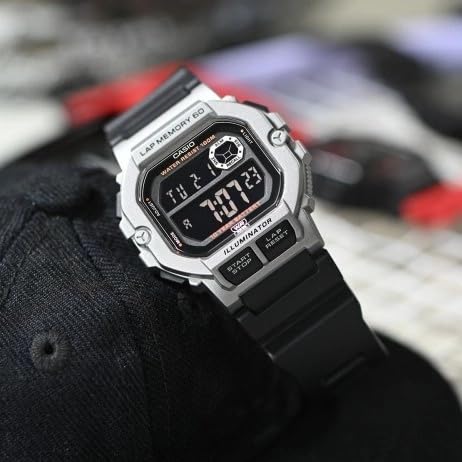
Figure 3: The watch display showing the time and date, with the LED backlight activated for visibility in dark environments.
Penyelenggaraan
Proper care will ensure the longevity and performance of your Casio WS-1400H-1BVDF watch.
Pembersihan
- Lap jam tangan dengan kain lembut dan kering untuk menghilangkan kotoran dan kelembapan.
- For resin bands, wash with water and a mild detergent, then rinse thoroughly and dry.
- Elakkan menggunakan pembersih kimia, kerana ia boleh merosakkan bahan jam tangan.
Tahan Air
This watch is 100-meter water resistant. This means it is suitable for swimming, showering, and snorkeling. However, please observe the following precautions:
- Do bukan operate buttons while the watch is wet or submerged in water.
- Avoid exposing the watch to hot water or steam (e.g., hot showers, saunas), as this can compromise the water resistance seals.
- Selepas terdedah kepada air masin, bilas jam tangan dengan air tawar dan lap sehingga kering.
Penggantian Bateri
The watch is equipped with a 10-year battery. When the display becomes dim or functions become erratic, it may be time for a battery replacement. It is highly recommended to have the battery replaced by an authorized Casio service center to ensure proper sealing and maintain water resistance.
Penyimpanan
When not in use for extended periods, store the watch in a dry, cool place away from direct sunlight and extreme temperatures.
Menyelesaikan masalah
Jika anda menghadapi masalah dengan jam tangan anda, rujuk masalah dan penyelesaian biasa berikut:
| Masalah | Kemungkinan Punca | Penyelesaian |
|---|---|---|
| Paparan kosong atau malap. | Bateri lemah. | Gantikan bateri di pusat servis yang dibenarkan. |
| Masa tidak betul. | Masa tidak ditetapkan dengan betul atau pelarasan tidak sengaja. | Refer to the "Time and Date Setting" section to reset the time. |
| Butang tidak bertindak balas. | Jam tangan mungkin dalam mod terkunci atau kerosakan dalaman. | Try pressing all buttons firmly. If unresponsive, allow the watch to sit for a few minutes. If the problem persists, contact support. |
| Air di dalam paparan. | Water resistance seals compromised. | Stop using the watch immediately and take it to an authorized service center. Do not attempt to dry it yourself. |
Spesifikasi
Key technical specifications for the Casio WS-1400H-1BVDF Digital Watch:
- Nombor Model: WS-1400H-1BVDF
- Jenis Paparan: digital
- Jenis Pergerakan: Kuarza
- Bahan kes: damar
- Bahan Band: damar
- Diameter Sarung: 44.5 Milimeter
- Ketebalan Sarung: 13.4 Milimeter
- Berat Barang: 43 Gram
- Kedalaman Rintangan Air: 100 Metres (10 ATM)
- Jenis Bateri: 1 bateri Lithium Ion (termasuk)
- Hayat Bateri: Lebih kurang 10 tahun
- Ciri Khas: 60-lap memory, Stopwatch, Timer, Alarm, Dual Time, LED Backlight

Figure 4: The Casio WS-1400H-1BVDF watch worn on a wrist, demonstrating its size and fit.
Waranti dan Sokongan
Maklumat Waranti
This Casio WS-1400H-1BVDF Digital Watch comes with an Waranti Lanjutan. Please refer to the warranty card included with your purchase for specific terms, conditions, and duration of coverage.
Sokongan Pelanggan
For technical assistance, service, or warranty claims, please contact Casio customer support:
- Pengeluar: Casio India Co Pvt Ltd
- Alamat: A-41, 1st Floor, MCIE, Mathura Road, New Delhi-110044, India
- Pengimport: Casio India Co Pvt Ltd
For the most up-to-date contact information and support resources, please visit the official Casio webtapak untuk wilayah anda.