
1. Pengenalan
This manual provides comprehensive instructions for the installation, operation, maintenance, and troubleshooting of your Active Pixel AUTO-Pair Wireless 8-Channel NVR Kit with 8x 3MP IP Security Cameras. Please read this manual carefully before using the product to ensure proper functionality and safety. Keep this manual for future reference.
2. Maklumat Keselamatan
- Ensure all power connections are secure and use only the provided power adapters.
- Do not expose the NVR or cameras to extreme temperatures, humidity, or corrosive environments.
- Elakkan meletakkan NVR di bawah cahaya matahari langsung atau berhampiran sumber haba.
- Jangan cuba membuka atau mengubah suai produk. Ini akan membatalkan jaminan.
- Keep cables organized to prevent tripping hazards and damage.
- The cameras are IP66 weatherproof, suitable for outdoor use, but avoid submerging them in water.
3. Kandungan Pakej
Sahkan bahawa semua item terdapat dalam pakej anda:
- 1x NVR (Network Video Recorder)
- 8x 3MP Wireless IP Security Cameras
- Penyesuai Kuasa untuk NVR dan Kamera
- Tetikus USB
- Kabel Ethernet
- Manual Pengguna (dokumen ini)
4. Arahan Persediaan
4.1 Initial Connection (Plug and Play)
The Active Pixel Wireless System is designed for easy setup. Follow these steps for initial configuration:
- Sambungan Kuasa: Connect the provided power adapters to the NVR and each of the 8 cameras. Ensure all devices receive power.
- Mouse Connection: Sambungkan tetikus USB ke port USB pada NVR.
- Sambungan Monitor: Connect a PC monitor or TV to the NVR using either a VGA or HDMI cable.
- Network Connection (Optional for Remote Viewing): Connect the NVR's WAN port to your router's LAN port using the provided Ethernet cable. This step is necessary for remote viewing via the mobile app.
- System Boot-up: The NVR and cameras will automatically power on and establish a connection. Video feeds should appear on your connected monitor within minutes.
This system does not include a pre-installed hard drive. It supports up to 4TB hard disk for local recording.
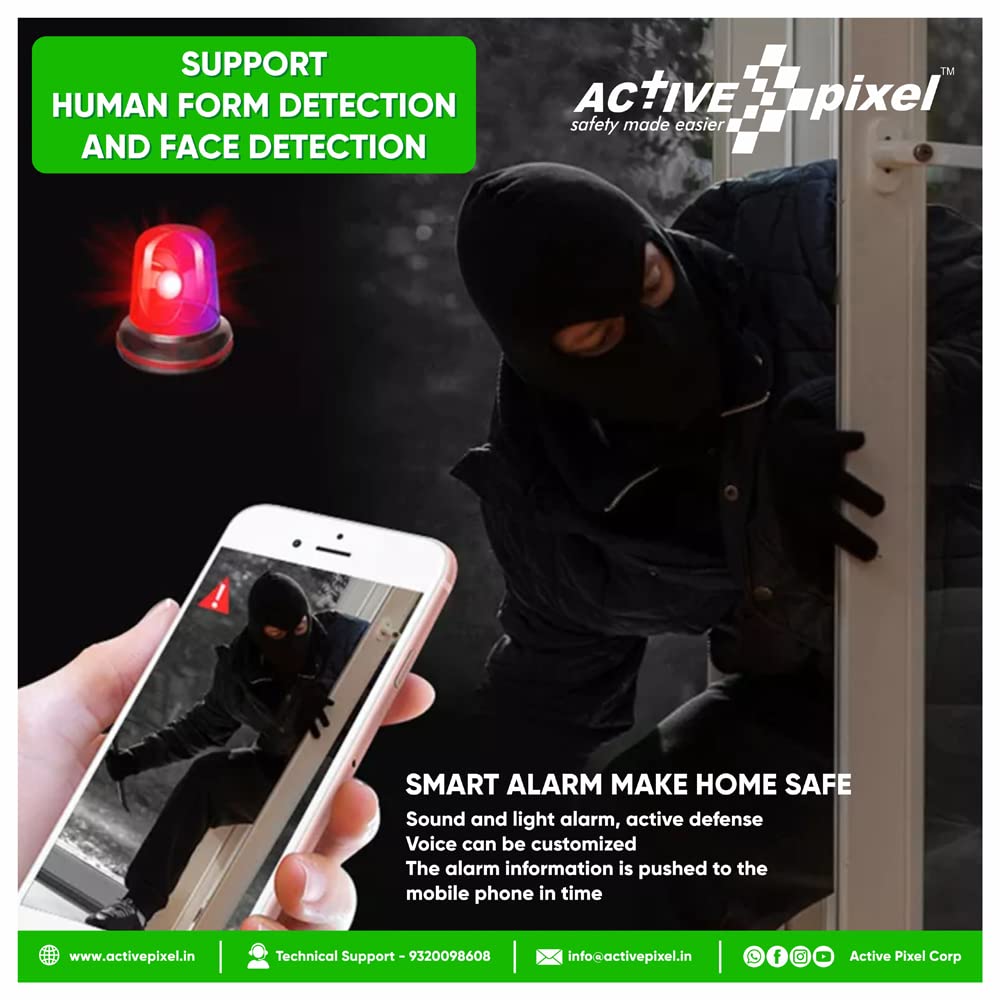
Figure 4.1: Simple Plug & Play Installation. Connect power to NVR and cameras, then connect NVR to a monitor.

Figure 4.2: Active Pixel 8-Channel Wireless NVR Kit components.
5. Arahan Operasi
5.1 Langsung View dan Main semula
- Tempatan Viewing: Once connected to a monitor, use the USB mouse to navigate the NVR interface for live viewing, main balik foo yang dirakamtage, and system settings.
- Jauh Viewing: Download the dedicated mobile application (available for iPhone and Android) to view your cameras from anywhere with an internet connection (Wi-Fi, 2G/3G/4G). Follow the app's instructions to add your NVR device.

Figure 5.1: One-Click Video Sharing and Multi-Platform Viewing.

Figure 5.2: Multi-Player and Multi-Platform Viewing via mobile application.
5.2 Motion Detection and Smart Alarms
The system features customizable advanced motion detection. When unexpected movements are detected, smart notifications with an image can be pushed to your smartphone via the app.
- Konfigurasi: Access the NVR settings via the local monitor or mobile app to configure motion detection zones, sensitivity, and notification preferences.
- Penggera Pintar: The system supports sound and light alarms for active defense. The alarm information is pushed to your mobile phone in real-time.

Figure 5.3: Smart Alarm System with Motion Detection and Mobile Notifications.
5.3 Rakaman dan Penyimpanan
The NVR supports various storage methods to ensure your data is safely recorded:
- Hard Disk Storage: Install a hard disk (up to 4TB, not included) into the NVR for continuous or motion-activated recording.
- Penyimpanan Kad TF: Some camera models may support TF card storage for localized recording.
- Storan Awan: Refer to the mobile application for available cloud storage options and subscription details.
The NVR ensures synchronous records, meaning data will not be lost after a power failure.

Figure 5.4: Synchronous Records Safe Storage Options.
5.4 Ciri-ciri Kamera
- Resolusi 3MP: Each camera provides a sharp and clear image day or night.
- Automatic IR-Cut Filter: Ensures optimal image quality in varying light conditions, providing clear night vision up to 25 meters.
- IP66 Kalis Cuaca: The cameras are designed with IP66 weatherproof housing, making them suitable for both indoor and outdoor use.
- Penghantaran Jarak Jauh: The system supports stable signal connection up to 450 meters in open air, with excellent wall penetration performance due to its WiFi chip and strong anti-interference capabilities. The default transmission is 100 meters.

Figure 5.5: Long-Distance Transmission for stable signal connection.
6. Penyelenggaraan
Penyelenggaraan berkala memastikan prestasi optimum dan jangka hayat sistem keselamatan anda:
- Pembersihan: Gently wipe camera lenses and NVR surfaces with a soft, dry cloth. Avoid abrasive cleaners or solvents.
- Pengurusan Kabel: Periodically check all cables for wear or damage. Ensure connections are secure.
- Kemas Kini Perisian: Check the Active Pixel website or mobile app for any available firmware updates for the NVR or cameras.
- Kesihatan Cakera Keras: If using a hard drive, monitor its health through the NVR interface to prevent data loss.
7. Penyelesaian masalah
If you encounter issues with your Active Pixel security system, refer to the following common troubleshooting steps:
- Tiada Paparan Video:
- Check if the NVR and all cameras are powered on.
- Ensure the monitor is correctly connected to the NVR via HDMI or VGA.
- Verify that the input source on your monitor is set correctly.
- Cameras Not Connecting:
- Ensure cameras are within range of the NVR and have clear line of sight if possible.
- Restart both the NVR and the cameras.
- Periksa sebarang halangan fizikal atau sumber gangguan yang kuat.
- Jauh ViewTidak Berfungsi:
- Confirm the NVR is connected to your router via Ethernet cable.
- Semak sambungan internet anda.
- Ensure the mobile app is updated to the latest version and the NVR is correctly added to the app.
- Isu Rakaman:
- Verify that a hard drive is installed and properly initialized in the NVR settings.
- Check the recording schedule and motion detection settings.
- Pastikan cakera keras mempunyai ruang kosong yang mencukupi.
- Kualiti Imej Lemah:
- Bersihkan kanta kamera.
- Ensure cameras are securely mounted and not vibrating.
- Periksa sumber cahaya yang kuat yang menghadap kamera secara langsung.
For further assistance, please contact Active Pixel customer support.
8. Spesifikasi
| Jenama | Active Pixel |
| Nombor Model | Nvr Kit Series |
| Teknologi Ketersambungan | Tanpa wayar |
| Resolusi Tangkapan Video | 3MP |
| Ciri Khas | Waterproof, Wireless |
| Bilangan Saluran | 8 |
| warna | Hitam, Putih |
| Sumber Kuasa | DC |
| Dimensi Item (LxWxH) | 38 x 35 x 18 Sentimeter |
| Peranti Serasi | Kamera |
| Julat Penglihatan Malam | 25 Meter |
| Kadar Bingkai | 25 |
| Mod Rakaman | gerakan |
| Jenis Kanta | tetap |
| Viewsudut | 110 Darjah |
9. Waranti dan Sokongan
Your Active Pixel NVR Kit comes with a Waranti kualiti 1 tahun. Active Pixel also provides lifetime technical support for this product.
For technical assistance, warranty claims, or any other inquiries, please contact Active Pixel support:
- Webtapak: www.activepixel.in
- e-mel: info@activepixel.in
- Telefon Sokongan Teknikal: 9320098608
Nota Penting: The wireless system requires power adapters for both the cameras and the NVR. It is not battery-powered.