
1. Pengenalan
Thank you for choosing the Calex Smart Ceiling Lamp. This 30cm smart ceiling light is designed for indoor use in spaces such as bedrooms and living rooms, offering versatile lighting options including 16 million colors and tunable white light. It can be controlled via the Calex Smart App and is compatible with popular voice assistants.

Figure 1: Calex Smart Ceiling Lamp (Model 5301000200)
2. Maklumat Keselamatan
- Produk ini bertujuan untuk kegunaan dalaman sahaja. Do not install in wet or damp lokasi.
- Ensure the power supply is disconnected before installation, maintenance, or cleaning to prevent electric shock.
- Pemasangan mesti dilakukan oleh juruelektrik yang berkelayakan atau mengikut kod elektrik tempatan.
- Mengendalikan lamp only within the specified voltage range of 230 Volts AC.
- Jangan cuba membuka atau mengubah suai lamp. Tiada bahagian yang boleh diservis pengguna di dalamnya.
- Simpan lamp jauh dari sumber haba dan cahaya matahari langsung.
3. Kandungan Pakej
Sahkan bahawa semua komponen terdapat dalam pakej:
- 1x Calex Smart Ceiling Lamp (Model 5301000200)
4. Persediaan dan Pemasangan
The Calex Smart Ceiling Lamp requires ceiling mounting and assembly. Follow these steps carefully:
- Penyediaan: Turn off the main power supply at the circuit breaker before starting installation.
- Pemasangan: Pasang l dengan selamatamp's mounting bracket to the ceiling using appropriate screws and anchors (not included, typically supplied by installer). Ensure the mounting surface can support the lamp's weight (934 grams).
- Pendawaian: Sambungkan wayar elektrik dari siling ke lamp's terminals. Ensure correct polarity (Live, Neutral, Earth) as indicated in the lamp's wiring diagram.
- Perhimpunan: Lampirkan lamp body to the mounting bracket, ensuring it is firmly secured.
- Hidupkan kuasa: Restore power at the circuit breaker. The lamp should turn on or enter pairing mode.
5. Mengendalikan Lamp
The Calex Smart Ceiling Lamp is primarily controlled via the Calex Smart App. It offers a wide range of lighting options:
- Pilihan Warna: Choose from 16 million colors to set the perfect mood.
- Putih boleh merdu: Laraskan cahaya putih daripada ton panas kepada ton sejuk.
- Boleh dimalapkan: Laraskan kecerahan dari 0% hingga 100%.
- Adegan dan Jadual: Create custom lighting scenes and set timers for automated operation.
6. Calex Smart App Control
To unlock the full potential of your Calex Smart Ceiling Lamp, download and install the Calex Smart App on your smartphone or tablet. The app allows you to control your lamp dari mana-mana sahaja dengan sambungan internet.
- Muat turun Apl: Cari untuk "Calex Smart" in your device's app store (iOS or Android).
- Buat Akaun: Open the app and follow the instructions to create a new user account or log in if you already have one.
- Tambah Peranti: In the app, select "Add Device" or the "+" icon. Choose "Lighting" and then "Ceiling Lamp" or a similar option.
- Berpasangan: Pastikan l andaamp is powered on and in pairing mode (it may flash). Follow the in-app instructions to connect the lamp to your 2.4 GHz Wi-Fi network.
- Kawalan: Setelah dipasangkan, anda boleh mengawal lamp's color, brightness, and set schedules directly from the app.
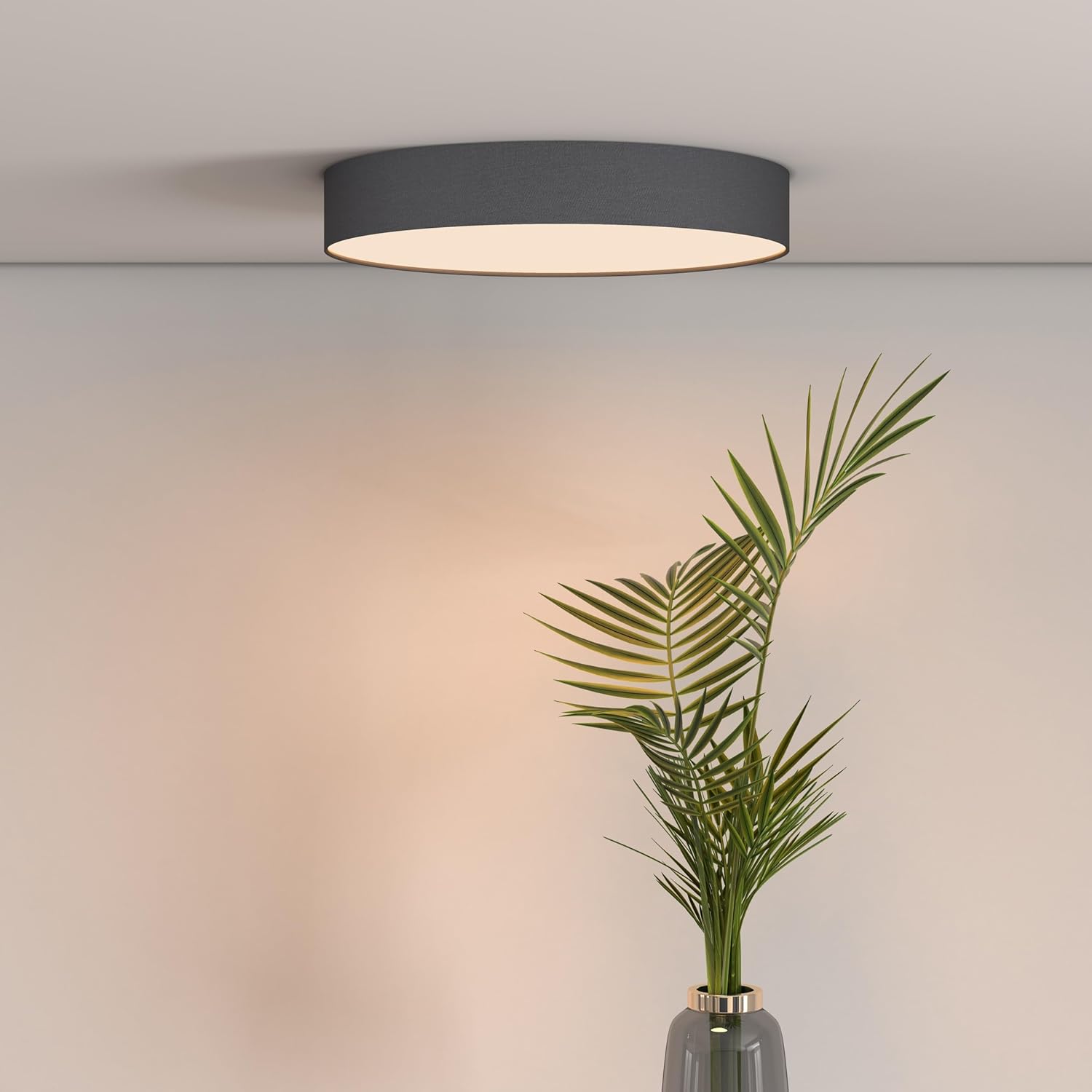
Figure 2: Calex Smart App Interface
7. Kawalan Suara
The Calex Smart Ceiling Lamp is compatible with leading voice assistants, allowing for hands-free control:
- Amazon Alexa: Link your Calex Smart account to Alexa through the Alexa app.
- Pembantu Rumah Google: Link your Calex Smart account to Google Home through the Google Home app.
- Siri: Use Siri Shortcuts to control your lamp (setup via the Calex Smart App).
Once linked, you can use commands such as: "Alexa, turn on the ceiling lamp," "Hey Google, set the ceiling lamp to blue," or "Siri, dim the ceiling lamp kepada 50%."
8. Penyelenggaraan
To ensure the longevity and optimal performance of your Calex Smart Ceiling Lamp, ikut garis panduan penyelenggaraan mudah ini:
- Pembersihan: Putuskan sambungan kuasa sebelum membersihkan. Gunakan yang lembut, kering, atau sedikit damp kain untuk mengelap permukaan lamp. Do not use abrasive cleaners, solvents, or harsh chemicals, as these can damage the finish.
- Pemeriksaan: Periksa l secara berkalaamp untuk sebarang tanda kerosakan atau sambungan longgar. Jika terdapat sebarang masalah, putuskan bekalan kuasa dan rujuk juruteknik yang berkelayakan.
- Tiada Bahagian Boleh Diservis Pengguna: The LED light source is integrated and not replaceable by the user. Do not attempt to open the lamp.
9. Penyelesaian masalah
If you encounter issues with your Calex Smart Ceiling Lamp, rujuk kepada penyelesaian biasa berikut:
- Lamp tidak dihidupkan:
- Check if the main power supply is on.
- Pastikan lamp is correctly wired and securely connected to the power source.
- Verify that the light switch (if applicable) is in the ON position.
- Lamp does not connect to Wi-Fi/App:
- Ensure your Wi-Fi network is 2.4 GHz. The lamp does not support 5 GHz Wi-Fi.
- Check your Wi-Fi signal strength at the lamplokasi.
- Mulakan semula penghala Wi-Fi anda.
- Tetapkan semula lamp to pairing mode (usually by cycling power ON/OFF several times). Refer to the Calex Smart App for specific reset instructions.
- Ensure your smartphone is connected to the same 2.4 GHz Wi-Fi network during the pairing process.
- Kawalan suara tidak berfungsi:
- Verify that your Calex Smart account is correctly linked to your voice assistant app (Alexa, Google Home).
- Semak sambungan internet anda.
- Pastikan lamp is online and controllable via the Calex Smart App.
10. Spesifikasi
| Ciri | Spesifikasi |
|---|---|
| Jenama | Calex |
| Nombor Model | 5301000200 |
| GTIN | 08712879151081 |
| warna | Black (exterior) |
| Dimensi | 30cm diameter (approx.) |
| Berat badan | 934 Gram |
| Sumber Kuasa | AC |
| Voltage | 230 Volt |
| Wattage | 16 Watt |
| Kecerahan | 1500 Lumen |
| Sumber Cahaya | LED bersepadu |
| Warna Cerah | RGBW (16 million colors + Tunable White) |
| Boleh dimalapkan | ya |
| Ketersambungan | Wi-Fi (2.4 GHz) |
| Kaedah Kawalan | Calex Smart App, Voice Control (Alexa, Google Home, Siri) |
| Jenis Pemasangan | Pemasangan Siling |
| Penggunaan Dalaman/Luar | Dalaman Sahaja |
| Kelas Kecekapan Tenaga | F |

Figure 3: Energy Label for Model 5301000200
Untuk maklumat produk yang terperinci, rujuk pangkalan data EPREL: https://eprel.ec.europa.eu/qr/711744
11. Waranti dan Sokongan
Calex products are manufactured to high-quality standards and come with a manufacturer's warranty. For specific warranty terms and conditions, please refer to the documentation provided with your purchase or visit the official Calex webtapak.
For technical support, troubleshooting assistance, or warranty claims, please contact Calex customer service through their official webtapak atau maklumat hubungan yang diberikan dalam pembungkusan produk anda.


