
bonoch BBM05
bonoch Baby Monitor BBM05 User Manual
Model: BBM05
1. Pengenalan
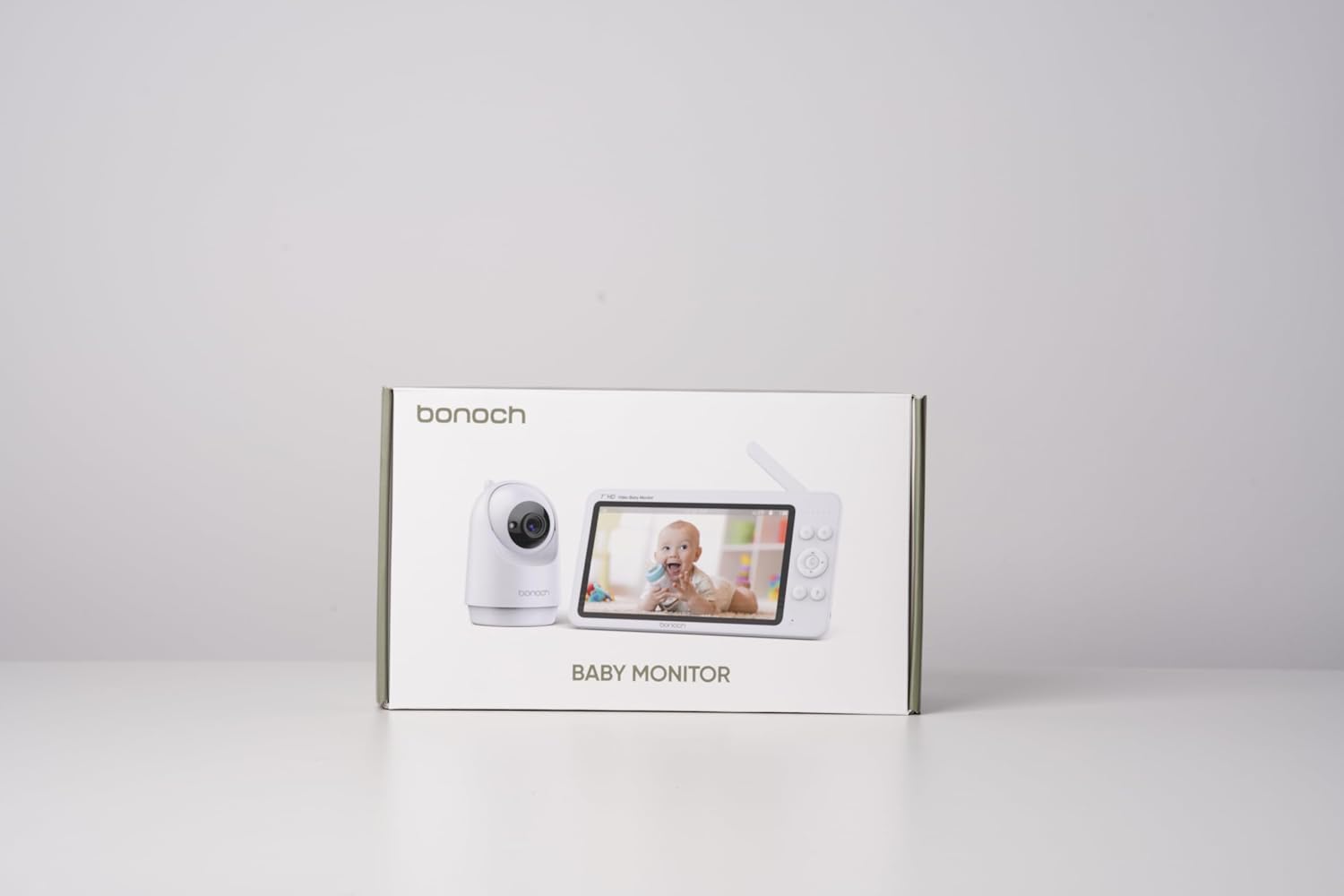
This manual provides detailed instructions for the safe and effective use of your bonoch Baby Monitor with two cameras. This system is designed to provide secure, high-definition video and audio monitoring of your baby without requiring a Wi-Fi connection, ensuring privacy and reliability.

Sila baca manual ini dengan teliti sebelum mengendalikan peranti dan simpannya untuk rujukan masa hadapan.
2. Kandungan Pakej
Selepas membongkar, sila pastikan semua item yang disenaraikan di bawah ada dan dalam keadaan baik:
- 1 x 7-inch HD Baby Monitor (Parent Unit)
- 2 x Baby Cameras (Baby Units)
- 3 x Power Adapters (for Monitor and Cameras)
- 1 x Manual Pengguna
- Wall Mounting Kits (screws and anchors)
3. Maklumat Keselamatan Penting
Sila patuhi langkah keselamatan berikut untuk mengelakkan kecederaan atau kerosakan pada produk:
- Bahaya Tercekik: Keep all power cords out of reach of children (at least 3 feet / 1 meter away). Never place cameras or cords within a crib or playpen.
- Bahaya tercekik: This product contains small parts. Keep away from children.
- Air dan Kelembapan: Do not expose the product to rain or moisture. Do not use near water (e.g., bathtub, sink).
- Sumber Haba: Do not place the product near heat sources such as radiators, heat registers, stoves, or other heat-producing appliances.
- Pengudaraan: Pastikan pengudaraan yang betul. Jangan sekat sebarang bukaan pengudaraan.
- Penyesuai Kuasa: Use only the provided power adapters. Using unauthorized adapters may damage the product and void the warranty.
- Pemasangan: Ensure cameras are securely mounted if using wall or ceiling mounts.

4. Produk Lebihview
The bonoch Baby Monitor system consists of a Parent Unit (monitor) and Baby Units (cameras). Familiarize yourself with the components:
4.1 Unit Induk (Monitor)
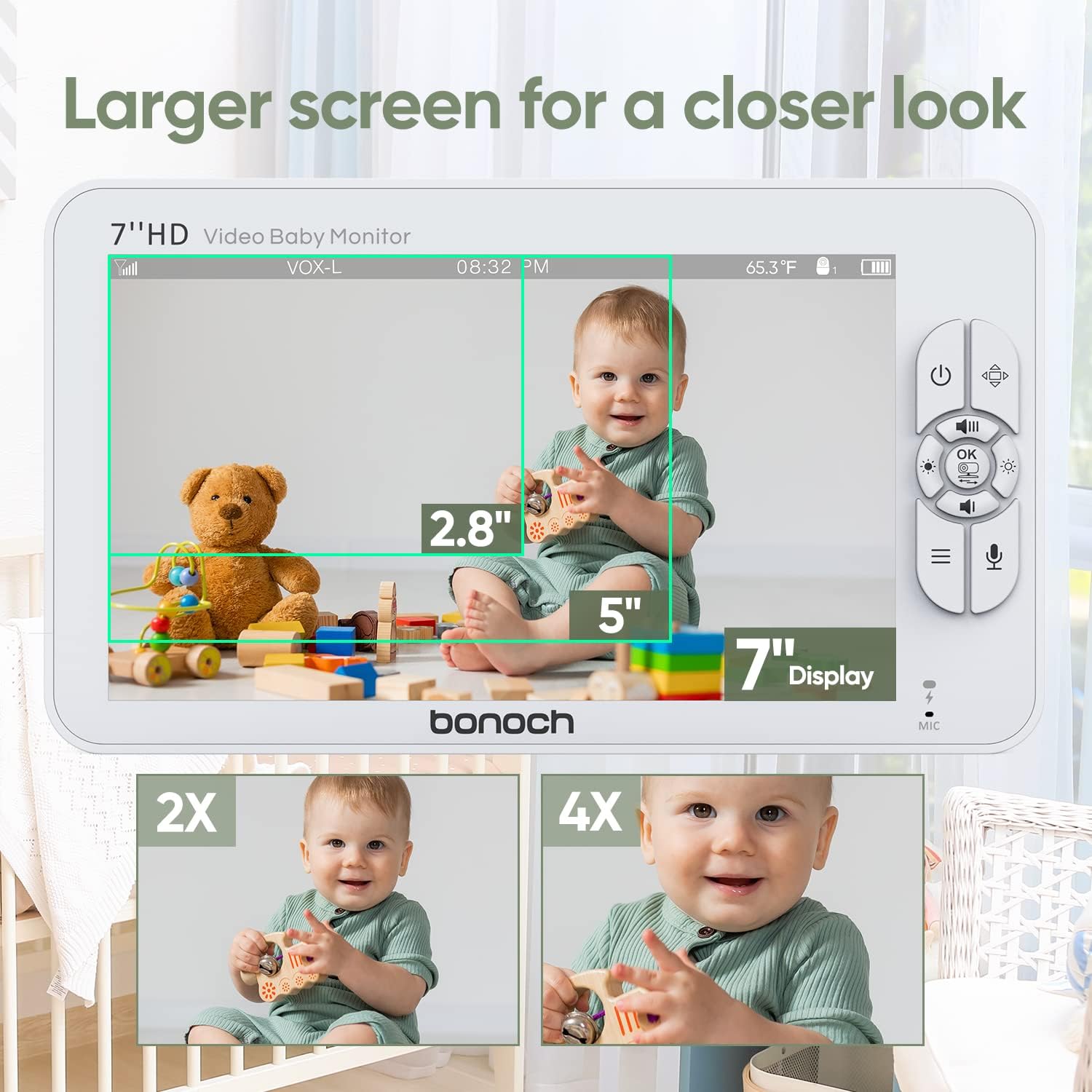
- 7-inch 720P HD Display
- Control Buttons (Power, Menu, OK, Navigation, Talk, Zoom)
- Mikrofon dan Pembesar Suara
- Antena
- Port Pengecasan
- Penunjuk Bateri
4.2 Unit Bayi (Kamera)
- Lensa Kamera HD
- LED Inframerah untuk Penglihatan Malam
- Mikrofon dan Pembesar Suara
- Penderia Suhu
- Butang Berpasangan
- Pelabuhan Kuasa
- Lubang Pemasangan

5. Panduan Persediaan
5.1 Mengecas Unit Induk
- Connect the provided power adapter to the Parent Unit's charging port.
- Plug the adapter into a power outlet. The battery indicator will show charging status.
- Charge the Parent Unit for at least 4 hours before first use to ensure optimal battery life. The 4000mAh battery provides up to 22 hours in VOX mode or 8 hours in regular monitoring mode.
5.2 Powering the Baby Units
- Connect the provided power adapters to each Baby Unit's power port.
- Plug the adapters into power outlets. The Baby Units will power on automatically.
5.3 Positioning the Baby Units
Place the Baby Units in a location that provides a clear view of your baby. Ensure the camera is at least 3 feet (1 meter) away from the crib or playpen to prevent strangulation hazards from the power cord.
- Lekapan Permukaan: Place the camera on a flat, stable surface such as a dresser or shelf.
- Pemasangan Dinding/Siling: Use the included mounting kit to securely attach the camera to a wall or ceiling. Ensure the camera is positioned to capture the desired viewkawasan ing.
5.4 Secure Connection (No Wi-Fi Required)
The bonoch Baby Monitor uses a 2.4GHz FHSS (Frequency Hopping Spread Spectrum) wireless connection, which provides a secure and private live stream without the need for Wi-Fi or smartphone applications. This technology prevents unauthorized access to your video feed.

5.5 Pairing Additional Cameras (if applicable)
Your bonoch Baby Monitor comes pre-paired with the included cameras. If you purchase additional cameras or need to re-pair a camera:
- Turn on both the Parent Unit and the Baby Unit you wish to pair.
- On the Parent Unit, navigate to the 'Camera Settings' menu.
- Select 'Add Camera' and follow the on-screen prompts.
- Press the 'Pair' button on the back of the Baby Unit within the specified time frame.
- Once paired, the camera's video feed will appear on the Parent Unit.
6. Arahan Operasi
6.1 Hidupkan/Mati Kuasa
- Untuk Menghidupkan: Tekan dan tahan butang Kuasa (U) on the Parent Unit until the screen illuminates. Baby Units power on automatically when connected to power.
- Untuk Mematikan: Tekan dan tahan butang Kuasa (U) on the Parent Unit until the screen turns off. Unplug Baby Units from power to turn them off.
6.2 Ciri Paparan
The 7-inch 720P HD display provides a clear view of your baby. The system supports up to four cameras simultaneously.
- Kamera Tunggal View: Displays the feed from one camera at a time. Use navigation buttons to switch between paired cameras.
- Skrin Pisah View: Membolehkan serentak viewing of two cameras side-by-side on the screen. This feature is ideal for monitoring multiple children or different areas of a room.

6.3 Camera Control (Pan, Tilt, Zoom)
The Baby Units offer extensive coverage of the nursery:
- Roti: Use the navigation buttons on the Parent Unit to pan the camera horizontally up to 355°.
- Condong: Use the navigation buttons to tilt the camera vertically up to 120°.
- Zum Digital: Press the Zoom button on the Parent Unit to digitally zoom in up to 4 times (4x).

6.4 Ciri Audio
- Real-time Sound: Hear your baby clearly through the Parent Unit's speaker. Adjust volume using the dedicated buttons.
- Perbincangan Dua Hala: Press and hold the Talk button on the Parent Unit to speak to your baby through the Baby Unit's speaker. Release the button to hear your baby again.
- Lullabies: The monitor includes 8 pre-programmed lullabies. Access this feature through the menu to play soothing melodies for your baby.
6.5 Mod VOX (Pertukaran Beroperasi Suara)
VOX mode conserves battery life by turning off the Parent Unit's screen and audio transmission when no sound is detected from the baby's room. The monitor will automatically reactivate when sound is detected.
- Mengaktifkan VOX: Enable VOX mode through the Parent Unit's menu. You can adjust the sensitivity level to detect different sound thresholds.
- Penjimatan Bateri: In VOX mode, the 4000mAh battery can last up to 22 hours.
6.6 Penglihatan Malam Auto
The Baby Units are equipped with infrared LEDs that automatically activate in low-light conditions, providing clear black-and-white video of your baby even in complete darkness. This feature operates without emitting visible red lights that could disturb your baby.
6.7 Pemantauan Suhu
Each Baby Unit has a built-in temperature sensor that monitors the room temperature. The temperature reading is displayed on the Parent Unit's screen, allowing you to ensure your baby's comfort.
6.8 Hayat Bateri
The Parent Unit is powered by a 4000mAh Lithium Polymer battery, offering:
- Up to 22 hours of monitoring in VOX mode.
- Up to 8 hours of continuous monitoring in regular mode.

6.9 Ciri Tambahan
The monitor also includes a timer function, accessible via the menu, which can be used for various purposes such as feeding schedules or nap times.

7. Penyelenggaraan
7.1 Pembersihan
- Ensure both the Parent Unit and Baby Units are powered off and unplugged before cleaning.
- Use a soft, dry, lint-free cloth to wipe the surfaces of the monitor and cameras.
- Untuk tanda degil, ringankan dampen the cloth with water. Avoid using abrasive cleaners, solvents, or chemical wipes, as these can damage the plastic and electronic components.
- Gently clean the camera lens with a lens cleaning cloth to maintain clear image quality.
7.2 Penyimpanan
If storing the monitor for an extended period, ensure it is fully charged, then power it off. Store in a cool, dry place away from direct sunlight and extreme temperatures.
8. Penyelesaian masalah
| Masalah | Kemungkinan Punca | Penyelesaian |
|---|---|---|
| Tiada imej/bunyi pada Unit Induk | Parent Unit or Baby Unit is off; Out of range; Low battery; Camera not paired. | Ensure all units are powered on and charged. Move Parent Unit closer to Baby Unit. Re-pair camera if necessary. |
| Kualiti imej yang lemah | Camera lens is dirty; Insufficient lighting; Out of range. | Clean camera lens. Ensure adequate lighting or check night vision activation. Move units closer. |
| Statik atau gangguan | Other electronic devices interfering; Out of range. | Move Parent Unit or Baby Unit away from other electronics (e.g., Wi-Fi routers, microwaves). Move units closer. |
| VOX mode not activating/deactivating correctly | VOX sensitivity setting is too high/low. | Adjust VOX sensitivity in the Parent Unit's menu. |
| Bateri tidak memegang cas | Battery degradation; Faulty adapter. | Ensure using the correct adapter. If issue persists, contact customer support for battery replacement or warranty claim. |
If you encounter issues not listed here or if the problem persists after attempting the solutions, please contact bonoch customer support.
9. Spesifikasi
| Ciri | Perincian |
|---|---|
| Nama Model | BBM05 |
| Saiz Paparan | 7 inci |
| Resolusi Video | 720P HD (1280 x 720 pixels) |
| Teknologi Ketersambungan | 2.4 GHz FHSS Wireless (No Wi-Fi) |
| Bilangan Kamera yang Disokong | Sehingga 4 |
| Sudut Pan Kamera | 355 darjah |
| Sudut Kecondongan Kamera | 120 darjah |
| Zum Digital | 4x |
| Bateri Unit Induk | Polimer Litium 4000 mAh |
| Hayat Bateri (Mod VOX) | Sehingga 22 jam |
| Battery Life (Regular Mode) | Sehingga 8 jam |
| Ciri Khas | Split Screen, Two-Way Talk, VOX Mode, Auto Night Vision, Temperature Sensor, Lullabies |
| Pilihan Pemasangan | Surface, Wall, Ceiling |
| Product Dimensions (Monitor) | 7.87 x 4.53 x 0.79 inci |
| Berat Barang | 2.57 paun (jumlah pakej) |
| bahan | plastik |
| Penilaian Perlindungan Antarabangsa | IP54 |
10. Waranti dan Sokongan Pelanggan
bonoch provides a Waranti 1 tahun for this product, covering manufacturing defects and malfunctions under normal use. Additionally, customers receive sokongan teknikal seumur hidup.
For technical assistance, warranty claims, or any questions regarding your bonoch Baby Monitor, please contact our customer service team:
- E-mel: support@bonoch.com
- Telefon (AS): 1-877-643-2797
- Online Support Hours: Tuesday - Saturday, 8:00 AM - 5:00 PM (PST)

Please have your model number (BBM05) and purchase information ready when contacting support.