
pengenalan
Welcome to the user manual for your new Amkette Pocket Blast 5-in-1 FM Radio. This versatile device combines an FM radio, Bluetooth speaker, MP3 player, voice recorder, and FM song recorder into a compact and portable unit. Please read this manual carefully to understand the features and operation of your device and ensure optimal performance.

Figure 1: Amkette Pocket Blast 5-in-1 FM Radio
Kandungan Pakej
Sila tandai kotak untuk item berikut:
- 1 x Amkette Pocket Blast Unit
- 1 x Manual Pengguna
- 1 x Kabel Pengecasan (Jenis-C)
- 1 x Kabel AUX
Ciri-ciri Produk
The Amkette Pocket Blast is designed for versatile audio entertainment and utility.
- Fungsi 5-dalam-1: FM Radio, Bluetooth Speaker, MP3 Player (USB/SD/AUX), Voice Recorder, and FM Song Recorder.
- Kualiti Bunyi Unggul: Equipped with a 6W speaker for clear audio with well-defined bass and pleasing vocals.
- Navigasi Mudah: Full number pad for direct song and FM station selection.
- Long Playback: Over 7 hours of battery life on Bluetooth mode.
- Mikrofon terbina dalam: For voice recording and hands-free calls when connected via Bluetooth.
- Pengecasan Jenis-C: Modern and reliable charging port.
- Antena Luaran: Untuk penerimaan FM yang lebih baik.

Figure 2: Key Features of the Pocket Blast

Figure 3: Compact Size with Powerful Audio
Kawalan dan Pelabuhan
Familiarize yourself with the buttons and ports on your Amkette Pocket Blast for seamless operation.
Front Panel (Number Pad and Display)
- Pad Nombor (0-9): Used for direct input of FM frequencies or song numbers in MP3 mode.
- Butang REC: Initiates voice or FM recording.
- Butang PADAM: Deletes recorded files.
- Butang M (Mod): Switches between FM, Bluetooth, USB, SD, and AUX modes.
- Butang Main/Jeda: Mengawal main balik.
- Butang Trek Sebelumnya/Seterusnya: Navigates through songs or FM stations.
- Butang Kelantangan / Turun Kelantangan: Melaraskan kelantangan audio.
- Paparan LCD: Shows current mode, FM frequency, track number, etc.
Side Panel (Ports)
- Suis ON / OFF: Menghidupkan atau mematikan peranti.
- DC 5V (Type-C) Port: Untuk mengecas peranti.
- Port USB: For USB flash drives (MP3 playback, recording storage).
- Slot Kad TF (Micro SD): For Micro SD cards (MP3 playback, recording storage).
- Input AUX: Untuk menyambungkan peranti audio luaran melalui kabel audio 3.5mm.
- Antena Luaran: Antena boleh dipanjangkan untuk penerimaan FM yang lebih baik.

Figure 4: Number Pad for Direct Selection

Figure 5: Multi Playback Options
Persediaan
Pengecasan Awal
Before first use, fully charge your Amkette Pocket Blast.
- Connect the provided Type-C charging cable to the DC 5V port on the device.
- Sambungkan hujung kabel yang satu lagi ke penyesuai kuasa USB (tidak disertakan) atau port USB komputer.
- The charging indicator on the device will illuminate. It will turn off or change color once fully charged.
- Pengecasan penuh biasanya mengambil masa lebih kurang 2 jam.
Menghidupkan/Mematikan
Slide the ON/OFF switch located on the side of the device to power it on or off.
Arahan Operasi
Mod Bluetooth
Connect your smartphone or other Bluetooth-enabled devices to the Pocket Blast for wireless audio streaming and hands-free calls.
- Power on the Pocket Blast. It will automatically enter Bluetooth pairing mode (indicated by a flashing Bluetooth icon or voice prompt).
- Pada peranti anda, dayakan Bluetooth dan cari peranti yang tersedia.
- Select "Amkette Pocket Blast" from the list.
- Once paired, the device will confirm the connection. You can now play audio from your connected device.
- To answer/end calls, press the Play/Pause button. Use the built-in microphone for communication.
Operasi Radio FM
Enjoy your favorite FM radio stations with clear reception.
- Tekan ke M (Mod) button until "FM" mode is displayed.
- Extend the external antenna for optimal reception.
- Imbasan Auto: Tekan lama Main/Jeda butang untuk mengimbas dan menyimpan stesen FM yang tersedia secara automatik.
- Penalaan Manual: Gunakan Trek Sebelumnya / Seterusnya butang untuk memperhalusi frekuensi.
- Input Frekuensi Langsung: Use the number pad to directly enter the desired FM frequency (e.g., 94.3 for 94.3 MHz).
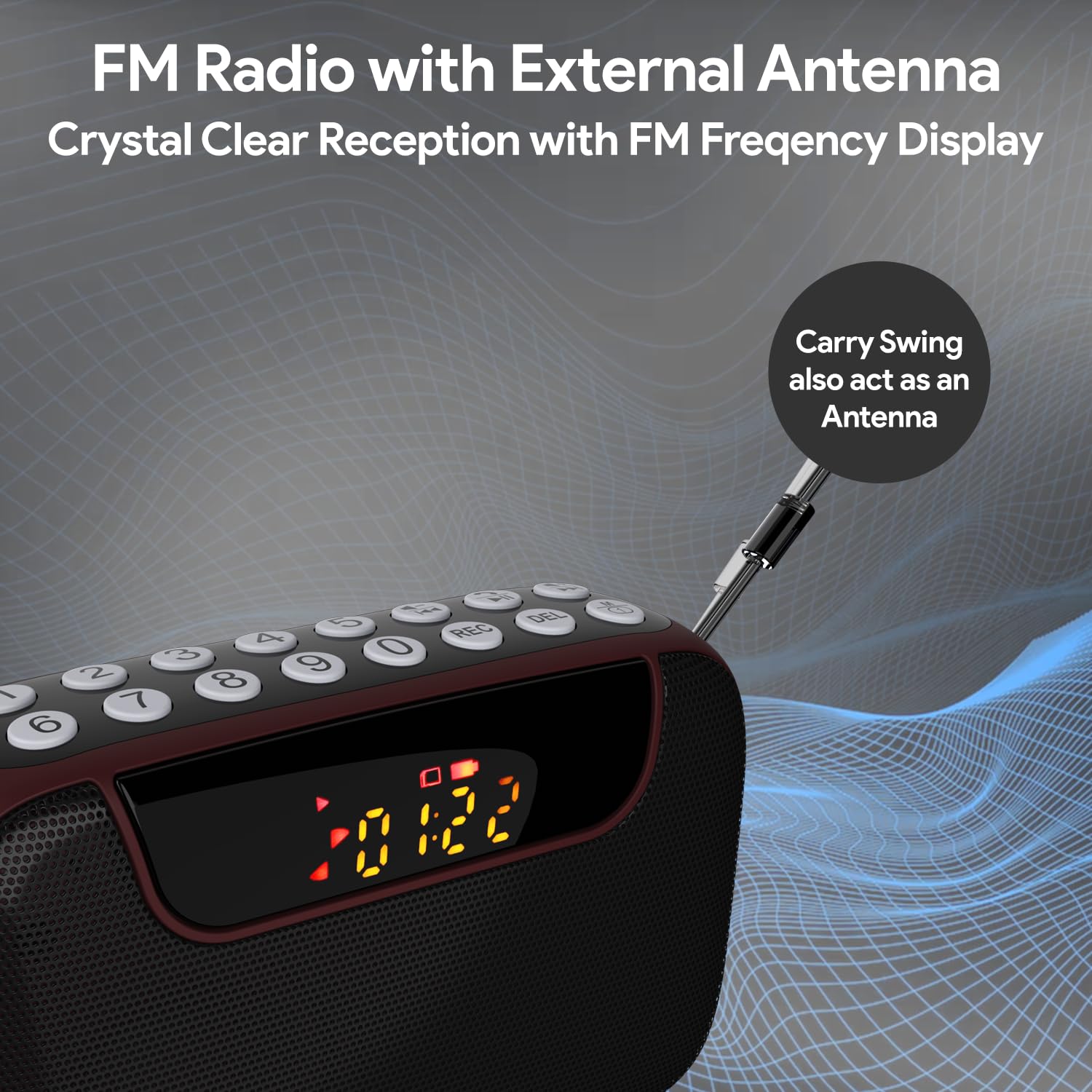
Figure 6: FM Radio with External Antenna
MP3 Playback (USB/SD/AUX)
Play music from USB drives, Micro SD cards, or external audio devices.
- Kad USB/SD: Insert a USB flash drive or Micro SD card (with MP3 files) into the corresponding port. The device will automatically switch to USB/SD mode and begin playback. If not, press the M (Mod) button to select the correct mode.
- Input AUX: Connect an external audio device (e.g., smartphone, laptop) to the AUX port using the provided 3.5mm audio cable. Press the M (Mod) butang untuk memilih mod AUX.
- Gunakan Main/Jeda dan Trek Sebelumnya / Seterusnya butang untuk mengawal main balik.
- Use the number pad for direct song selection (e.g., enter "007" for the 7th song).

Figure 7: MP3 Player with Track Selection
Rakaman Suara
Record voice notes directly onto a connected USB drive or Micro SD card.
- Ensure a USB drive or Micro SD card is inserted into the device.
- Tekan ke REC button to start recording. The display will show a recording indicator.
- Bercakap dengan jelas ke dalam mikrofon terbina dalam.
- Tekan ke REC button again to stop and save the recording.
- To play back recordings, switch to USB/SD mode and navigate to the recorded files.
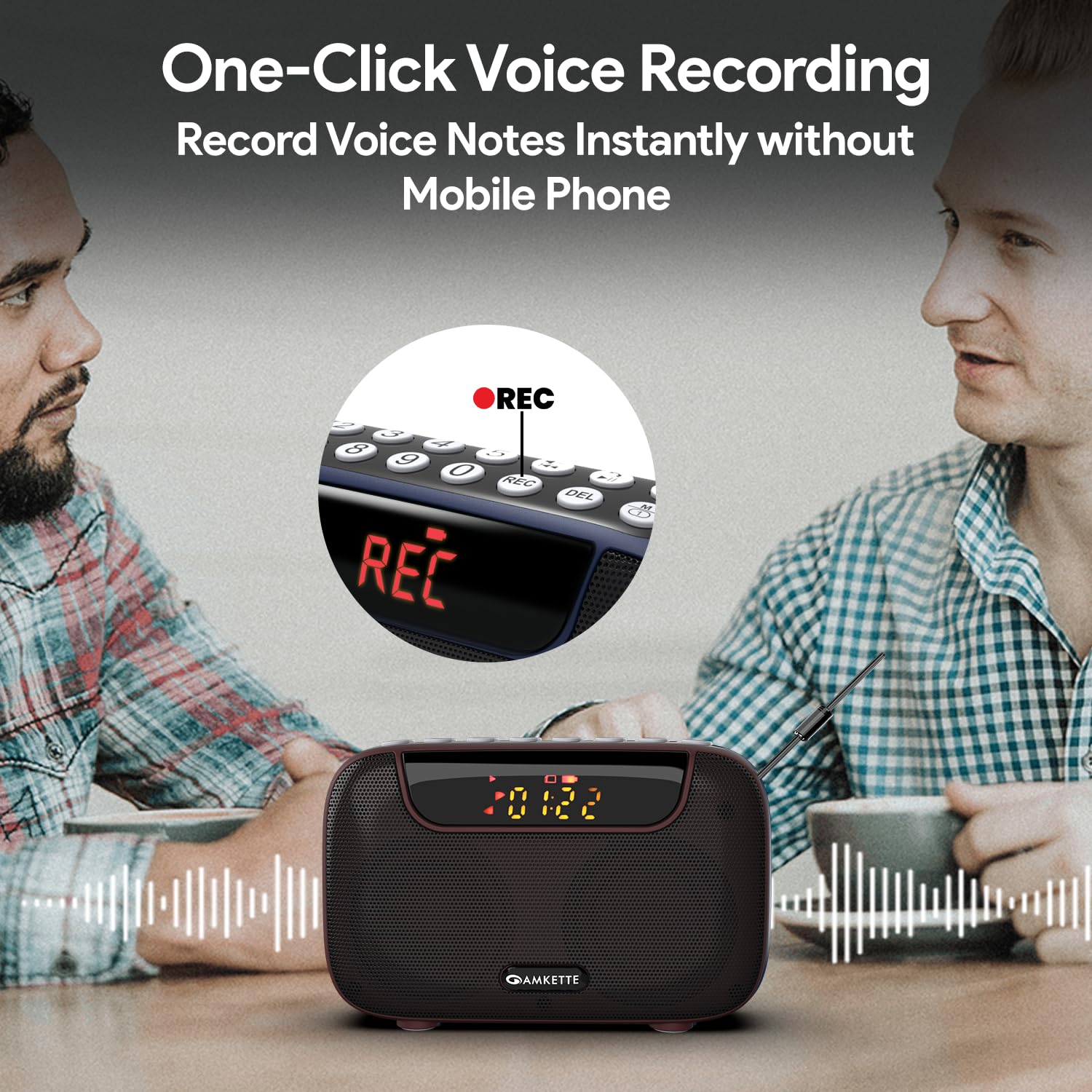
Figure 8: One-Click Voice Recording
FM Song Recording
Capture your favorite FM radio programs or songs directly from the radio.
- Ensure a USB drive or Micro SD card is inserted into the device.
- Switch to FM mode and tune to the desired station.
- Tekan ke REC button to start recording the FM broadcast. The display will show a recording indicator.
- Tekan ke REC button again to stop and save the recording.
- Recorded FM songs will be saved on the inserted storage device.

Figure 9: Built-in FM Song Recorder
Mengecas
The Amkette Pocket Blast is equipped with a rechargeable Lithium Ion battery.
- Gunakan hanya kabel pengecas Jenis-C yang disediakan.
- Connect to a standard USB power source (5V/1A recommended).
- Elakkan menggunakan kabel atau pengecas yang rosak.
- Jangan mengecas dalam suhu yang melampau.
- The device offers over 7 hours of playback on a full charge (Bluetooth mode).

Figure 10: Extended Playback Time
Penyelenggaraan
To ensure the longevity and optimal performance of your device, follow these maintenance guidelines:
- Keep the device dry. Avoid exposure to water or excessive humidity.
- Bersihkan peranti dengan kain lembut dan kering. Jangan gunakan pembersih atau pelarut yang melelas.
- Simpan peranti di tempat yang sejuk dan kering apabila tidak digunakan.
- Elakkan daripada menjatuhkan atau meletakkan peranti kepada kesan yang kuat.
- Jangan cuba membuka atau membaiki peranti ini sendiri. Ini akan membatalkan jaminan.
Menyelesaikan masalah
If you encounter any issues with your Amkette Pocket Blast, refer to the following common problems and solutions:
| Masalah | Kemungkinan Punca | Penyelesaian |
|---|---|---|
| Peranti tidak dihidupkan. | Low battery; Power switch is off. | Charge the device fully; Ensure the ON/OFF switch is in the "ON" position. |
| Tiada bunyi. | Volume too low; Incorrect mode selected; Device not paired (Bluetooth). | Increase volume; Press "M" button to select correct mode; Re-pair Bluetooth device. |
| Sambutan FM yang lemah. | Antena tidak dipanjangkan; Kawasan isyarat lemah. | Fully extend the external antenna; Try moving to a location with better signal. |
| Tidak dapat merakam. | No USB/SD card inserted; Storage full; Card format issue. | Insert a compatible USB/SD card; Delete old files or use a new card; Ensure card is formatted correctly (FAT32). |
| Bluetooth terputus dengan kerap. | Device too far from Pocket Blast; Obstructions; Interference. | Keep devices within 10 meters (33 feet); Remove obstructions; Avoid strong electromagnetic interference. |
Spesifikasi
Detailed technical specifications for the Amkette Pocket Blast.
| Ciri | Perincian |
|---|---|
| Jenama | Amkette |
| Nama Model | Pocket Blast |
| Dimensi Produk | 12 x 4.1 x 7.8 cm |
| Berat Barang | 264 g |
| Kuasa Keluaran Pembesar Suara | 6 Watt |
| Sumber Kuasa | Dikuasakan Bateri |
| Jenis Bateri | Litium Ion (termasuk) |
| Hayat Bateri (Purata) | 7+ Jam (Bluetooth) |
| Port Pengecasan | Type-C (DC 5V) |
| Ketersambungan | Bluetooth, USB, SD Card, AUX |
| Teknologi Penala | FM |
| Jenis Paparan | LCD |
| Negara Asal | China |
Waranti dan Sokongan
Your Amkette Pocket Blast comes with a 1-Year Manufacturing Warranty.
For any issues, queries, or support, please contact our customer support team.
- Sokongan Pelanggan: Please Call or WhatsApp our customer support team in case of any issues.
- Tuntutan Waranti: Simpan resit pembelian anda sebagai bukti pembelian untuk tuntutan waranti.