
pengenalan
Thank you for choosing the Varmilo MA Series V2 Koi TKL EC Mechanical Keyboard. This keyboard combines a space-saving Tenkeyless (TKL) form factor with Varmilo's EC Ivy V2 electrocapacitive switches for a unique typing experience. It features durable Dye Sub PBT keycaps, USB-C connectivity, and a distinctive Koi design. This manual provides essential information for setting up, operating, maintaining, and troubleshooting your new keyboard.
Persediaan
Follow these steps to set up your Varmilo MA Series V2 Koi TKL keyboard:
- Buka pek Papan Kekunci: Carefully remove the keyboard and included USB-C cable from its packaging.
- Sambungkan Kabel USB-C: Insert one end of the provided USB-C cable into the USB-C port on the back of the keyboard. Connect the other end to an available USB port on your computer (PC, Laptop), smartphone, or tablet.
- Laluan Kabel: The keyboard features cable grooves on the bottom case, allowing the cable to exit from the left, right, or middle. Route the cable as desired for a tidy setup.
- Adjust Kickstands: The keyboard is equipped with double-section kickstands. Gently flip them out to adjust the typing angle to your preference.

Imej: Bawah view of the keyboard, illustrating the double-section kickstands and cable routing grooves.
Your computer should automatically detect and install the necessary drivers. No additional software is typically required for basic functionality.
Beroperasi
The Varmilo MA Series V2 Koi TKL keyboard is designed for intuitive use. Here are some key operational aspects:
- Menaip: The keyboard uses Varmilo EC Ivy V2 electrocapacitive switches, known for their smooth and consistent feel. The keycaps are made from thick Dye Sub PBT, offering durability and a pleasant texture.
- Pencahayaan latar: This model features single-color LED backlighting. Specific key combinations (often involving the Fn key) can be used to adjust brightness or lighting modes. Refer to the quick guide or manufacturer's website for detailed key combinations.
- Lampu Penunjuk: All indicator lights (e.g., Caps Lock, Scroll Lock) are located on the top right of the keyboard to minimize distractions during use.
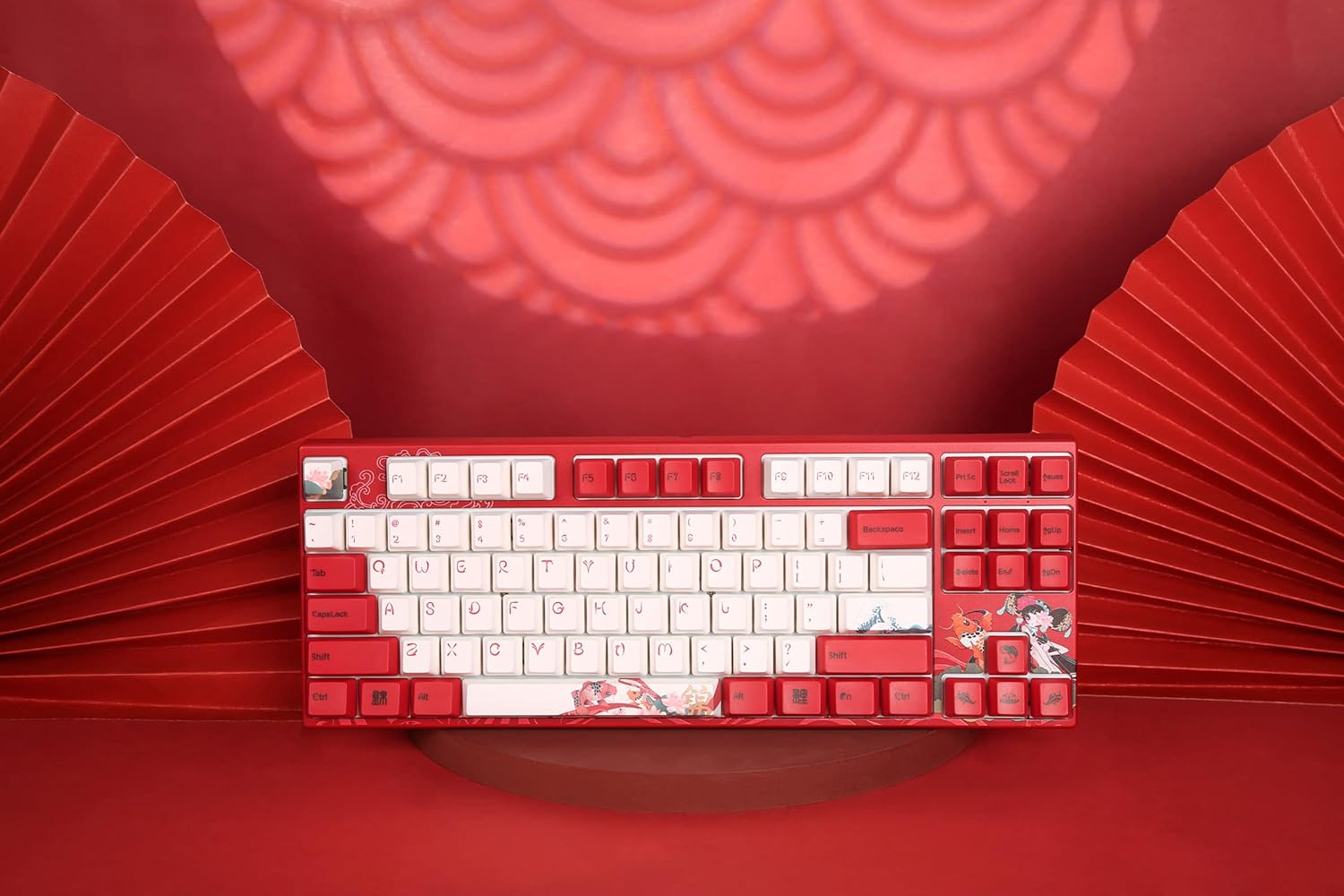
Imej: Atas ke bawah view of the keyboard, highlighting the TKL layout and keycap design.
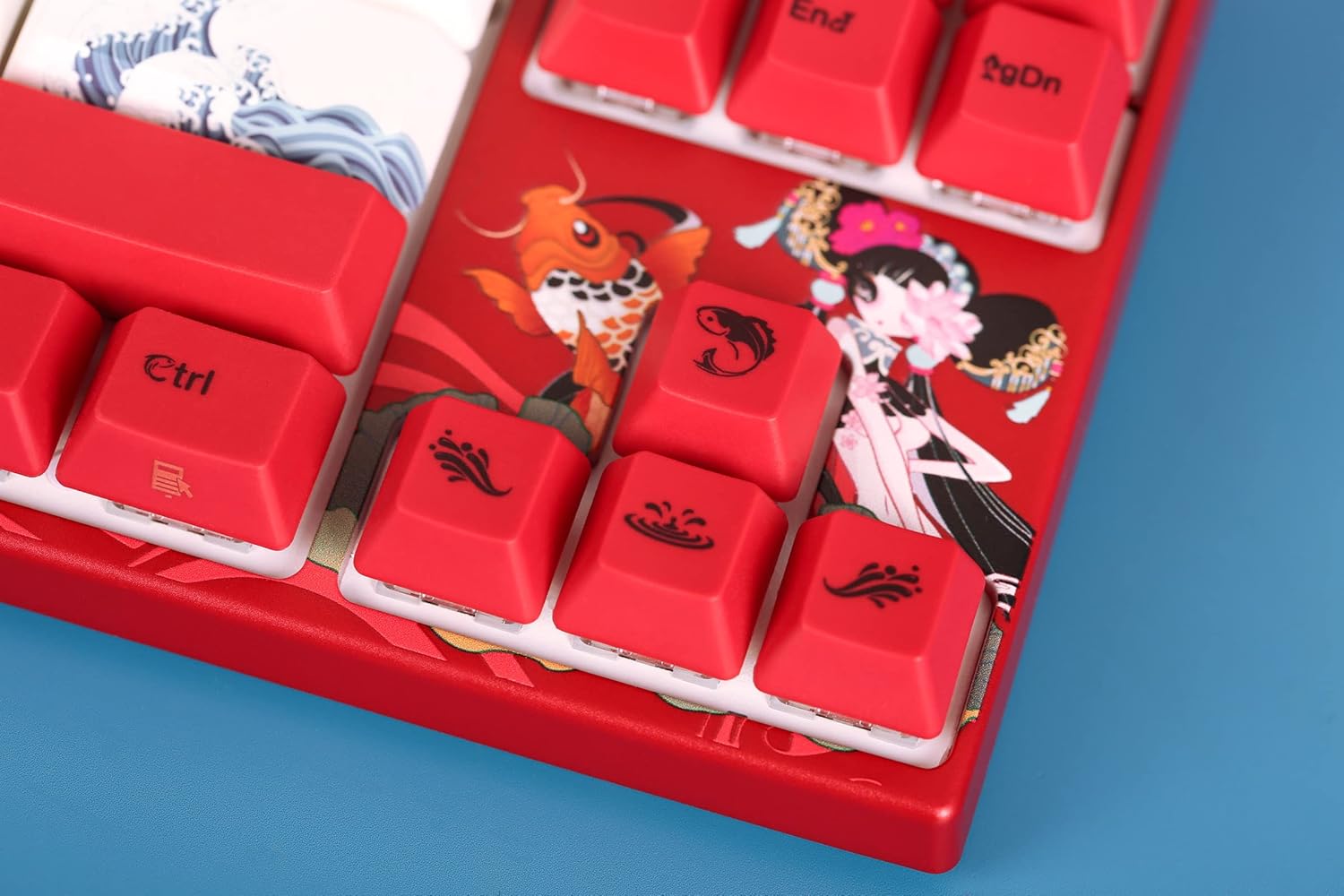
Image: Close-up of the keyboard's keycaps, detailing the unique Koi artwork and legends.
Penyelenggaraan
Penyelenggaraan yang betul memastikan jangka hayat dan prestasi papan kekunci anda:
- Membersihkan Papan Kekunci: Regularly clean the keyboard with a soft, dry cloth. For dust and debris between keycaps, use compressed air. Avoid using harsh chemicals or abrasive materials.
- Pembuangan Papan Kekunci: If you need to clean under the keycaps or replace them, use a keycap puller. Gently pull the keycap straight up to avoid damaging the switch stem. When reattaching, align the keycap with the switch stem and press down firmly until it clicks into place.
- Pencegahan Tumpahan: Keep liquids away from the keyboard to prevent damage to the internal electronics.

Image: Loose keycaps and a keycap puller, useful for cleaning and customization.
Menyelesaikan masalah
If you encounter issues with your keyboard, try the following troubleshooting steps:
- Papan Kekunci Tidak Membalas:
- Pastikan kabel USB-C disambungkan dengan selamat pada papan kekunci dan komputer anda.
- Cuba sambungkan papan kekunci ke port USB lain pada komputer anda.
- Uji papan kekunci pada komputer lain untuk menentukan sama ada masalahnya adalah pada papan kekunci atau komputer asal.
- Mulakan semula komputer anda.
- Kunci Tidak Mendaftar:
- Remove the keycap of the problematic key and check for any obstructions or debris around the switch. Clean if necessary.
- Pastikan penutup kekunci diletakkan dengan betul pada batang suis.
- Isu Pencahayaan Belakang:
- Check if the backlighting is turned off or set to the lowest brightness level using the keyboard's function keys.
- Pastikan papan kekunci menerima kuasa yang mencukupi daripada port USB.
Jika langkah ini tidak menyelesaikan isu ini, sila rujuk bahagian Waranti dan Sokongan untuk mendapatkan bantuan lanjut.
Spesifikasi
| Ciri | Perincian |
|---|---|
| Nama Model | MA Series V2 Koi TKL |
| Pengeluar | Varmilo |
| Nombor Model Item | 06924427360865 |
| Teknologi Ketersambungan | USB-C |
| Penerangan Papan Kekunci | mekanikal |
| Jenis Suis | Varmilo EC Ivy V2 (Electrocapacitive) |
| Bahan Kekunci | Thick Dye Sub PBT |
| Backlighting papan kekunci | Warna Single LED |
| Peranti Serasi | Laptop, Smartphone, Tablet, PC |
| bahan | Polybutylene Terephthalate (PBT), Silicone |
| Komponen yang Disertakan | Kabel USB |
Waranti dan Sokongan
Varmilo products are manufactured with quality and reliability in mind. For specific warranty information regarding your Varmilo MA Series V2 Koi TKL EC Mechanical Keyboard, please refer to the warranty card included with your product or visit the official Varmilo webtapak.
If you require technical support, have questions about your product, or need assistance with troubleshooting beyond what is covered in this manual, please contact Varmilo customer service through their official channels. Details can typically be found on the Varmilo webtapak atau pembungkusan produk.