
1. Pengenalan
Terima kasih kerana membeliasing the ORCC 10-in-1 Turntable Record Player. This versatile audio system combines a classic vinyl turntable with modern functionalities including CD, cassette, USB, SD/MMC card playback, Bluetooth connectivity, FM/AM radio, and MP3 recording. This manual provides detailed instructions to help you set up, operate, and maintain your device for optimal performance and enjoyment.
Sila baca manual ini dengan teliti sebelum menggunakan produk ini dan simpannya untuk rujukan pada masa hadapan.
2. Maklumat Keselamatan
Untuk memastikan operasi yang selamat dan mengelakkan kerosakan, sila patuhi langkah berjaga-jaga berikut:
- Jangan dedahkan unit kepada hujan, kelembapan atau suhu yang melampau.
- Elakkan meletakkan unit berhampiran sumber haba seperti radiator, daftar haba, dapur atau peralatan lain yang menghasilkan haba.
- Pastikan pengudaraan yang betul. Jangan sekat sebarang bukaan pengudaraan.
- Gunakan hanya lampiran/aksesori yang ditentukan oleh pengilang.
- Cabut palam unit semasa ribut petir atau apabila tidak digunakan untuk tempoh yang lama.
- Rujuk semua servis kepada kakitangan perkhidmatan yang berkelayakan.
- Jauhkan unit daripada medan magnet yang kuat.
3. Persediaan
Follow these steps to set up your ORCC 10-in-1 Turntable Record Player:
- Membongkar: Carefully remove the unit from its packaging. Retain all packaging materials for future transport or storage.
- penempatan: Letakkan unit di atas permukaan yang stabil dan rata, jauh daripada cahaya matahari langsung, sumber haba dan habuk atau getaran yang berlebihan.
- Sambungan Kuasa: Connect the power adapter to the DC input jack on the unit and then plug it into a wall outlet.
- Penutup habuk: Ensure the dust cover is properly attached to protect the turntable.
- Turntable Setup: Remove the stylus protector from the needle. Unlock the tone arm clip.
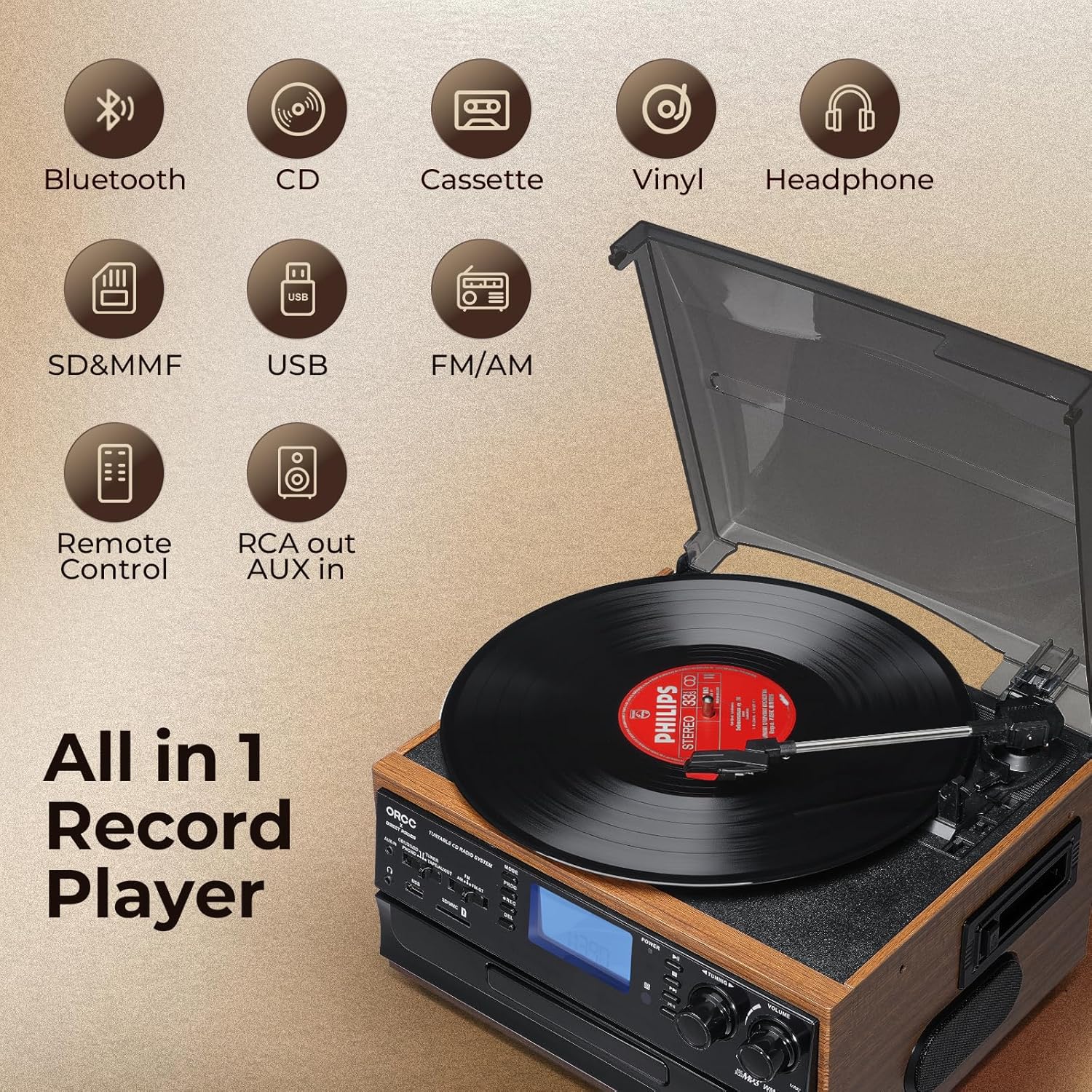
Imej: Selesaiview of the ORCC 10-in-1 Turntable Record Player, highlighting its various functions including Bluetooth, CD, Cassette, Vinyl, Headphone, SD/MMC, USB, FM/AM Radio, Remote Control, and RCA out/AUX in.
4. Arahan Operasi
4.1. Operasi Meja Putar
This unit supports 33, 45, and 78 RPM records in 7", 10", and 12" sizes.
- Letakkan rekod pada pinggan meja putar.
- Select the appropriate speed (33/45/78 RPM) using the speed selector switch. Use the included 45 RPM adapter for 7-inch records.
- Lift the tone arm using the cue lever and position it over the desired track on the record.
- Lower the tone arm gently onto the record using the cue lever. Playback will begin.
- At the end of the record, the auto-stop function will automatically stop the platter rotation. Lift the tone arm and return it to its rest.

Imej: Terperinci view of the turntable section, illustrating the 45 RPM adapter, 3-speed control, auto-stop feature, and tone arm lock lever for vinyl record playback.
4.2. Operasi Pemain CD
- Tekan butang MOD untuk memilih mod CD.
- Tekan butang OPEN/CLOSE untuk membuka dulang CD.
- Letakkan CD dengan sisi label menghadap ke atas ke dalam dulang.
- Press the OPEN/CLOSE button again to close the tray. The unit will read the CD.
- Press the PLAY/PAUSE button to start playback. Use the SKIP buttons to navigate tracks.

Image: The built-in CD player with a disc partially inserted into the tray, ready for playback.
4.3. Operasi Pemain Kaset
- Press the MODE button to select TAPE mode.
- Masukkan pita kaset ke dalam slot kaset di sisi unit.
- Press the PLAY button to start playback. Use the FAST FORWARD/REWIND buttons as needed.
- Tekan butang STOP untuk menamatkan main balik.

Image: A cassette tape being inserted into the dedicated cassette player slot on the side of the unit.
4.4. Kesambungan Bluetooth
- Press the MODE button to select Bluetooth (BT) mode. The display will show "BT" and flash, indicating it's in pairing mode.
- Pada peranti anda yang didayakan Bluetooth (cth., telefon pintar, tablet), dayakan Bluetooth dan cari peranti yang tersedia.
- Select "ORCC" from the list of devices to pair. Once connected, the "BT" indicator will stop flashing.
- You can now stream audio wirelessly from your device to the ORCC system.

Image: A smartphone displaying a Bluetooth connection to the ORCC turntable, illustrating wireless audio streaming.
4.5. FM/AM Radio Operation
- Press the MODE button to select TUNER mode.
- Use the FM/AM switch to select your desired band.
- Rotate the TUNING knob to manually search for radio stations.
- For automatic scanning, press and hold the SCAN button. The unit will search and stop at the next available station.

Image: A hand adjusting the tuning knob on the ORCC turntable, which displays an FM radio frequency on its screen.
4.6. USB & SD Card Playback
- Masukkan pemacu kilat USB ke dalam port USB atau kad SD/MMC ke dalam slot kad.
- Press the MODE button to select USB or SD mode.
- Unit ini akan mengesan dan memainkan MP3 secara automatik files. Use the PLAY/PAUSE and SKIP buttons to control playback.

Imej: Dari dekat view of the USB port and SD/MMC card slot on the front panel of the ORCC turntable, indicating digital media playback options.
4.7. MP3 Recording Function
The unit allows direct recording from Vinyl, CD, Cassette, or AUX-in to a USB flash drive or SD card in MP3 format.
- Insert a USB flash drive or SD card into its respective slot.
- Select the desired source (Vinyl, CD, Cassette, or AUX-in) using the MODE button.
- Start playback of the source material.
- Press the REC button to begin recording. The recording indicator will illuminate.
- Press the REC button again to stop recording. The recorded MP3 file will be saved to the USB drive or SD card.

Image: A visual representation of the recording function, demonstrating how audio from vinyl, CD, or cassette can be converted and saved as MP3 files ke pemacu USB.
4.8. Headphone Jack & RCA Output
- Jack fon kepala: Plug 3.5mm headphones into the headphone jack for private listening. The built-in speakers will mute automatically.
- Keluaran RCA: Use RCA cables (not included) to connect the RCA LINE OUT ports to an external amplifier or powered speakers for enhanced audio output.
- Input AUX: Connect external audio devices (e.g., MP3 players, smartphones) to the 3.5mm AUX IN jack using an audio cable (not included) to play their audio through the ORCC system.

Image: A pair of black headphones connected to the built-in headphone jack on the ORCC turntable, indicating private listening capability.

Image: A close-up of the rear panel of the ORCC turntable, showing the AUX In and RCA Line Out ports for connecting external devices or speakers.
5. Penyelenggaraan
Proper care and maintenance will ensure the longevity of your ORCC audio system:
- Pembersihan: Lap unit dengan kain lembut dan kering. Jangan gunakan pembersih atau pelarut yang melelas.
- Penjagaan Stylus: Handle the stylus carefully. Clean it periodically with a soft brush, brushing from back to front. Replace the stylus when sound quality deteriorates.
- Penutup habuk: Pastikan penutup habuk ditutup apabila tidak digunakan untuk mengelakkan pengumpulan habuk pada meja putar dan stylus.
- Penjagaan CD/Kaset: Keep CDs and cassette tapes clean and free of scratches or damage.
6. Penyelesaian masalah
If you encounter issues with your ORCC 10-in-1 Turntable, refer to the following common problems and solutions:
| Masalah | Kemungkinan Punca | Penyelesaian |
|---|---|---|
| Tiada kuasa | Kord kuasa tidak disambungkan; Salur keluar kuasa tidak aktif. | Ensure power cord is securely plugged in. Test outlet with another device. |
| Tiada bunyi | Kelantangan terlalu rendah; Mod salah dipilih; Fon kepala disambungkan. | Increase volume. Select correct input mode. Disconnect headphones if using speakers. |
| Meja putar tidak berputar | Power off; Auto-stop engaged; Belt issue. | Ensure unit is on. Check auto-stop switch. If belt is dislodged or broken, contact support. |
| Bluetooth tidak berpasangan | Unit not in BT mode; Device too far; Device already paired. | Ensure unit is in BT mode. Move device closer. Forget device on your phone and re-pair. |
| Kualiti bunyi yang teruk daripada vinil | Dirty record; Worn stylus; Incorrect speed. | Clean record. Replace stylus. Verify correct RPM speed. |
7. Spesifikasi
- Nama Model: 19-WD
- Jenama: ORCC
- Dimensi Produk: 127.95 x 116.14 x 78.74 inci
- Berat Barang: 10.63 paun
- Bahan: kayu
- warna: coklat
- Kelajuan Putaran Maksimum: 78 RPM
- Jenis Motor: Motor AC
- Komponen yang Disertakan: Pembesar suara terbina dalam
- Ciri Khas: AUX Input, Built-In Bluetooth Receiver, RCA Output
- Peranti Serasi: Fon kepala, Pembesar Suara
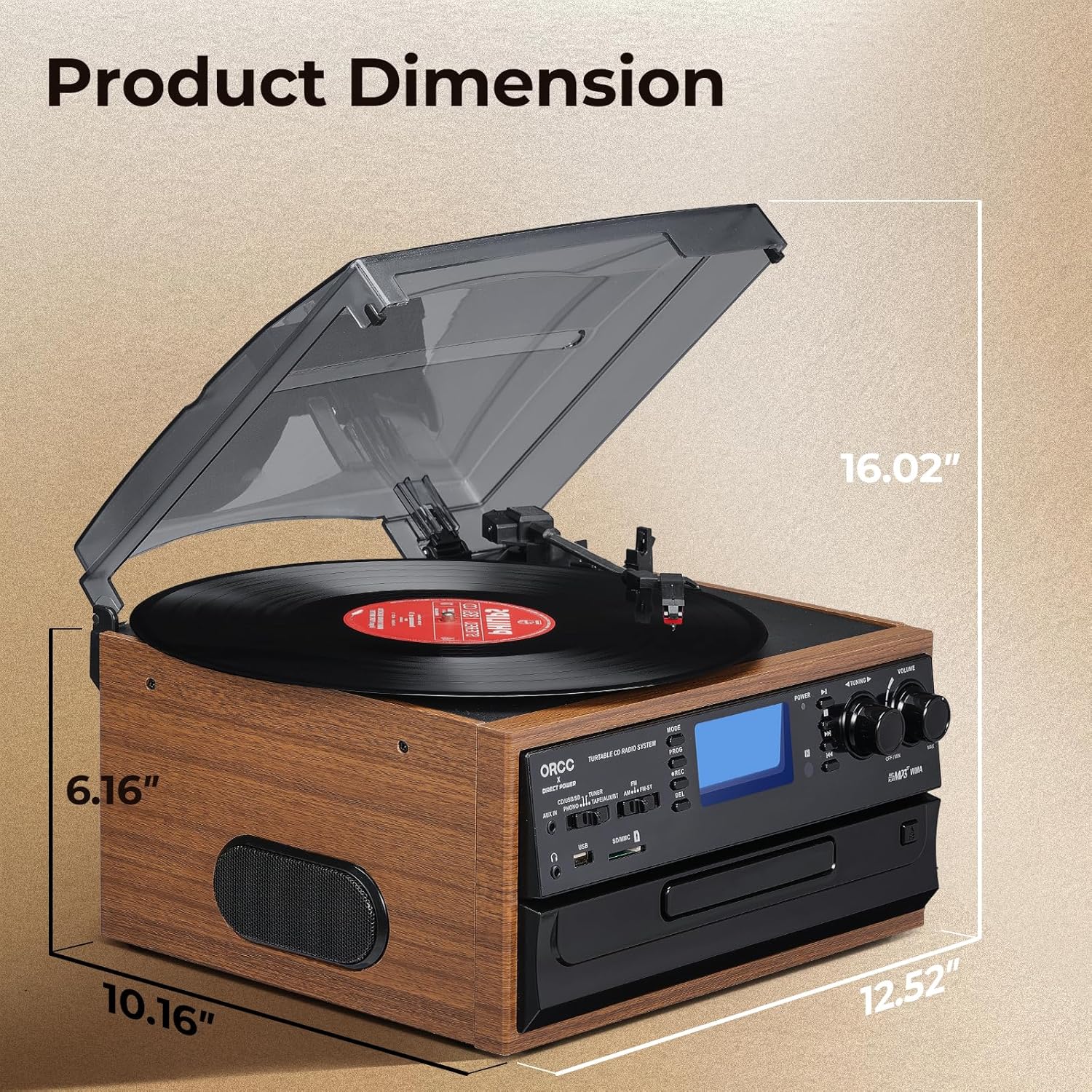
Image: A diagram illustrating the product dimensions of the ORCC turntable, showing height, width, and depth measurements.
8. Waranti dan Sokongan
For warranty information and customer support, please refer to the warranty card included with your product or visit the official ORCC webtapak. Simpan resit pembelian anda sebagai bukti pembelian.
If you experience any issues not covered in the troubleshooting section, please contact ORCC customer service for assistance.