
1. Pengenalan
This manual provides essential information for the safe and efficient use of your Innostyle Magnetic Wireless Power Bank. Please read this manual thoroughly before using the product and retain it for future reference.

Image 1.1: The Innostyle Magnetic Wireless Power Bank (Purple) magnetically attached to the back of an iPhone.
2. Apa yang ada di dalam Kotak
Sahkan bahawa semua item ada semasa membongkar:
- 1x Magnetic Wireless Power Bank (Model: IM20PD)
- 1x Kabel USB-A ke USB-C
- 1x Manual Pengguna (dokumen ini)
3. Produk Lebihview
Familiarize yourself with the components and features of your power bank.

Image 3.1: Key components of the Innostyle Magnetic Wireless Power Bank, including the power button, USB-C IN/OUT port, Lightning IN port, and LED indicators.
- Butang Kuasa: Used to turn the device on/off and activate low-power mode.
- USB-C IN/OUT Port (20W): For charging the power bank and for wired fast charging of external devices.
- Lightning IN Port (18W): For charging the power bank using a Lightning cable.
- Penunjuk LED: Paparkan baki paras bateri dan status pengecasan.
- Magnetic Charging Surface: For wireless charging of compatible devices.
4. Persediaan
4.1 Pengecasan Awal Bank Kuasa
Before first use, fully charge the power bank. Connect the provided USB-A to USB-C cable to the power bank's USB-C IN/OUT port and a compatible USB wall adapter (not included). Alternatively, use a Lightning cable with the Lightning IN port. The LED indicators will show charging progress.
4.2 Hidupkan/Mati Kuasa
- Untuk Menghidupkan: Short press the power button once. The LED indicators will light up.
- Untuk Mematikan: Short press the power button twice. The LED indicators will turn off.
5. Arahan Operasi
5.1 Magnetic Wireless Charging (7.5W Max)
Align your compatible iPhone (iPhone 15/14/13/12 series) or AirPods with the magnetic charging surface on the power bank. The magnets will snap into place, and wireless charging will begin automatically. Ensure your iPhone is without a case or uses a magnetic-compatible case for optimal attachment and charging efficiency.

Image 5.1: Demonstrates the seamless magnetic attachment of the power bank to an iPhone for wireless charging.
5.2 Wired Fast Charging (20W PD Max)
Connect your device to the power bank's USB-C IN/OUT port using a USB-C to USB-C cable (for compatible devices) or a USB-C to Lightning cable (for iPhones). The power bank supports Power Delivery (PD) 20W fast charging, capable of charging an iPhone 13 from 0% to 50% in approximately 30 minutes.

Image 5.2: Illustration of 2-in-1 fast charging, showing both wireless (7.5W Max) and wired (20W Max) charging options.
5.3 Pass-through Charging
The power bank supports pass-through charging, allowing you to recharge the power bank itself while simultaneously charging your iPhone wirelessly or via cable. Connect the power bank to a wall adapter, then attach your iPhone for charging.

Image 5.3: Depiction of the power bank being recharged from a wall outlet while simultaneously charging an iPhone.
5.4 Mengecas Dua Peranti Secara Serentak
You can charge two devices at the same time: one wirelessly via the magnetic surface and another via the USB-C port.
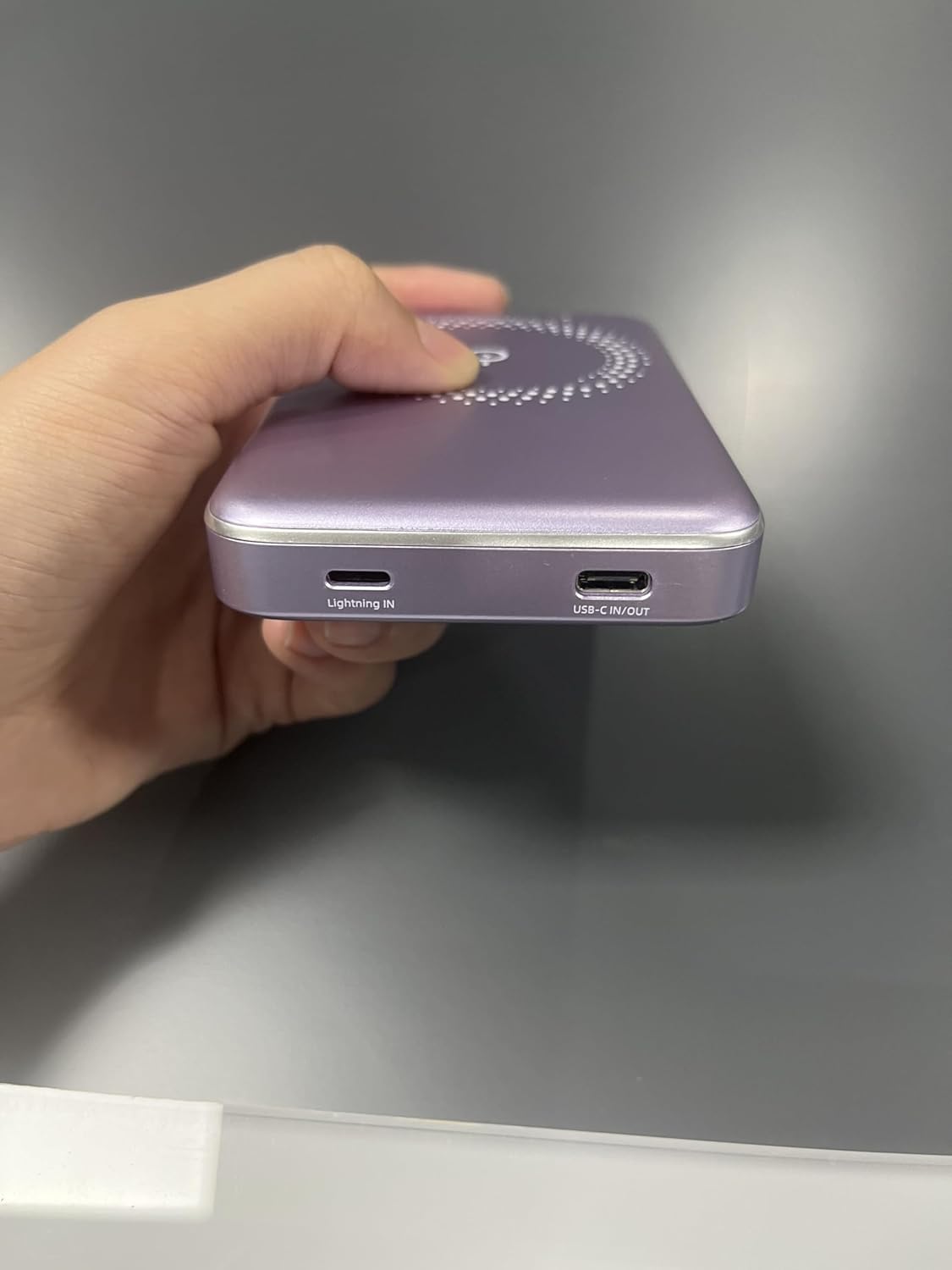
Image 5.4: The power bank simultaneously charging an iPhone wirelessly and another device via a wired connection.
5.5 Low-Power Mode
To enter low-power mode (for charging low-current devices like earbuds or smartwatches), press and hold the power button for 3 seconds. To exit low-power mode, press and hold the button for 3 seconds again.
5.6 Using Phone/Camera While Charging
The design of the power bank ensures that it does not obstruct your phone's camera lens, allowing for uninterrupted use while charging.
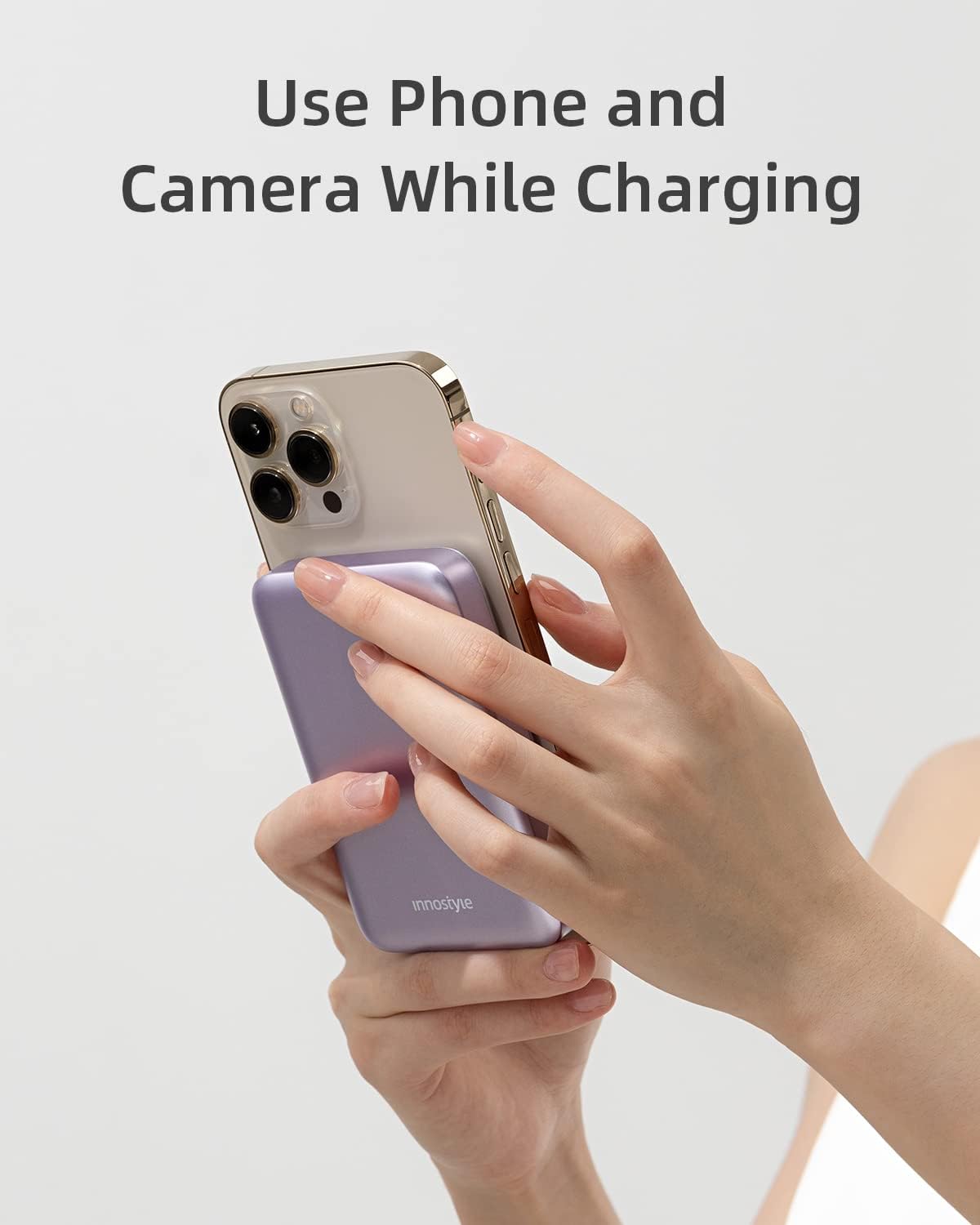
Image 5.5: The power bank attached to an iPhone, showing that the camera remains unobstructed during use.
6. Penyelenggaraan
- Pembersihan: Gunakan kain lembut dan kering untuk membersihkan permukaan bank kuasa. Elakkan menggunakan bahan kimia yang keras atau bahan yang melelas.
- Storan: Simpan bank kuasa di tempat yang sejuk dan kering jauh dari cahaya matahari langsung, suhu yang melampau dan kelembapan.
- Penjagaan Bateri: Untuk memanjangkan hayat bateri, cas sepenuhnya power bank sekurang-kurangnya sekali setiap tiga bulan jika tidak digunakan secara tetap.
7. Penyelesaian masalah
| Masalah | Kemungkinan Punca | Penyelesaian |
|---|---|---|
| Power bank tidak dicas | Kabel tidak disambung dengan betul; kabel/penyesuai rosak; bank kuasa dinyahcas sepenuhnya. | Ensure cables are securely connected. Try a different cable or wall adapter. Allow a few minutes for the power bank to respond if deeply discharged. |
| Peranti tidak dicas secara wayarles | Device not aligned; non-magnetic case; device not compatible; foreign object between power bank and device. | Realign the device. Remove any non-magnetic cases. Ensure your device supports wireless charging. Remove any foreign objects. |
| Pengecasan perlahan | Using a standard charger instead of fast charger; cable not supporting fast charging; device not supporting fast charging. | Use a PD-compatible wall adapter and cable for fast charging. Ensure your device supports fast charging. |
| Power bank turns off unexpectedly | Low battery; overheating; short circuit protection activated. | Recharge the power bank. Allow the power bank to cool down. If the issue persists, contact customer support. |
8. Spesifikasi
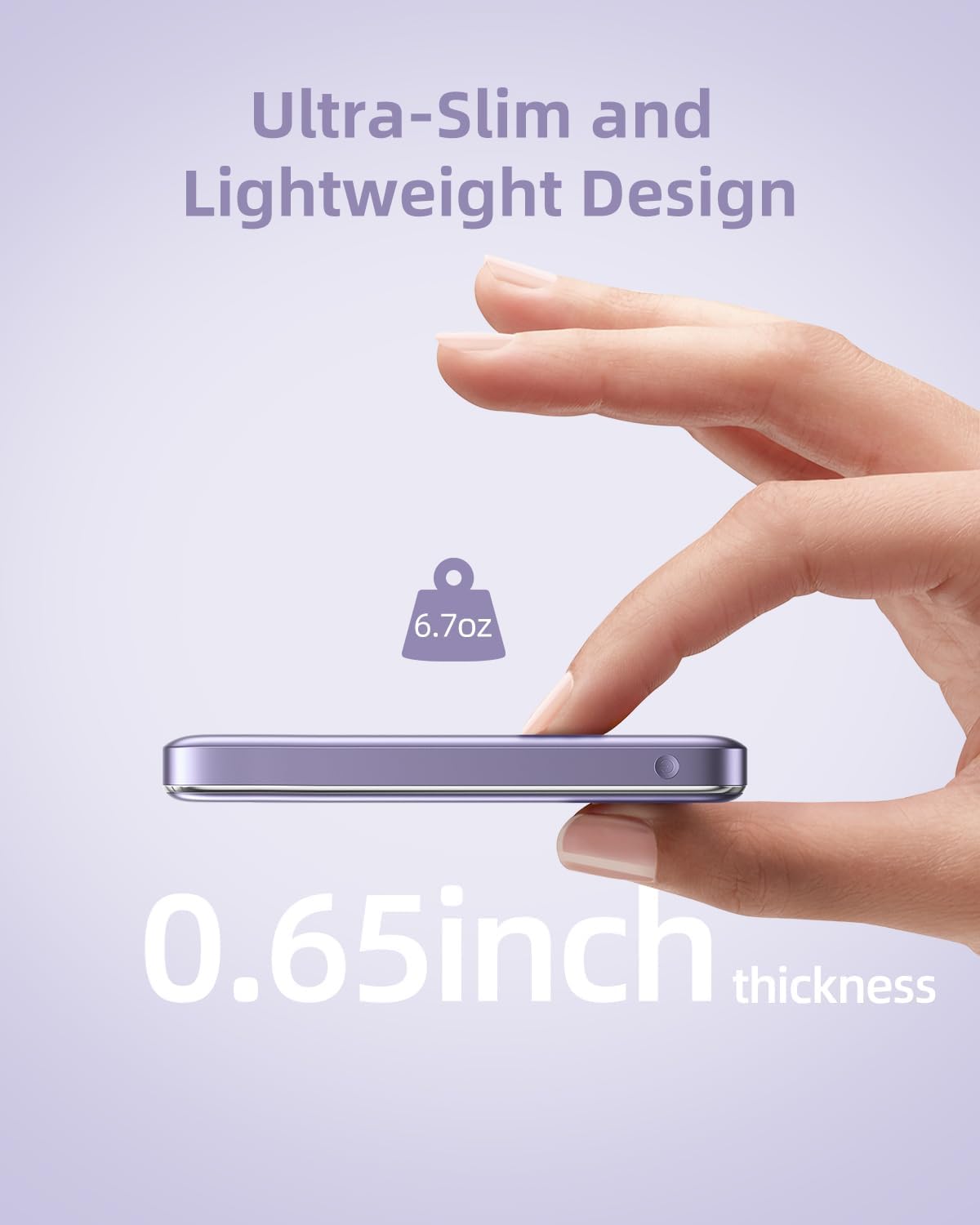
Image 8.1: The compact dimensions and light weight of the Innostyle Magnetic Wireless Power Bank.
| Ciri | Perincian |
|---|---|
| Nombor Model | IM20PD |
| Kapasiti Bateri | 10000 Miliamp Jam (mAh) |
| Dimensi Produk | 4.17 x 2.72 x 0.65 inci |
| Berat Barang | 6.7 auns |
| Output Pengecasan Tanpa Wayar | Maksimum 7.5W |
| USB-C MASUK/KELUAR | Penghantaran Kuasa 20W (PD) |
| Lightning IN | 18W |
| Ciri Khas | Auto Shut-Off, Fast Charging, Pocket Size, Short Circuit Protection, Wireless Charging |
| warna | Ungu |
9. Maklumat Keselamatan
- Jangan dedahkan bank kuasa kepada suhu yang melampau (di atas 45°C atau di bawah 0°C).
- Elakkan menjatuhkan, membuka atau cuba membaiki peranti sendiri.
- Jauhkan daripada air, lembapan dan bahan mudah terbakar.
- Do not place metal objects or magnetic cards between the power bank and your device during wireless charging.
- Buang power bank mengikut peraturan tempatan untuk sisa elektronik.
10. Waranti dan Sokongan
For warranty information and customer support, please refer to the product packaging or visit the official Innostyle webtapak. Anda juga boleh menghubungi penjual secara terus melalui platform pembelian anda untuk mendapatkan bantuan.
Manufacturer: INNOSTYLE (Innostyle Innovations Co., Limited)