
1. Pengenalan
Terima kasih kerana membeliasing the Smart Tech 50UA10V3 50-inch 4K UHD Android TV. This television combines stunning 4K Ultra High Definition visuals with the versatility of Android 9.0, offering access to a wide range of streaming services and smart features. With integrated Google Assistant, Chromecast, and a triple tuner, your entertainment experience is enhanced and simplified.
Komponen yang Disertakan:
- Smart Tech 50UA10V3 TV
- Kabel Kuasa
- Manual Pengguna
- Berdiri
- Alat Kawalan Jauh (termasuk bateri)
2. Maklumat Keselamatan
Sila baca semua arahan keselamatan dengan teliti sebelum menggunakan TV anda. Simpan manual ini untuk rujukan masa hadapan.
- Sumber Kuasa: Connect the TV only to an AC 220V 50Hz power supply. Ensure the power cord is not damaged or pinched.
- Pengudaraan: Do not block ventilation openings. Allow sufficient space around the TV for proper airflow to prevent overheating.
- Air dan Kelembapan: Do not expose the TV to rain, moisture, or place objects filled with liquids (e.g., vases) on or near the TV.
- Pembersihan: Cabut plag TV sebelum membersihkan. Gunakan kain lembut dan kering. Jangan gunakan pembersih cecair atau semburan aerosol.
- penempatan: Letakkan TV pada permukaan yang stabil dan rata. Elakkan meletakkannya di bawah cahaya matahari langsung atau berhampiran sumber haba.
- Kanak-kanak: Supervise children to ensure they do not climb on the TV or stand.
3. Persediaan
3.1 Membongkar
Tanggalkan TV dan semua aksesori daripada pembungkusan dengan berhati-hati. Simpan pembungkusan untuk keperluan pengangkutan atau perkhidmatan pada masa hadapan.
3.2 Memasang Stand
Place the TV screen-down on a soft, flat surface to prevent damage. Align the stand with the mounting holes on the bottom of the TV and secure it with the provided screws.

Penerangan Imej: This image displays the Smart Tech 50UA10V3 television from the front and side, showing its dimensions (1111mm width, 688mm height with stand, 643mm height without stand, 231mm depth with stand). The elegant U-shaped central stand is visible. A remote control is also shown separately at the bottom right.
3.3 Pemasangan Dinding
The TV supports VESA standard 200 x 200 mm for wall mounting. Use appropriate wall mount brackets (not included) and follow the instructions provided with the wall mount. Ensure the wall can support the TV's weight (8.3 kg).
3.4 Menyambung Peranti
Connect your external devices to the TV's ports. The TV features 3 HDMI ports (HDMI 2.0), 2 USB 2.0 ports, Ethernet, RF, and AV inputs.
- HDMI: For connecting Blu-ray players, game consoles, set-top boxes.
- USB: Untuk menyambungkan peranti storan USB untuk memainkan media files.
- Ethernet: Untuk sambungan internet berwayar.
- RF: For connecting an antenna or cable for DVB-T2/C/S2 reception.
- DARI: Untuk menyambungkan peranti lama dengan video komposit dan audio stereo.
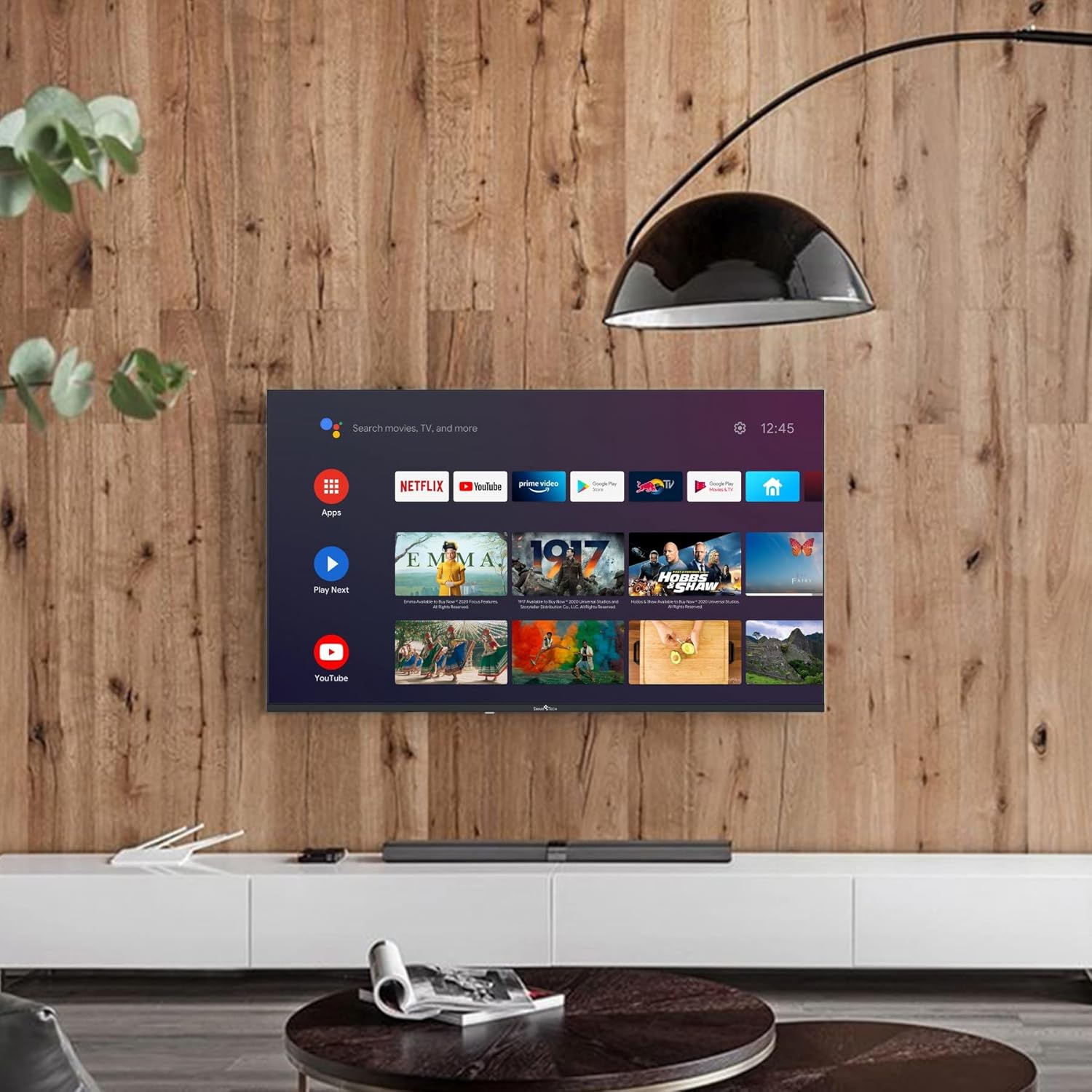
Penerangan Imej: This image shows the Smart Tech 50UA10V3 television mounted on a wooden wall in a modern living room setting. The TV displays the Android TV home screen with various app icons like Netflix, YouTube, and Google Play. A soundbar is placed on the cabinet below the TV.
3.5 Kuasa Awal Hidup dan Wizard Persediaan
After connecting the power cable, press the power button on the remote control or TV. The TV will guide you through the initial setup process, including language selection, network connection, and Google account sign-in for Android TV features.
4. Beroperasi
4.1 Alat Kawalan Jauh Lebihview
The included remote control allows you to navigate the TV's functions. It features dedicated buttons for popular streaming services like Netflix and YouTube, as well as Google Assistant for voice commands.
Refer to the image in section 3.2 for a visual representation of the remote control.
4.2 Fungsi Asas
- Kuasa: Tekan butang kuasa untuk menghidupkan atau mematikan TV.
- Kelantangan: Use the Volume +/- buttons to adjust the sound level.
- Saluran: Use the Channel +/- buttons to change TV channels (when using the built-in tuner).
- Input: Press the Input button to select connected devices (HDMI, AV, etc.).
4.3 Antara Muka Android TV
The Android TV home screen provides quick access to your favorite apps, live TV, and recommended content. Use the directional pad and OK button on your remote to navigate.
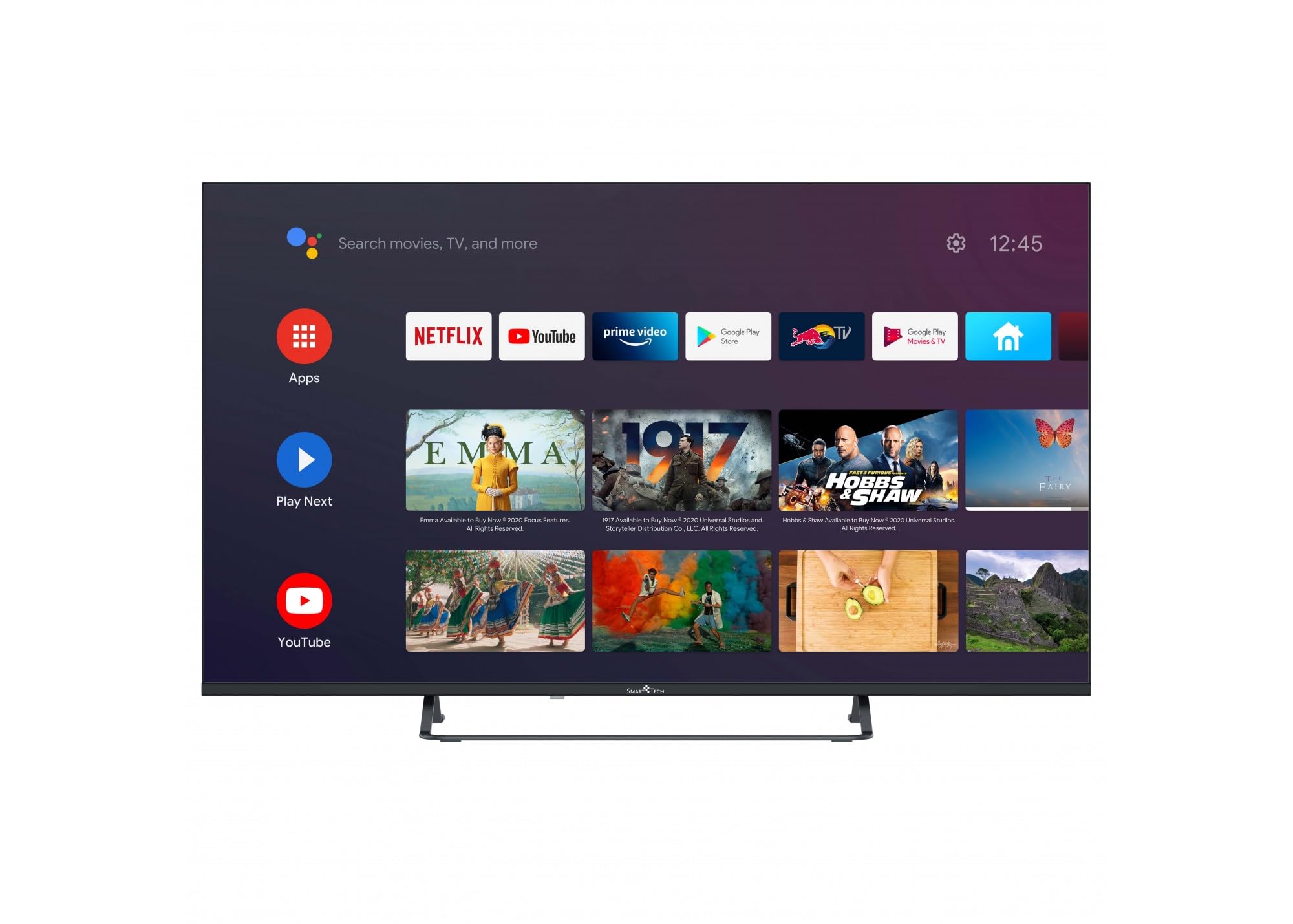
Penerangan Imej: This image shows the Smart Tech 50UA10V3 television displaying the Android TV home screen. The interface features a search bar, time, and various app icons including Netflix, YouTube, Prime Video, Google Play Store, and Google Play Movies & TV. Recommended content is also displayed below the app row.
4.4 Ciri Pintar
- Pembantu Google: Press the Google Assistant button on your remote and speak into the microphone to control your TV, search for content, or get information.
- Netflix/YouTube/Amazon Prime: Access these streaming services directly from the home screen or dedicated remote buttons.
- Gedung Google Play: Muat turun aplikasi, permainan dan kandungan tambahan.
- Chromecast Terbina dalam: Hantar kandungan daripada telefon pintar atau tablet serasi anda terus ke TV.
- HbbTV: Akses perkhidmatan interaktif daripada penyiar (jika tersedia di rantau anda).
4.5 Sambungan Rangkaian
- Wi-Fi: Connect to your wireless network via the TV's settings menu. The TV supports WiFi 2T2R for stable connectivity.
- Ethernet: For a more stable connection, plug an Ethernet cable from your router into the TV's LAN port.
4.6 Kesambungan Bluetooth
Pair Bluetooth devices such as headphones, soundbars, or game controllers with your TV through the settings menu for enhanced audio or control.
5. Penyelenggaraan
5.1 Cleaning the Screen and Cabinet
- Sentiasa cabut plag TV sebelum membersihkan.
- Gunakan kain lembut dan tidak berbulu untuk mengelap skrin dengan lembut. Untuk kesan degil, sedikitampbilas kain dengan air atau pembersih skrin khusus (sapukan pada kain, bukan terus pada skrin).
- Wipe the cabinet with a soft, dry cloth. Do not use abrasive cleaners, waxes, or solvents.
5.2 Kemas Kini Perisian
Your Smart Tech TV may receive software updates to improve performance and add new features. You can usually check for updates in the TV's settings menu under 'About' or 'System Update'. Follow the on-screen prompts to install any available updates.
6. Penyelesaian masalah
Jika anda menghadapi masalah dengan TV anda, rujuk masalah dan penyelesaian biasa berikut:
| Masalah | Penyelesaian yang Mungkin |
|---|---|
| Tiada kuasa | Periksa sama ada kabel kuasa disambungkan dengan kukuh ke TV dan soket kuasa. Pastikan soket berfungsi. |
| Tiada gambar, tetapi bunyi hadir | Semak sumber input. Pastikan peranti luaran dihidupkan dan disambungkan dengan betul. |
| Tiada bunyi, tetapi ada gambar | Check the volume level. Ensure mute is not activated. Check audio cables for external sound systems. |
| Alat kawalan jauh tidak berfungsi | Gantikan bateri. Pastikan tiada halangan antara alat kawalan jauh dan penderia IR TV. |
| Tidak dapat menyambung ke Wi-Fi | Check your router and modem. Restart them if necessary. Re-enter the Wi-Fi password. |
| Apl perlahan atau ranap | Close unused apps. Clear app cache in settings. Restart the TV. |
Jika masalah berterusan selepas mencuba penyelesaian ini, sila hubungi sokongan pelanggan.
7. Spesifikasi
| Ciri | Perincian |
|---|---|
| Nombor Model | 50UA10V3 |
| Saiz Skrin | 50 Inci |
| Teknologi Paparan | LED |
| Resolusi | 4K (3840 x 2160) |
| Kadar Segar Semula | 60 Hz |
| Sistem Operasi | Android 9.0 |
| Kapasiti Storan | 8 GB |
| Ketersambungan | Bluetooth, Ethernet, HDMI (x3), RF, USB (x2), WLAN (WiFi 2T2R) |
| Ciri Khas | HDR10, HbbTV, Dolby Audio, Chromecast Built-in, Google Assistant, Ultra-thin frame |
| Pengekodan Video | MPEG-1, 2, 4 video MP@HL and HD level, H.265 HEVC |
| Mod Keluaran Audio | digital |
| Pemasangan VESA Standard | 200 x 200 mm |
| Penggunaan Kuasa | 54 Watt |
| Voltage | 220 Volt AC 50 Hz |
| Berat Barang | 8.3 Kilogram |
| Tahun Model | 2022 |
8. Waranti & Sokongan
Your Smart Tech 50UA10V3 TV comes with a standard manufacturer's warranty. Please refer to the warranty card included in your product packaging for specific terms and conditions.
Ketersediaan Alat Ganti: Information regarding the availability of spare parts is currently not provided.
For technical support, service, or warranty claims, please contact your retailer or the Smart Tech customer service department. Contact details can typically be found on the manufacturer's official webtapak atau dalam dokumentasi pembelian anda.