
pengenalan
This manual provides essential information for the safe and efficient use of your SHARP 24EA4E 24-inch HD-Ready LED TV. Please read these instructions thoroughly before operating the television and retain them for future reference. This television is designed for use in living rooms, bedrooms, or guest rooms, offering an elegant design and intuitive operation.
Kandungan Pakej
Before beginning installation, ensure all items listed below are present in your package:
- SHARP 24EA4E LED TV Unit
- Alat Kawalan Jauh
- 2 x Bateri AAA (untuk alat kawalan jauh)
- TV Stand Installation Kit
- Panduan Mula Pantas

Image: SHARP 24EA4E LED TV with its included stand.
Persediaan
1. Pemasangan Fizikal
Your television can be placed on a flat surface using the included stand or mounted on a wall using a VESA-compatible bracket (not included). The VESA standard for this model is 100 x 100 mm.
- Pemasangan Stand: Carefully attach the TV stand to the bottom of the television using the screws provided in the installation kit. Ensure the stand is securely fastened before placing the TV on a stable surface.
- Pemasangan Dinding: If wall mounting, refer to the instructions provided with your VESA 100 x 100 mm wall mount bracket. Ensure proper ventilation around the TV.

Imej: Sisi view of the SHARP 24EA4E LED TV, illustrating the stand attachment.
2. Menyambung Peranti Luaran
The SHARP 24EA4E offers various connection options for your external devices:
- Port HDMI (x2): Connect Blu-Ray players, game consoles, satellite boxes, or other HDMI-enabled devices.
- Port USB (x1): For playing media (music, movies, photos) from USB storage devices.
- SCART Input: Untuk menyambungkan peranti lama.
- Satellite Input (DVB-S/S2): Connect your satellite dish.
- RF Input (DVB-T/T2/C): Connect your terrestrial antenna or cable TV.
- Headphone Jack (3.5mm Audio): Untuk mendengar secara peribadi.
- CI Port: Untuk Modul Akses Bersyarat (CAM) untuk menyahsulit saluran yang disulitkan.
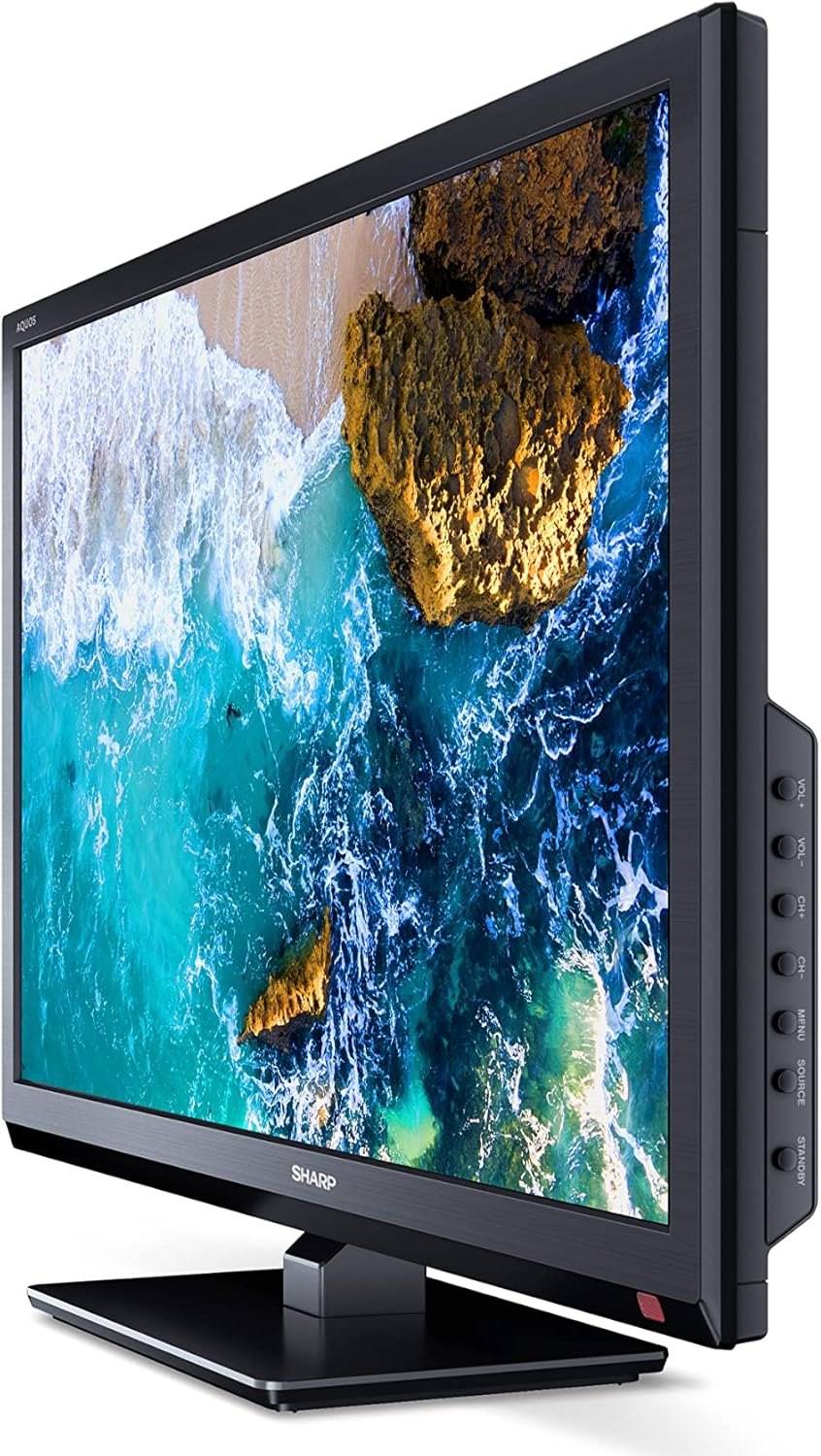
Imej: Sisi view of the SHARP 24EA4E LED TV, highlighting the various input ports.
After connecting all desired devices, plug the TV's power cord into a suitable electrical outlet (220V).
Arahan Operasi
1. First-Time Setup and Channel Scan
Upon first power-on, the TV will guide you through an initial setup process. Follow the on-screen prompts to select your language, country, and perform a channel scan for DVB-T/T2 (terrestrial), DVB-C (cable), or DVB-S/S2 (satellite) signals.
2. Fungsi Alat Kawalan Jauh
The included infrared remote control allows full operation of your TV. Insert the 2 AAA batteries into the remote control, ensuring correct polarity.
- Butang Kuasa: Menghidupkan atau mematikan TV.
- Channel Buttons (CH+/-): Menukar saluran.
- Volume Buttons (VOL+/-): Melaraskan tahap kelantangan.
- Butang Sumber: Memilih sumber input (HDMI, AV, USB, TV).
- Butang Menu: Accesses the TV's main menu for settings adjustments.
- Butang Navigasi: Digunakan untuk menavigasi menu dan memilih pilihan.
- Butang OK: Mengesahkan pilihan.
- Butang Keluar: Exits menus.
- Butang angka (0-9): Pemilihan saluran langsung.

Imej: Sisi view of the SHARP 24EA4E LED TV, showing the physical control buttons on the side panel.
3. Main Semula Media melalui USB
You can play various media files directly from a USB storage device:
- Insert your USB drive into the USB port on the TV.
- Select the USB input source using the remote control's Source button.
- Navigasi melalui files and folders using the remote control and select the desired media (music, video, or photo) to play.
Penyelenggaraan
To ensure the longevity and optimal performance of your SHARP 24EA4E TV, follow these maintenance guidelines:
- Membersihkan Skrin: Lap skrin perlahan-lahan dengan kain lembut yang tidak berbulu. Untuk tanda degil, sedikit dampen kain dengan air atau pembersih skrin khusus. Jangan sekali-kali menyembur cecair terus ke skrin.
- Membersihkan Kabinet: Gunakan kain lembut dan kering untuk mengelap kabinet TV. Elakkan menggunakan pembersih atau pelarut yang kasar.
- Pengudaraan: Pastikan bukaan pengudaraan di bahagian belakang TV tidak disekat untuk mengelakkan terlalu panas.
- Kord Kuasa: Periksa kord kuasa secara kerap untuk sebarang kerosakan. Jika rosak, hubungi kakitangan perkhidmatan yang berkelayakan untuk penggantian.
Menyelesaikan masalah
Jika anda menghadapi masalah dengan TV anda, rujuk langkah penyelesaian masalah biasa berikut:
| Masalah | Penyelesaian yang Mungkin |
|---|---|
| Tiada kuasa | Check if the power cord is securely plugged into both the TV and the wall outlet. Ensure the wall outlet is functional. |
| Tiada gambar, tetapi bunyi hadir | Semak pemilihan sumber input. Pastikan peranti luaran dihidupkan dan disambungkan dengan betul. |
| Tiada bunyi, tetapi ada gambar | Check the volume level and mute status. Ensure audio cables are connected correctly for external devices. |
| Kualiti gambar yang buruk | Check antenna/cable connections. Adjust picture settings in the TV menu. For external devices, check their output resolution. |
| Alat kawalan jauh tidak berfungsi | Gantikan bateri AAA. Pastikan tiada halangan antara alat kawalan jauh dan sensor IR TV. |
If the problem persists after trying these solutions, please contact SHARP customer support.
Spesifikasi
Key technical specifications for the SHARP 24EA4E LED TV:
- model: 24EA4E
- Teknologi Paparan: LED
- Saiz Skrin: 24 inci (60 cm pepenjuru)
- Resolusi: 1366 x 768 piksel (Sedia HD)
- Nisbah Aspek: 16:9
- Kadar Segar Semula: 60 Hz (Active Motion 100)
- Nisbah Kontras: 100000:1
- Masa Respons: 8 milisaat
- Viewsudut: 178 darjah
- Output Audio: 2 x 5W speakers, Dolby Digital, Dolby Digital Plus, Surround Sound
- Teknologi Penala: DVB-T/T2 (Terrestrial), DVB-C (Cable), DVB-S/S2 (Satellite) - MPEG4 + HEVC/H.265 (10-bit)
- Ketersambungan: 2 x HDMI, 1 x USB, 1 x SCART, RF Input, Satellite Input, 3.5mm Audio (Headphone Jack), CI Port
- Sistem pengendalian: Linux
- Penggunaan Kuasa: 17 Watts (in SDR mode)
- Voltage: 220V
- Dimensi (dengan pendirian): 56 cm (W) x 38.5 cm (H) x 14 cm (D)
- Berat: 3.8 kg
- Standard VESA: 100 x 100 mm

Image: Diagram showing the dimensions of the SHARP 24EA4E LED TV.
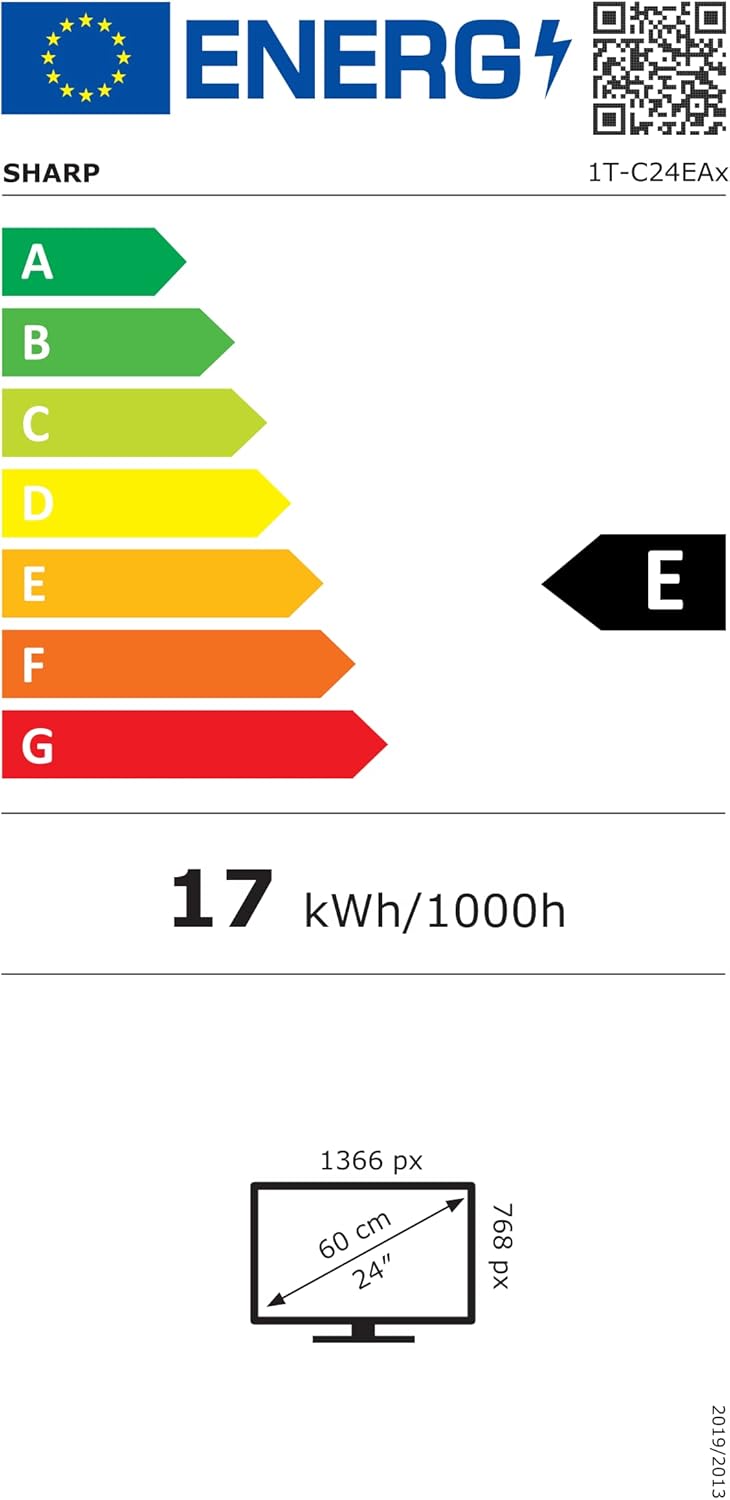
Image: EU Energy Label for the SHARP 24EA4E LED TV, indicating Energy Class E and 17 kWh/1000h consumption.
Untuk maklumat produk yang lebih terperinci, rujuk pangkalan data rasmi EU EPREL: https://eprel.ec.europa.eu/qr/1242293
Waranti dan Sokongan
Your SHARP 24EA4E LED TV comes with a manufacturer's warranty. The minimum guaranteed product support is 2 years, and the minimum guaranteed availability of spare parts is 8 years from the date of market introduction.
For warranty claims, technical assistance, or further support, please contact your retailer or visit the official SHARP support webtapak. Simpan bukti pembelian anda untuk pengesahan waranti.