
1. Pengenalan
This manual provides comprehensive instructions for the proper use, setup, and maintenance of your boAt Immortal IM 300 Over-Ear Wired Gaming Headphones. Please read this manual thoroughly before using the product to ensure optimal performance and longevity.

Image 1.1: The boAt Immortal IM 300 Over-Ear Wired Gaming Headphones, showcasing its design and RGB lighting.
2. Kandungan Pakej
Sahkan bahawa semua item yang disenaraikan di bawah terdapat dalam pembungkusan produk anda:
- boAt Immortal IM-300 Gaming Headphones
- Kabel Jenis-C ke Jenis-A
- Kabel Jenis-C ke Jenis-C
- Manual Pengguna (dokumen ini)
- Kad Waranti
3. Produk Lebihview
The boAt Immortal IM 300 headphones are designed for an immersive audio experience, featuring advanced drivers, dual microphone options, and customizable settings.
3.1. Ciri-ciri Utama
- Pemacu 50mm: Engineered for a powerful and immersive auditory experience.
- Mod Dwi EQ: Switch between 3D Spatial Sound for gaming and boAt Signature Sound for music and movies.
- LED RGB: Integrated RGB lighting for visual customization.
- Dwi Mikrofon: Includes a detachable boom mic for clear communication and a passive mic for general use.
- Penyesuaian: Audio and mic driver settings can be adjusted via boAt Plugin Labz software.
- Reka bentuk yang selesa: Lightweight, over-ear design with soft earmuffs for extended wear.
- Kesambungan Berwayar: USB Type-C connection for reliable audio transmission.
- Keserasian Pelbagai Platform: Designed for use with PCs, laptops, smartphones, and gaming consoles.

Imej 3.1: Satu meletup view illustrating the 50mm audio drivers within the headphone earcups.
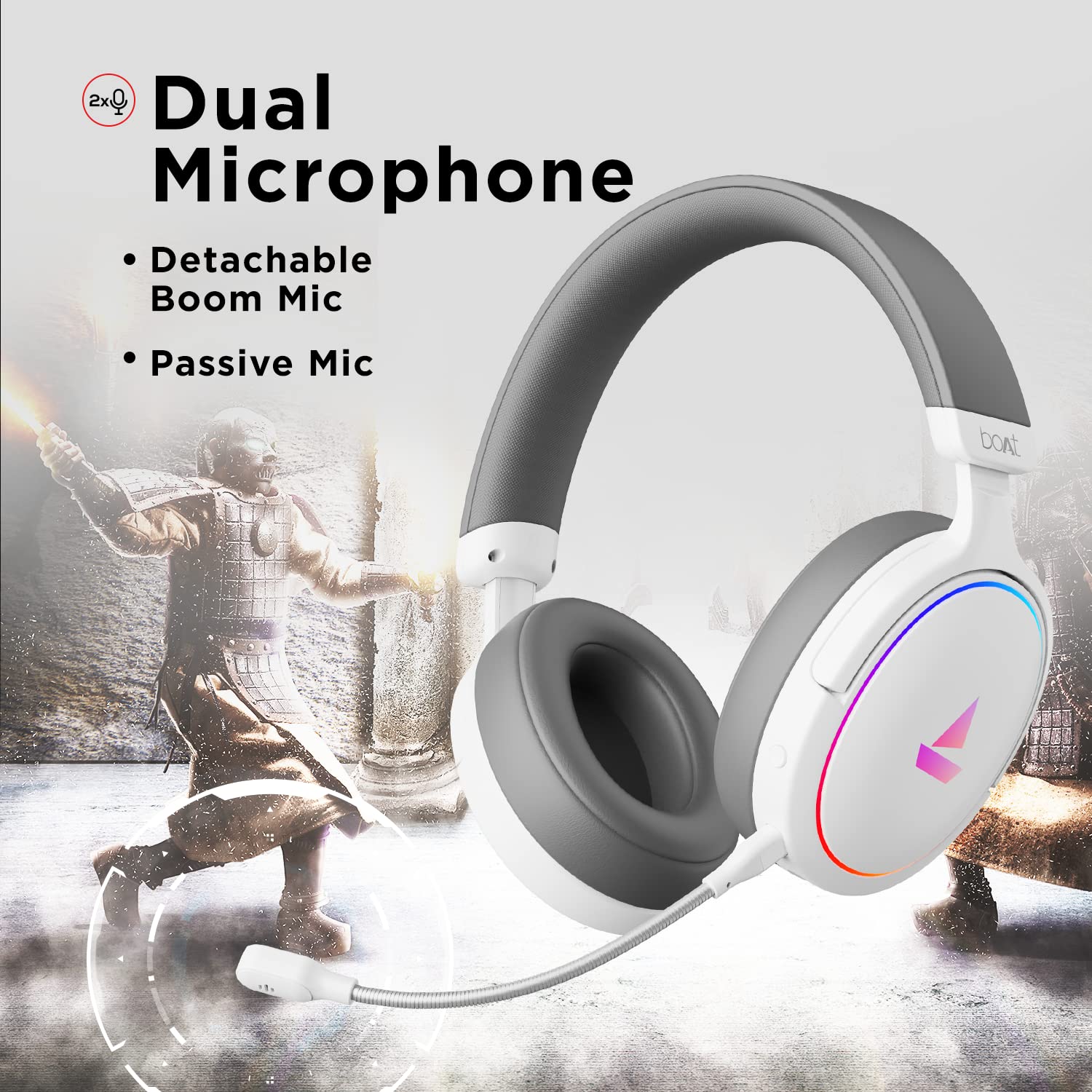
Image 3.2: The headphones featuring the detachable boom microphone, highlighting the dual microphone system.
4. Persediaan
4.1. Menyambung ke Peranti Anda
The Immortal IM 300 headphones connect via USB. Use the appropriate cable for your device:
- Untuk PC/Laptop: Use the provided Type-C to Type-A cable. Connect the Type-C end to the headphone and the Type-A end to an available USB port on your computer.
- For Smartphones/Other Type-C Devices: Use the provided Type-C to Type-C cable. Connect one end to the headphone and the other to your device's Type-C port.
Once connected, your device should automatically detect the headphones. You may need to select the "Immortal IM-300" as the audio output and input device in your system's sound settings.
4.2. Memasang Mikrofon Boom
The boom microphone is detachable. To attach it, align the microphone's connector with the port on the left earcup and gently push until it clicks into place. Ensure it is securely connected for optimal voice pickup.
To detach, gently pull the microphone straight out from the port.
5. Arahan Operasi
5.1. Audio Modes (Dual EQ)
The headphones feature two distinct audio equalization (EQ) modes:
- 3D Spatial Sound Mode: Optimized for gaming, providing enhanced directional audio cues.
- Music Mode (boAt Signature Sound): Pro audio seimbangfile suitable for listening to music and watching movies.
Refer to the inline remote control or the boAt Plugin Labz software for instructions on switching between these modes.

Image 5.1: Illustration of the Dual EQ Modes, highlighting the 3D Spatial Audio and Music Mode functionalities.
5.2. RGB LED Control
The headphones are equipped with RGB LEDs. These lights can be customized or turned off. Specific controls for RGB lighting are typically located on the inline remote or accessible through the boAt Plugin Labz software.

Image 5.2: The headphones showcasing their RGB lighting, indicating customization options via boAt Plugin Labz.
5.3. Penggunaan Mikrofon
The Immortal IM 300 offers two microphone options:
- Mikrofon Boom: For clear and focused voice communication, especially during gaming. Ensure it is positioned correctly near your mouth.
- Passive Microphone: An integrated microphone for casual use when the boom mic is detached.
Use the inline remote to mute/unmute the microphone as needed.
6. Customization via boAt Plugin Labz
For advanced audio and microphone settings, download and install the boAt Plugin Labz software. This application allows you to fine-tune your listening experience and microphone performance.
Please visit the official boAt website for download instructions and compatibility information for the Plugin Labz software.
7. Penyelenggaraan
7.1. Pembersihan
- Lap fon kepala dengan kain lembut dan kering.
- Jangan gunakan bahan kimia yang keras, pelarut pembersih atau detergen yang kuat.
- Keep the earcups clean to prevent debris buildup.
7.2. Penyimpanan
- Simpan fon kepala di tempat yang sejuk dan kering jauh dari cahaya matahari langsung dan suhu yang melampau.
- Elakkan meletakkan objek berat pada fon kepala.
- When not in use, consider storing them in a protective case to prevent damage.
8. Penyelesaian masalah
| Masalah | Kemungkinan Punca | Penyelesaian |
|---|---|---|
| Tiada bunyi dari fon kepala. |
|
|
| Mikrofon tidak berfungsi. |
|
|
| RGB LEDs are not lighting up. |
|
|
9. Spesifikasi
| Ciri | Perincian |
|---|---|
| Nama Model | Immortal IM-300 |
| Teknologi Ketersambungan | Berwayar (USB Jenis-C) |
| Saiz Pemacu Audio | 50mm |
| Bentuk alat dengar | Cawan atas telinga |
| Format Mikrofon | Boom (detachable) & Passive |
| Kawalan Bunyi | Pembatalan Bunyi Pasif |
| Julat Kekerapan | 50-10KHz |
| Berat Barang | 260 Gram |
| Dimensi Produk (LxWxH) | 20 x 18 x 8 cm |
| Peranti Serasi | Smartphones, Laptops, Desktops, Gaming Consoles |
| bahan | plastik |
| Kaedah Kawalan | Jauh |

Imej 9.1: Selesaiview of key features including multi-platform compatibility, lightweight construction, wired connection, and passive noise isolation.
10. Waranti dan Sokongan
Your boAt Immortal IM 300 headphones come with a Waranti 1 tahun dari tarikh pembelian. Sila simpan resit pembelian anda untuk tuntutan waranti.
For technical support, warranty claims, or further assistance, please contact boAt customer service through their official webtapak atau maklumat hubungan yang diberikan pada kad jaminan anda.
Untuk maklumat lanjut, lawati pegawai boAt Store.