1. Pengenalan
This manual provides detailed instructions for the setup, operation, maintenance, and troubleshooting of your abetap X83 Wireless Security Camera. Please read this manual thoroughly before using the product to ensure proper functionality and safety.
2. Produk Lebihview
The abetap X83 is a 2K Ultra HD wireless security camera designed for both indoor and outdoor use. It features color night vision, AI/PIR detection, two-way audio, and flexible storage options to enhance your home security.

Image: abetap X83 Wireless Security Camera, white, showing the lens and sensors, with water droplets on its surface, mounted on a wall bracket.
Ciri-ciri Utama:
- 2K Ultra HD & Full-Color Night Vision: 3MP high-performance lens with 2304*1296 resolution, infrared mode, and intelligent white light fill-in for vivid color details in low light.
- AI/PIR Detection: Detects human/vehicle targets and moving objects, triggering recordings and real-time push alerts. Customizable motion detection zones reduce false alarms.
- Wayarles & Boleh dicas semula: Operates 3-5 months on a single charge. Tool-free magnetic mount for easy installation.
- IP65 Kalis Cuaca: Designed for all-weather reliability.
- Komunikasi Dua Hala: Built-in microphone with echo cancellation and noise suppression for clear real-time voice communication.
- Akses Jauh: Stream live footage and audio via mobile app, supporting up to three simultaneous users.
- Dual Storage: Cloud storage and support for up to 128GB SD card (not included).
- Peningkatan dalam talian: Over-the-air firmware updates for new features and improvements.
3. Apa yang ada di dalam Kotak
Sila semak kandungan pakej anda dengan senarai di bawah:
- abetap X83 Wireless Security Camera (1 Pack)
- Kabel Pengecasan (1)
- Pendakap Pemasangan (1)
- Screws Set (1)
- Panduan Pengguna (1)

Image: Contents of the abetap X83 box, including the camera, mounting bracket, charging cable, screws, and user guide.
4. Persediaan
4.1. Download the VicoHome App
The abetap X83 camera operates with the VicoHome app. Scan the QR code in the user guide or search for "VicoHome" on the App Store (iOS) or Google Play Store (Android) to download and install the app.

Image: Screenshot showing the VicoHome app download page on a smartphone, with QR codes for App Store and Google Play.
4.2. Initial Camera Setup & Charging
- Fully charge the camera using the provided USB charging cable before initial use. The camera is equipped with a 5200 mAh large-capacity rechargeable battery.
- Long press the power button for 3 seconds to turn on the camera. An indicator light will flash, and you will hear voice prompts.
4.3. Memasang Kamera
The abetap X83 features a tool-free magnetic mount for easy installation on any metal surface. It also includes a mounting bracket and screws for wall installation.
- Choose a suitable location for optimal coverage, ensuring a strong 2.4GHz Wi-Fi signal.
- Use the provided mounting bracket and screws to securely attach the camera to a wall or other desired surface.
- Adjust the camera angle as needed using the flexible mounting mechanism.

Image: A person installing the abetap X83 camera on an outdoor wall, highlighting its easy, wireless installation.
4.4. Menyambung ke Wi-Fi
- Open the VicoHome app and create an account or sign in.
- Follow the in-app instructions to add a new camera.
- The app will guide you through connecting the camera to your 2.4GHz Wi-Fi network. Ensure the camera is close to your router during the pairing process.
- Scan the QR code displayed in the app using the camera lens to complete the connection.
Video: This official abetap video demonstrates the step-by-step process of pairing the security camera with the VicoHome mobile application, including scanning the QR code for connection.
5. Arahan Operasi
5.1. 2K Ultra HD & Full-Color Night Vision
The camera provides clear 2K Ultra HD video. In low-light conditions, it offers two night vision modes:
- Mod Inframerah: For precise monochrome imaging in total darkness.
- Intelligent White Light Fill-in: Activates color reproduction in low-light environments, capturing vivid color details and sharp object outlines.

Image: Comparison image showing infrared night vision (monochrome) and full-color night vision from the abetap X83 camera.
5.2. AI/PIR Detection & Alerts
The camera's AI-driven human detection technology minimizes false alarms. When motion is detected, it automatically triggers recordings and sends real-time push notifications to your smartphone.
- Custom Motion Detection Zones: Define specific areas in the app to focus surveillance and filter out irrelevant motion (e.g., passing animals).
- Visual Deterrence: A bright white light flash activates upon human detection to visually deter potential intruders.
- Pengelogan Peristiwa: All detected events are time-stamped and logged as daily security statistics for quick review.

Image: Image illustrating the abetap X83 camera's smart AI recognition for detecting persons, pets, vehicles, and packages, with a smartphone notification example.
5.3. Activity Zones
Activity Zones allow you to specify key areas within the camera's view that you want to monitor closely, receiving notifications only when activity is detected within those defined areas. This helps avoid unnecessary alerts.
Video: This official abetap video demonstrates how to set up and use Activity Zones within the VicoHome app to focus motion detection on specific areas.
5.4. Two-Way Communication & Remote Access
The camera enables crystal-clear real-time two-way voice communication through its built-in microphone and speaker. You can speak to visitors or deter intruders directly from the mobile app.
- Open the mobile app to stream live footage and audio in real-time from anywhere.
- The app supports up to three users watching simultaneously, allowing multiple family members to monitor the property.
Video: This official abetap video highlights the features of the X83 Wireless Security Camera, including two-way talk and remote monitoring capabilities.
5.5. Pilihan Storan
The camera offers flexible storage solutions to ensure your recorded footage is always accessible:
- Storan Awan: Provides a backup for your footage, even during power outages. A 3-day rolling cloud storage trial is available.
- Kad SD mikro: Supports up to a 128GB Micro SD card (not included) for local storage of active recorded video.

Image: Image detailing the abetap X83 camera's dual storage options: 3-day rolling cloud storage and support for up to 128GB Micro SD card.
6. Penyelenggaraan
6.1. Battery Life & Recharging
The camera's battery provides 3-5 months of operation on a single charge, depending on usage frequency and settings. Recharge the camera using the provided USB cable when the battery level is low.
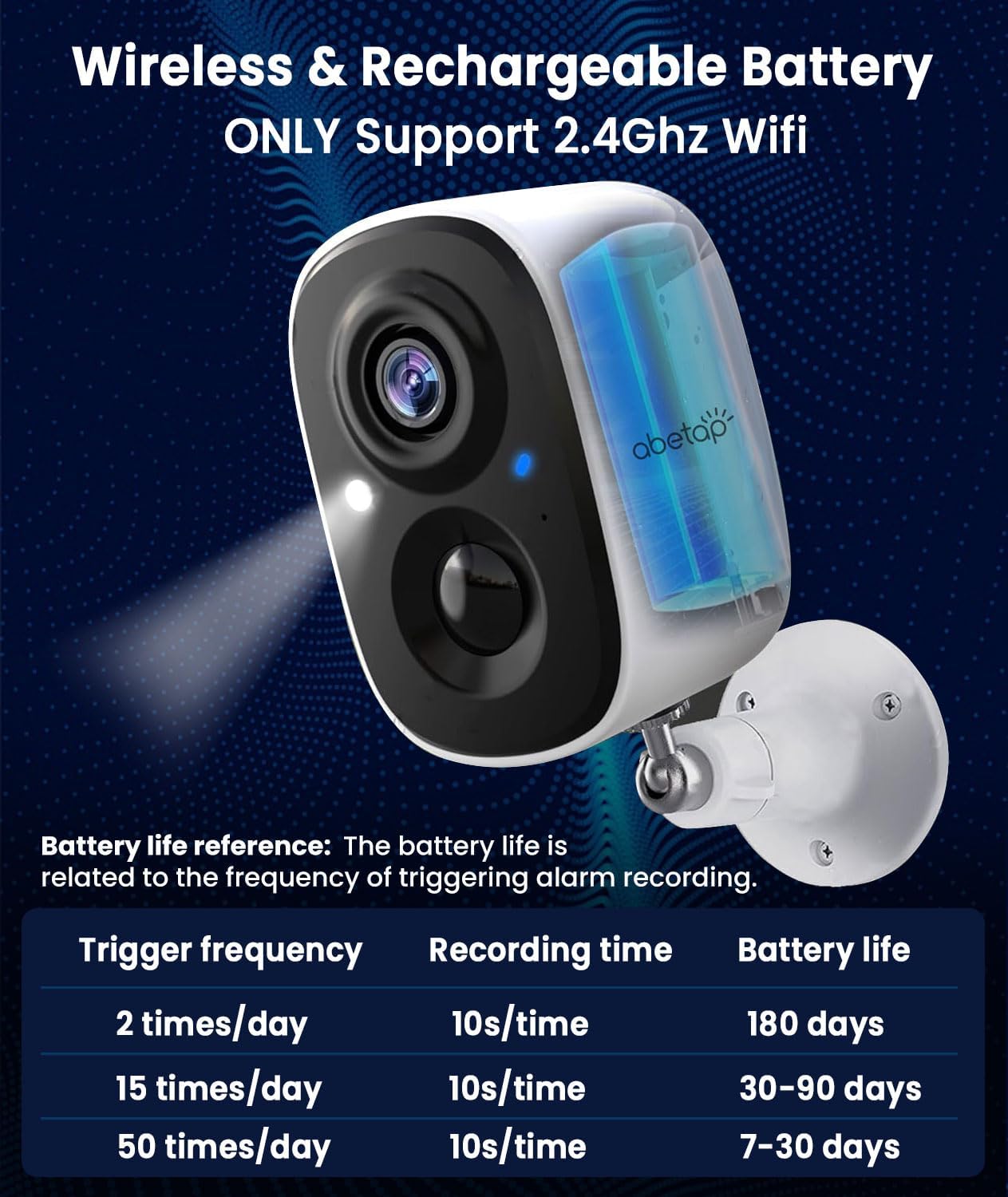
Image: Image showing the abetap X83 camera with battery life reference table based on trigger frequency and recording time.
6.2. Reka Bentuk Kalis Cuaca
The abetap X83 camera has an IP65 weatherproof rating, making it suitable for outdoor use in various weather conditions. Ensure the charging port cover is securely closed to maintain its waterproof integrity.
6.3. Peningkatan Perisian Tegar
The camera supports over-the-air firmware upgrades. The VicoHome app will notify you when new firmware is available, allowing you to effortlessly access new features and improvements without manual intervention.
7. Penyelesaian masalah
- Kamera tidak bersambung ke Wi-Fi: Ensure your Wi-Fi network is 2.4GHz. Place the camera closer to the router during setup. Check your Wi-Fi password.
- Penggera palsu yang kerap: Adjust motion detection sensitivity in the app. Define custom activity zones to exclude areas with irrelevant motion.
- Kualiti video yang lemah: Periksa kekuatan isyarat Wi-Fi anda. Pastikan kanta kamera bersih dan bebas daripada halangan.
- Bateri cepat habis: Reduce motion detection frequency or recording duration. Ensure the camera is not in an area with constant activity.
- Tiada pemberitahuan: Check app notification settings on your smartphone. Ensure the camera is connected to Wi-Fi and has sufficient battery.
For further assistance, please refer to the VicoHome app's help section or contact abetap customer support.
8. Spesifikasi
| Nama Model | Kamera Luar Wayarles X83 |
| Resolusi Tangkapan Video | 2K (2304*1296) |
| Resolusi Pegun Berkesan | 3 MP |
| Penggunaan Dalaman/Luar | Dalaman, Luaran |
| Sumber Kuasa | Dikuasakan Bateri |
| Kuasa Bateri | 4400 Miliamp jam |
| Protokol Ketersambungan | Wi-Fi (2.4G WIFI IEEE802.11b/g/n) |
| Penilaian Perlindungan Antarabangsa | IP65 (kalis cuaca) |
| Julat Penglihatan Malam | 33 Kaki |
| Viewsudut | 122 Darjah |
| Penyimpanan | Cloud Storage, Micro SD (up to 128 GB) |
| Audio Dua Hala | ya |
| Pengesanan AI | Human/Vehicle/Pet/Package Recognition |
| Dimensi Item L x W x H | 2.33 x 2.34 x 3.54 inci |
| Berat Barang | 13.7 auns |
9. Waranti & Sokongan
abetap is committed to providing high-quality products and customer satisfaction.
- 12 Months Replacement Available: Untuk kecacatan atau kerosakan produk.
- Lifetime After-sales Service and Technical Support: Dedicated support is available to assist you with any product-related inquiries or issues.
- Hubungi Sokongan: For technical assistance or warranty claims, please refer to the contact information provided in the VicoHome app or on the official abetap webtapak.
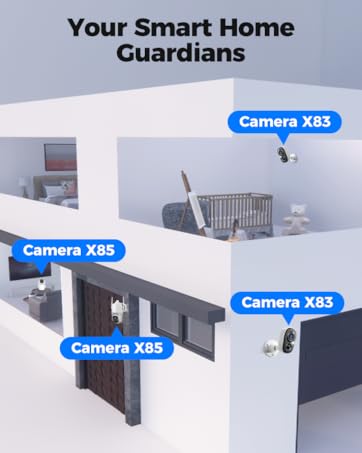
Image: abetap customer support offerings.