
1. Pengenalan
This manual provides essential information for the safe and efficient operation of your Coocaa 43Y72 4K Ultra HD Smart IPS Google LED TV. Please read it thoroughly before using the television and retain it for future reference. This television features a 108 cm (43 inches) frameless 4K Ultra HD IPS display, powered by Google TV, offering a comprehensive entertainment experience.

Image: The Coocaa 43Y72 TV showcasing its Google TV interface with personalized content and app recommendations.
2. Apa yang ada di dalam Kotak
Selepas membongkar, sila pastikan semua item berikut ada:
- 1 x Coocaa 43Y72 LED TV
- 1 x Alat Kawalan Jauh
- 1 x Kuasa Kuasa
- 1 x Start Guide
- 1 x Kad Waranti
- 2 x Bateri AAA (untuk alat kawalan jauh)
- 1 x Set of Base Stands
- 4 x Screws (for base stands)
3. Persediaan
3.1 Persediaan Fizikal
- Membongkar: Keluarkan TV dari pembungkusannya dengan berhati-hati. Adalah disyorkan untuk mempunyai dua orang untuk proses ini.
- Pemasangan Stand: If using the included base stands, align them with the mounting holes on the bottom of the TV. Secure them using the provided screws. Ensure the TV is placed on a stable, flat surface.
- Pemasangan Dinding (Pilihan): If wall mounting, refer to the instructions provided with your wall mount kit. Ensure the wall mount is compatible with VESA standards for your TV model and installed by a qualified professional.
- Sambungan Kuasa: Connect the power cord to the TV's power input and then to a suitable electrical outlet.
3.2 Kuasa Awal Hidup
- Tekan butang kuasa pada TV atau alat kawalan jauh untuk menghidupkan TV.
- Ikut arahan pada skrin untuk melengkapkan persediaan awal, termasuk pemilihan bahasa, sambungan rangkaian dan log masuk akaun Google.
4. Ketersambungan
Your Coocaa 43Y72 TV offers multiple connectivity options for various devices.

Imej: A terperinci view of the TV's side panel, illustrating the arrangement of USB, Digital Audio, AV, HDMI, and LAN ports.
4.1 Sambungan Berwayar
- Port HDMI (3): Sambungkan kotak set-top, pemain Blu-ray, konsol permainan atau peranti lain yang didayakan HDMI.
- Port USB (2): Connect hard drives, USB flash drives, or other USB devices for media playback.
- Port LAN: Untuk sambungan internet berwayar yang stabil.
- Output Audio Digital: Connect to external audio systems for enhanced sound.
- Input AV: Untuk menyambungkan peranti lama menggunakan video komposit dan kabel audio stereo.
- Pelabuhan IR: To control connected devices like DVD/STB players.
4.2 Sambungan Wayarles
- Wi-Fi (Dual Band): Sambungkan ke rangkaian rumah anda untuk akses internet dan penstriman.
- Bluetooth: Pair with compatible devices such as headphones, speakers, or game controllers.
5. Mengendalikan TV
5.1 Alat Kawalan Jauh
The included remote control allows you to navigate the TV's features. It supports voice commands and has dedicated buttons for popular streaming services.

Image: The Coocaa remote control, highlighting its ergonomic design and dedicated buttons for smart features and streaming services.
- Butang Kuasa: Menghidupkan atau mematikan TV.
- Butang Pembantu Google: Mengaktifkan kawalan suara untuk mencari kandungan, mengawal peranti rumah pintar dan banyak lagi.
- Pad Navigasi: Use the directional buttons and OK button to navigate menus.
- Butang Kelantangan/Saluran: Laraskan kelantangan dan tukar saluran.
- Butang Akses Pantas: Direct access to Netflix, Prime Video, and YouTube.
5.2 Antara Muka Google TV
Google TV organizes movies, shows, live TV, and more from your apps and subscriptions into one personalized interface.
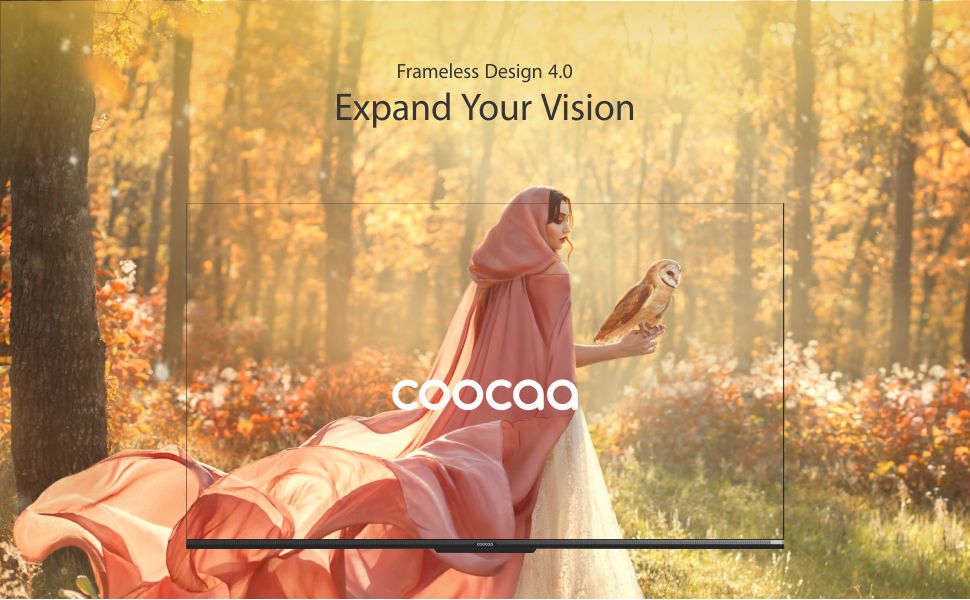
Image: The Google TV home screen, demonstrating personalized content suggestions and easy access to various applications.
- Personalized Homescreen: Content recommendations are tailored to your viewtabiat.
- Content Catalog: Access a vast library of movies and TV shows from services like Prime Video, Netflix, Hotstar, Zee5, Sony LIV, YouTube, and more.
- Google Duo Support: Engage in video calls directly from your TV (requires compatible camera, sold separately).
- Swaiot Home Feature: Integrate and control compatible smart home devices.
- Chromecast Terbina dalam: Hantar kandungan daripada telefon pintar atau tablet anda terus ke TV.
- Pembantu Google Voice: Use voice commands for navigation, search, and control.
6. Ciri Paparan dan Audio
6.1 Teknologi Paparan
- 4K HDR (3840 x 2160) Resolution: Delivers sharp, detailed images with vibrant colors.
- Paparan IPS: Menyediakan luas viewing angles (178 degrees), ensuring consistent picture quality from various positions.
- Durable A+ Grade DLED Panel: Ensures reliability and consistent performance.
- Ultra Bright Screen: Maintains picture clarity even in well-lit rooms.
- Reka bentuk tanpa bingkai: Memaksimumkan ruang skrin untuk pengalaman yang mengasyikkan viewpengalaman dalam.
- Chameleon Extreme 2.0 Picture Engine: Enhances picture quality by optimizing color, contrast, and clarity.
- HDR 10 & HLG: Supports high dynamic range content for improved contrast and color accuracy.

Image: The Coocaa TV featuring its frameless design, designed to provide an expansive visual experience.
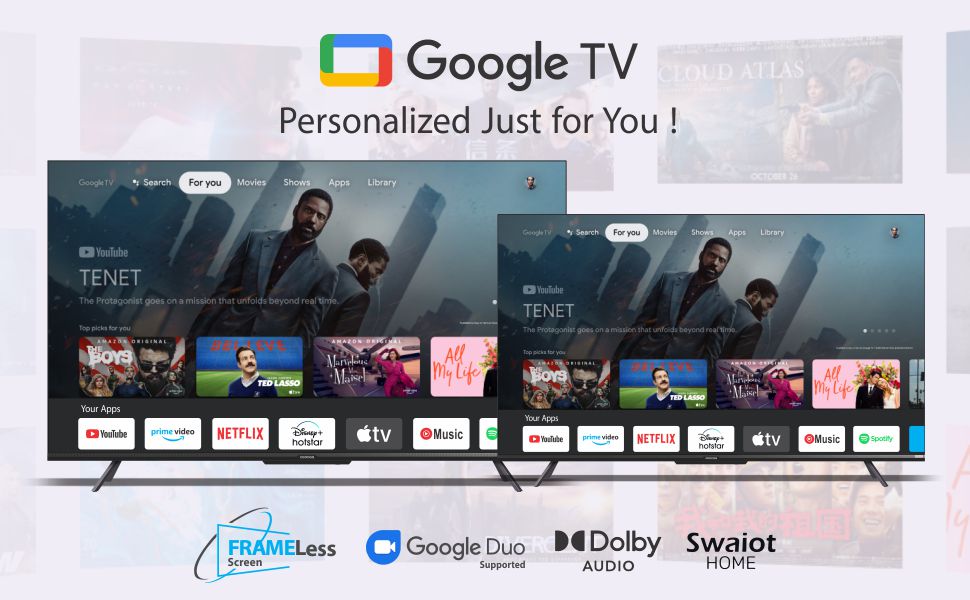
Image: Visual representation of the Chameleon Extreme 2.0 Picture Engine, highlighting its role in bringing out every detail.
6.2 Teknologi Audio
- Output 30 Watt: Provides clear and powerful sound.
- Audio Dolby: Delivers rich, clear, and powerful sound for an immersive audio experience.
- DTS Tru Surround: Enhances audio with virtual surround sound for remarkable sound quality.
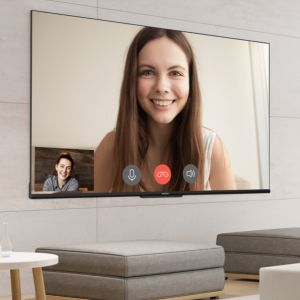
Image: Logos for Dolby Audio and DTS TruSurround, signifying advanced audio processing for superior sound.
7. Spesifikasi
Detailed technical specifications for the Coocaa 43Y72 TV:

Image: Technical drawing illustrating the precise dimensions of the Coocaa 43Y72 TV, including screen size, width, height, and depth.
| Ciri | Perincian |
|---|---|
| Model | 43Y72 |
| Saiz Skrin | 108 cm (43 inci) |
| Resolusi | 4K HDR (3840 x 2160) |
| Kadar Segar Semula | 60 Hertz |
| Viewsudut | 178 Darjah |
| Jenis Paparan | LED IPS |
| Keluaran Bunyi | 30 Watt |
| Teknologi Audio | Dolby Audio, DTS Tru Surround |
| Sistem Operasi | Google TV (Android) |
| RAM | 2 GB |
| Penyimpanan | 16 GB |
| Port HDMI | 3 |
| Port USB | 2 |
| Kesambungan Wayarles | Dual-band Wi-Fi, Bluetooth |
| Dimensi (LxWxH) | 95.07 x 19.09 x 56.06 cm |
| Berat Barang | 6 kg |
| Sumber Kuasa | AC 200 Volts, 100 Watts |
8. Penyelesaian masalah
Jika anda menghadapi masalah dengan TV anda, rujuk masalah dan penyelesaian biasa berikut:
- Tiada Kuasa:
- Ensure the power cord is securely connected to both the TV and the electrical outlet.
- Periksa sama ada alur keluar kuasa berfungsi dengan memasang peranti lain.
- Tekan butang kuasa pada TV itu sendiri, bukan hanya alat kawalan jauh.
- Tiada Gambar, Tetapi Bunyi:
- Sahkan bahawa sumber input yang betul telah dipilih (cth., HDMI 1, AV).
- Periksa sambungan kabel antara TV dan peranti luaran.
- Tiada Bunyi, Tetapi Gambar:
- Tingkatkan kelantangan.
- Semak sama ada TV dibisukan.
- Pastikan kabel audio disambungkan dengan betul jika menggunakan pembesar suara luaran.
- Semak tetapan output audio dalam menu TV.
- Alat Kawalan Jauh Tidak Berfungsi:
- Replace the batteries (2 AAA batteries).
- Pastikan tiada halangan antara alat kawalan jauh dan penderia IR TV.
- Re-pair the Bluetooth remote if it's a smart remote.
- Isu Sambungan Wi-Fi:
- Mulakan semula penghala dan modem anda.
- Semak kata laluan Wi-Fi.
- Pastikan TV berada dalam julat penghala Wi-Fi anda.
For persistent issues, please contact Coocaa customer support.
9. Penyelenggaraan
Proper maintenance ensures the longevity and optimal performance of your TV:
- Membersihkan Skrin: Use a soft, lint-free cloth specifically designed for electronics. Do not use harsh chemicals or abrasive materials. Lightly dampbasahkan kain dengan air jika perlu, dan lap perlahan-lahan.
- Membersihkan Badan: Lap bingkai TV dan berdiri dengan kain lembut dan kering.
- Pengudaraan: Pastikan aliran udara mencukupi di sekeliling TV. Jangan sekat bukaan pengudaraan.
- Matikan Apabila Tidak Digunakan: Turn off the TV and unplug it during lightning storms or when leaving it unused for extended periods.
10. Waranti dan Sokongan
Your Coocaa 43Y72 TV comes with a standard brand warranty. Please refer to the included Warranty Card for specific terms, conditions, and duration of coverage.
- Perlindungan Waranti: Typically covers manufacturing defects and malfunctions under normal use.
- Hubungi Sokongan: For warranty claims, technical assistance, or service requests, please refer to the contact information provided on your Warranty Card or the official Coocaa webtapak.
- Bukti Pembelian: Always retain your purchase receipt as proof of purchase for warranty validation.