
1. Pengenalan
This manual provides essential instructions for setting up, operating, and maintaining your Coocaa 40S3U Pro 40-inch Full HD Smart IPS LED TV. Please read this manual thoroughly before using the television to ensure proper operation and to maximize your viewpengalaman dalam. Simpan manual ini untuk rujukan masa hadapan.

Image: The Coocaa 40S3U Pro TV showcasing its smart interface with popular applications.
2. Maklumat Keselamatan
Sentiasa ikuti langkah berjaga-jaga keselamatan asas apabila menggunakan televisyen ini untuk mengurangkan risiko kebakaran, renjatan elektrik dan kecederaan.
- Jangan dedahkan TV kepada hujan atau lembapan.
- Jangan menyekat bukaan pengudaraan.
- Pastikan kord kuasa tidak tersepit atau berjalan.
- Hanya gunakan lampiran/aksesori yang ditentukan oleh pengilang.
- Rujuk semua servis kepada kakitangan perkhidmatan yang berkelayakan.
3. Kandungan Pakej
Sahkan bahawa semua item terdapat dalam pakej:
- 1 x Coocaa LED TV
- 1 x Alat Kawalan Jauh
- 1 x Kuasa Kuasa
- 1 x Panduan Mula Pantas
- 1 x Kad Waranti
- 2 x Bateri AAA (untuk alat kawalan jauh)
- 2 x Pangkalan Pangkalan
- 4 x Screws (for base stands)
4. Persediaan
4.1 Pemasangan Fizikal
Your Coocaa TV can be installed using the included base stands or mounted on a wall.
4.1.1 Memasang Dirian Tapak
- Letakkan skrin TV dengan berhati-hati pada permukaan yang lembut dan rata untuk mengelakkan kerosakan.
- Jajarkan setiap kaki tapak dengan slot yang sepadan di bahagian bawah TV.
- Pasangkan setiap penyangga dengan skru yang disediakan. Pastikan ia diketatkan dengan kuat.
4.1.2 Pemasangan Dinding (Pilihan)
If you choose to wall mount your TV, ensure you use a compatible VESA wall mount kit (not included) and follow the instructions provided with the wall mount. Professional installation is recommended.
4.2 Menyambung Peranti Luaran
The TV features multiple ports for connecting various devices.
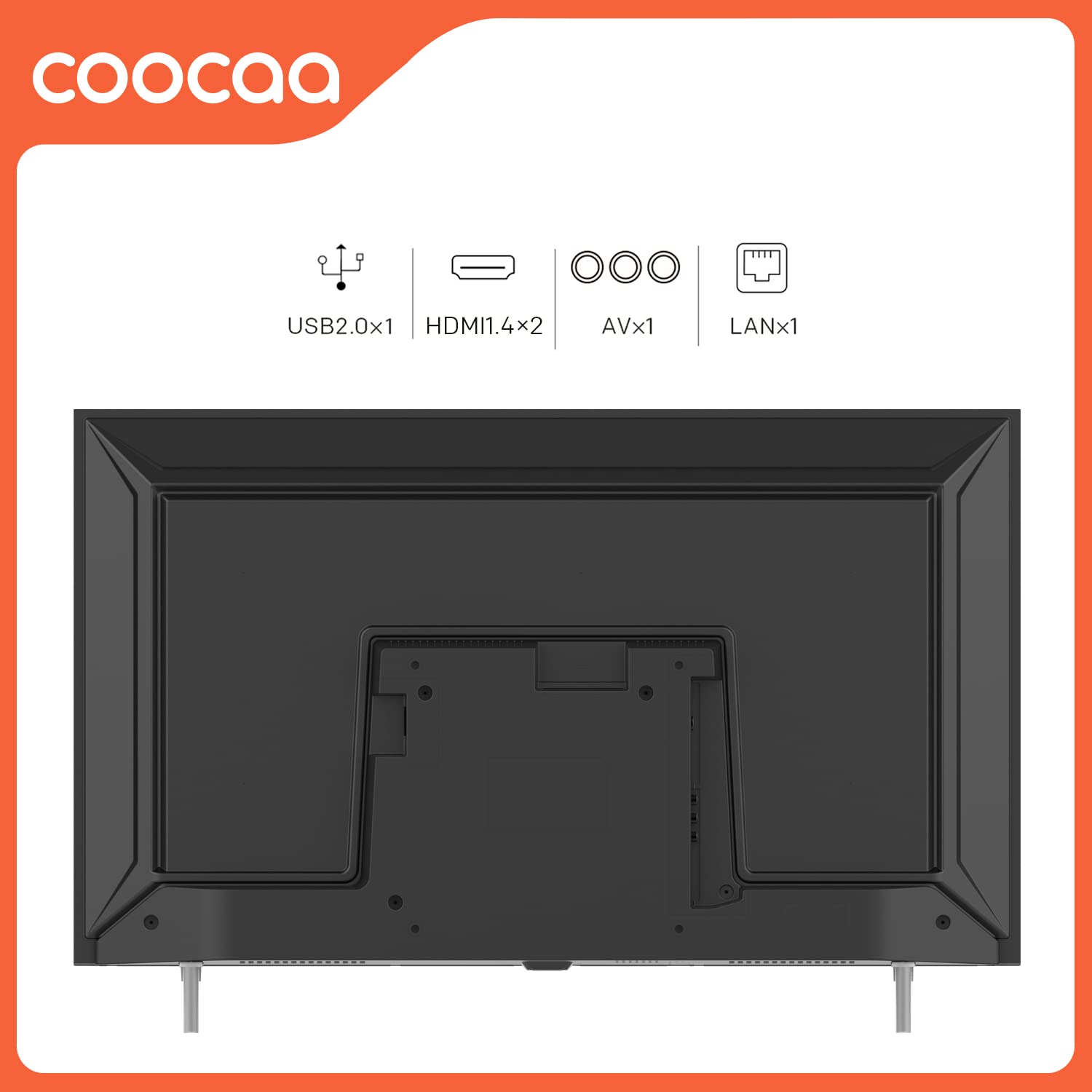
Image: Rear panel connectivity ports including USB, HDMI, AV, and LAN.
- Port HDMI (x2): Sambungkan kotak set-top, pemain Blu-ray, konsol permainan atau peranti lain yang didayakan HDMI.
- Port USB (x1): Sambungkan peranti storan USB untuk main balik media.
- Input AV: Untuk peranti lama yang menggunakan video komposit dan audio stereo.
- Port LAN: Untuk sambungan internet berwayar.
- Input Antena/Kabel: Sambungkan antena atau suapan TV kabel.
4.3 Kuasa Awal Hidup dan Persediaan Kali Pertama
- Sambungkan kord kuasa ke TV dan kemudian ke salur keluar kuasa.
- Tekan butang kuasa pada alat kawalan jauh atau pada TV.
- Ikut arahan pada skrin untuk melengkapkan persediaan awal, termasuk pemilihan bahasa, sambungan rangkaian (Wi-Fi atau Ethernet) dan pengimbasan saluran.
5. Mengendalikan TV Anda
5.1 Fungsi Kawalan Jauh
The included remote control allows you to navigate the TV's features and settings.

Image: The Coocaa remote control, highlighting quick access buttons.
- Butang Kuasa: Menghidupkan atau mematikan TV.
- Butang Navigasi (Atas/Bawah/Kiri/Kanan/OK): Navigasi menu dan pilih pilihan.
- Kelantangan Naik/Turun: Laraskan tahap bunyi.
- Saluran Atas/Bawah: Tukar saluran TV.
- Butang rumah: Access the Smart TV home screen.
- Butang Belakang: Kembali ke skrin sebelumnya.
- Butang Pintasan Apl: Direct access to popular streaming services like YouTube.
5.2 Smart TV Features (Coolita 2.0 OS)
Your Coocaa TV runs on the Coolita 2.0 OS, providing access to a range of smart features and applications.
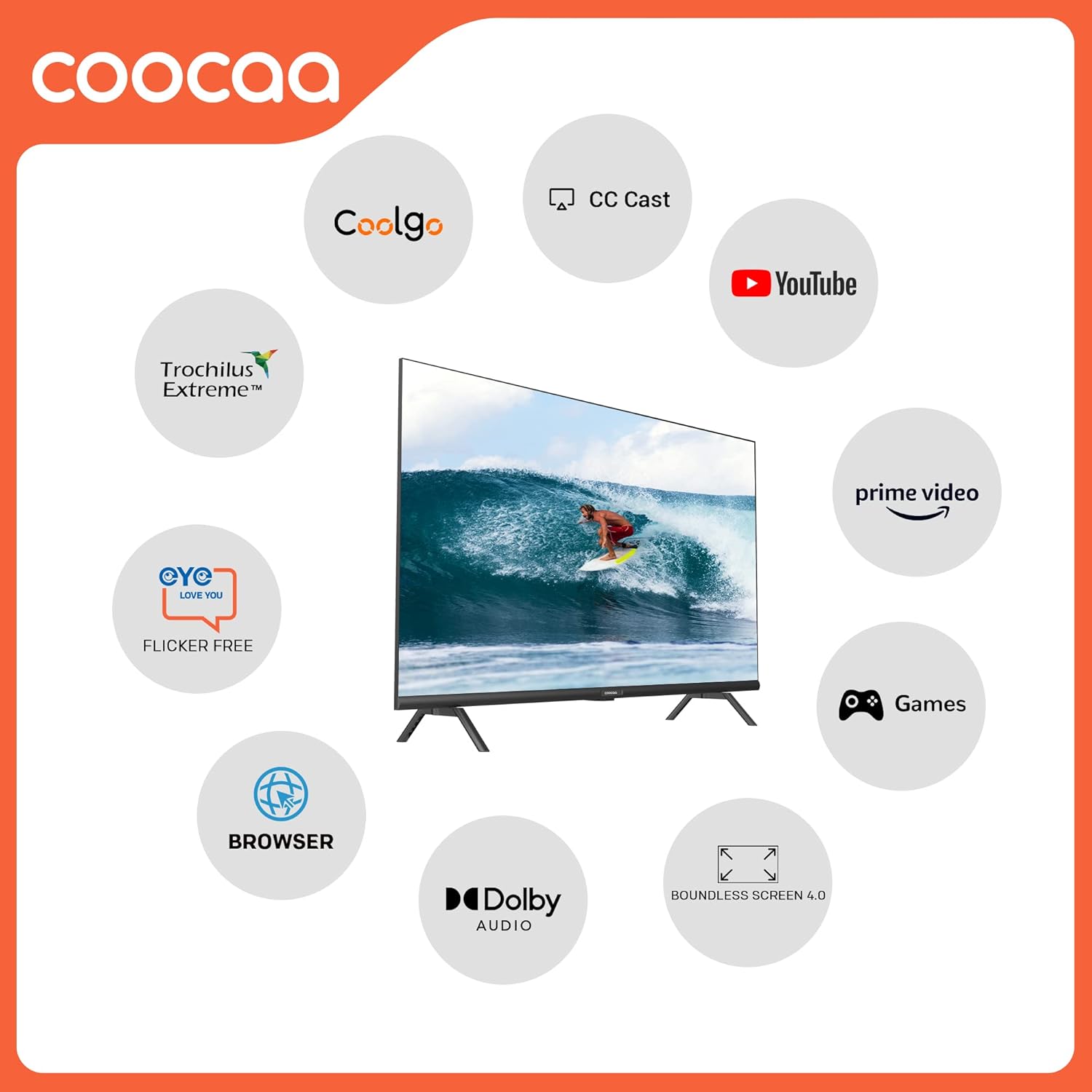
Imej: Selesaiview of key smart features available on Coocaa TVs.
5.2.1 Aplikasi Penstriman
Access a vast catalog of movies and TV shows from pre-installed applications such as Prime Video, YouTube, Zee5, and Sony LIV. Additional apps may be available for download.

Image: The TV's interface showing a wide selection of entertainment applications.
5.2.2 Web pelayar
Use the built-in browser to surf the internet directly on your TV screen.
5.2.3 Screen Mirroring (CC Cast)
The CC Cast feature allows you to mirror content from compatible devices (Android, iPhone) to your TV screen.

Image: Screen sharing functionality (CC Cast) from a mobile device to the TV.
5.2.4 Penjimat Data
Optimize your network usage with the Data Saver feature, designed to help manage internet traffic efficiently.

Image: The Data Saver feature on the Coocaa TV interface.
5.3 Tetapan Gambar dan Bunyi
Adjust picture and sound settings to suit your preferences. Access these options through the TV's main menu.
- Mod Gambar: Select from various preset modes (e.g., Standard, Vivid, Movie, Game) or customize brightness, contrast, color, and sharpness. The TV features an A+ Grade DLED panel and Trochilus Extreme Picture Engine for enhanced visuals.
- Mod Bunyi: Choose from preset sound modes (e.g., Standard, Music, Movie) or adjust bass and treble. The TV supports Dolby Audio and DTS Tru Surround for a rich audio experience.
- Perlindungan Mata: This feature helps reduce eye strain during prolonged viewing.

Image: Visual representation of the Coolita 2.0 A+ Grade Panel's display quality.
6. Penyelenggaraan
6.1 Membersihkan TV
- Sentiasa cabut plag TV sebelum membersihkan.
- Gunakan kain lembut dan kering untuk mengelap skrin dan badan TV.
- For stubborn marks, use a screen cleaner specifically designed for televisions, applied to the cloth, not directly to the screen.
- Elakkan daripada menggunakan pembersih yang melelas, lilin atau pelarut.
6.2 Kemas Kini Perisian
Your Coocaa Smart TV may receive software updates to improve performance and add new features. Ensure your TV is connected to the internet to receive these updates. You can usually check for updates in the TV's settings menu.
7. Penyelesaian masalah
Jika anda menghadapi masalah dengan TV anda, rujuk masalah dan penyelesaian biasa berikut:
| Masalah | Penyelesaian yang Mungkin |
|---|---|
| Tiada kuasa | Periksa sama ada kord kuasa disambungkan dengan kukuh dan soket kuasa berfungsi. Cuba soket lain. |
| Tiada gambar, tetapi bunyi hadir | Pastikan sumber input yang betul dipilih. Semak sambungan kabel ke peranti luaran. |
| Tiada bunyi, tetapi ada gambar | Check volume level and mute settings. Verify audio cable connections. |
| Alat kawalan jauh tidak berfungsi | Gantikan bateri. Pastikan tiada halangan antara alat kawalan jauh dan penderia IR TV. |
| Tidak dapat menyambung ke Wi-Fi | Semak kata laluan Wi-Fi. Mulakan semula penghala anda. Pastikan TV berada dalam julat isyarat Wi-Fi. |
| Ciri pintar perlahan atau tidak responsif | Restart the TV. Check your internet connection speed. Close unused applications. |
8. Spesifikasi
Detailed technical specifications for the Coocaa 40S3U Pro TV:

Image: Physical dimensions of the Coocaa 40S3U Pro TV.
| Ciri | Perincian |
|---|---|
| Jenama | koko |
| Model | 40S3U Pro |
| Saiz Skrin | 40 Inci (100 cm) |
| Teknologi Paparan | LED, IPS Panel |
| Resolusi | Full HD (1920x1080 Pixels) |
| Kadar Segar Semula | 60 Hz |
| Viewsudut | 178 Darjah |
| Sistem Operasi | Coolita 2.0 OS (Linux) |
| Kapasiti Penyimpanan Memori | 4 GB |
| Saiz Terpasang Memori RAM | 0.5 GB |
| Output Audio | 20 Watts, Dolby Audio, DTS Tru Surround |
| Ketersambungan | 2 HDMI, 1 USB, Ethernet, Wi-Fi, Bluetooth |
| Dimensi Produk (LxWxH) | 19.09 x 89.2 x 51.03 cm |
| Berat Barang | 5.1 kg |
| Penggunaan Kuasa | 74 Watt (Mod Hidup) |
| Ciri Khas | Eye Protection, Open Browser, Trochilus Extreme Picture Engine, Game Mode, HDR 10, CC Cast |
9. Maklumat Waranti
Your Coocaa 40S3U Pro TV comes with a Waranti 1 Tahun from the date of purchase. Please refer to the included warranty card for detailed terms and conditions. Keep your purchase receipt as proof of purchase for warranty claims.
10. Sokongan Pelanggan
For technical assistance, service, or further inquiries, please contact Coocaa customer support. Contact details can typically be found on the manufacturer's official webtapak atau pada kad jaminan yang disertakan dengan produk anda.