
coocaa 32S3U Pro
Coocaa 32S3U Pro Smart IPS LED TV Instruction Manual
Model: 32S3U Pro
1. Pengenalan
Welcome to the instruction manual for your new Coocaa 32S3U Pro Smart IPS LED TV. This manual provides essential information for setting up, operating, maintaining, and troubleshooting your television. Please read this manual thoroughly before using the product to ensure safe and optimal performance.

Figure 1.1: Coocaa 32S3U Pro Smart IPS LED TV showcasing its Coolita 2.0 operating system interface.
2. Maklumat Keselamatan
Always adhere to the following safety precautions to prevent electric shock, fire, damage to the TV, or personal injury:
- Jangan dedahkan TV kepada hujan atau lembapan.
- Jangan buka TV casing. Rujuk semua servis kepada kakitangan yang berkelayakan.
- Pastikan pengudaraan yang betul di sekeliling TV.
- Lindungi kord kuasa daripada berjalan atau tersepit.
- Cabut palam TV semasa ribut petir atau apabila tidak digunakan untuk tempoh yang lama.
- Keep small objects and liquids away from the TV.
3. Apa yang ada di dalam Kotak
Sahkan bahawa semua komponen hadir sebelum meneruskan persediaan:
- 1 x Coocaa LED TV
- 1 x Alat Kawalan Jauh
- 1 x Kuasa Kuasa
- 1 x Start Guide
- 1 x Kad Waranti
- 2 x Bateri AAA (untuk alat kawalan jauh)
- 1 x Set of Base Stands
- 4 x Screws (for base stands)
4. Persediaan
4.1 Pemasangan Fizikal
Your Coocaa TV supports both table-top placement and wall mounting. Choose the method that best suits your needs.
Table-Top Installation:
- Letakkan skrin TV dengan berhati-hati pada permukaan yang lembut dan rata untuk mengelakkan calar.
- Attach the base stands to the designated slots on the bottom of the TV using the provided screws. Ensure they are securely fastened.
- Angkat TV dengan berhati-hati dan letakkan pada permukaan yang stabil dan rata.
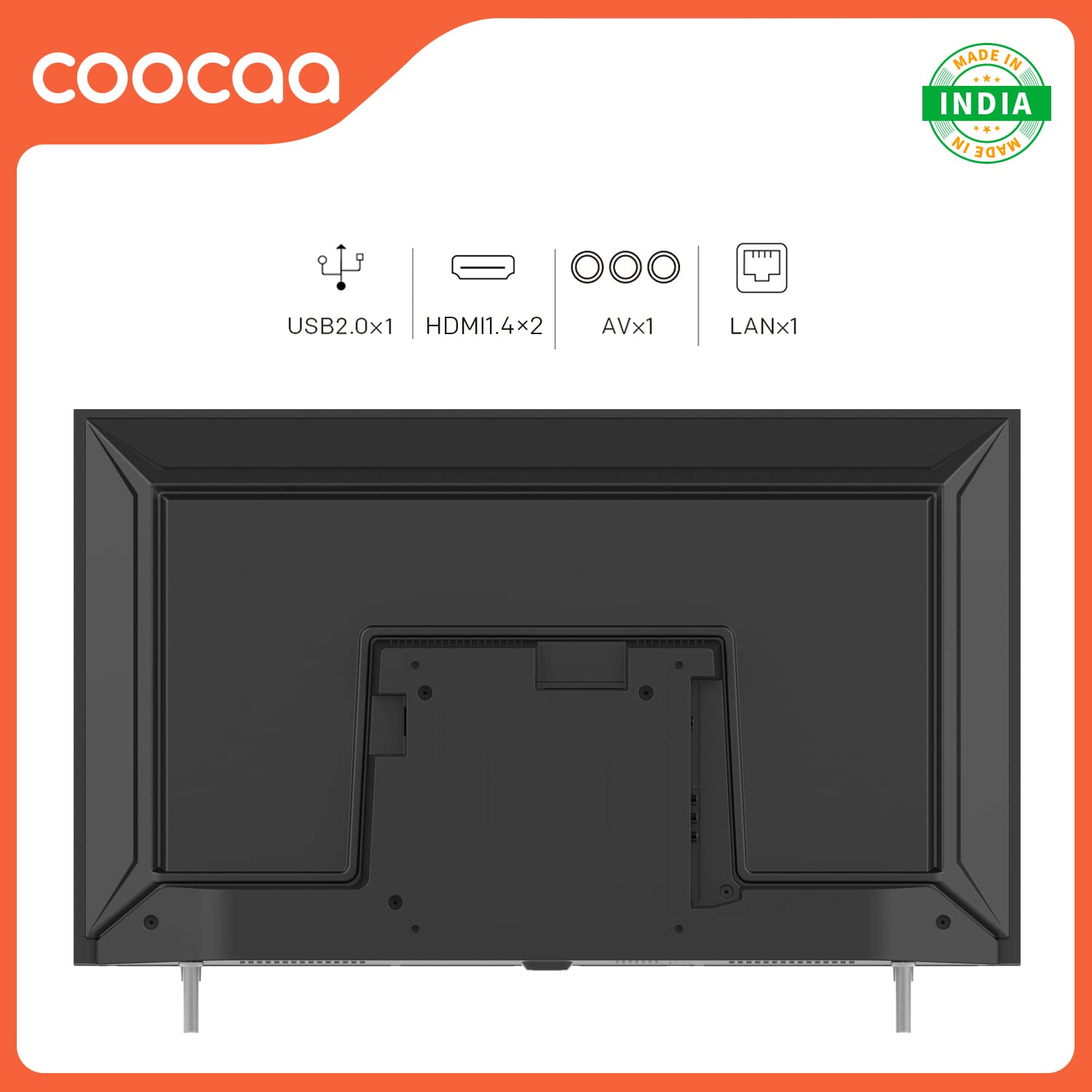
Figure 4.1: Rear panel connections including USB, HDMI, AV, and LAN ports for external devices.
4.2 Menyambung Peranti
Connect your external devices such as set-top boxes, gaming consoles, or sound systems to the TV's ports.
- HDMI: For high-definition audio and video. Your TV has 2 HDMI 1.4 ports.
- USB: For connecting USB storage devices. Your TV has 1 USB 2.0 port.
- DARI: For older devices using composite video and stereo audio. Your TV has 1 AV port.
- LAN: For wired internet connection. Your TV has 1 LAN port.
4.3 Hidupkan Awal dan Persediaan Rangkaian
- Palamkan kord kuasa ke dalam TV dan kemudian ke soket dinding.
- Tekan butang Kuasa pada alat kawalan jauh atau pada TV.
- Follow the on-screen instructions to select your language, region, and connect to your Wi-Fi network. You can also use a wired Ethernet connection via the LAN port.
- The TV features a fast startup time, with 1-second startup and 2-second app launch.

Figure 4.2: The Coocaa TV boasts quick startup and application launch times for a seamless user experience.
5. Mengendalikan TV
5.1 Fungsi Kawalan Jauh
Familiarize yourself with the remote control for easy navigation and control of your TV.

Figure 5.1: The remote control features dedicated buttons for quick access to YouTube and C+ Plus streaming platforms.
- Butang Kuasa: Menghidupkan atau mematikan TV.
- Butang Navigasi (Atas/Bawah/Kiri/Kanan): Navigasi melalui menu dan pilihan.
- Butang OK: Mengesahkan pilihan.
- Butang Belakang: Kembali ke skrin sebelumnya.
- Butang rumah: Accesses the main Coolita 2.0 OS interface.
- Kelantangan Naik/Turun: Melaraskan kelantangan.
- Saluran Atas/Bawah: Menukar saluran TV.
- Butang Apl Khusus: Quick access to YouTube, C+ Plus, and other pre-installed applications.
5.2 Coolita 2.0 Operating System
The Coocaa TV runs on the Coolita 2.0 OS, offering a user-friendly interface and access to various smart features.

Figure 5.2: The Coolita 2.0 OS provides access to a wide range of entertainment applications, including Prime Video, YouTube, SonyLIV, Zee5, and more.
Aplikasi Penstriman:
Access popular streaming services directly from your TV. Supported applications include Prime Video, SonyLIV, Zee5, YouTube, and more.

Figure 5.3: Enjoy one-click direct access to YouTube content for seamless video playback.
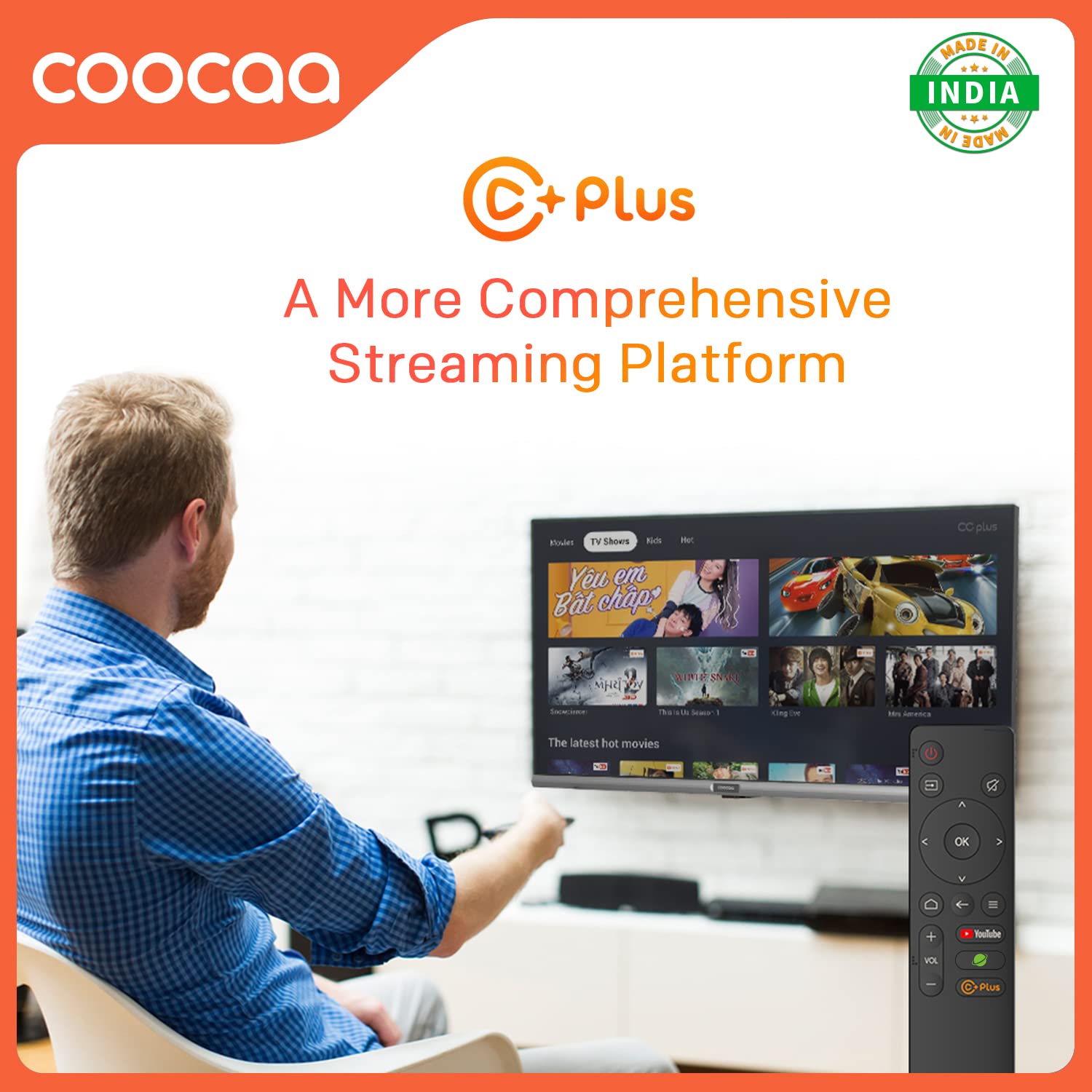
Figure 5.4: C+ Plus offers a more comprehensive streaming platform experience.
Buka Pelayar:
Surf the internet directly on your TV's large screen. The integrated browser allows you to visit websites and access online content.
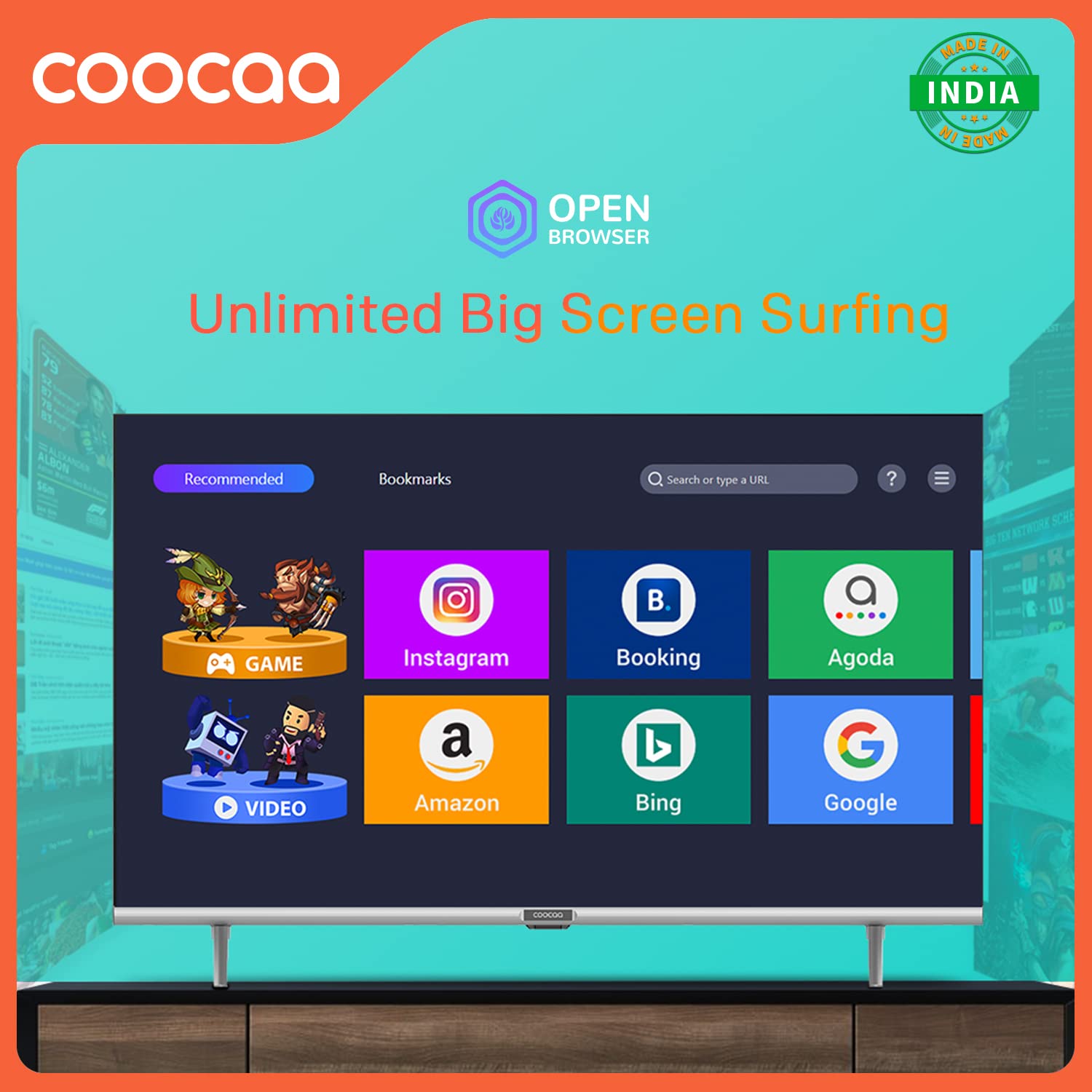
Figure 5.5: The Open Browser feature enables unlimited big-screen surfing, providing access to various online services.
CC Cast (Screen Sharing):
Mirror content from your mobile device to the TV screen using CC Cast. This feature helps save network bandwidth, money, and storage on your device.

Figure 5.6: Utilize CC Cast for seamless screen sharing from your mobile device to the TV, optimizing network usage and storage.
Swaiot HOME:
Integrate your Coocaa TV into your smart home ecosystem with Swaiot HOME, allowing for a connected smart life experience.
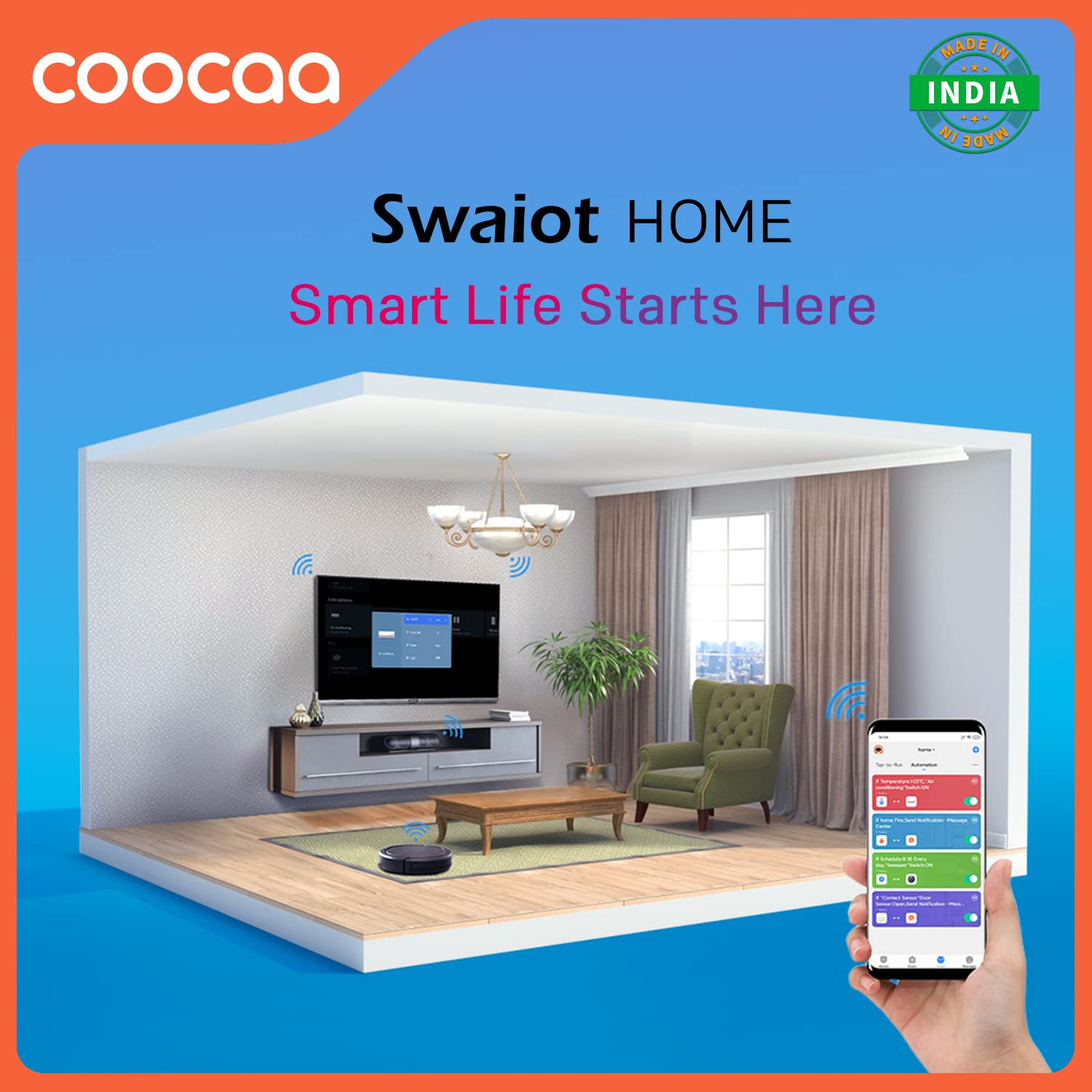
Figure 5.7: Swaiot HOME enables smart life integration, allowing control of smart devices through your TV.
Tetapan Gambar dan Bunyi:
Sesuaikan anda viewpengalaman membaca dan mendengar melalui menu tetapan TV.
- Trochilus Extreme Picture Engine: Enhances picture quality for vibrant colors and sharp details.
- HDR 10: Supports High Dynamic Range content for improved contrast and color accuracy.
- Mod Perlindungan Mata: Reduces blue light emission for comfortable viewing, especially during long sessions. The display is designed to be flicker-free.
- Audio Dolby: Provides immersive and clear sound quality. The TV features 20 Watts audio output with DTS Surround and Dolby Audio support.

Figure 5.8: The TV's flicker-free technology contributes to eye protection during extended viewing.

Figure 5.9: Experience enhanced audio quality with Dolby Audio support.

Figure 5.10: The TV features an A+ Grade Panel for superior display quality.
Mod Permainan:
Activate Game Mode for optimized performance during gaming, reducing input lag and enhancing responsiveness.
6. Penyelenggaraan
Proper care and maintenance will extend the life of your Coocaa TV.
- Membersihkan Skrin: Lap skrin dengan lembut menggunakan kain lembut yang tidak berbulu. Untuk kesan degil, gunakan larutan pembersih skrin yang direka khas untuk elektronik, yang disapu pada kain, bukan terus ke skrin.
- Membersihkan Casing: Gunakan kain lembut dan kering untuk mengelap TV casing. Elakkan menggunakan pembersih atau pelarut yang kasar.
- Pengudaraan: Pastikan bukaan pengudaraan tidak disekat untuk mengelakkan terlalu panas.
- Kord Kuasa: Periksa kord kuasa secara kerap untuk sebarang kerosakan.
7. Penyelesaian masalah
Sebelum menghubungi sokongan pelanggan, cuba penyelesaian berikut untuk isu biasa:
| Masalah | Kemungkinan Punca | Penyelesaian |
|---|---|---|
| Tiada kuasa | Kord kuasa terputus; tiada kuasa dari soket | Periksa sambungan kord kuasa; alur keluar uji dengan peranti lain. |
| Tiada gambar, tetapi bunyi hadir | Incorrect input source; loose HDMI/AV cable | Press the Source button on the remote to select correct input; re-connect cables securely. |
| Tiada bunyi, tetapi ada gambar | Kelantangan diredam atau terlalu rendah; isu sistem audio luaran | Nyahbisukan kelantangan atau tingkatkan tahap; semak sambungan ke peranti audio luaran. |
| Alat kawalan jauh tidak berfungsi | Bateri habis atau dipasang dengan salah; halangan antara alat kawalan jauh dan TV | Replace batteries; ensure line of sight to TV's IR receiver. |
| Tidak dapat menyambung ke Wi-Fi | Kata laluan salah; isu penghala; TV terlalu jauh dari penghala | Verify Wi-Fi password; restart router; move TV closer or use wired connection. |
8. Spesifikasi
Detailed technical specifications for the Coocaa 32S3U Pro Smart IPS LED TV:
| Ciri | Perincian |
|---|---|
| Model | 32S3U Pro |
| Saiz Skrin | 32 Inci (80 cm) |
| Teknologi Paparan | IPS LED, A+ Grade Panel |
| Resolusi | HD Ready (1366 x 768 Pixels) |
| Kadar Segar Semula | 60 Hz |
| Viewsudut | 178 Darjah |
| Sistem Operasi | Coolita 2.0 OS (Linux-based) |
| Kapasiti Penyimpanan Memori | 4 GB |
| Saiz Terpasang Memori RAM | 0.5 GB |
| Pemproses bersama Grafik | GPU Mali-G31 |
| Output Audio | 20 Watts, DTS Surround, Dolby Audio |
| Ketersambungan | Wi-Fi, USB (1x USB 2.0), Ethernet (1x LAN), HDMI (2x HDMI 1.4), AV (1x) |
| Ciri Khas | Eye Protection, Open Browser, Trochilus Extreme Picture Engine, Game Mode, HDR 10, CC Cast, Swaiot HOME |
| Penggunaan Kuasa (Mod dalam) | 60 Watt |
| Dimensi Produk (LxWxH) | 71.8 x 16.2 x 44.6 cm |
| Berat Barang | 3.5 kg |
9. Waranti dan Sokongan
Your Coocaa 32S3U Pro Smart IPS LED TV comes with a 1-Year Warranty from the date of purchase.
- For warranty claims or technical assistance, please refer to the contact information provided on your Warranty Card or visit the official Coocaa support webtapak.
- Simpan resit pembelian anda sebagai bukti pembelian untuk tujuan waranti.
Manufacturer: Radiant Appliances and Electronics Pvt Ltd
Address: Radiant Appliances and Electronics Pvt Ltd - Survey No.111,112, S-2 A1, Ecity, Fabcity, Maheshwaram Mandal, Raviryala Village, Ranga Reddy, Telengana-501141
Ask a question about this manual
Ask about setup, troubleshooting, compatibility, parts, safety, or missing instructions. Manuals+ will review the question and use this page’s manual context to help answer it.