
1. Pengenalan
This manual provides instructions for the Meizu LifemeHIFI Audio USB-C to 3.5mm DAC Headphone Adapter. This device converts digital audio signals from a USB-C port to analog audio for 3.5mm headphones, while also functioning as a headphone amplifier. Please read this manual carefully before use to ensure proper operation and to maximize your audio experience.
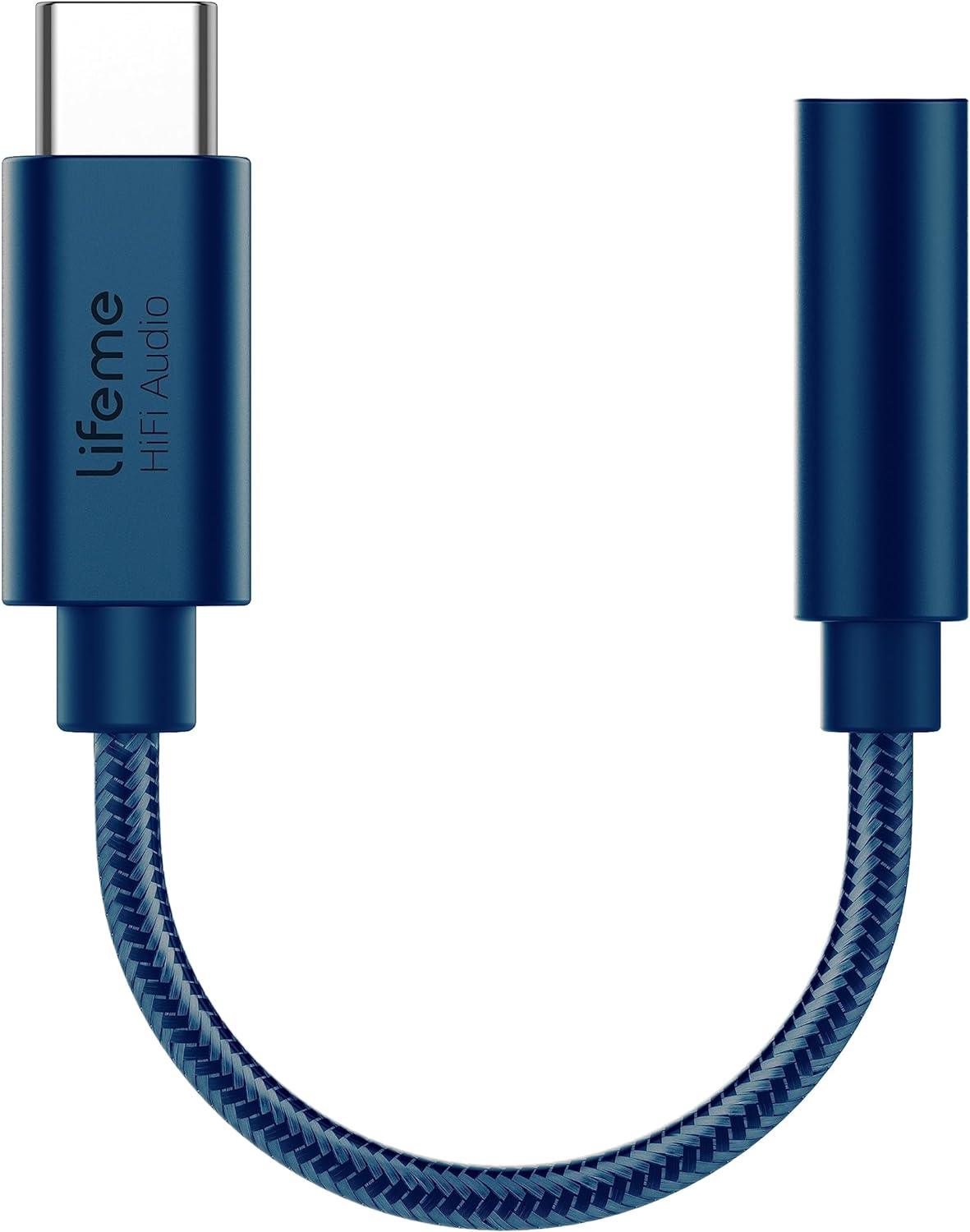
Rajah 1: Meizu LifemeHIFI Audio USB-C to 3.5mm DAC Headphone Adapter. This image shows the compact design of the adapter, featuring a USB-C male connector on one end and a 3.5mm female jack on the other, connected by a braided cable.
2. Ciri-ciri Produk
- High-Fidelity Audio Conversion: Integrates a Digital-to-Analog Converter (DAC) for superior sound quality.
- Fon kepala Amplebih hidup: Built-in precision power amplifier circuit supports headphone impedances from 16 to 600 ohms.
- Keserasian Luas: Designed for devices with a USB-C port, including various smartphones and tablets (e.g., Samsung S24/S23, iPad Pro, Google Pixel 9/8/7).
- Advanced DAC Chip: Utilizes the Conexant CX31993 high-performance independent DAC decoder chip.
- Exceptional Audio Specifications:
- Signal-to-Noise Ratio (SNR): >124dB
- Dynamic Range (DNR): >111dB
- Distortion (THD+N): -95dB
- PCM Decoding: Up to 32bit/384kHz
- Respons Kekerapan: 20-40kHz
- Output Load: 16-600Ω adaptive
- Output Power: 31mW dual channel @32Ω
- Reka bentuk tahan lasak: Features a braided cable for enhanced durability, tested for a 10,000 bend lifespan.

Rajah 2: Independent DAC Decoder Chip. This image highlights the Conexant CX31993 DAC chip, emphasizing its role in providing a pure HiFi audio experience with high signal-to-noise ratio and dynamic range.

Rajah 3: 600 Ohm Impedance Support. This graphic illustrates the adapter's capability to drive headphones with impedances from 16 to 600 ohms, along with its 32bit/384kHz PCM output and DSD64/DSD128 decoding.

Rajah 4: Built to Last Design. This image showcases the adapter's robust construction, highlighting its braided cable and a tested 10,000 bend lifespan, indicating enhanced durability.
3. Arahan Persediaan
- Sambungkan Fon Kepala: Plug your 3.5mm headphones or audio device into the 3.5mm female jack of the Meizu LifemeHIFI Audio adapter. Ensure the connection is secure.
- Sambung ke Peranti: Insert the USB-C male connector of the adapter into the USB-C port of your compatible smartphone, tablet, or computer.
- Pengecaman Automatik: Most compatible devices will automatically recognize the adapter as an external audio output device. No additional drivers are typically required.
- Pemilihan Output Audio (jika perlu): On some devices, you may need to manually select the USB audio output in your device's sound settings. Refer to your device's user manual for specific instructions on audio output selection.

Rajah 5: Wide Compatibility. This image displays various smartphones and tablets with USB-C ports, illustrating the broad range of devices compatible with the Meizu LifemeHIFI Audio adapter.
4. Arahan Operasi
Once the adapter is connected and recognized by your device, it operates as a standard audio output. Simply play audio from your device, and the sound will be routed through the adapter to your connected 3.5mm headphones.
- Kawalan Kelantangan: Adjust the volume using your connected device's volume controls. The adapter amplifies the signal, but the primary volume control remains with the source device.
- High Impedance Headphones: Yang terbina dalam amplifier is designed to drive high-impedance headphones effectively, providing clear and powerful audio.
5. Penyelenggaraan
- Pembersihan: Gunakan kain lembut dan kering untuk membersihkan penyesuai. Elakkan menggunakan pembersih cecair atau pelarut.
- Storan: Store the adapter in a cool, dry place when not in use. Avoid extreme temperatures.
- Pengendalian: Do not bend the cable excessively or apply undue force to the connectors. While designed for durability, improper handling can cause damage.
- Penjagaan Penyambung: Keep the USB-C and 3.5mm connectors free from dust and debris to ensure optimal connection.
6. Penyelesaian masalah
| Masalah | Kemungkinan Punca | Penyelesaian |
|---|---|---|
| Tiada bunyi dari fon kepala. |
|
|
| Static or distorted sound. |
|
|
| Adapter not recognized by device. |
|
|
7. Spesifikasi
| Ciri | Perincian |
|---|---|
| Model | LifemeHIFI Audio (HA01) |
| Jenama | Meizu |
| Jenis Penyambung | USB Type-C Male to 3.5mm Female Auxiliary |
| Cip DAC | Conexant CX31993 |
| Nisbah Isyarat-ke-Kebisingan (SNR) | >124dB |
| Julat Dinamik (DNR) | >111dB |
| Herotan (THD+N) | -95dB |
| PCM Decoding | Sehingga 32bit/384kHz |
| Respons Kekerapan | 20-40kHz |
| Beban Keluaran | 16-600Ω adaptive |
| Kuasa Keluaran | 31mW dual channel @32Ω |
| Berat Barang | 0.634 auns (lebih kurang 18 gram) |
| warna | Biru |
8. Waranti dan Sokongan
Meizu products are designed for reliability and performance. For warranty information and technical support, please refer to the official Meizu webtapak atau hubungi peruncit anda. Simpan resit pembelian anda sebagai bukti pembelian untuk sebarang tuntutan waranti.
Untuk bantuan lanjut, sila layari Meizu Store on Amazon.